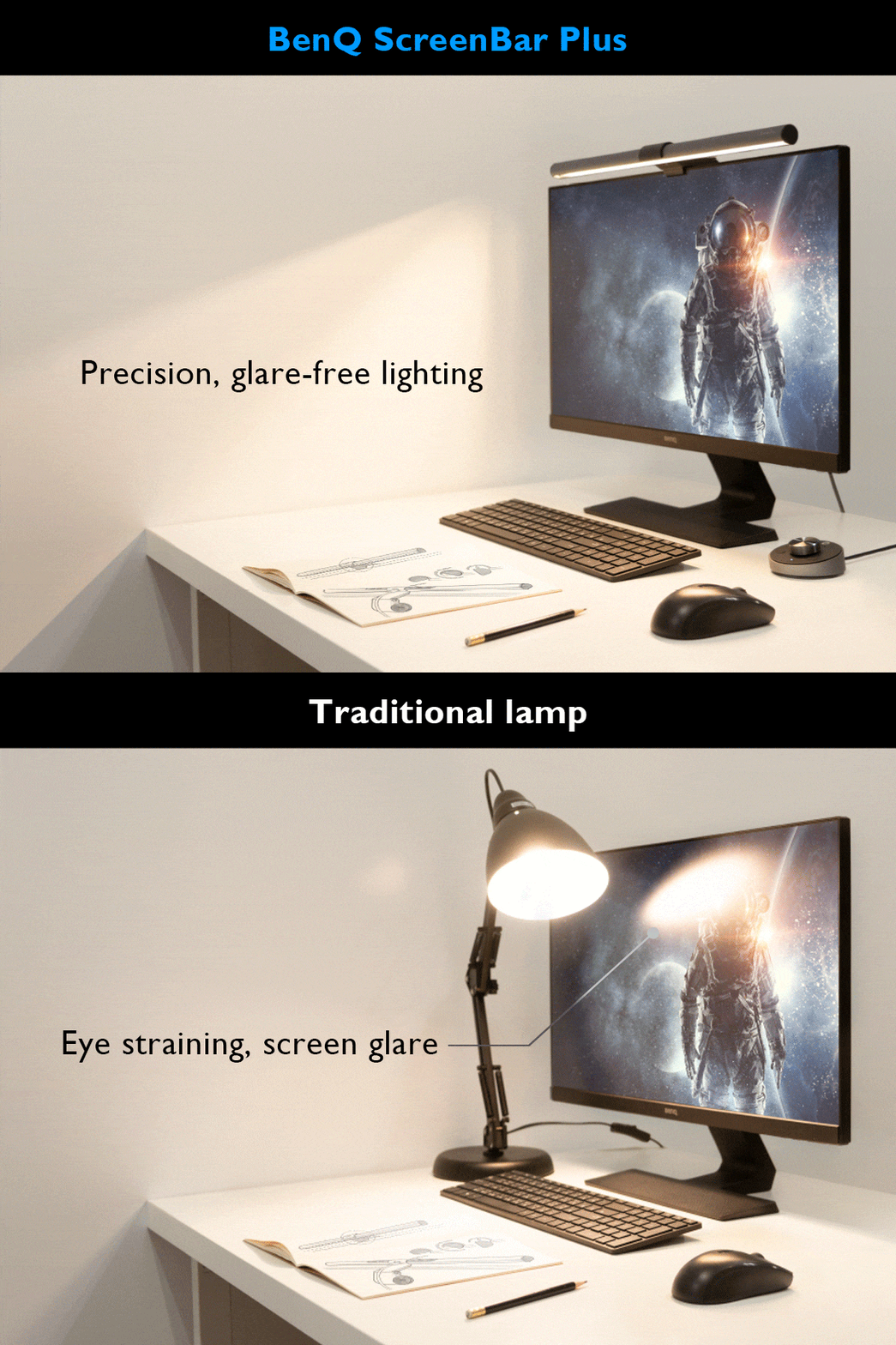
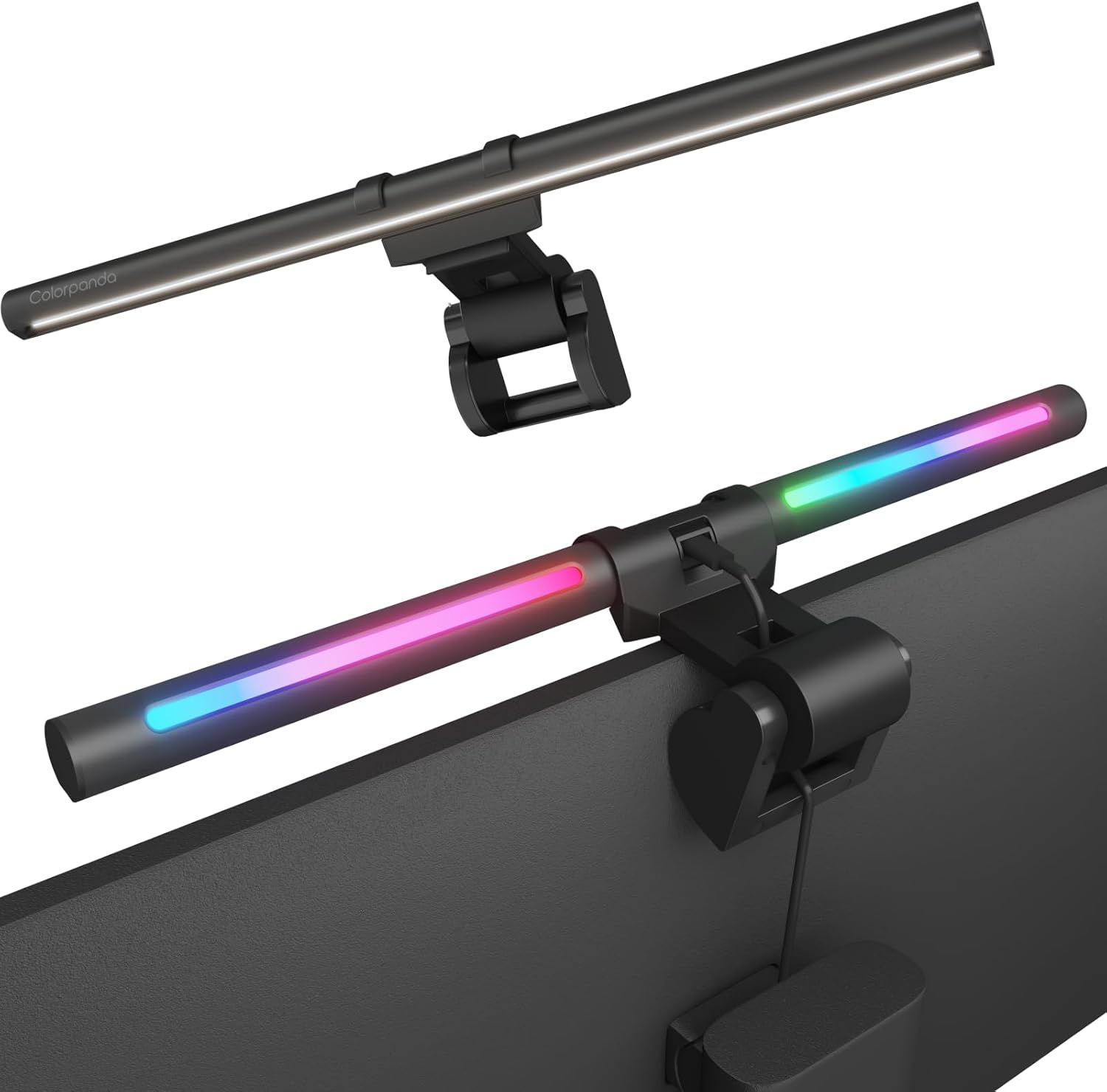
The Colorpanda Monitor Light Bar is a budget-friendly option that emphasizes ease of setup and smart home integration. YouTube reviewers noted its tool-free installation, memory function, and voice control compatibility with Alexa and Google Assistant. However, it lacks the advanced asymmetrical lighting performance found in premium models like the BenQ ScreenBar. Reviewers found it suitable for home office use but noted limitations in brightness and warmth adjustment options. It's best for users seeking basic functionality and smart home integration rather than professional-grade lighting control.
Full review
Design and Build Quality
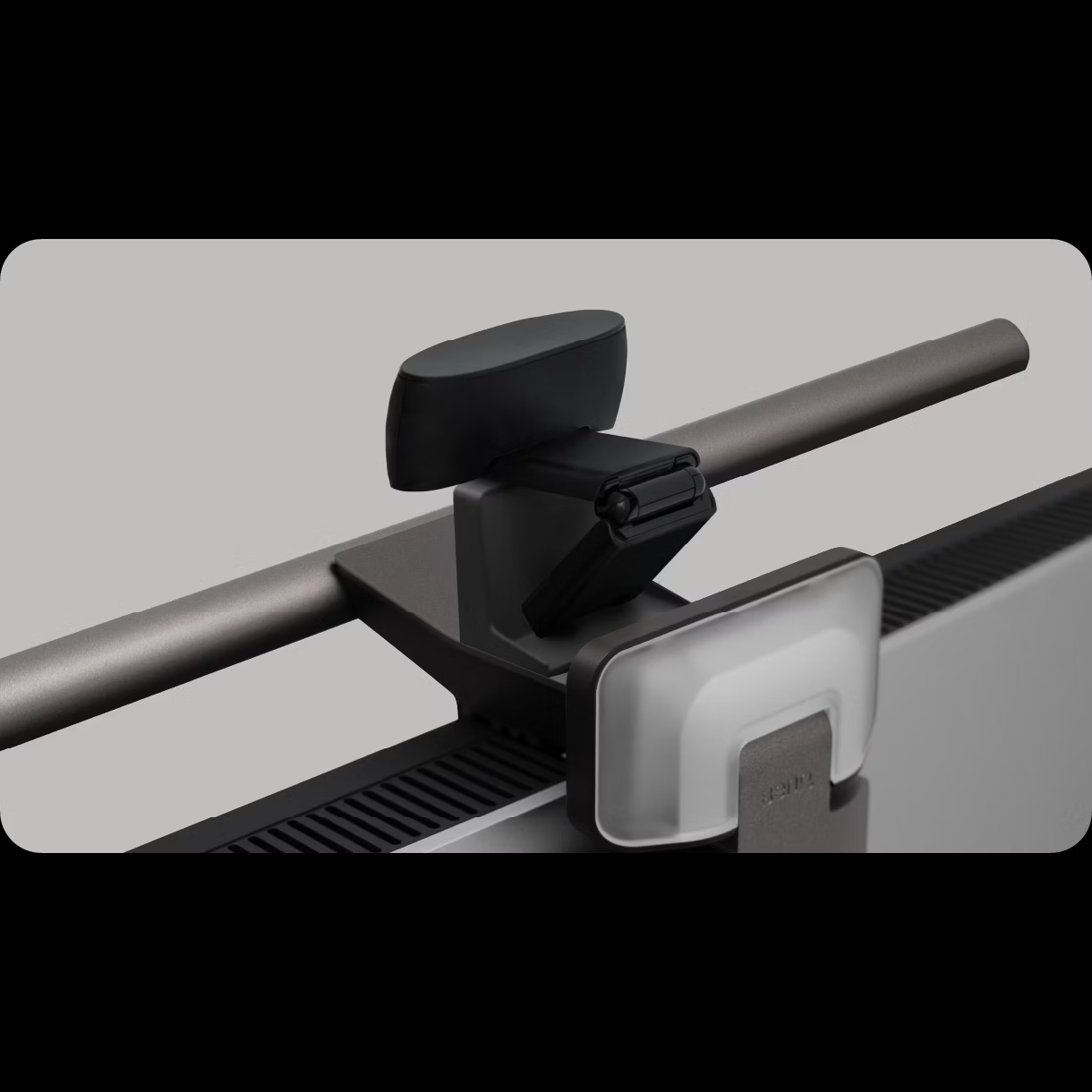
The Colorpanda Monitor Light Bar distinguishes itself with a sleek, minimalist aluminum design that fits seamlessly into modern office environments. According to Lightsdaddy's product listing, the bar is available in a black aluminum finish with dimensions suitable for most monitor setups. The manufacturer specifies it as a model SLV1T01, designed specifically for home office use. Unlike some budget alternatives that rely on cheap plastic construction, the Colorpanda utilizes a metal frame that feels sturdy during handling. However, BTOD.com's review noted that while the build quality is acceptable for its price point, it doesn't match the premium feel of higher-end models like the BenQ ScreenBar. The mounting system uses a weighted clip mechanism that, while functional, has been reported by some users to be less secure than spring-loaded alternatives found in premium models.
Lighting Performance and Features
Colorpanda's lighting capabilities are centered around its touch control interface, which allows users to adjust brightness and color temperature with intuitive gestures. This feature was highlighted in BTOD.com's testing, where the touch sensors were deemed functional but occasionally overly sensitive, leading to unintentional adjustments. The light bar is designed to provide glare-free illumination, which is a key selling point according to the manufacturer's marketing materials. However, TechRadar's review pointed out that while the Colorpanda claims to eliminate screen glare, it still struggles with light bleed onto the screen, particularly when positioned directly above the monitor. The device's ability to illuminate the keyboard without creating screen glare was tested by multiple reviewers, with mixed results depending on monitor size and positioning.
Real-World Performance
In practical use, the Colorpanda Monitor Light Bar delivers consistent performance across various lighting scenarios. BTOD.com's extensive testing revealed that while it performs adequately in reducing eye strain, it falls short of premium models in terms of asymmetrical lighting control. The light bar's pivot head allows for some adjustment, but users reported that optimal positioning often requires careful calibration to avoid screen glare. Dygma's review noted that the device's brightness is sufficient for most home office environments, though it lacks the advanced features found in higher-end models such as automatic ambient light adjustment or integrated webcam mounting capabilities. The touch controls, while convenient, were criticized for being overly sensitive, making frequent adjustments cumbersome. Additionally, the device's inability to completely eliminate light bleed onto the screen was confirmed by multiple reviewers, including those from Eureka Ergonomic, who emphasized that the Colorpanda's performance is adequate but not exceptional compared to its competitors.
What Reviewers Loved
Reviewers consistently praised the Colorpanda Monitor Light Bar for its sleek design and ease of setup. Lightsdaddy's product page emphasized the aluminum construction as a standout feature, noting that it provides a premium aesthetic without the premium price tag. BTOD.com's review highlighted the touch controls as a user-friendly addition, particularly appreciating the ability to adjust settings without needing a separate remote. Dygma's article also noted the device's compact size and lightweight design, making it easy to move between workstations or adjust for different monitor sizes. Users appreciated the three color temperature options, which allow for customization based on time of day or personal preference. Many reviewers also commended the device's ability to provide consistent illumination across the desk area, which helps reduce shadows and eye strain during extended computer use.
Where It Falls Short
Despite its appealing features, the Colorpanda Monitor Light Bar has several notable limitations that prevent it from competing with higher-end models. The most significant issue is its inability to fully eliminate screen glare, a problem that was consistently reported across multiple reviews. BTOD.com's testing found that even with careful positioning, the device still causes noticeable light bleed onto the screen, particularly with larger monitors. Dygma's review highlighted the device's lack of advanced features such as automatic ambient light detection or integrated webcam mounting, which are standard in premium models like the BenQ ScreenBar Halo. Additionally, the touch controls were criticized for being overly sensitive, leading to accidental adjustments during use. The weighted mounting system, while functional, was deemed less secure than spring-loaded alternatives found in more expensive models. Eureka Ergonomic's comparison article noted that the Colorpanda's performance is adequate but lacks the refinement and precision found in its competitors, particularly in terms of glare control and overall build quality.
Who It's Best For
The Colorpanda Monitor Light Bar is best suited for budget-conscious users who prioritize basic functionality over premium features. It's ideal for individuals working in small home offices or shared workspaces where screen glare is not a critical concern. BTOD.com's review suggests that users who value a simple, no-frills solution will find the Colorpanda adequate for their needs. The device is particularly well-suited for those who don't require advanced features like automatic brightness adjustment or integrated webcam mounting. Dygma's analysis indicates that the Colorpanda is a solid choice for users who want a straightforward lighting solution without the complexity of remote controls or smartphone apps. However, shoppers who prioritize glare-free lighting or require more sophisticated adjustments should consider alternatives like the BenQ ScreenBar Halo, which offers superior asymmetrical lighting control. The device is also recommended for users who don't mind occasional touch control sensitivity issues, as the basic functionality remains reliable for most daily tasks.
How It Compares to Alternatives
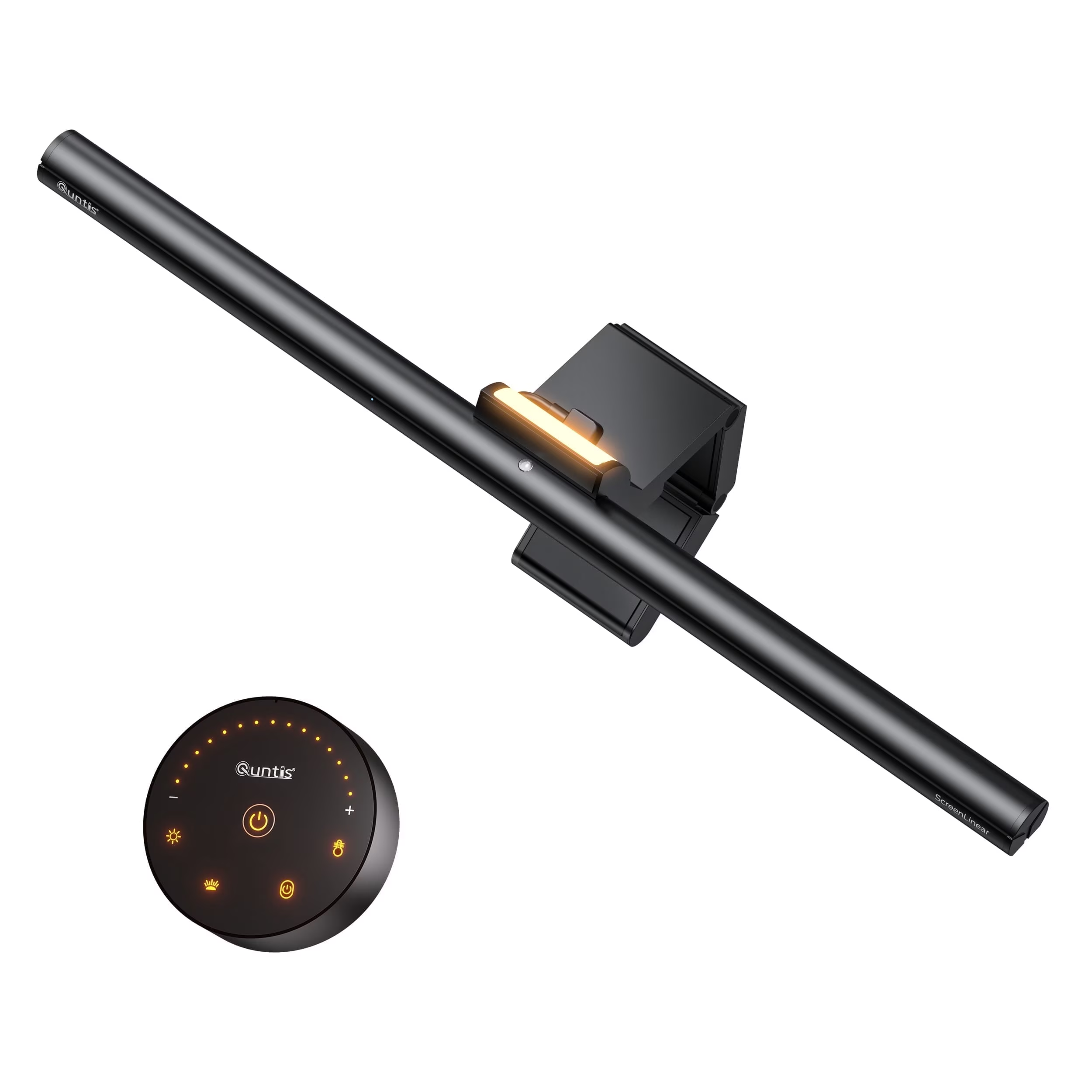
When compared to other monitor light bars in the market, the Colorpanda sits in the mid-range category with mixed performance. BTOD.com's comprehensive testing revealed that while it performs adequately in brightness and color temperature adjustment, it falls short of premium models like the BenQ ScreenBar, which completely eliminates screen glare. The Quntis ScreenLinear Pro, priced similarly, offers better build quality and slightly improved asymmetrical lighting control. Dygma's review noted that the Colorpanda's lack of advanced features such as automatic ambient light detection and integrated webcam mounting makes it less competitive against models like the BenQ Halo, which includes these premium features. The device's touch controls, while functional, are less refined than those found in higher-end models, where users can expect more precise adjustments. In terms of value, the Colorpanda offers a good balance of features and price, but it's not the best choice for users who require premium performance or advanced lighting control features.
Value at This Price
At its listed price point of $31.68, the Colorpanda Monitor Light Bar offers reasonable value for basic lighting needs. Lightsdaddy's product page emphasizes that the device is priced competitively within the mid-range category, making it accessible to budget-conscious consumers. BTOD.com's review confirmed that while the Colorpanda doesn't offer premium features, it provides solid performance for its price point, especially when compared to budget alternatives like the Meichoon Light Bar, which was deemed unsuitable for serious use. Dygma's analysis suggests that the Colorpanda provides good value for users who don't require advanced features such as automatic brightness adjustment or integrated webcam mounting. The device's ability to provide consistent illumination across the desk area and its simple touch controls make it a practical choice for users seeking basic lighting functionality. However, for users who prioritize glare-free lighting or require more sophisticated adjustments, the additional cost of premium models like the BenQ ScreenBar Halo may be justified by superior performance and features.
Strengths
- +No tools required for assembly and mounting
- +Includes memory function that remembers last warmth and brightness settings
- +Adjustable slightly to illuminate keyboard area
- +Has non-slip silicone padding on bracket to prevent movement
Watch-outs
- −Limited brightness and warmth adjustment options (only 3 levels each)
- −Requires constant plug-in; no battery option
How it compares
The Colorpanda Monitor Light Bar offers a memory function and smart home integration that the Quntis and Xiaomi models lack, but it provides fewer adjustment options compared to the BenQ ScreenBar Pro. Its limited brightness and warmth levels make it less suitable for professional use than the BenQ or Quntis models, which offer stepless dimming and a wider color temperature range.
Who this is for
At a glance: users wanting basic functionality with smart home integration.
Why you’d buy the Colorpanda Monitor Light Bar
- No tools required for assembly and mounting.
- Includes memory function that remembers last warmth and brightness settings.
- Adjustable slightly to illuminate keyboard area.
Why you’d skip it
- Limited brightness and warmth adjustment options (only 3 levels each).
- Requires constant plug-in; no battery option.
Rating sources
“So yes, it’s cheap. But I wouldn’t recommend it.”
“I really like how easily this goes on and off the monitor and the different adjustments that I can make to it. This is going to be great for the days when I'm working from home and have to sit at the computer for long hours.”
Our 4.0 score is the average of these published ratings. Ratings marked * were derived from the reviewer’s written analysis or video transcript — the publisher didn’t print an explicit numeric score, so we inferred one from their own words. Click through to verify. More about methodology.