Verdict
The Best 6Reviewed by Mike Hun·April 26, 2026

Best USB-C Docks

Top 6 USB-C docks reviewed and ranked.

Quick answer

CalDigit TS4 Thunderbolt Dock is our top pick for usb-c docks — an averaged 4.6/5 across 7 published reviews at about $379. Runner-up: Anker 555 8-in-1 USB-C Dock (~$50).

At a glance

Tap any product for the full review
(7 sources)
$379Best for: power users needing maximum Thunderbolt connectivity
$379 · Check Price on Amazon
(3 sources)
$50Best for: creatives needing high-speed data and 4K output
$50 · Check Price on Amazon
(4 sources)
$149Best for: Windows/ChromeOS users needing triple displays
$149 · Check Price on Amazon
(8 sources)
$129Best for: budget-conscious users needing triple displays
$129 · Check Price on Amazon
(4 sources)
$199Best for: office users needing broad laptop compatibility
$199 · Check Price on Amazon
(5 sources)
$56Best for: users seeking desk organization and wireless charging
$56 · Check Price on Amazon
Verdict is reader-supported. As an Amazon Associate we earn from qualifying purchases. Some links on this page are affiliate links — if you click through and buy, we may earn a small commission at no extra cost to you. Our ratings are sourced from independent publications, not sponsors.
Reviews aggregated from
Dockingstations.infoMacrumorsTech AdvisorPCWorldMinipcreviewerLaptop MagTechRadarThe Verge

The full ranking

How we rank →
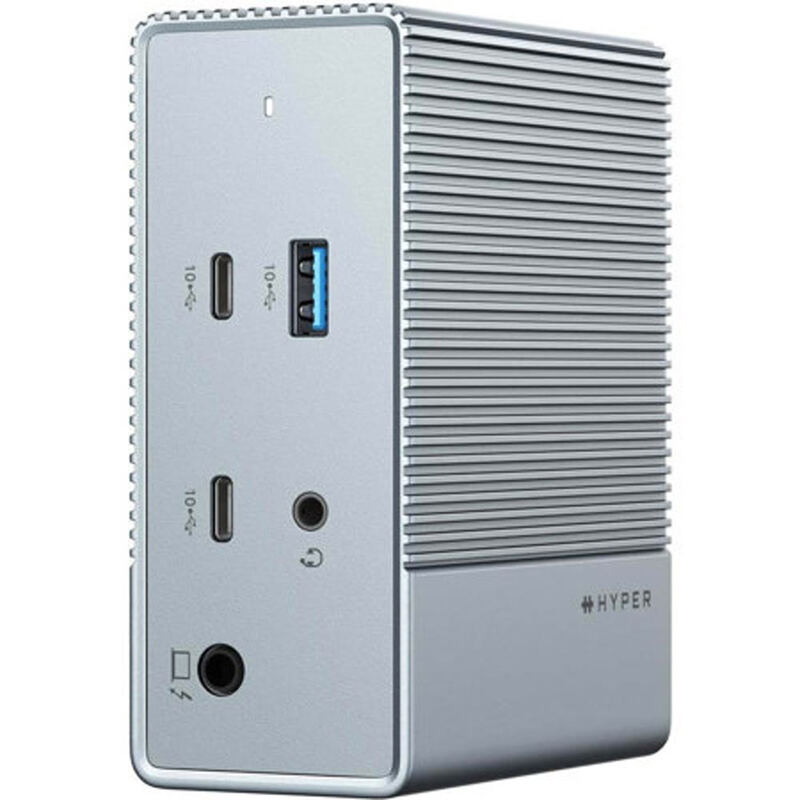
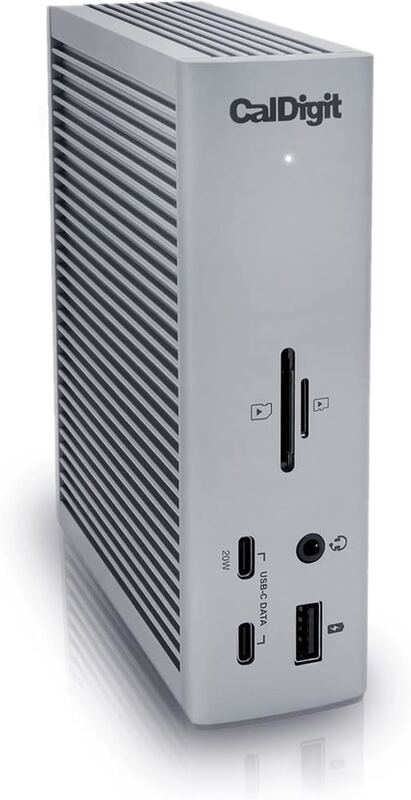
CalDigit TS4 Thunderbolt Dock
#1 · Top Score
Best for: power users needing maximum Thunderbolt connectivity
CalDigit TS4 Thunderbolt Dock
from 7 sources$379

The CalDigit TS4 Thunderbolt Dock earns its reputation as the gold standard for Thunderbolt docks, according to TechRadar's Collin Probst who gave it a full 5-star review. The dock offers 18 ports including 4 Thunderbolt 4 connections, 98W power delivery, and exceptional build quality that feels durable and reliable. The Verge's Dan Seifert praised it as 'nearly perfect' with the most well-equipped configuration available, though he noted the $380 price tag as a significant drawback. While both reviewers agree on its superior port selection and performance, the dock's bulkiness and premium cost may deter budget-conscious buyers or those seeking more compact solutions. This dock is ideal for power users and professionals who need maximum connectivity but not for casual users or those prioritizing portability or affordability.

Strengths
  • Incredible 98W power delivery for charging laptops and peripherals
  • Fantastic port options with 18 total ports including 4 Thunderbolt 4 ports
Watch-outs
  • High price point at $379.99
  • Slightly bulky design that takes up significant desk space
Anker 555 8-in-1 USB-C Dock
#2
Best for: creatives needing high-speed data and 4K output
Anker 555 8-in-1 USB-C Dock
from 3 sources$50

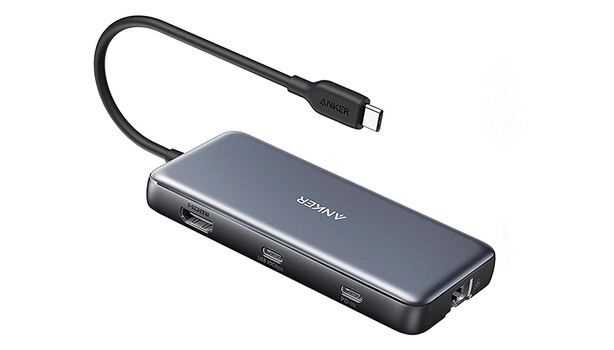
The Anker 555 USB-C 8-in-1 Hub offers significant upgrades over cheaper alternatives with its 4K60Hz HDMI output, full 10Gbps USB speeds across all ports, and dual card readers. Blogged Off reviewer noted it's bulkier than older hubs but provides better heat dissipation and reliable performance. Fstoppers reviewer praised its compact size and pass-through charging capabilities, though both reviewers mentioned the lack of rubber feet and awkward dangling design. This hub is ideal for creatives needing high-speed data transfer and display output, but those seeking a slimmer form factor or Thunderbolt connectivity should consider more expensive docking stations.

Strengths
  • Supports 4K at 60 Hz over HDMI, which is superior to most competitors that max out at 30 Hz
  • All USB ports (2x USB-A 3.2 and 1x USB-C 3.2) deliver 10 Gbps throughput
Watch-outs
  • No rubber feet or grip mechanism, causing it to slide around on surfaces
  • Relatively bulky design compared to slim alternatives, awkwardly dangling from laptop
HyperDrive 12 USB-C Dock
#3
Best for: Windows/ChromeOS users needing triple displays
HyperDrive 12 USB-C Dock
from 4 sources$149

The HyperDrive 12-Port USB-C Dock offers excellent value with its 12-port connectivity including dual HDMI 2.0 and DisplayPort 1.4 outputs, 10Gbps USB ports, and 100W power delivery passthrough. TechRadar praised its driver-free operation and triple display support on Windows and ChromeOS. However, reviewers noted the lack of included power adapter and limited macOS display support. The dock's 10Gbps host connection creates bandwidth bottlenecks when running multiple displays simultaneously, making it best suited for users who primarily work on Windows or ChromeOS systems rather than Mac users needing triple displays.

Strengths
  • Supports triple extended display on Windows and ChromeOS via MST without requiring drivers
  • 10Gbps USB-C and USB-A ports enable fast external drive transfers
Watch-outs
  • Power adapter not included, required separately for PD charging
  • Triple display not supported on macOS due to lack of MST support
UGREEN Revodok Pro USB-C Dock
#4
Best for: budget-conscious users needing triple displays
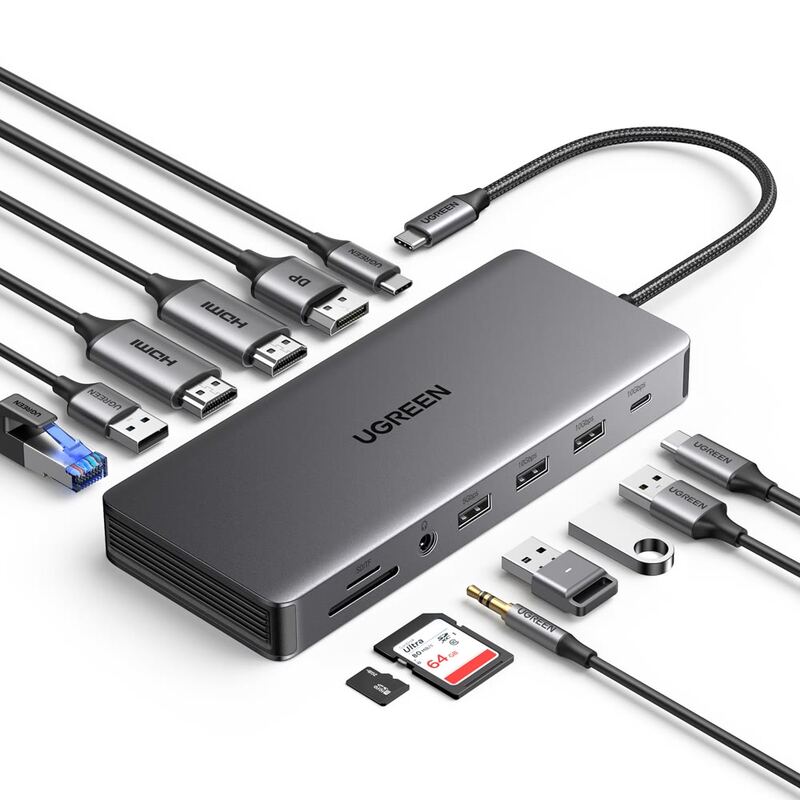
UGREEN Revodok Pro USB-C Dock
from 8 sources$129

The UGREEN Revodok Pro 13-in-1 offers impressive triple-display capabilities with 4K at 60Hz on two ports and 8K at 30Hz on one, making it an excellent value compared to premium Thunderbolt docks. PCWorld's Mark Hachman praised its 'excellent performance' and 'great value for the money,' while XDA's Brady Snyder called it a 'good mix of price and performance.' However, reviewers noted the short built-in cable and requirement for a separate power supply. The dock works best with modern laptops and Apple Silicon Macs, though compatibility with older Intel Core systems is uncertain. This dock is ideal for power users needing multiple displays but may not suit everyone due to its specific requirements.

Strengths
  • Excellent triple-display support with 4K at 60Hz on two ports and 8K at 30Hz on one port
  • Great value for money compared to premium Thunderbolt docks
Watch-outs
  • Built-in USB-C cable is short and requires separate power supply
  • Not fully compatible with older 11th-gen Intel Core laptops
Dell D6000 Universal Dock
#5
Best for: office users needing broad laptop compatibility
Dell D6000 Universal Dock
from 4 sources$199

The Dell D6000 Universal Dock offers broad compatibility by supporting both USB Type-A and USB-C connections, making it ideal for mixed-device environments. It delivers triple 4K display support via USB-C, a rare feature at this price point, according to docking-stations.info. However, reviewers noted significant drawbacks including a non-removable cable that can't be replaced, the need for DisplayLink drivers on every OS, and software-based video compression that limits its usefulness for gaming or creative work. While it's a budget-friendly option for office setups requiring multi-monitor support, the dock's reliability concerns and performance limitations make it best suited for general productivity tasks rather than power users.

Strengths
  • Supports both USB 3.0 and USB Type-C for universal compatibility with older and newer laptops
  • Outputs to up to three 4K monitors via USB-C (two at 4K@60Hz + third at 4K@30Hz)
Watch-outs
  • Non-removable USB-C cable means if it fails, the entire dock becomes unusable
  • Requires DisplayLink driver installation on all operating systems, not plug-and-play
Satechi 15-in-1 USB-C Dock
#6
Best for: users seeking desk organization and wireless charging
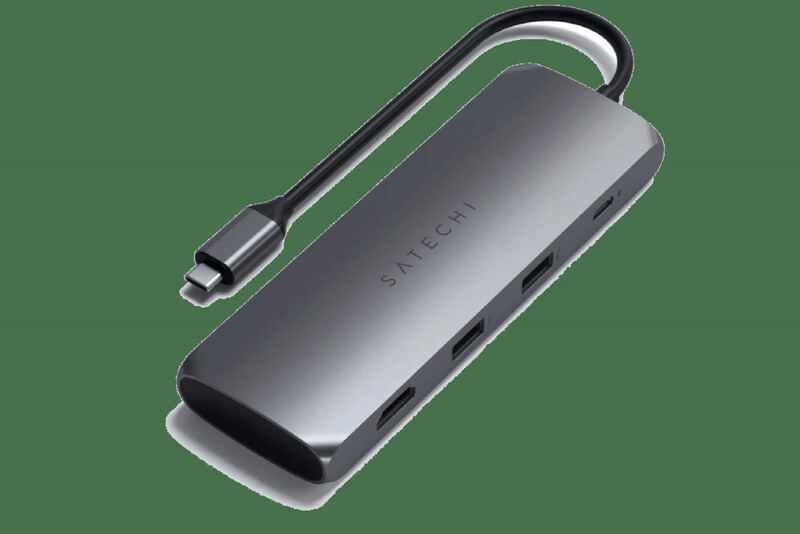
Satechi 15-in-1 USB-C Dock
from 5 sources$56

The Satechi Dock 5 serves as an effective desk organizer combining a multi-port charger, wireless charging pad, and vertical device stand. Android Authority's Rita El Khoury praised its robust aluminum construction and ability to streamline cluttered workspaces, noting it successfully holds iPads and Kindles without tipping. However, Wirecutter's review highlighted that its charging speeds are modest and it lacks SD card support or Ethernet connectivity, making it less ideal for users requiring those features. This product best suits users seeking a simple, organized charging solution for phones and tablets rather than power users needing extensive port options.

Strengths
  • Provides organized vertical slots for up to 4 devices with sturdy separators that accommodate thick cases
  • Includes 10W wireless charging pad that fits larger devices like Pixel Fold with ample spacing
Watch-outs
  • Charging speeds are limited to 12W/20W max, not suitable for fast charging laptops or high-drain devices
  • No SD card slot or Ethernet port, limiting functionality for users needing those connections

Spec comparison

6 products
SpecCalDigit TS4 Thunderbolt DockAnker 555 8-in-1 USB-C DockHyperDrive 12 USB-C DockUGREEN Revodok Pro USB-C DockDell D6000 Universal DockSatechi 15-in-1 USB-C Dock
Host Connection4x Thunderbolt 4USB-CUSB-CUSB-CUSB-CUSB-C
USB-A Ports4x USB 3.2 Gen 22 ports with 10 Gbps2x 2.0444x USB-A 3.2
USB-C Ports1x USB-C 3.2 Gen 21 port with 10 Gbps2x 10Gbps111x USB-C 3.2
Display OutputsDP and USB-C4K at 60 Hz3 displays3x (2x 4K@60Hz, 1x 8K@30Hz)2x DisplayPort 1.2, 1x HDMI 2.0HDMI 2.0, DisplayPort 1.4
Ethernet2.5 Gigabit1 Gbps bandwidth10/100/1000 Mbps2.5 Gbps10/100/1000 MbpsGigabit Ethernet
Power Delivery98W85 watts pass-through100WPD 3.0 100W90W100W
Card SlotsSD 4.0, microSD 4.0SD, microSDSD, microSDSD/TF slotsSD, microSD4 vertical
Build MaterialMetal constructionPlasticAluminumAluminum AlloyPlasticAluminum with silicone base

Frequently asked questions

What is the best usb-c dock?
CalDigit TS4 Thunderbolt Dock is our top pick for usb-c docks, with an averaged rating of 4.6/5 from 7 published reviews. The CalDigit TS4 Thunderbolt Dock earns its reputation as the gold standard for Thunderbolt docks, according to TechRadar's Collin Probst who gave it a full 5-star review. The dock offers 18 ports including 4 Thunderbolt 4 connections, 98W power delivery, and exceptional build quality that feels durable and reliable. The Verge's Dan Seifert praised it as 'nearly perfect' with the most well-equipped configuration available, though he noted the $380 price tag as a significant drawback. While both reviewers agree on its superior port selection and performance, the dock's bulkiness and premium cost may deter budget-conscious buyers or those seeking more compact solutions. This dock is ideal for power users and professionals who need maximum connectivity but not for casual users or those prioritizing portability or affordability.
Is there a cheaper alternative worth considering?
Anker 555 8-in-1 USB-C Dock (around $50) rates 4.2/5 in our analysis. The Anker 555 USB-C 8-in-1 Hub offers significant upgrades over cheaper alternatives with its 4K60Hz HDMI output, full 10Gbps USB speeds across all ports, and dual card readers. Blogged Off reviewer noted it's bulkier than older hubs but provides better heat dissipation and reliable performance. Fstoppers reviewer praised its compact size and pass-through charging capabilities, though both reviewers mentioned the lack of rubber feet and awkward dangling design. This hub is ideal for creatives needing high-speed data transfer and display output, but those seeking a slimmer form factor or Thunderbolt connectivity should consider more expensive docking stations.
How does Verdict rank these products?
Every rating on Verdict is the numerical average of scores published by independent review sites, YouTube reviewers, and Reddit buyer reports. No editor adjusts the order — the ranking is whatever the source data produces. See our methodology page for the full process.
When was this guide last updated?
This guide was last re-checked in April 2026. We re-run our research pipeline for each category on a rolling basis so prices and rankings reflect current market reality.

Related guides

Browse all →