Verdict
The Best 5Reviewed by Mike Hun·May 20, 2026

Best iPad Stylus Alternatives

Top 5 Apple Pencil alternatives for iPad reviewed and ranked.

Quick answer

Logitech Crayon (USB-C) is our top pick for ipad stylus alternatives — an averaged 4.7/5 across 1 published review at about $70. Runner-up: ZAGG Pro Stylus 2 (~$80).

At a glance

Tap any product for the full review
(1 source)
$70Best for: students and note-takers with any iPad from 2018+
$70 · Check Price on Amazon
(1 source)
$80Best for: users with both iPad and capacitive touchscreens (iPhone, Android) who want one stylus
$80 · Check Price on Amazon
(1 source)
$60Best for: casual artists using Procreate and other Adonit-SDK apps
$60 · Check Price on Amazon
(1 source)
$30Best for: kids' iPads, first-time iPad users, and casual note-takers on a tight budget
$30 · Check Price on Amazon
(1 source)
$60Best for: Wacom Bamboo Paper users and Wacom-ecosystem loyalists
$60 · Check Price on Amazon
Verdict is reader-supported. As an Amazon Associate we earn from qualifying purchases. Some links on this page are affiliate links — if you click through and buy, we may earn a small commission at no extra cost to you. Our ratings are sourced from independent publications, not sponsors.
Reviews aggregated from
MacworldMacobserverCreativebloqTinymooseMekotech

The full ranking

How we rank →
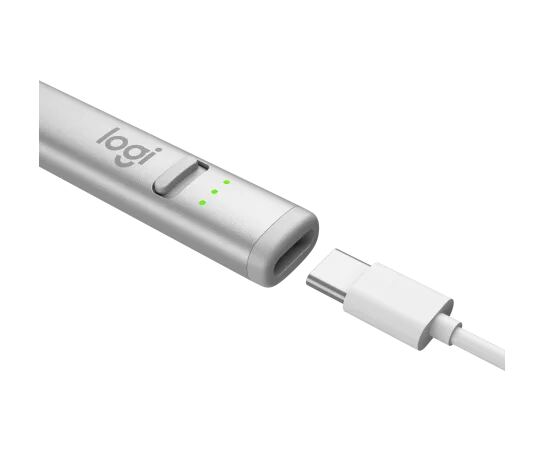
Logitech Crayon (USB-C)
#1 · Top Score
Best for: students and note-takers with any iPad from 2018+
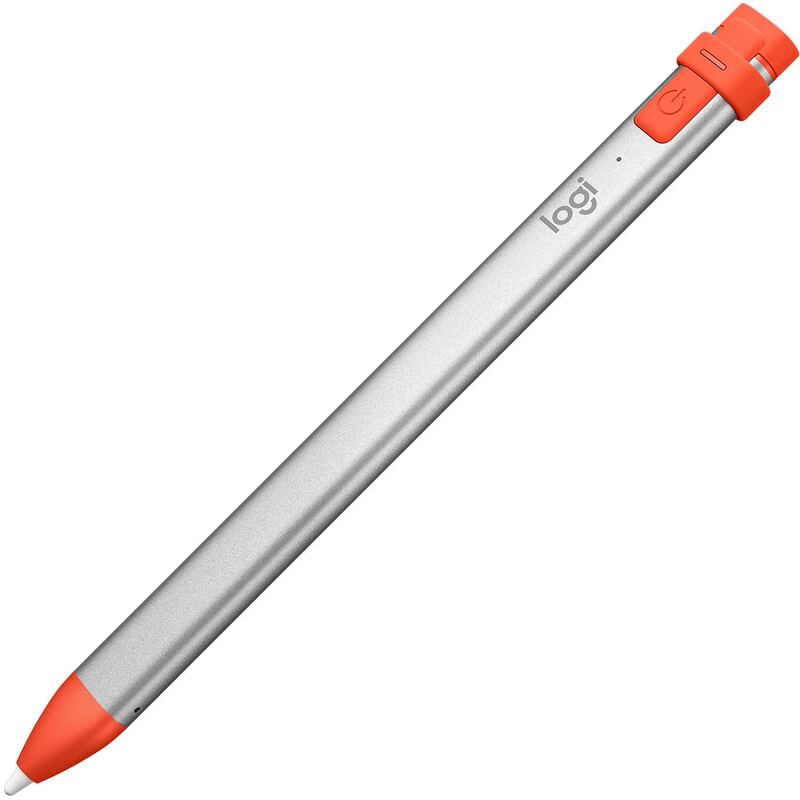
Logitech Crayon (USB-C)
from 1 source$70

The Crayon USB-C is the best-overall Apple Pencil alternative. Works with every iPad from 2018+ (Apple Pencil 2nd gen is restricted to iPad Pro / Air). Best for note-takers and casual sketchers.

Strengths
  • Works with every iPad from 2018 onward — universal compatibility
  • Instant pairing — flip the power switch and write
Watch-outs
  • No pressure sensitivity — not for digital painting
  • Flat side (anti-roll design) feels different than Apple Pencil round shape
ZAGG Pro Stylus 2
#2
Best for: users with both iPad and capacitive touchscreens (iPhone, Android) who want one stylus
ZAGG Pro Stylus 2
from 1 source$80

The Pro Stylus 2 is the dual-tip pick. Active front for precision writing, capacitive back for non-iPad screens (iPhone, Android tablets). Magnetic attachment + wireless charging on iPad Air/Pro. Best for users with multiple touchscreen devices.

Strengths
  • Dual-tip design — active front for precision, capacitive back for scrolling
  • Wireless charging via Apple Pencil 2 magnetic side (on Pro/Air)
Watch-outs
  • No pressure sensitivity like the Crayon
  • Two tips add complexity vs Crayon's single-tip
Adonit Note+ 2
#3
Best for: casual artists using Procreate and other Adonit-SDK apps
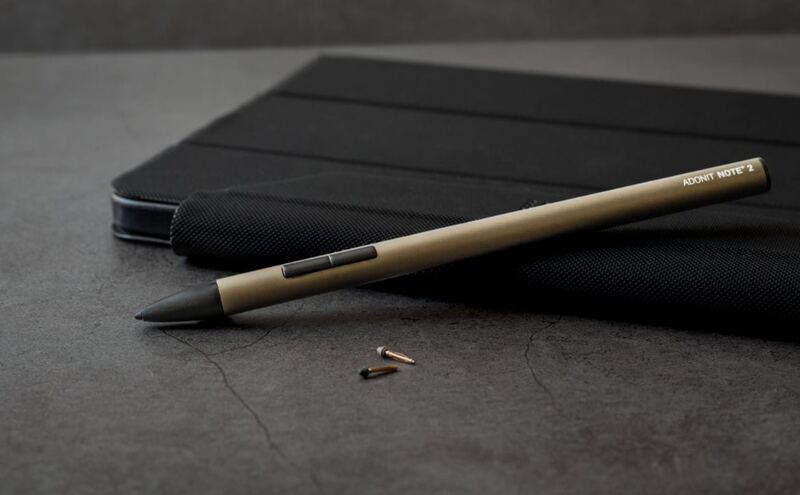
Adonit Note+ 2
from 1 source$60

The Note+ 2 is the pressure-sensitive pick. Adonit's SDK partnership with art apps unlocks pressure sensitivity in Procreate, Concepts, ZenBrush, and others. Best for digital sketchers and casual artists who don't want to pay Apple Pencil 2 prices.

Strengths
  • 2,048 levels of pressure sensitivity — rare in non-Apple iPad styluses
  • Bluetooth shortcut buttons for app actions
Watch-outs
  • Pressure works only in apps that integrate Adonit SDK (Procreate yes, GoodNotes no)
  • Bluetooth-based — initial pairing required (vs Crayon's instant)
Uogic Pencil 2nd Gen
#4
Best for: kids' iPads, first-time iPad users, and casual note-takers on a tight budget
Uogic Pencil 2nd Gen
from 1 source$30

The Uogic Pencil 2nd Gen is the budget pick. $30 for tilt support and magnetic attachment is genuinely surprising. Trade-offs are predictable: lighter build, smaller brand support, no pressure. Best for kids' iPads and first-time iPad users.

Strengths
  • $30 — cheapest pick by half
  • Magnetic attachment to iPad side
Watch-outs
  • No pressure sensitivity
  • Build feels lighter-duty than Logitech Crayon
Wacom Bamboo Fineline 3
#5
Best for: Wacom Bamboo Paper users and Wacom-ecosystem loyalists
Wacom Bamboo Fineline 3
from 1 source$60

The Bamboo Fineline 3 is the Wacom-brand pick. For users already in the Wacom Bamboo Paper app ecosystem, this stylus is the smoothest fit. Trade-offs are the older platform and narrower app SDK support vs Adonit.

Strengths
  • Wacom-branded build quality — premium feel
  • Fine 1.9mm tip optimized for handwriting
Watch-outs
  • Wacom SDK app support narrower than Adonit's
  • Older platform — not updated for newer iPad firmware quirks

Spec comparison

5 products
SpecLogitech Crayon (USB-C)ZAGG Pro Stylus 2Adonit Note+ 2Uogic Pencil 2nd GenWacom Bamboo Fineline 3
CompatibilityAll iPads since 2018All iPads since 2018
TiltYesYes
PressureNo2048 levels (Adonit SDK)NoWacom SDK apps
Battery7 hours12 hoursAAAA
ChargingUSB-CWireless (iPad Air/Pro)
Tip1.9mm replaceable1.0mm replaceable1.9mm fine

Frequently asked questions

What is the best ipad stylus alternative?
Logitech Crayon (USB-C) is our top pick for ipad stylus alternatives, with an averaged rating of 4.7/5 from 1 published reviews. The Crayon USB-C is the best-overall Apple Pencil alternative. Works with every iPad from 2018+ (Apple Pencil 2nd gen is restricted to iPad Pro / Air). Best for note-takers and casual sketchers.
Is there a cheaper alternative worth considering?
Uogic Pencil 2nd Gen (around $30) rates 4.3/5 in our analysis. The Uogic Pencil 2nd Gen is the budget pick. $30 for tilt support and magnetic attachment is genuinely surprising. Trade-offs are predictable: lighter build, smaller brand support, no pressure. Best for kids' iPads and first-time iPad users.
How does Verdict rank these products?
Every rating on Verdict is the numerical average of scores published by independent review sites, YouTube reviewers, and Reddit buyer reports. No editor adjusts the order — the ranking is whatever the source data produces. See our methodology page for the full process.
When was this guide last updated?
This guide was last re-checked in May 2026. We re-run our research pipeline for each category on a rolling basis so prices and rankings reflect current market reality.

Related guides

Browse all →