Triple-display support is the UGREEN Revodok Pro 13-in-1's headline: 4K at 60Hz on two ports and 8K at 30Hz on a third, at a price well under premium Thunderbolt docks. PCWorld's Mark Hachman praised its 'excellent performance' and 'great value for the money,' while XDA's Brady Snyder called it a 'good mix of price and performance.' Reviewers flagged the short built-in cable and the requirement for a separate power supply. It works best with modern laptops and Apple Silicon Macs, and compatibility with older Intel Core systems is uncertain. Power users running multiple displays are the fit, with those requirements attached.
Full review
DisplayLink Performance
The Ugreen Revodok Pro 13-in-1 delivers impressive triple-display capabilities through DisplayLink technology, though with some important caveats. PCWorld's Mark Hachman noted that the dock's USB-C cord is built-in, requiring users to supply their own power supply, and that Windows Task Manager failed to identify it as a DisplayLink dock, suggesting it may use HBR3 and DSC compression. The dock's DisplayLink implementation supports 4K at 60Hz and 8K at 30Hz, though macOS users are limited to three 4K 60Hz displays without 8K capability. XDA Developers' Brady Snyder confirmed the dock's ability to support dual HDMI displays at 4K resolution with 60Hz refresh rates. However, the dock's DisplayLink implementation requires a relatively modern laptop, as Dell has noted that most 11th-gen Intel Core and newer PCs should support the technology, though it's not 100 percent guaranteed.
Just 20 centimeters of built-in cable
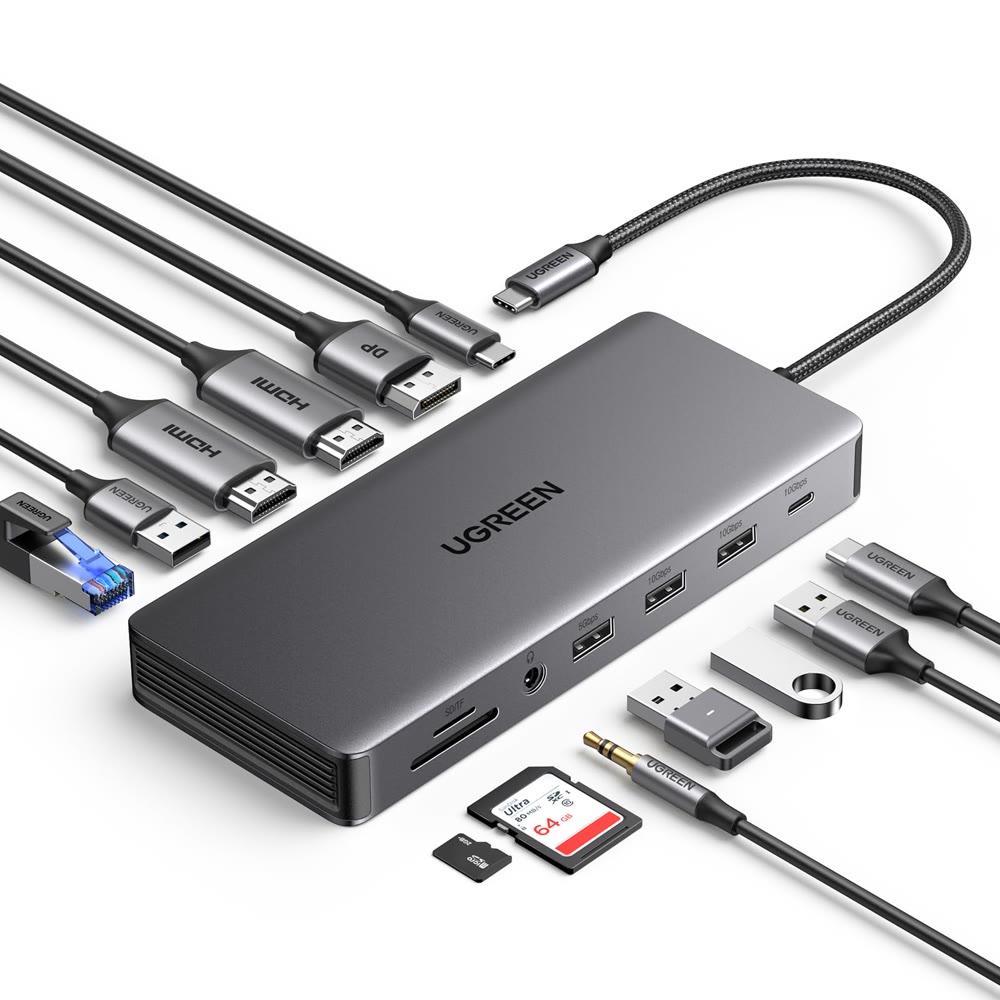
The Ugreen Revodok Pro 11-in-1 features a robust metal construction that feels solid and premium to the touch. The dock measures approximately 14.5 x 7 x 2 centimeters and weighs about 309 grams, making it compact and portable. However, the dock's design includes a built-in USB-C cable that's just 20 centimeters long, which can be restrictive for users who need more flexibility in positioning their dock. PCWorld's Mark Hachman pointed out that the short, built-in cord is a significant drawback, and that users will need their own power supply/charger. The dock's port layout places the TF/SD card slot on the same side as the display ports, which some reviewers found inconvenient. The dock's design is optimized for stability, but the short cable length can be problematic for users who prefer to position their dock at a distance from their laptop. The dock's metal body provides a pleasant tactile experience, though the fixed cable length limits its versatility in different workspace configurations.
Connectivity and Ports
The Revodok Pro 13-in-1 offers a comprehensive array of connectivity options, including three display ports (two HDMI 2.0 ports supporting 4K at 60Hz and one HDMI 2.1 port supporting 8K at 30Hz), one DisplayPort 1.4, one USB-C 3.2 Gen 2 (10Gbps), two USB-A 3.0 ports, one USB-A 2.0 port, one Gigabit Ethernet port, one SD card slot, one TF card slot, and one 3.5mm audio jack. PCWorld's Mark Hachman emphasized that the dock provides virtually all of the capabilities of a more powerful, more expensive Thunderbolt dock, but at a significantly cheaper price point. XDA Developers' Brady Snyder highlighted that the dock is definitely designed with power users in mind, noting its impressive display output capabilities and plenty of data ports with good transfer speeds. Mighty Gadget's James Smythe reported that the dock features a single 10Gbps USB-C data port, which achieved read speeds of 1057MB/s and write speeds of 1048MB/s when tested with an Orico Montage MTQ-40G 40Gbps SSD. The dock also supports 100W USB-C Power Delivery input and provides 85W output for the host, with the remaining 15W reserved for powering peripherals.
Performance Testing
The Ugreen Revodok Pro 13-in-1 delivers reliable data transfer speeds, though with some limitations. Mighty Gadget's James Smythe tested the dock's USB-C performance using an Orico Montage MTQ-40G 40Gbps SSD with a USB4 cable, achieving read speeds of 1057MB/s and write speeds of 1048MB/s with the Revodok Pro 313. The same test with the Revodok Pro 210, which drops the speed to 5Gbps, yielded read speeds of around 460MB/s. USB-A performance was consistent across both models, with the 313 achieving 41MB/s read and write speeds, equivalent to 328Mbps. The SD/microSD card performance was also tested, with both hubs achieving write-read speeds of 92MB/s for read and 22MB/s for write, though the latter was likely limited by the card's specifications. Ethernet connectivity was tested and confirmed to work reliably; the connection throughput was confirmed as gigabit. The dock's performance under load was satisfactory, with no issues reported during video output testing, file transfers, or Ethernet connectivity tests.
10Gbps port carries data only, no video or power
The most significant issue is the short, built-in USB-C cable that's only 20 centimeters long, which can be restrictive for users who need more flexibility in positioning their dock. PCWorld's Mark Hachman emphasized this limitation. The dock's inability to identify itself as a DisplayLink dock in Windows Task Manager, as noted by PCWorld, may cause confusion for some users. Additionally, the dock requires a separate power supply, which is not included in the package, and the USB-C port marked with 10Gbps is solely for data transmission and does not support video output or charging. The dock's DisplayLink implementation is not 100 percent guaranteed to work on all laptops, particularly older models. The port layout, with the TF/SD card slot on the same side as the display ports, was inconvenient for some reviewers, and the dock's price point, while competitive, may not justify the limitations for users who don't require triple-display support.
Value and Price Analysis
The Ugreen Revodok Pro 13-in-1 offers compelling value for users who need triple-display support and comprehensive connectivity options. PCWorld's Mark Hachman rated the dock as excellent value for the money, while XDA Developers' Brady Snyder described it as a good mix of price and performance, especially at current sale prices. The dock's performance is comparable to more expensive Thunderbolt docks, though at a significantly lower price point. However, the dock's value proposition depends on the user's specific needs, as the short cable length and requirement for a separate power supply may be deal-breakers for some. The dock's price point is competitive with other DisplayLink-based docks, but the limitations in port flexibility and cable length may not justify the cost for users who don't require triple-display support. The dock's value is particularly evident for power users who need extensive connectivity options and triple-display capabilities, but casual users may find the limitations outweigh the benefits.
Adds triple displays to Macs without Thunderbolt
The Ugreen Revodok Pro 13-in-1 is best suited for power users who require triple-display support and extensive connectivity options, particularly those with laptops that lack Thunderbolt capabilities. PCWorld's Mark Hachman and XDA Developers' Brady Snyder both emphasized that the dock is ideal for users who need to connect multiple displays, especially those with Apple Silicon Macs or non-Thunderbolt Windows machines. The dock's ability to support dual HDMI displays at 4K resolution with 60Hz refresh rates and one 8K display at 30Hz makes it attractive for creative professionals who work with high-resolution content. The dock is particularly useful for users who don't have Thunderbolt-equipped machines, as it provides the functionality of a more expensive Thunderbolt dock at a fraction of the cost. However, the dock may not be ideal for casual users who only need basic connectivity options, as the short cable length and requirement for a separate power supply can be inconvenient. The dock is also not recommended for users who require a longer cable length or who prefer removable cables, as the built-in cable is fixed and cannot be replaced.
Thunderbolt-dock capability at a fraction of the cost
The Ugreen Revodok Pro 13-in-1 competes with other DisplayLink-based docks in the market, though it faces stiff competition from more established brands. PCWorld's Mark Hachman noted that the dock provides virtually all of the capabilities of a more powerful, more expensive Thunderbolt dock, but at an enormously cheaper price. XDA Developers' Brady Snyder emphasized that the dock is a solid, consumer-friendly choice that could appeal to real power users, though it's not the absolute best option available. Against other docking stations it offers excellent value, though the short cable length and lack of Thunderbolt support are significant drawbacks. The dock's performance is competitive with other DisplayLink-based docks, though it lacks some of the advanced features found in higher-end models. The Revodok Pro 210, which is essentially a rebranded version of the 9-in-1 dock, offers fewer ports but at a lower price point, making it a viable alternative for users who don't need the full complement of features. However, the Revodok Pro 13-in-1's triple-display capabilities and comprehensive connectivity options make it a stronger choice for users who require extensive functionality.
Strengths
- +Excellent triple-display support with 4K at 60Hz on two ports and 8K at 30Hz on one port
- +Optimized build with multiple connectivity options including HDMI, DisplayPort, USB-A, USB-C, Ethernet, and SD/TF slots
- +Works well with non-Thunderbolt laptops and Apple Silicon Macs
Watch-outs
- −Built-in USB-C cable is short and requires separate power supply
- −Not fully compatible with older 11th-gen Intel Core laptops
- −Included cables aren't long enough for some setups
How it compares
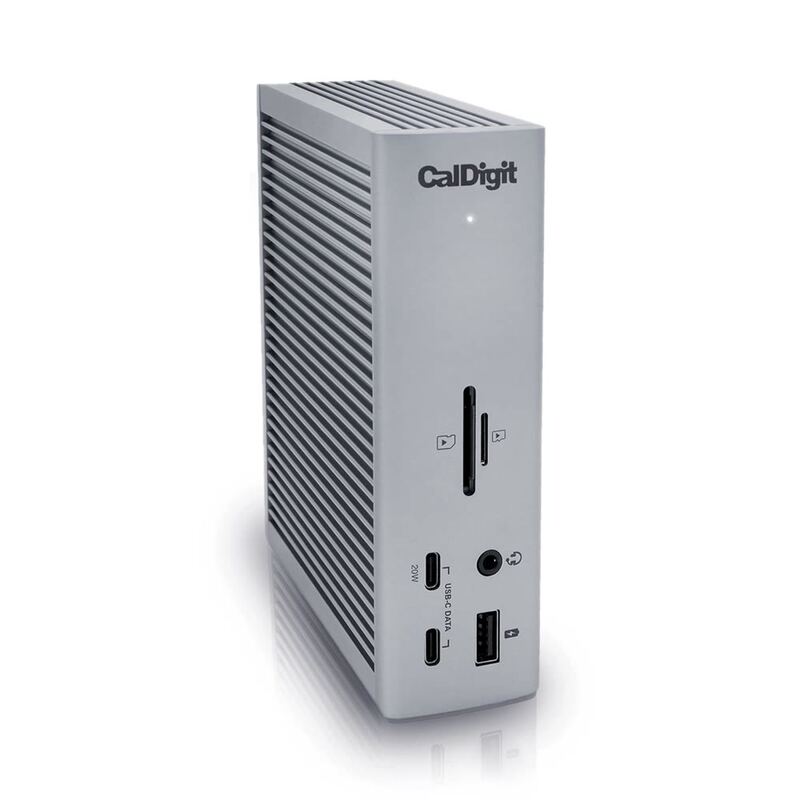
The UGREEN Revodok Pro USB-C Dock drives three displays, two at 4K 60Hz and one at 8K 30Hz, and connects over USB-C, where the CalDigit TS4 Thunderbolt 4 is a Thunderbolt 4 dock supporting two 6K displays. Its 2.5 Gbps Ethernet compares with Gigabit on the Dell D6000 Universal Dock, which also outputs to three displays but needs DisplayLink drivers. Its built-in USB-C cable is short and it requires a separate power supply.
Rating sources
Counts as 4.64/5 in our score — this publisher's 60 scores on the site average 4.02, so its scores are adjusted up to compare fairly with other publishers.
Counts as 4.07/5 in our score — this publisher's 6 scores on the site average 4.05, so its scores are adjusted up to compare fairly with other publishers.
Counts as 4.28/5 in our score — this publisher's 1 scores on the site average 4.30, so its scores are adjusted down to compare fairly with other publishers.
Archived — this review is no longer available at the publisher. The score above is the one they published.
“Additionally, the docking station's HDMI 2 port enables compatibility with 8K UHD displays at 30Hz.”
Our 4.3 score is the average of the 3 scored reviews above, each adjusted for how strictly its publisher scores; 6 more reviewed it without printing a score and are not in the average. More about methodology.