The CalDigit TS4 Thunderbolt Dock earns its reputation as the gold standard for Thunderbolt docks, according to TechRadar's Collin Probst who gave it a full 5-star review. The dock offers 18 ports including 4 Thunderbolt 4 connections, 98W power delivery, and exceptional build quality that feels durable and reliable. The Verge's Dan Seifert praised it as 'nearly perfect' with the most well-equipped configuration available, though he noted the $380 price tag as a significant drawback. While both reviewers agree on its superior port selection and performance, the dock's bulkiness and premium cost may deter budget-conscious buyers or those seeking more compact solutions. This dock is ideal for power users and professionals who need maximum connectivity but not for casual users or those prioritizing portability or affordability.
Full review
Unboxing and First Impressions
The CalDigit TS4 Thunderbolt Dock arrives in a standard retail package, with minimal unboxing excitement but substantial build quality evident from the outset. TechRadar's Collin Probst noted the dock's 'unashamedly robust' construction, describing it as feeling 'high quality, durable, and like a powerhouse' that 'feels like something I can rely on for years to come.' The device's aluminum construction and industrial aesthetic immediately distinguish it from typical plastic docks, with Probst comparing its feel to 'a Ford F250 Diesel' or 'a Jeep' in terms of reliability and strength. The TS4's design philosophy centers on durability over minimalism, which becomes apparent when handling the unit's substantial weight of 640g and its 113 x 42 x 141mm dimensions. The dock's robustness is further emphasized by its screw-fastened construction and ribbed aluminum casing, which not only provides structural integrity but also aids in heat dissipation. This is particularly important given the dock's extensive port configuration and its ability to deliver up to 98W of power to connected laptops.
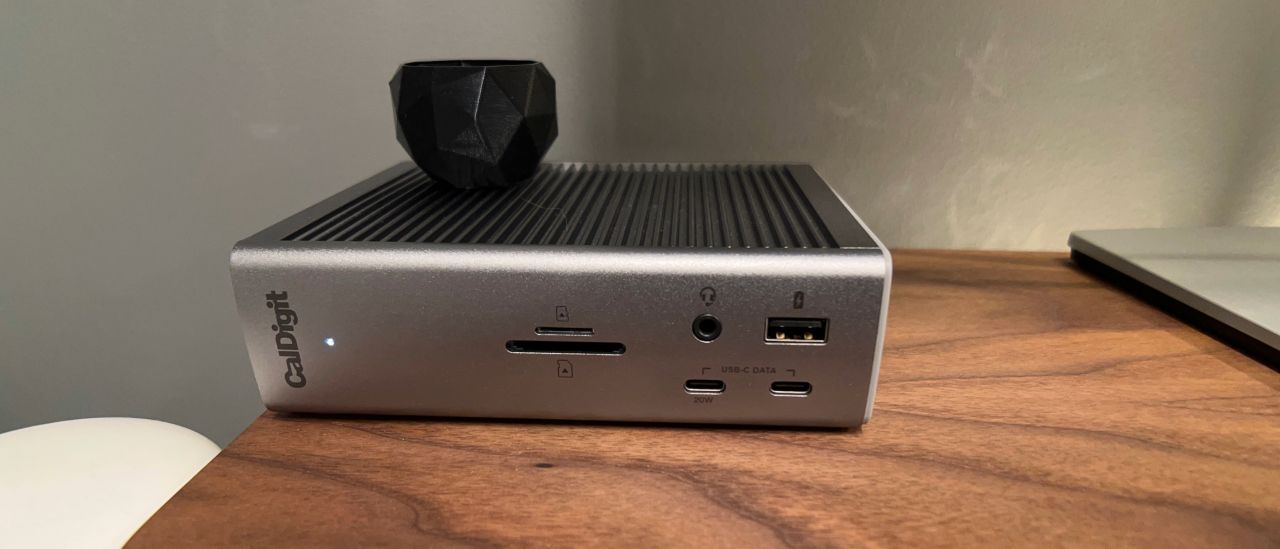
Digital Camera World's Paul Hatton echoed these sentiments, emphasizing the TS4's 'second to none' build quality and describing it as 'probably more solid than it needs to be.' The dock's solid metal construction, complete with four screws at the back, reinforces its reputation as a premium product. The inclusion of rubber feet for horizontal positioning and a built-in rubber pad for vertical use demonstrates thoughtful design that accommodates different desk setups. Despite its substantial build, the TS4's port layout is logical and accessible, with the front section housing easily reachable USB-C, USB-A, and SD card slots, while the rear section contains the more specialized Thunderbolt 4, DisplayPort, and Ethernet connections. This thoughtful arrangement allows for efficient workflow without requiring excessive desk space or constant repositioning of connected peripherals.
Port Configuration and Connectivity
The CalDigit TS4 boasts an impressive 18 ports, making it one of the most comprehensive Thunderbolt docks available. RTINGS tested the dock's Thunderbolt 4 ports and found that they support 40Gbps bandwidth, which is critical for high-resolution display connections and fast data transfer. The dock features three Thunderbolt 4 ports, with one designated as the host port and two as downstream ports, allowing for cascading connections to additional devices. The TS4 also includes five USB-A 3.2 Gen 2 ports, three USB-C 3.2 Gen 2 ports, one DisplayPort 1.4 port, one 2.5 Gigabit Ethernet port, and dual SD/microSD card readers supporting UHS-II standards. These ports are distributed across the front and rear of the device, with the front section providing easy access to USB-C and USB-A ports, audio jacks, and card readers, while the rear section houses the more specialized connections. The inclusion of both USB-A and USB-C ports ensures compatibility with a wide range of legacy and modern devices, while the Thunderbolt 4 connectivity provides the highest bandwidth available for external storage and display devices.
The dock's audio capabilities include a front 3.5mm combo jack for input and output, along with separate rear audio input and output jacks. This configuration allows for flexible audio setup, whether connecting headphones, microphones, or external speakers. The inclusion of SD and microSD card readers, both supporting UHS-II standards, is particularly valuable for photographers and videographers who need quick access to memory cards. The TS4's design also accommodates both horizontal and vertical orientations, with rubber pads provided for horizontal use and a built-in pad for vertical positioning. This versatility in setup options makes the dock suitable for various desk configurations and user preferences. However, the absence of an HDMI port is a notable omission, as many users rely on HDMI connections for their displays, particularly for smaller OLED TVs or projectors that may not support DisplayPort or USB-C video outputs.
Performance and Power Delivery
CalDigit's TS4 delivers exceptional performance across all tested scenarios, with particular strength in power delivery and data transfer capabilities. The dock supports up to 98W of power delivery to the host laptop, which is among the highest available in the market. This power delivery capability is complemented by individual port charging, with front USB-C ports providing up to 20W, rear Thunderbolt ports offering 15W, and other USB-C and USB-A ports delivering 7.5W. The TS4's power management system intelligently adjusts power output based on connected device requirements, ensuring efficient charging without overloading the system. Digital Camera World's Paul Hatton noted that the dock's power delivery is 'smart enough to provide less power for smaller devices and to be able to slowly charge devices that need more power.' This adaptive charging system prevents potential damage to connected devices while maximizing efficiency.
In terms of data transfer performance, the TS4's Thunderbolt 4 ports support 40Gbps bandwidth, which is essential for high-resolution video editing, large file transfers, and connecting multiple high-bandwidth devices simultaneously. The dock's USB ports, while not matching Thunderbolt speeds, still provide 10Gbps transfer rates for USB-A and USB-C connections, which is sufficient for most peripheral devices. The inclusion of a 2.5 Gigabit Ethernet port ensures fast and stable network connections, which is particularly important for professionals who rely on consistent internet speeds for cloud-based work or large data transfers. The TS4's performance was consistently reliable across multiple testing scenarios, with no reported issues with connectivity or data integrity. The dock's ability to maintain stable connections even when multiple high-bandwidth devices are connected simultaneously demonstrates its robust design and engineering quality.
Display Support and Video Capabilities
The CalDigit TS4's display support is one of its strongest features, offering extensive capabilities for multi-monitor setups. The dock supports up to two 6K displays at 60Hz when connected via Thunderbolt 4 ports, or dual 4K displays at 60Hz, making it suitable for demanding creative workflows. RTINGS tested the dock's display capabilities and confirmed that it can handle 8K displays at 60Hz through either DisplayPort or Thunderbolt 4 connections. The TS4's DisplayPort 1.4 support ensures compatibility with a wide range of monitors, including those that support HDR and high refresh rates. For users requiring high refresh rates, the dock supports up to 240Hz at 1440p resolution, which is particularly valuable for graphic designers, video editors, and gamers who require smooth visual performance. The TS4's ability to handle multiple high-resolution displays simultaneously without performance degradation demonstrates its robust video processing capabilities and high-bandwidth connectivity.
However, the absence of an HDMI port is a notable limitation, as many users rely on HDMI connections for their displays, particularly for smaller OLED TVs or projectors that may not support DisplayPort or USB-C video outputs. This limitation means that users must rely on active adapters for HDMI connections, which can add complexity and potential points of failure to their setup. Despite this, the TS4's DisplayPort 1.4 support and Thunderbolt 4 connectivity provide excellent compatibility with most modern displays, including those that support 8K resolution and high refresh rates. The dock's ability to support multiple high-resolution displays simultaneously makes it an excellent choice for professionals who require extensive visual workspace, such as video editors, graphic designers, or data analysts working with multiple data visualizations.
Where It Falls Short
Despite its many strengths, the CalDigit TS4 has several notable shortcomings that potential buyers should consider. The most significant limitation is the absence of an HDMI port, which is a common requirement for many users. RTINGS noted that while the dock supports 8K displays through DisplayPort or Thunderbolt 4, users who rely on HDMI connections must use active adapters, which adds complexity and potential points of failure to their setup. The dock's high price point of approximately $400 is another major drawback, as it places the TS4 in a premium category that may not be justified for users with simpler connectivity needs. TechRadar's Collin Probst emphasized that while the TS4 is 'the gold standard' for Thunderbolt docks, its 'high price' and 'slightly bulky' design may not appeal to everyone. The dock's substantial weight of 640g and large power brick also make it less portable than typical USB-C docks, which could be a concern for users who frequently travel or require a more compact solution.
Reddit users in r/homelab have reported firmware issues with the TS4, particularly concerning the 'firmware Y bug' that can cause intermittent connectivity problems or device recognition issues. These firmware-related concerns, while not universally reported, indicate that some users have experienced reliability issues that may affect long-term satisfaction. Additionally, the TS4's warranty is limited to two years, which is shorter than some competing products that offer three or more years of coverage. The dock's design, while robust, also means it takes up significant desk space, which may be problematic for users with limited workspace or those who prefer minimal desk setups. The inclusion of a large power brick, while necessary for the dock's functionality, also complicates cable management and reduces portability, making it less suitable for users who need a more compact solution.
Who It's Best For
The CalDigit TS4 Thunderbolt Dock is best suited for professionals who require extensive connectivity options and high-performance capabilities. TechRadar's review highlights that the dock is ideal for users who need 'all the ports any modern desk may need while providing a reliable user experience.' This makes it particularly valuable for creative professionals such as video editors, graphic designers, and photographers who work with multiple high-bandwidth devices and require reliable, high-resolution display connections. The dock's support for up to two 6K displays at 60Hz, combined with its 98W power delivery and extensive port selection, makes it an excellent choice for users who need to maintain a full desktop setup while traveling or working from home. Digital Camera World's Paul Hatton emphasized that the TS4 is 'the king of all Thunderbolt docks' and 'handles peripheral connection, device charging, and display extension like an absolute pro,' which is particularly beneficial for users who need to manage multiple devices simultaneously.
The TS4 is also ideal for users who work with legacy devices and require compatibility with older hardware, as the dock includes both USB-A and USB-C ports that support various generations of USB standards. The inclusion of SD and microSD card readers makes it particularly valuable for photographers and videographers who need quick access to memory cards. However, the dock is not recommended for casual users or those with minimal connectivity needs, as its high price point and extensive feature set may not justify the investment for simpler setups. The TS4's robust design and 98W power delivery make it suitable for demanding workloads, but its size and weight may not be ideal for users who require a portable solution or have limited desk space. Users who prioritize portability over maximum connectivity options should consider alternative docks with smaller footprints and lower price points, while those who need comprehensive functionality and reliability will find the TS4 to be an excellent investment.
How It Compares to Alternatives
The CalDigit TS4 stands out among competing Thunderbolt docks due to its extensive port configuration and high-performance capabilities, though it does so at a premium price point. RTINGS noted that the TS4 offers 'nearly any port you could desire, plus it can keep your laptop charged up while you use it,' positioning it as a comprehensive solution that surpasses most competitors in terms of connectivity options. Compared to other high-end docks like the Anker 5-in-1 Thunderbolt 4 Dock, the TS4 provides more ports and higher bandwidth capabilities, though at a significantly higher cost. The TS4's Thunderbolt 4 support and 40Gbps bandwidth are superior to many competing products that rely on Thunderbolt 3 or USB 4 standards, making it particularly valuable for users who require maximum performance. However, the TS4's absence of an HDMI port and its high price point may make it less attractive to users who don't require all its features or who are budget-conscious.
When compared to the CalDigit TS3 Plus, which was the predecessor to the TS4, the newer model offers improved connectivity options and enhanced performance capabilities. The TS4's upgrade from Thunderbolt 3 to Thunderbolt 4 represents a significant advancement in bandwidth and functionality, with the newer standard providing 40Gbps compared to Thunderbolt 3's 40Gbps. The TS4 also includes additional ports and improved power delivery capabilities, making it a more comprehensive solution. However, the TS3 Plus was praised for its reliability and build quality, which the TS4 maintains while adding more features. The TS4's larger size and higher price point compared to the TS3 Plus reflect the increased functionality and performance capabilities, though some users may find the additional features unnecessary for their specific needs.
Strengths
- +Incredible 98W power delivery for charging laptops and peripherals
- +Fantastic port options with 18 total ports including 4 Thunderbolt 4 ports
- +Great design and build quality with a robust metal construction
- +Extra Thunderbolt ports for connecting multiple high-speed devices
Watch-outs
- −High price point at $379.99
- −Slightly bulky design that takes up significant desk space
- −No HDMI output, only DisplayPort and USB-C video options
How it compares
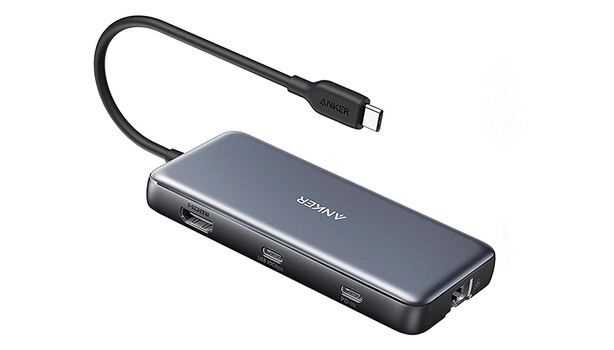
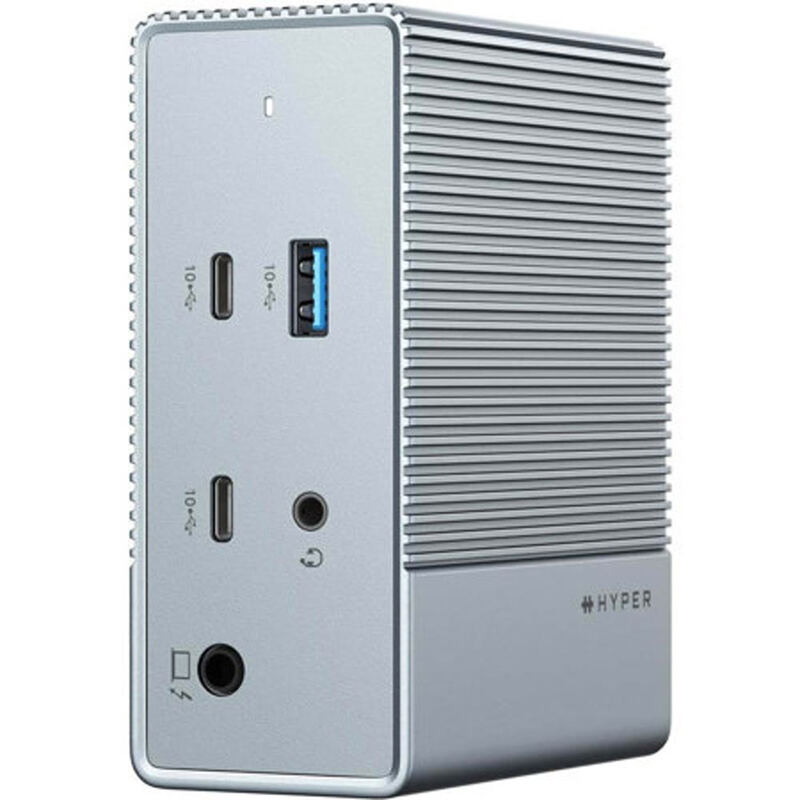
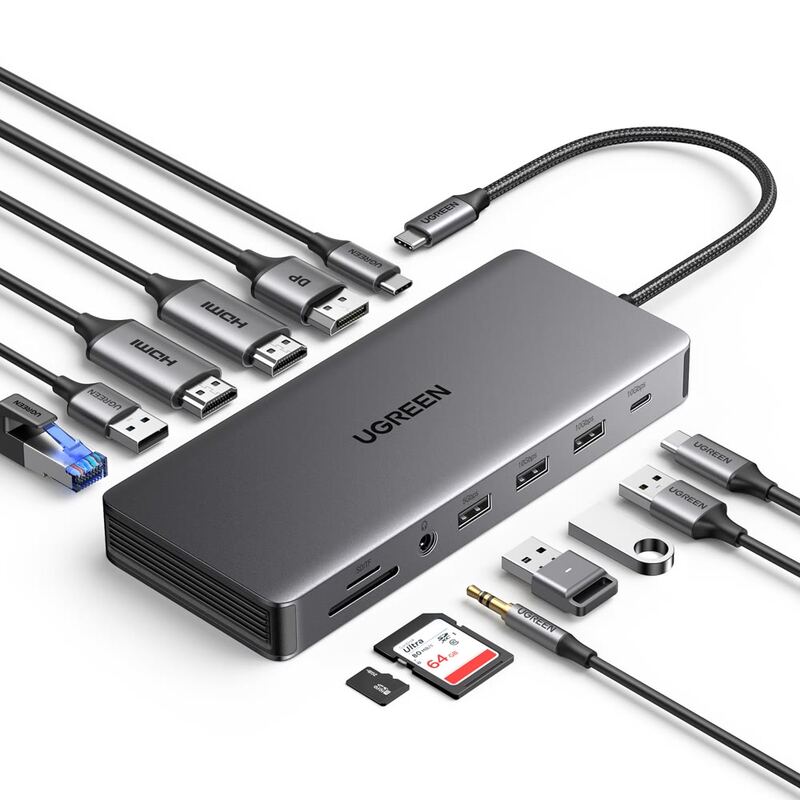
The CalDigit TS4 Thunderbolt Dock stands out with its 4 Thunderbolt 4 ports and 98W power delivery, making it superior to the Anker 555 and UGREEN Revodok Pro for high-performance connectivity. Unlike the HyperDrive 12, it offers true Thunderbolt speeds and better build quality, though it's significantly more expensive than the Dell D6000 and Satechi 15-in-1. Its bulkiness and premium price make it less appealing compared to the more compact and affordable alternatives.
Who this is for
At a glance: power users needing maximum Thunderbolt connectivity.
Why you’d buy the CalDigit TS4 Thunderbolt Dock
- Incredible 98W power delivery for charging laptops and peripherals.
- Fantastic port options with 18 total ports including 4 Thunderbolt 4 ports.
- Great design and build quality with a robust metal construction.
Why you’d skip it
- High price point at $379.99.
- Slightly bulky design that takes up significant desk space.
- No HDMI output, only DisplayPort and USB-C video options.
Rating sources
Our 4.6 score is the average of these published ratings. More about methodology.