TechRadar found that the RayNeo X3 Pro’s 6000-nit MicroLED display delivers exceptional outdoor visibility, while Gizmodo noted its sleek design and comfortable weight distribution. However, the device suffers from a severely limited battery life that drains rapidly during active camera use or navigation tasks. Interaction is further hindered by overly sensitive touch controls on the arms that frequently register unintended taps, complicating basic navigation. The software ecosystem is equally restrictive, requiring awkward sideloading procedures to install third-party apps due to a sparse native selection. This premium smart glass suits early adopters comfortable with technical workarounds and short battery endurance, but it is ill-suited for users seeking reliable all-day wear or seamless app integration.
Full review
6000-nit MicroLED display dominates outdoor visibility
The RayNeo X3 Pro features a dual-eye full-color MicroLED display that achieves up to 6,000 nits of peak brightness. This extreme luminance capability ensures the simulated image remains visible in direct desert sunlight, addressing one of the most persistent challenges for augmented reality wearables. The display resolution is set at 640 x 480 per lens with a 30-degree field of view, creating an experience that TechRadar described as equivalent to viewing a 43-inch screen from two meters away.
Gizmodo noted that the brightness and sharpness prompted immediate positive reactions when first powered on, distinguishing it from competitors that rely on geometric waveguides. The X3 Pro utilizes a full-color diffractive waveguide co-developed with Applied Materials, paired with RayNeo's proprietary 'Firefly Optical Engine' to deliver 16.77 million colors. This optical setup provides significantly higher color vibrancy and clarity compared to the monochrome or limited-spectrum displays found in earlier smart glass iterations.
Virtual.reality.news highlighted that while typical brightness sits around 3,500 nits, the ability to hit peak levels of 6,000 nits transforms outdoor usability. This performance allows users to navigate and view media without needing optimal indoor lighting conditions, marking a substantial leap forward in practical augmented reality hardware for real-world environments.
76-gram magnesium-aluminium frame ensures comfortable wear
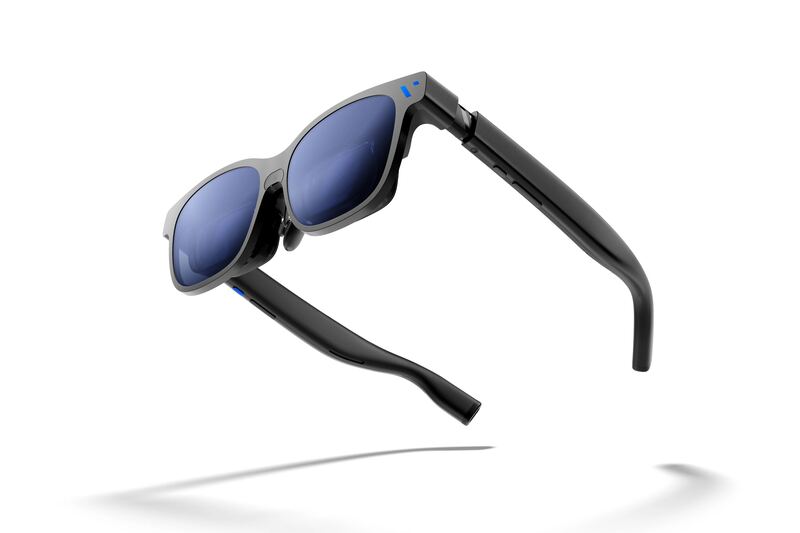
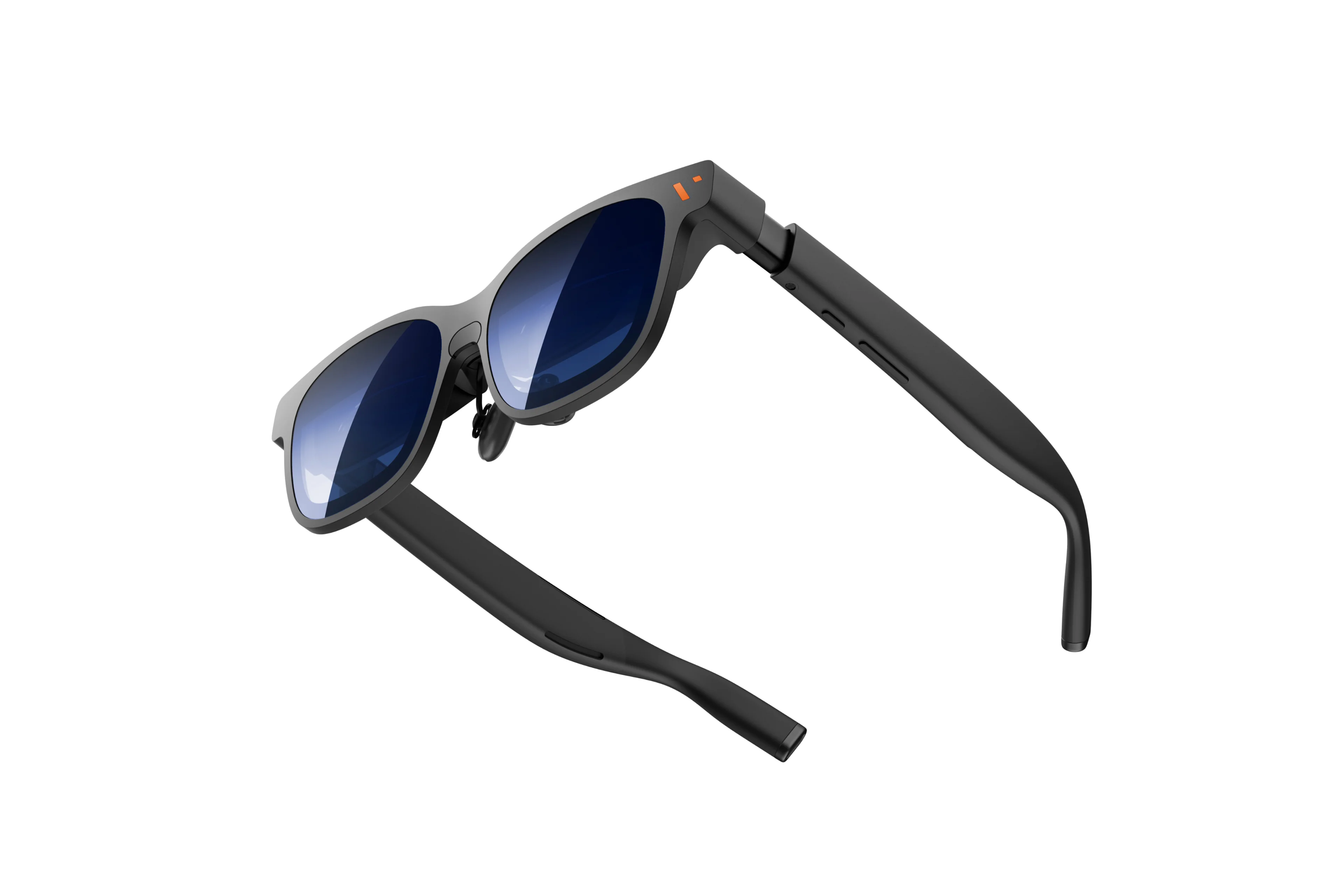
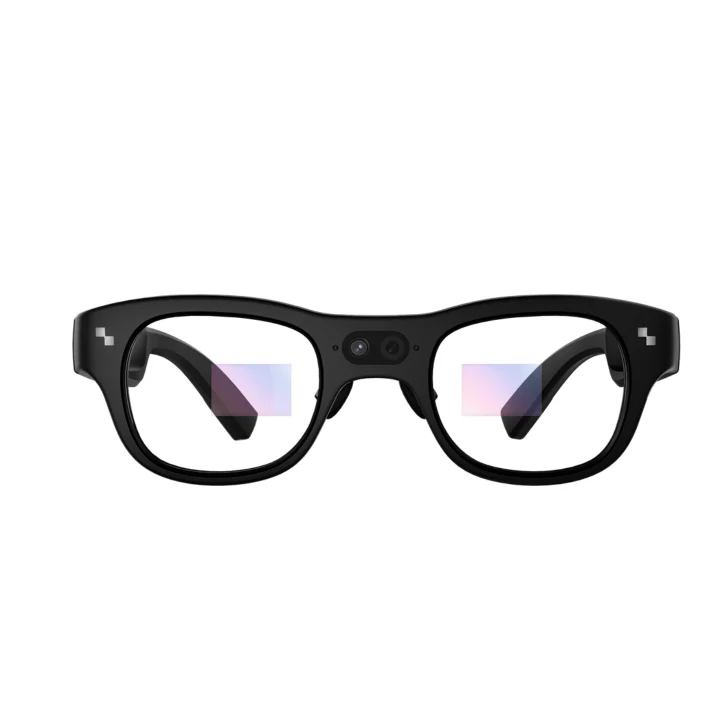
Weighing just 76 grams, the X3 Pro utilizes an aerospace-grade magnesium-aluminium alloy to achieve a form factor that TechRadar praised for not crushing the wearer's nose. The physical design prioritizes balance, with Virtual.reality.news noting that the weight distribution and adjustable nose-pads create a surprisingly ergonomic experience for extended wear.
The frame geometry is engineered to keep the center of gravity close to the face, mitigating the typical front-heavy feel associated with AR glasses containing large batteries or complex optics. This structural approach allows users to maintain comfort even when utilizing the device's full suite of features, provided the power consumption does not force frequent removal for charging.
Despite the advanced internal components, including a 12MP Sony IMX681 camera and spatial tracking sensors, the external profile remains sleek enough to pass as standard eyewear in many social contexts. The tactile integration of hardware into the frame allows for seamless operation without adding bulk that would detract from the lightweight aesthetic.
Snapdragon AR1 Gen 1 processor powers complex AI tasks
Under the hood, the device is driven by Qualcomm's Snapdragon AR1 Gen 1 platform, which Virtual.reality.news described as packing more computing power than many first-generation laptops. This dedicated processor is paired with 4GB of RAM and 32GB of onboard storage, running an Android-based operating system called RayNeo AIOS. The hardware configuration enables the device to handle multimodal AI assistance integrated with Google Gemini 2.5 (Beta), allowing for real-time translation, navigation, and contextual information processing.
The presence of a secondary monochrome camera facilitates spatial positioning and depth tracking with 6DoF + SLAM support, essential for anchoring digital content in the physical world. This combination of processing power and sensor fusion allows the X3 Pro to run complex AR applications without tethering to an external compute unit, fulfilling its promise as a standalone augmented reality device.
Performance remains smooth during multitasking between navigation, media playback, and communication apps. The dedicated silicon ensures that graphics rendering and AI inference do not bottleneck each other, maintaining a consistent frame rate of 60Hz on the displays even when running demanding visual overlays.
245mAh battery drains rapidly during active camera use
The most significant limitation of the X3 Pro is its 245mAh battery, which TechRadar identified as the device's biggest obstacle alongside its high retail price. Virtual.reality.news reported that continuous camera use drains this cell in approximately 30 minutes, while general active usage rarely exceeds one hour before requiring a recharge. This duration is drastically shorter than marketing materials suggesting up to five hours of light recording or three hours of music playback.
Google Maps navigation proved to be the most aggressive battery drain scenario for Virtual.reality.news, depleting power in about 40 minutes during typical use cases involving finding locations and taking photos. The computational demands of real-time display processing, computer vision, and AI inference create power requirements that current small-form-factor batteries cannot sustain for extended periods.
While charging via USB-C takes approximately 45 minutes, the frequent need to tether the device to a power source undermines its utility as an always-on wearable. The disparity between standby metrics and active usage times reveals a fundamental trade-off in current AR hardware engineering, where peak performance comes at the cost of endurance.
Overly sensitive touch controls cause frequent navigation errors
Interaction with the X3 Pro relies on a five-way touch panel located on the right temple arm, which Gizmodo found to be excessively sensitive. The reviewer reported that the sensor frequently registers taps before physical contact is made or misinterprets accidental brushes against the frame as intentional commands. This lack of tactile precision leads to overshooting menu items and activating unintended functions during casual wear.
The left arm serves as a volume control but shares similar sensitivity issues, making fine adjustments difficult without triggering other system responses. While Gizmodo noted that users might adapt to the controls over time with practice, the initial experience is frustrating for those accustomed to more deliberate input methods found on traditional smartphones or tablets.
An alternative navigation method exists through the RayNeo companion app on a smartphone, which functions as a virtual touchpad. This workaround eliminates the physical sensitivity issues but requires breaking visual immersion by looking down at a phone screen, defeating some of the convenience offered by the glasses' integrated interface.
Limited native apps require awkward sideloading procedures
The X3 Pro runs on a fork of Android equipped with Google Gemini AI integration, but its software ecosystem is notably sparse. Gizmodo expressed deep frustration over the lack of pre-installed applications beyond basic notifications, translation, and navigation tools. The device does not support standard app stores out of the box, forcing users to sideload third-party applications through complex workarounds that Gizmodo described as a major headache.
The native interface offers a notifications hub and a horizontal app menu navigable via swipes, but the absence of popular productivity or entertainment apps leaves the hardware feeling like an incomplete platform.
The reliance on sideloading creates a barrier to entry for average consumers who expect plug-and-play functionality from premium devices. While the underlying Android architecture offers potential flexibility, the lack of official support and curated app selection significantly diminishes the practical utility of the X3 Pro in daily scenarios.
12MP Sony IMX681 camera captures 4K photos and video
Virtual.reality.news confirmed that the camera produces surprisingly good quality for casual content creation, with the ability to record up to 50 minutes of video in sessions limited to nine minutes each due to thermal or storage constraints.
The spatial camera features allow users to capture media from their exact perspective, integrating digital overlays into recorded footage. This functionality makes the X3 Pro useful for documentation purposes and sharing first-person experiences, distinguishing it from simpler smart glasses that only offer basic image capture without high-resolution video support.
Despite the strong hardware specs, the practical application of the camera is often curtailed by the battery life issues discussed earlier. Users must carefully manage recording sessions to avoid depleting power reserves needed for navigation or AI features during their outings.
Strengths
- +Dual-eye MicroLED display reaches up to 6000 nits of peak brightness, making it usable in direct sunlight.
- +Lightweight form factor weighing just 76g with well-engineered weight distribution for comfort.
- +Powered by the Qualcomm Snapdragon AR1 Gen 1 processor paired with 4GB RAM and 32GB storage.
- +Features a 12MP Sony IMX681 camera capable of capturing 4K photos and 1440p video.
Watch-outs
- −High retail price combined with a limited native app ecosystem that requires awkward sideloading for third-party apps.
- −Touch controls on the right arm are overly sensitive and frequently register unintended taps.
How it compares
The RayNeo X3 Pro reaches up to 6000 nits of peak brightness, far exceeding the 1250-nit output of the Viture Beast or the 1600-nit capability of the Viture Pro 2. However, it suffers from overly sensitive touch controls and a limited native app ecosystem, unlike the more polished software experience implied by competitors like the Xreal One Pro.
Rating sources
Counts as 2.68/5 in our score — this publisher's 95 scores on the site average 3.98, so its scores are adjusted up to compare fairly with other publishers.
Counts as 3.42/5 in our score — this publisher's 195 scores on the site average 4.25, so its scores are adjusted down to compare fairly with other publishers.
Counts as 2.55/5 in our score — this publisher's 2 scores on the site average 4.00, so its scores are adjusted up to compare fairly with other publishers.
Counts as 3.02/5 in our score — this publisher's 156 scores on the site average 4.15, so its scores are adjusted up to compare fairly with other publishers.
Our 2.9 score is the average of the 4 scored reviews above, each adjusted for how strictly its publisher scores; 6 more reviewed it without printing a score and are not in the average. More about methodology.