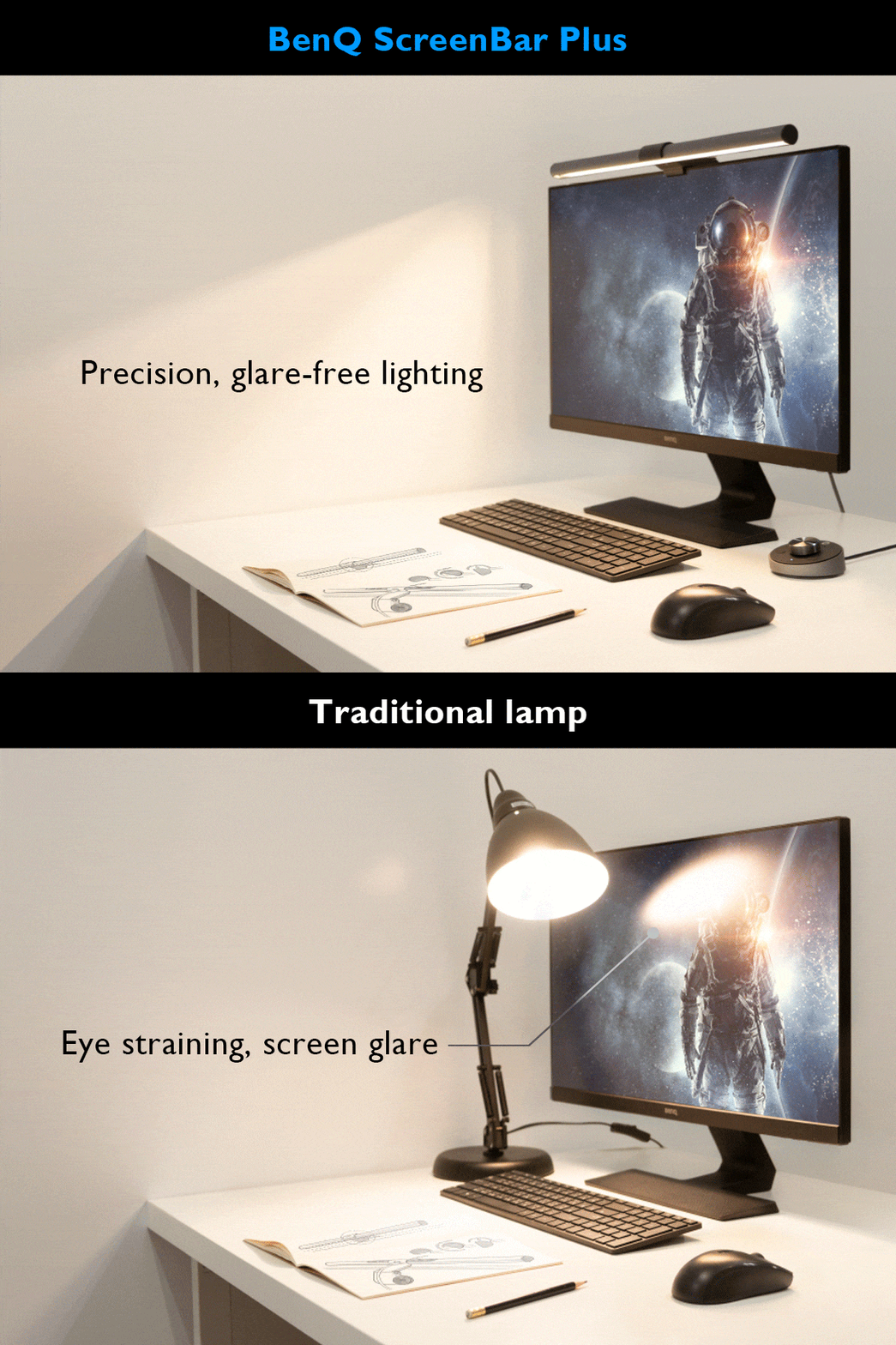
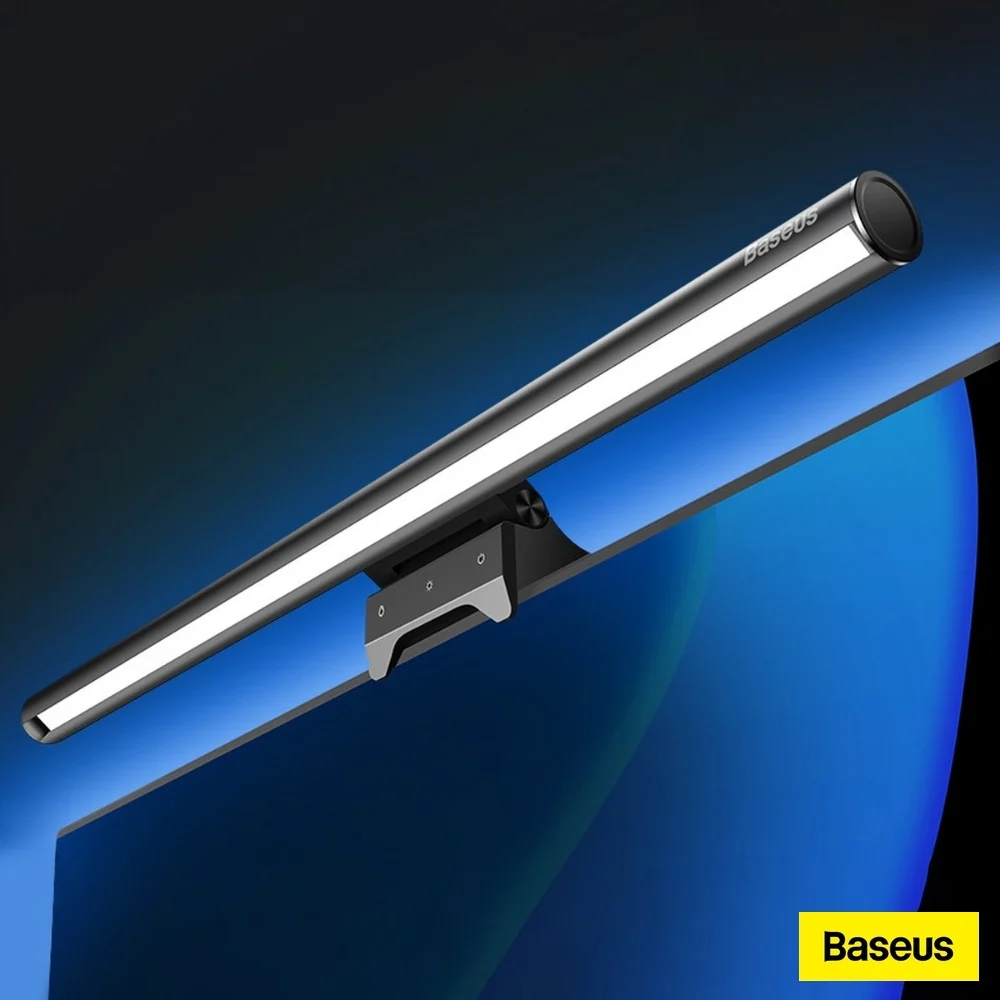
The Quntis ScreenLinear Pro+ offers a premium design inspired by the successful BenQ ScreenBar, featuring a sturdy weighted clamp and adjustable counterweight for secure monitor placement. Reviewers praised its auto-dimming function that adjusts to ambient light with minimal flicker, and its wide color temperature range from 3,000K to 6,500K. The lightbar's 51cm length fits monitors up to 30 inches, and its compact form saves desk space compared to traditional desk lamps. However, users noted it's unsuitable for laptops and may interfere with top-center webcams. This product is ideal for desk users seeking a space-saving, eye-friendly lighting solution versus those needing webcam compatibility.
Full review
Design and Build Quality
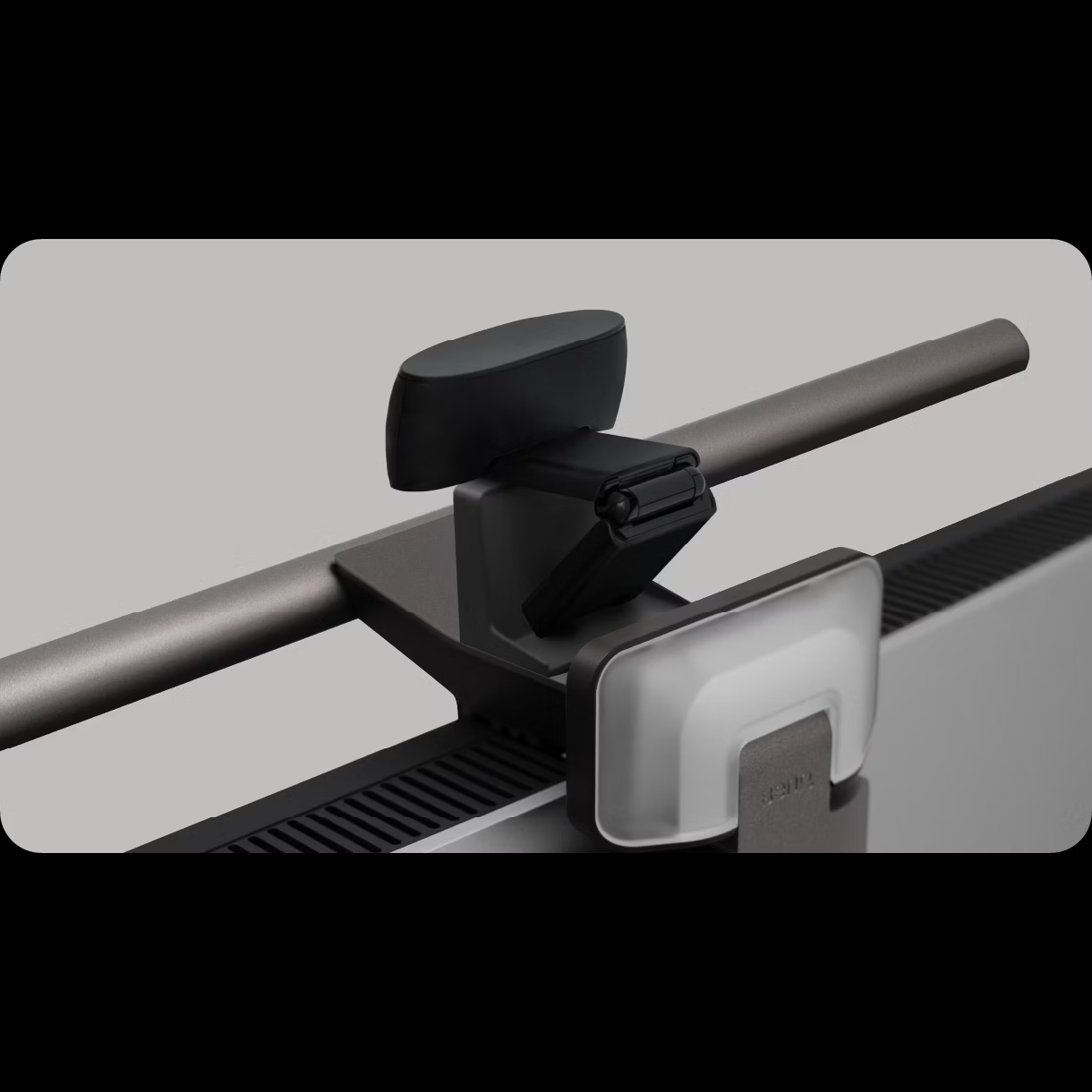
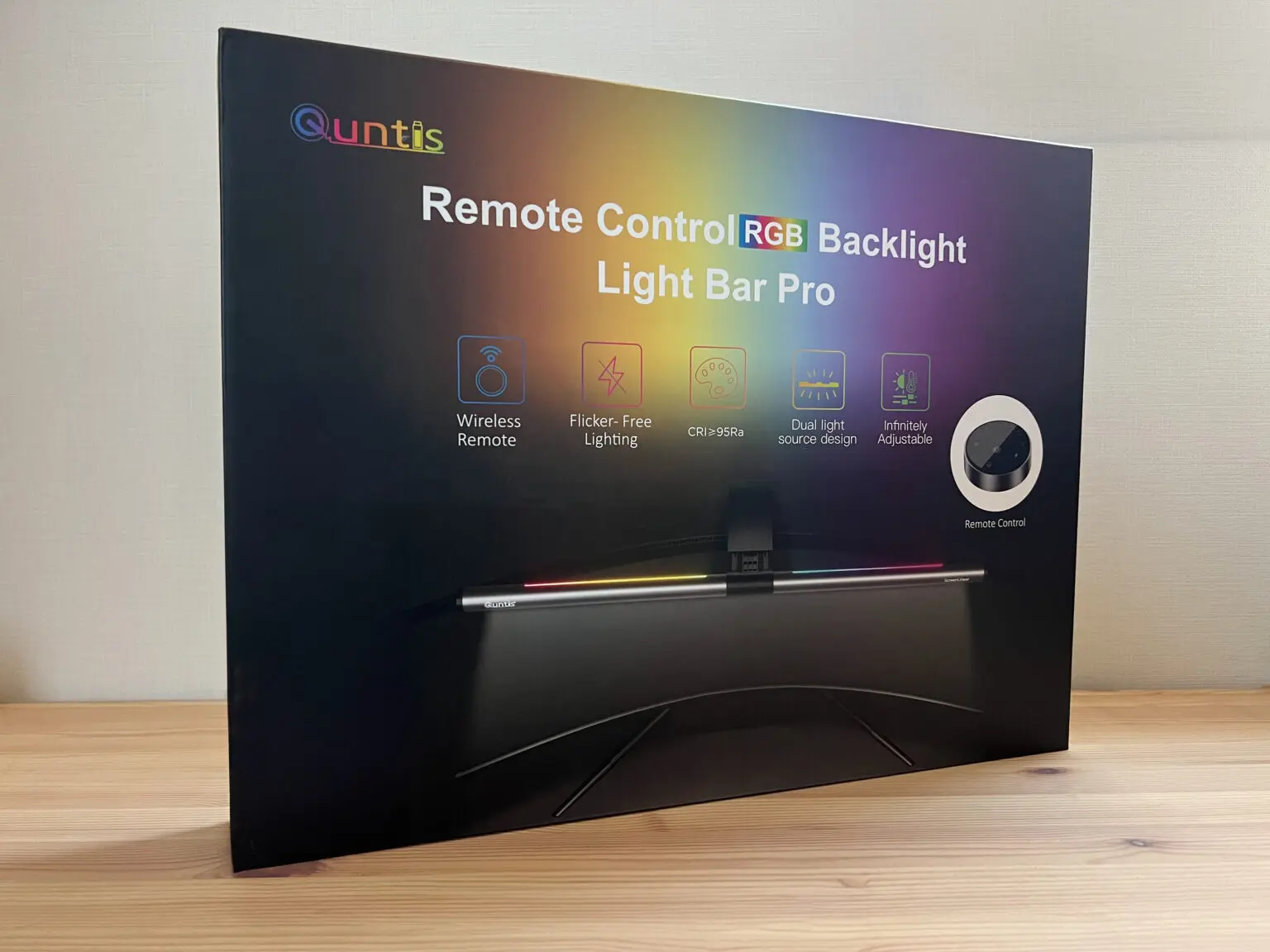
The Quntis ScreenLinear Pro+ features a design that draws clear inspiration from the successful BenQ ScreenBar, offering a familiar aesthetic that many users appreciate. According to a review by LightAndMatter, the unit comes in a gunmetal grey finish that provides a sleek, modern appearance. The construction combines aluminium alloy and plastic, delivering a sturdy feel without excessive weight. The build quality is described as solid, with a weighted clamp system that uses counterweights to keep the lightbar in place, rather than spring-loaded clips. The silicone pads on all monitor-contacting surfaces prevent scratches, and the design allows for adjustment of the counterweight angle on the back, ensuring stability even on curved monitors. This approach contrasts with the older ScreenLinear model, which required assembly and had controls directly on the bar itself.
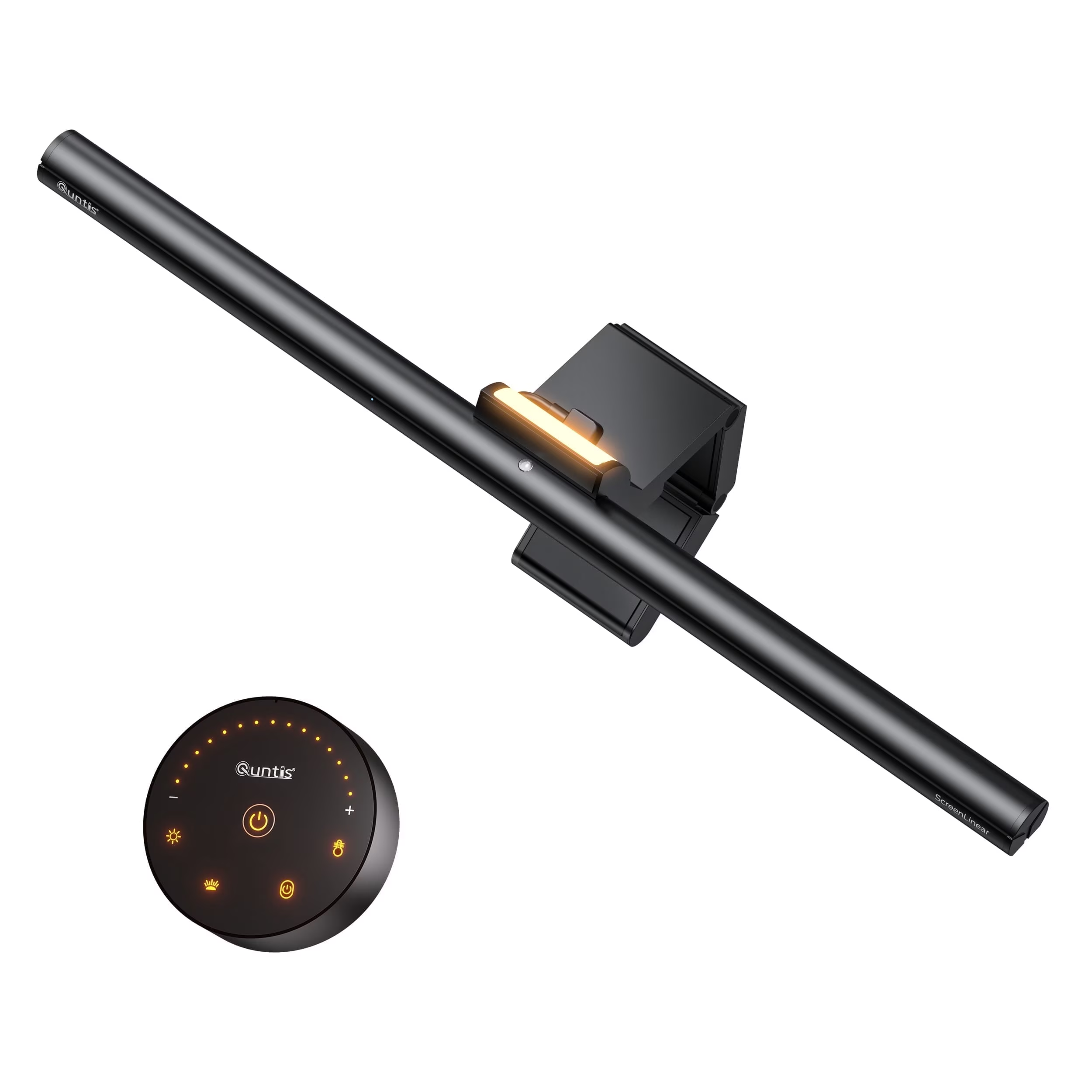
The Quntis Pro+ also introduces a significant upgrade in terms of user interface. Instead of having physical controls on the lightbar, all functions are managed through a separate wireless puck controller. This puck, powered by two AAA batteries, sits on the desk and offers intuitive controls. The design of the puck is particularly noteworthy, with a single marking on its surface and a top plate that spins for color temperature adjustment and a housing that adjusts brightness. The magnetic battery cover makes it easy to replace batteries when needed. The unit is powered via USB-A and is compatible with most modern monitors' USB ports.
However, some users have noted that the lightbar's positioning can interfere with certain setups. For instance, Tech Jio's review highlights that the bar sits further out than the BenQ ScreenBar Halo, which may cause issues with monitors that have very thick backs or curved surfaces. Additionally, the lightbar's fixed angle of light throw means it cannot be adjusted, which may limit its effectiveness for some users. The lack of independent control over the backlight feature is another limitation, as the backlight can only be activated when the main light is on, and it throws light more upwards and backwards.
Performance and Functionality
The Quntis ScreenLinear Pro+ excels in delivering consistent and adjustable lighting that helps reduce eye strain. According to the LightAndMatter review, the lightbar provides even illumination across the desk, with a brightness range of 3,000K to 6,500K, allowing users to adjust for different times of day. The auto-dimming feature, which uses a light sensor on the front of the bar, automatically adjusts brightness based on ambient light conditions. This function was particularly appreciated by the reviewer, who noted minimal flicker or fluctuation when adjusting to new lighting levels. The bar's ability to adapt to changing light conditions, such as those caused by clouds passing over a window, was effective and seamless.
The Pro+ model also includes a unique feature not found in many similar products: a secondary, rear-facing RGB light bar. This feature, which casts light on the wall behind the monitor, was noted by LightAndMatter as being useful for adding ambient lighting to the room. While the rear-facing lights don't get much use during work hours, they can be fun to play with and add enough ambient light to help reduce eye strain. The RGB lights can be controlled independently, with a long press on a smaller power button icon turning them off, while short presses cycle through various color options including solid colors, split colors, and changing colors or white light. The main light's high CRI (95+) is also highlighted as beneficial for color-correcting and color-grading tasks, making it suitable for professional photography or video editing.
However, the auto-dimming feature has been criticized for its sensitivity to rapid toggling. Kevin Cheng from DigitalReviews.net noted that if users tap the on/off button on the puck too quickly, the second tap may not register, requiring a few seconds of delay before toggling again. This issue is less problematic if the unit has been in the on or off state for an extended period. Additionally, the fixed angle of the main light throw means that users cannot adjust the direction of the light, which may limit its effectiveness in certain setups. The inability to independently control the backlight feature also restricts flexibility in ambient lighting options.
User Experience and Controls
One of the most significant improvements in the Quntis ScreenLinear Pro+ is the removal of physical controls from the lightbar itself. This design decision, which was a major complaint with the previous model, eliminates the risk of accidentally adjusting settings when touching the bar. According to Kevin Cheng's DigitalReviews.net review, the Pro+ features a separate wireless puck controller that manages all functions. The puck is designed with a single marking on its surface, and the top plate spins for color temperature adjustment, while the housing adjusts brightness. The top button hides additional functions, including a double-tap for photosensitive mode and a long press for a two-hour timer, which blinks once to confirm activation.
The wireless puck controller is praised for its convenience and ease of use. It allows users to place the controller anywhere on their desk without having to reach up to the monitor. The touch-sensitive controls make it easy to adjust brightness and color temperature, with a circular motion for increasing or decreasing settings. The magnetic battery cover ensures easy replacement of batteries, and the design is described as solid and heft. However, some users have noted that the puck's operation can take some getting used to, particularly the initial learning curve for how to navigate the controls. The lack of visual feedback on the puck's status can also be a minor inconvenience.
The Pro+ also includes a timer function that can be activated by a long press on the top button. This feature allows users to set the lightbar to turn off automatically after two hours, which can be useful for those who want to ensure they don't leave the light on overnight. The timer blinks once to confirm activation, providing a clear indication that the function is active. The auto-dimming feature, which adjusts brightness based on ambient light conditions, is also noted as a standout feature that enhances usability and comfort. Despite these improvements, some users still find the lack of pre-set color temperatures for matching monitor gamma settings to be a limitation, particularly for professional users.
Real-World Performance
In real-world usage, the Quntis ScreenLinear Pro+ has shown consistent performance across various lighting conditions and user preferences. The auto-dimming feature, as tested by LightAndMatter, effectively adjusts brightness in response to environmental changes, such as clouds passing over a window, without causing noticeable flicker or fluctuation. The reviewer noted that the bar settles into a light level with minimal disruption, making it ideal for users who work near large windows or in environments with varying light conditions. The bar's ability to provide even illumination across the desk was also highlighted as a key benefit, with the light diffusing slightly to each side, making it suitable for monitors up to 34-35 inches.
The Pro+ model's main light is capable of producing up to 275 lumens, which, while not the brightest in the market, is more than sufficient for most users. Tech Jio's review noted that the light is particularly effective at illuminating the workspace during nighttime use, and the 45-degree angle of light throw helps minimize screen glare or reflection. The lightbar's fixed angle of throw, however, means that users cannot adjust the direction of the light, which may limit its effectiveness in certain setups. The high CRI (95+) of the main lights was also praised for its utility in color-correcting and color-grading tasks, making it suitable for professional photography or video editing.
Kevin Cheng's DigitalReviews.net review emphasized that the Pro+ has significantly improved upon the previous ScreenLinear model in terms of usability and comfort. The removal of controls from the lightbar itself eliminates the risk of accidental adjustments, which was a major issue with the older model. The reviewer noted that the unit feels much more sturdy when placed on the monitor, with no need for assembly or adjustment pieces. The hands-down best change from the ScreenLinear, according to Cheng, was the elimination of the bright blue LED indicator at eye level, which was a persistent annoyance in the previous model.
What Reviewers Loved
Reviewers consistently praised the Quntis ScreenLinear Pro+ for its improved design and user experience. The removal of physical controls from the lightbar itself was a major highlight, as it eliminates the risk of accidental adjustments that plagued the previous model. LightAndMatter's review noted that the wireless puck controller is a significant upgrade, allowing users to place the controller anywhere on their desk without having to reach up to the monitor. The puck's touch-sensitive controls make it easy to adjust brightness and color temperature, with a circular motion for increasing or decreasing settings. The magnetic battery cover ensures easy replacement of batteries, and the design is described as solid and heft.
The Pro+ model's auto-dimming feature was also widely appreciated. According to LightAndMatter, the light sensor on the front of the bar effectively adjusts brightness based on ambient light conditions, with minimal flicker or fluctuation. The reviewer noted that the bar settles into a light level with little disruption, making it ideal for users who work near large windows or in environments with varying light conditions. The high CRI (95+) of the main lights was also highlighted as beneficial for color-correcting and color-grading tasks, making it suitable for professional photography or video editing.
Kevin Cheng from DigitalReviews.net emphasized that the Pro+ has significantly improved upon the previous ScreenLinear model in terms of usability and comfort. The reviewer noted that the unit feels much more sturdy when placed on the monitor, with no need for assembly or adjustment pieces. The hands-down best change from the ScreenLinear, according to Cheng, was the elimination of the bright blue LED indicator at eye level, which was a persistent annoyance in the previous model.
Where It Falls Short
Despite its many strengths, the Quntis ScreenLinear Pro+ has several notable drawbacks that potential buyers should consider. One major limitation is the fixed angle of the main light throw, which cannot be adjusted. This restriction means that users cannot optimize the light direction for their specific setup, potentially limiting its effectiveness in certain environments. Tech Jio's review pointed out that the bar sits further out than the BenQ ScreenBar Halo, which may cause issues with monitors that have very thick backs or curved surfaces.
Another significant issue is the lack of independent control over the backlight feature. The rear-facing RGB lights can only be activated when the main light is on, and they throw light more upwards and backwards, which may not be ideal for all users. The inability to independently control the backlight also restricts flexibility in ambient lighting options. Additionally, the auto-dimming feature has been criticized for its sensitivity to rapid toggling. Kevin Cheng noted that if users tap the on/off button on the puck too quickly, the second tap may not register, requiring a few seconds of delay before toggling again.
The Pro+ model also lacks pre-set color temperatures for matching monitor gamma settings, which is a limitation for professional users. LightAndMatter's review noted that while the adjustable color temperature range is wide, there is no option to select specific pre-set temperatures to match the gamma of monitors, which would be useful for professional photographers or video editors. Furthermore, the lightbar's fixed angle of light throw means that users cannot adjust the direction of the light, which may limit its effectiveness in certain setups. The unit's positioning can also interfere with setups that require external webcams or monitors with built-in cameras, as the bar may block the webcam or take away the space to clip it.
Who It's Best For
The Quntis ScreenLinear Pro+ is best suited for users who value comfort, clarity, and reduced eye strain in their workspace. It is particularly ideal for professionals who spend long hours working on computers, such as photographers, video editors, and graphic designers, who benefit from the high CRI (95+) of the main lights for color-correcting and color-grading tasks. The auto-dimming feature and adjustable color temperature make it suitable for users who work in environments with varying light conditions, such as those near large windows or in rooms with changing ambient light levels.
The Pro+ model is also recommended for users who prefer a wireless puck controller over physical controls on the lightbar itself. The removal of physical controls eliminates the risk of accidental adjustments, which was a major complaint with the previous ScreenLinear model. The wireless puck allows for convenient placement on the desk, and the touch-sensitive controls make it easy to adjust brightness and color temperature.
However, the Pro+ may not be ideal for users who require independent control over the backlight feature or those who work in setups that require external webcams or monitors with built-in cameras. The fixed angle of the main light throw and the inability to independently control the backlight may limit its effectiveness in certain environments. Additionally, users who prefer pre-set color temperatures to match monitor gamma settings may find the lack of such features to be a limitation. The Pro+ is also not recommended for users who work with very thick or curved monitors, as the bar may sit further out than other models and could interfere with certain setups.
How It Compares to Alternatives
When compared to similar products, the Quntis ScreenLinear Pro+ stands out for its improved design and user experience. The removal of physical controls from the lightbar itself is a significant upgrade over the previous ScreenLinear model, which required assembly and had controls directly on the bar. LightAndMatter's review noted that the Pro+ is a more thoughtful upgrade, with easier setup, wider light coverage, and a slick wireless puck controller. The unit's ability to provide even illumination across the desk and its auto-dimming feature make it competitive with other high-end monitor light bars.
Compared to the BenQ ScreenBar, which was the original inspiration for the Quntis design, the Pro+ offers several advantages. The Pro+ also includes a secondary, rear-facing RGB light bar that casts light on the wall behind the monitor, which is not available in the BenQ model. However, the BenQ ScreenBar is still praised for its simplicity and reliability, and some users may prefer its straightforward design over the Pro+'s more complex features.
In comparison to other monitor light bars in the same price range, the Quntis Pro+ offers a good balance of features and usability. The Pro+ is priced at around $77, which is slightly more expensive than typical monitor light bars but justifies its price tag with features such as the wireless puck controller, versatile clamp, and the backlight. The unit's ability to provide even illumination across the desk and its auto-dimming feature make it a strong contender in the market. However, some competitors offer more advanced features such as pre-set color temperatures or more independent control over the backlight, which may be important for professional users.
Value at This Price
The Quntis ScreenLinear Pro+ is priced at around $77, which is slightly more expensive than typical monitor light bars but justifies its price tag with a range of advanced features. According to DigitalReviews.net, the Pro+ offers a thoughtful upgrade over the previous ScreenLinear model, with easier setup, wider light coverage, and a slick wireless puck controller. The unit's ability to provide even illumination across the desk and its auto-dimming feature make it a strong contender in the market. The high CRI (95+) of the main lights is also a significant advantage for professional users who need accurate color representation.
The Pro+ model's inclusion of a secondary, rear-facing RGB light bar that casts light on the wall behind the monitor is a unique feature that sets it apart from many competitors. This feature adds ambient lighting to the room and can be fun to play with, while also helping to reduce eye strain. The wireless puck controller, which allows users to place the controller anywhere on their desk, is another valuable addition that enhances usability. The unit's ability to provide even illumination across the desk and its auto-dimming feature make it a strong value proposition for users who spend long hours working on computers.
However, some users may find the Pro+'s price point to be a barrier, particularly those who are looking for a more budget-friendly option. The unit's lack of pre-set color temperatures for matching monitor gamma settings may also be a limitation for professional users, who may need to invest in additional equipment to achieve their desired results. Despite these limitations, the Pro+ offers a good balance of features and usability, making it a solid choice for users who prioritize comfort, clarity, and reduced eye strain in their workspace.
Strengths
- +Classic design reminiscent of BenQ ScreenBar, with sturdy aluminum alloy and plastic construction
- +Weighted clamp with adjustable counterweight ensures secure, wobble-free placement on monitors
- +Adjustable color temperature from 3,000K to 6,500K with intuitive dial control
- +Powerful auto-dimming function responds to ambient light levels with minimal flicker
Watch-outs
- −Not suitable for laptops due to top-mounted placement
- −Can interfere with external webcams positioned at top-center of monitor
How it compares
The Quntis ScreenLinear Pro mirrors the design of the BenQ ScreenBar Pro but with a top-mounted placement that can interfere with webcams, unlike the BenQ's more flexible positioning. It offers a sturdy clamp and auto-dimming but lacks the wireless control of the BenQ Halo 2. Compared to the Razer Aether, it doesn't feature RGB lighting but provides better directional light control and a more space-saving form factor.
Who this is for
At a glance: desk users seeking space-saving, eye-friendly lighting with minimal flicker.
Why you’d buy the Quntis ScreenLinear Pro
- Classic design reminiscent of BenQ ScreenBar, with sturdy aluminum alloy and plastic construction.
- Weighted clamp with adjustable counterweight ensures secure, wobble-free placement on monitors.
- Adjustable color temperature from 3,000K to 6,500K with intuitive dial control.
Why you’d skip it
- Not suitable for laptops due to top-mounted placement.
- Can interfere with external webcams positioned at top-center of monitor.
Rating sources
“I find the lightbar comfortable to handle and control, and far from an eyesore to look at either.”
Our 4.3 score is the average of these published ratings. Ratings marked * were derived from the reviewer’s written analysis or video transcript — the publisher didn’t print an explicit numeric score, so we inferred one from their own words. Click through to verify. More about methodology.