PCMag's Eric Zeman reviewed the Apple Pencil (USB-C) and noted its USB-C charging interface and similar ergonomics to the second-generation model. YouTube reviewers highlighted its compact design and built-in cap as improvements over previous versions, though they pointed out the absence of wireless charging and the double-tap tool switching feature found on the second-gen. The pencil is positioned as a more affordable alternative to the premium Apple Pencil 2 while maintaining core functionality for iPad users.
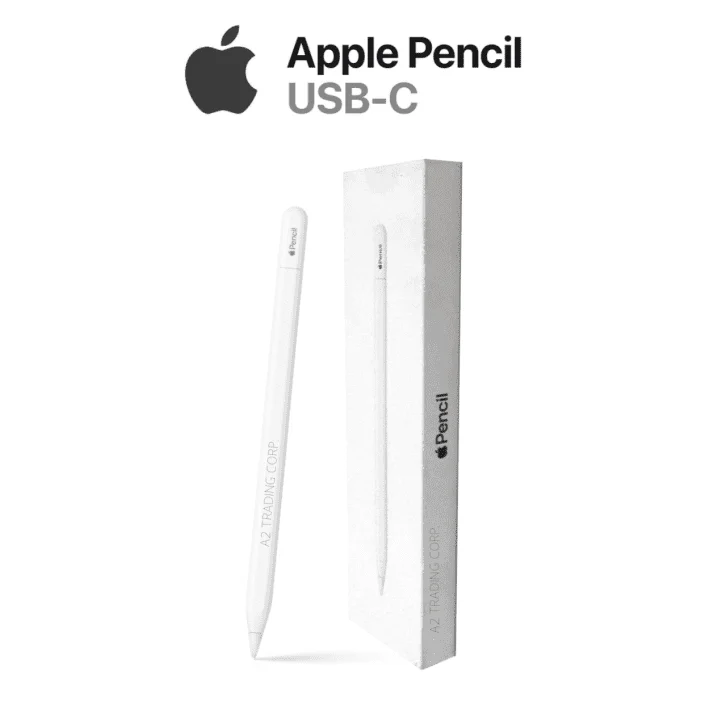
Full review
Charging and pairing process
Apple Pencil (USB-C) introduces a significant shift from its predecessors with its USB-C charging port, which replaces the wireless induction charging of the second-generation model. The charging mechanism requires users to slide open a cap at the end of the stylus to access the port, a process that reviewers found surprisingly well-engineered. According to AppleInsider's Andrew OHara, the cap "feels perfect as it glides out and will magnetically snap to the open position," with magnets pulling the cap out and locking it into place, then resisting closure to provide tactile feedback. This design prevents loss of the cap, which was a concern with previous models. The charging process, while more involved than the magnetic pairing of the Apple Pencil (2nd Gen), is still efficient, with AppleInsider noting that the device charges "expeditiously with such a small battery." The pairing process, however, is less seamless than the magnetic attachment of the Apple Pencil (2nd Gen), requiring users to connect the stylus via USB-C cable to initiate pairing, rather than simply placing it on the iPad's side.
The USB-C port also serves dual purposes, functioning both for charging and pairing the stylus with the iPad, a feature that streamlines the setup process. However, this convenience comes with a trade-off in terms of user experience. AppleInsider's Andrew OHara noted that while the new charging method is functional, it's "a bit more tedious" compared to the induction charging of the Apple Pencil (2nd Gen). The lack of wireless charging is particularly noticeable for users who frequently use their stylus, as it requires a cable connection each time. Despite this, the design of the cap and the port itself is praised for its attention to detail, with AppleInsider describing the polish of this interaction as "outstanding." The USB-C port is positioned at the end of the stylus, where the eraser would typically be found on the analog version, making it a clear distinction from previous models.
Works with current iPads, but not the 9th generation
The Apple Pencil (USB-C) is designed with broad compatibility in mind, supporting a wide range of iPad models including the 10th-generation iPad, iPad Air (5th generation), iPad mini (6th generation), and various iPad Pro models. This expanded compatibility is a key selling point, as it allows users to upgrade from the older Apple Pencil (1st Gen) without needing to purchase a new iPad. According to iMore's Daryl Baxter, the USB-C model works with "a wide variety of iPads" and is compatible with all current-generation iPads, including the iPad (10th generation), iPad Air (5th generation), iPad mini (6th generation), and iPad Pro (check iPad prices for current discounts). However, it does not support the 9th-generation iPad, which is a notable exclusion for users still utilizing older hardware. The compatibility extends to older iPad Pro models, including the 3rd, 4th, 5th, and 6th generations of the 12.9-inch iPad Pro and the 1st, 2nd, 3rd, and 4th generations of the 11-inch iPad Pro, making it a versatile option for users across different iPad generations.
Despite its broad compatibility, the Apple Pencil (USB-C) lacks some features that were present in the Apple Pencil (2nd Gen), such as pressure sensitivity and wireless charging. These omissions are intentional, as the device is positioned as a budget-friendly alternative to the more advanced models. The Apple Pencil (USB-C) does, however, retain key functionalities like tilt sensitivity and hover support, which are beneficial for users who require precise control and visual feedback. The hover feature, available on iPad Pro models, provides previews of where users will tap the screen and can offer additional information through tooltips on apps that support this feature. The lack of wireless charging is particularly noted as a trade-off for the cost savings, with AppleInsider's Andrew OHara suggesting that the decision was made to accommodate the European Union's Type-C charging mandate for gadgets. This strategic move aligns with Apple's broader efforts to comply with regulatory requirements while maintaining a competitive price point.
Design and ergonomics
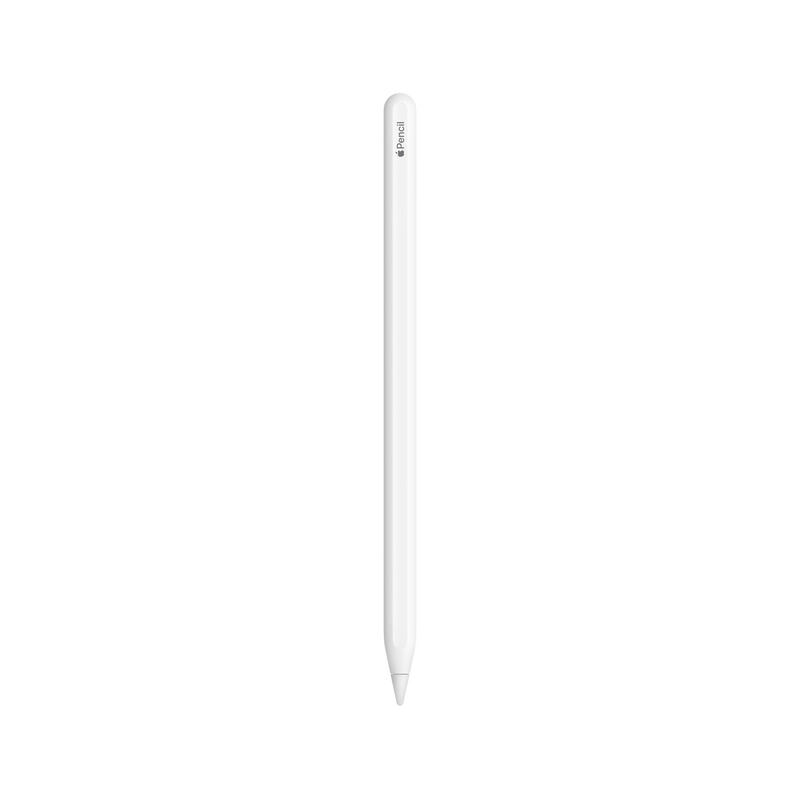
The Apple Pencil (USB-C) maintains a sleek and ergonomic design similar to its predecessor, the Apple Pencil (2nd Gen), with a matte finish and a flat edge that prevents rolling off the table. The flat edge also allows for magnetic attachment to the side of many recent iPads, including iPad mini, iPad Pro, and iPad Air models. This magnetic attachment feature is a significant convenience, allowing users to easily store and access the stylus without needing to worry about misplacing it. AppleInsider's Andrew OHara noted that the flat edge helps the stylus "magnetically connect to the side of many recent iPads" and that it "will snap into position for easy storage." The design also includes a sliding cap at the end of the stylus, which houses the USB-C port and provides a secure way to charge the device. The cap's design is praised for its functionality, with AppleInsider describing it as "outstanding" and noting that it "feels perfect as it glides out and will magnetically snap to the open position." The overall aesthetic of the Apple Pencil (USB-C) is nearly identical to the Apple Pencil (2nd Gen), with only the sliding cap being a distinguishing feature.
The ergonomics of the Apple Pencil (USB-C) are designed to provide comfort during extended use, with a shape that fits well in the hand and reduces fatigue. The stylus is described as "easy on the fingers and the wrist," making it suitable for users who engage in long drawing or note-taking sessions. The matte finish contributes to a comfortable grip, and the weight distribution is balanced to prevent strain. However, the absence of pressure sensitivity, which was a key feature of the Apple Pencil (2nd Gen), means that the stylus is less suitable for artists who require nuanced control over their strokes. The stylus does retain tilt sensitivity, which allows for more natural drawing experiences, and hover support, which provides visual feedback on iPad Pro models. The overall design strikes a balance between functionality and affordability, making it an attractive option for users who do not require the advanced features of the Apple Pencil (2nd Gen) or Apple Pencil Pro.
Performance and functionality
The Apple Pencil (USB-C) delivers performance that is consistent with the Apple Pencil (2nd Gen) in terms of precision and responsiveness. It features the same precise tip as other Apple Pencil models, with a high degree of tracking that ensures accurate input. According to AppleInsider's Andrew OHara, the stylus offers "Apple's ultra-low latency, down to 9 ms on iPads with 120Hz ProMotion displays," which is crucial for a smooth drawing or writing experience. The stylus also retains tilt sensitivity, which allows for more natural drawing experiences, and hover support, which provides visual feedback on iPad Pro models. These features make the Apple Pencil (USB-C) suitable for users who require precise control and visual feedback, such as students taking notes or professionals sketching ideas. The stylus is designed to be intuitive and responsive, with a comfortable grip that reduces fatigue during extended use. However, the lack of pressure sensitivity means that it is not suitable for artists who require nuanced control over their strokes, such as those creating detailed artwork or calligraphy.
The Apple Pencil (USB-C) also includes a hover feature that previews where users will tap the screen and can provide additional information through tooltips on apps that support this feature. This feature is particularly useful for iPad Pro users, as it enhances the overall user experience by providing visual feedback. However, the hover effect is not widely supported by third-party apps, limiting its utility for some users. The stylus also lacks double-tap functionality, which was present in the Apple Pencil (2nd Gen), and does not support Find My network functionality, which is available in the Apple Pencil Pro. These omissions are intentional, as the Apple Pencil (USB-C) is positioned as a budget-friendly alternative to the more advanced models. Despite these limitations, the Apple Pencil (USB-C) remains a solid choice for users who need a reliable stylus for basic drawing and note-taking tasks, without the need for advanced features.
Affordable and versatile for basic use cases
The Apple Pencil (USB-C) is positioned as a budget-friendly alternative to the Apple Pencil (2nd Gen) and Apple Pencil Pro, offering a significant cost savings while still providing essential features. At $79, it is $50 cheaper than the previous Apple Pencil model, making it an attractive option for users who do not require the advanced features of the Apple Pencil (2nd Gen) or Apple Pencil Pro. According to iMore's Daryl Baxter, the Apple Pencil (USB-C) is "a great Pencil for a low price" and "works with a wide variety of iPads," making it a versatile choice for users across different iPad generations. The stylus is particularly appealing to users who are upgrading from the Apple Pencil (1st Gen) and want a more modern, feature-rich alternative without the premium price tag. The value proposition is further strengthened by its broad compatibility with current and older iPad models, which allows users to upgrade their stylus without needing to purchase a new iPad. The Apple Pencil (USB-C) is also suitable for new iPad users or those who want to try out an Apple Pencil before committing to a more expensive model.
However, the Apple Pencil (USB-C) is not without its drawbacks. The lack of pressure sensitivity, wireless charging, and Find My network functionality means that it is not suitable for users who require advanced features for creative work. The stylus is also not compatible with the 9th-generation iPad, which may be a limitation for some users. The device is designed to provide a good balance between functionality and affordability, making it an attractive option for users who are budget-conscious but still want a high-quality stylus. The Apple Pencil (USB-C) is particularly well-suited for students, professionals who take notes, and casual users who want a reliable stylus without the premium price tag.
Strengths
- +Features USB-C charging and pairing interface
- +Includes built-in cap to prevent loss, unlike first-generation model
- +Compatible with iPad models that support Apple Pencil
Watch-outs
- −Lacks wireless charging capability
- −No double-tap tool switching function
How it compares
The Apple Pencil (USB-C) offers a more modern connection method with USB-C charging and pairing, features not found in the first-generation Apple Pencil. However, it lacks the wireless charging and double-tap tool switching found in the Apple Pencil (2nd generation), making it a more affordable alternative for users who don't require those premium features.
Rating sources
Counts as 4.16/5 in our score — this publisher's 181 scores on the site average 4.00, so its scores are adjusted up to compare fairly with other publishers.
Counts as 3.94/5 in our score — this publisher's 16 scores on the site average 4.25, so its scores are adjusted down to compare fairly with other publishers.
“While the model does lack some of the defining features of the 2nd Generation Apple Pencil, like pressure sensitivity and wireless charging, it still packs a punch.”
“A great Pencil for a low price. This is a cheap Apple Pencil that does the job.”
Our 4.1 score is the average of the 2 scored reviews above, each adjusted for how strictly its publisher scores; 3 more reviewed it without printing a score and are not in the average. More about methodology.