Verdict
The Best 6Reviewed by Mike Hun·April 27, 2026

Best Docking Stations

Top 6 docking stations reviewed and ranked.

Quick answer

CalDigit TS4 Thunderbolt 4 is our top pick for docking stations — an averaged 4.7/5 across 8 published reviews at about $399. Runner-up: Anker 563 10-in-1 Docking Station (~$199).

At a glance

Tap any product for the full review
(8 sources)
$399Best for: professionals needing extensive connectivity
$399 · Check Price on Amazon
(4 sources)
$199Best for: multitasking enthusiasts needing reliable connectivity
$199 · Check Price on Amazon
(4 sources)
$50Best for: portable professionals seeking reliable expansion
$50 · Check Price on Amazon
(4 sources)
$299Best for: MacBook Air/Pro users needing multiple connections
$299 · Check Price on Amazon
(4 sources)
$299Best for: Dell laptop users seeking enhanced productivity
$299 · Check Price on Amazon
(7 sources)
$299Best for: users prioritizing build quality over cost-efficiency
$299 · Check Price on Amazon
Verdict is reader-supported. As an Amazon Associate we earn from qualifying purchases. Some links on this page are affiliate links — if you click through and buy, we may earn a small commission at no extra cost to you. Our ratings are sourced from independent publications, not sponsors.
Reviews aggregated from
Dockingstations.infoTechRadarDigital Camera WorldMacworldMacsourcesMinipcreviewerXdadevelopersMacrumors

The full ranking

How we rank →
CalDigit TS4 Thunderbolt 4
#1 · Top Score
Best for: professionals needing extensive connectivity
CalDigit TS4 Thunderbolt 4
from 8 sources$399

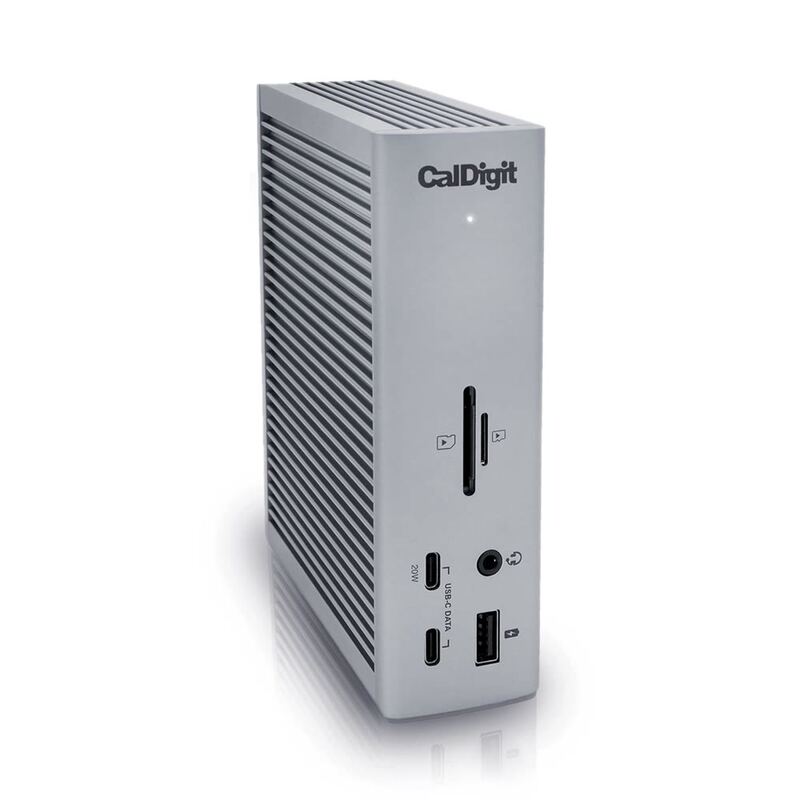
The CalDigit TS4 Thunderbolt Dock earns its reputation as a gold standard in the category, offering exceptional portability and connectivity for demanding Mac users. TechRadar praised its robust aluminum build and 18-port configuration with 98W power delivery, while MacRumors noted its impressive 6K display support and 2.5Gb Ethernet. However, both reviewers acknowledged the $399.99 price tag as a significant drawback. The dock's lack of HDMI output is also a notable limitation for users requiring that connection type. This product is ideal for professionals needing extensive connectivity but may not suit budget-conscious consumers or those without Thunderbolt laptops.

Strengths
  • Incredible 98W power delivery supporting fast charging for laptops and peripherals
  • Fantastic port options with 18 total ports including 3x 10Gb/s USB-C, 5x 10Gb/s USB-A, and dual 6K displays support
Watch-outs
  • High price point at $399.99 making it expensive compared to alternatives
  • No HDMI port which may limit compatibility with some displays
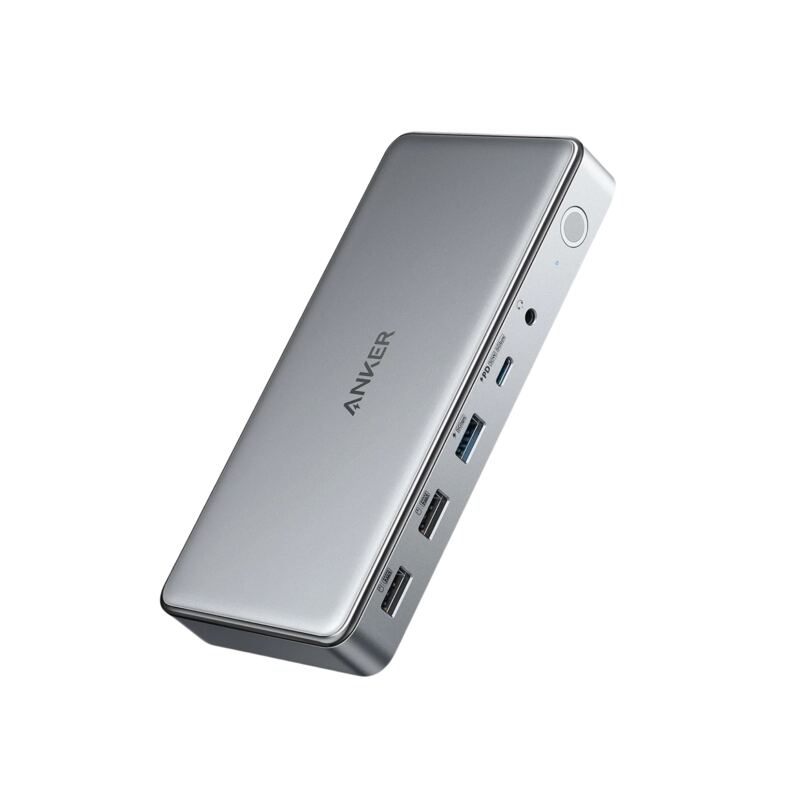
Anker 563 10-in-1 Docking Station
#2
Best for: multitasking enthusiasts needing reliable connectivity
Anker 563 10-in-1 Docking Station
from 4 sources$199

The Anker 563 USB-C Docking Station (10-in-1) earns praise for its sleek design and robust functionality, offering triple display support, 100W charging, and a range of connectivity options including dual HDMI, DisplayPort, USB-A, and Ethernet ports. MacSources rated it 95% for its excellent performance, calling it ideal for work and gaming. However, reviewers noted the lack of a sleep mode and fewer ports than some competitors. The dock's large power brick and unremarkable packaging are also drawbacks. This product suits multitasking enthusiasts and professionals needing reliable connectivity but may not meet users seeking maximum portability or advanced features.

Strengths
  • Sleek and compact design that fits well in office or home workspaces
  • Triple display support with dual HDMI and DisplayPort for multitasking
Watch-outs
  • No sleep mode; continuously supplies power to all devices
  • Limited port selection compared to competitors in the same price range
Plugable USBC-9IN1E
#3
Best for: portable professionals seeking reliable expansion
Plugable USBC-9IN1E
from 4 sources$50

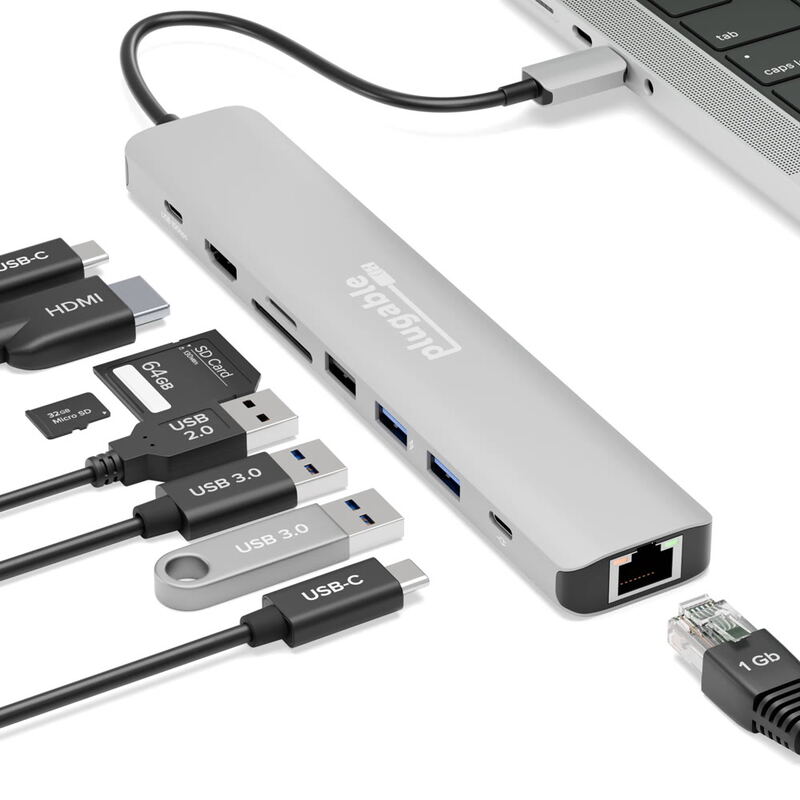
The Plugable USB-C 9-in-1 Hub delivers strong performance as a compact, plug-and-play solution for expanding laptop connections. Tech reviewer Michael Bizzaco praised its ability to handle multiple devices simultaneously without driver issues, noting reliable 4K/60Hz HDMI output and 140W pass-through charging. Customer reviews on Staples echoed these positives, with users highlighting ease of use and solid build quality. However, some users noted the short built-in cable and single HDMI port as limitations, while a few mentioned the hub gets warm under heavy load. This hub is ideal for professionals seeking a portable, reliable expansion solution but may not suit users requiring multiple video outputs or extensive data transfer.

Strengths
  • Plug-and-play design with no drivers required
  • Supports 4K/60Hz HDMI output and 140W pass-through charging
Watch-outs
  • Built-in USB-C cable is rather short
  • Only one video output (HDMI) limits multi-monitor setups
Anker 555 8-in-1 USB-C Hub
#4
Best for: MacBook Air/Pro users needing multiple connections
Anker 555 8-in-1 USB-C Hub
from 4 sources$299

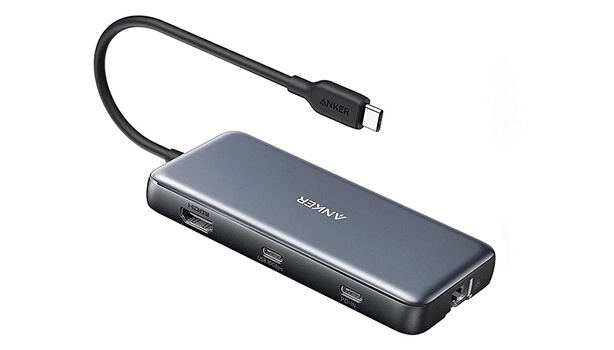
The Anker 555 USB-C Hub offers a compact solution for creatives needing multiple connections, with Fstoppers praising its 4K 60Hz HDMI output and PC Tech Bits noting its reliable data transfer speeds. The hub supports pass-through charging up to 85 watts and includes Ethernet, USB-A, USB-C, and card readers. However, reviewers like PC Tech Bits caution that it requires a quality charger to avoid performance issues, and Reddit users reported occasional compatibility quirks. It's ideal for MacBook Air and Pro users but may not suit Linux users or those with older devices.

Strengths
  • Compact and lightweight design at 4.5 ounces with small footprint
  • 4K HDMI output at 60 Hz supporting high-definition displays
Watch-outs
  • No rubber feet provided, causing potential sliding on surfaces
  • Requires separate USB-C cable and power adapter for full functionality
Dell WD25TB4 Thunderbolt Dock
#5
Best for: Dell laptop users seeking enhanced productivity
Dell WD25TB4 Thunderbolt Dock
from 4 sources$299

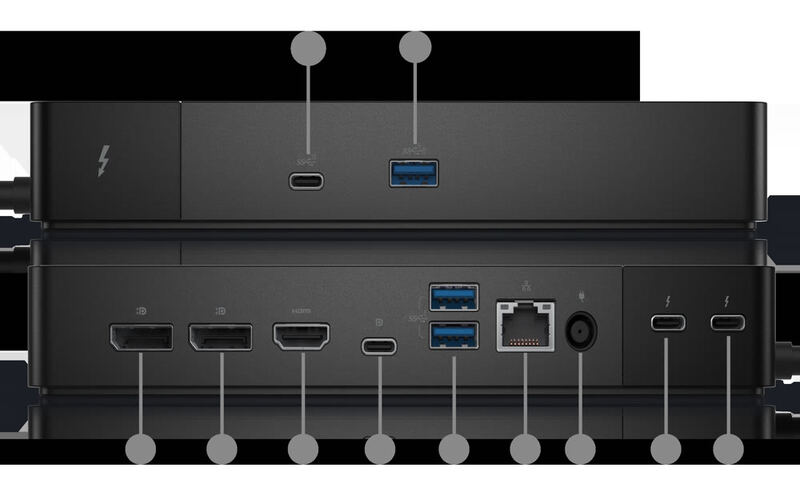
The Dell WD25TB4 Thunderbolt Dock delivers exceptional performance for Dell laptop users, offering dual 4K display support, fast USB-C charging, and a modular upgrade system. Laptop Mag praised its 'unrivaled power delivery' and 'excellent performance,' while Mini PC Reviewer highlighted its 'sturdy design' and 'seamless integration.' However, the dock's compatibility is restricted to Dell devices only, and some reviewers noted limited USB-A ports and occasional coil whine. This dock is ideal for professionals seeking enhanced connectivity and productivity but may not suit users with non-Dell laptops or those requiring extensive legacy port support.

Strengths
  • Supports dual 4K displays at 60Hz for enhanced multitasking and productivity
  • Fast USB-C charging with SuperBoost technology reduces downtime
Watch-outs
  • Limited to Dell devices; not compatible with non-Dell laptops
  • Only two USB-A ports available, which may be insufficient for some users
UGREEN Revodok Max
#6
Best for: users prioritizing build quality over cost-efficiency
UGREEN Revodok Max
from 7 sources$299

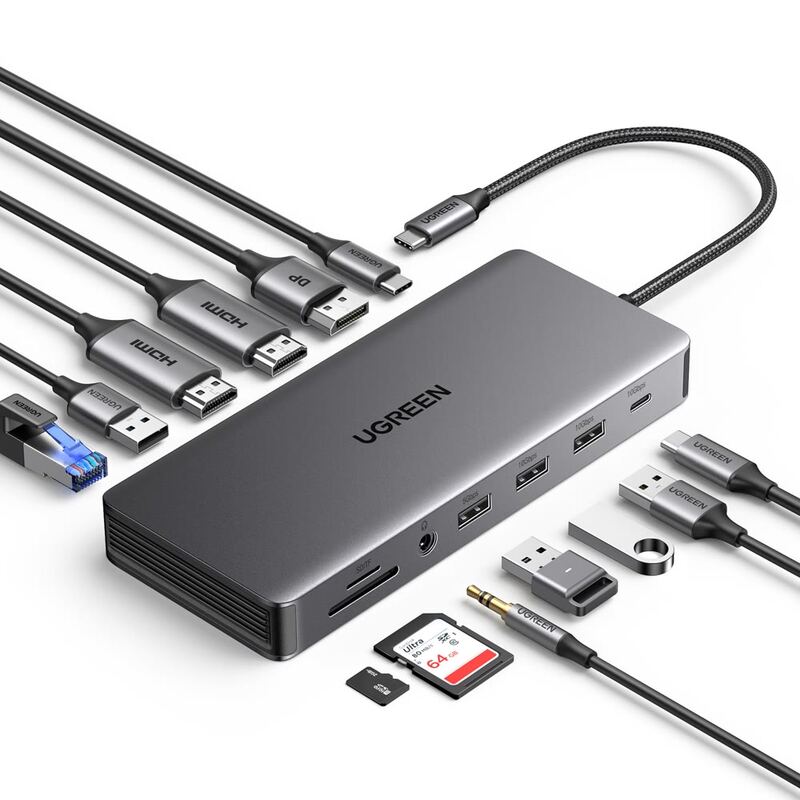
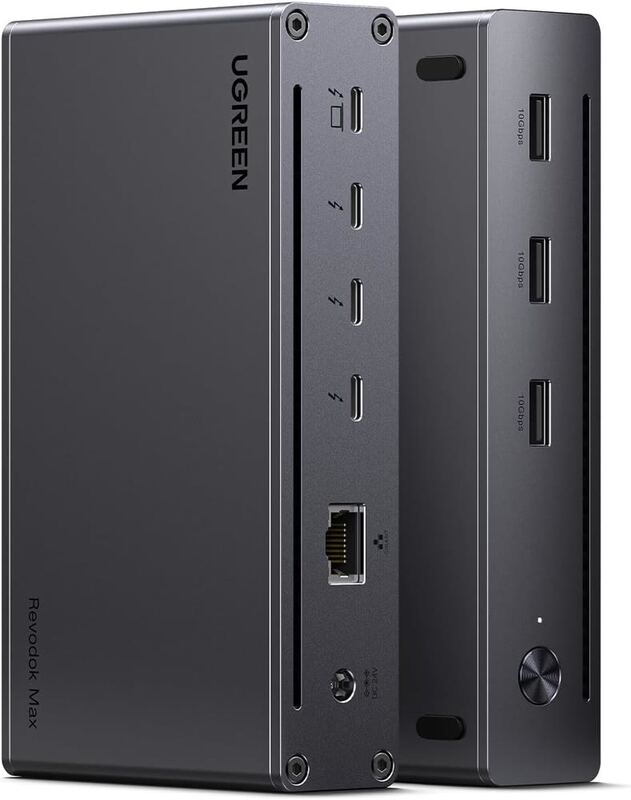
The UGREEN Revodok Max 213 delivers a robust Thunderbolt 4 docking experience with a premium build quality and diverse port selection, according to PCWorld's Mark Hachman. However, Tom's Guide criticized its high price point, calling it 'overpriced' and suggesting that similar functionality can be found elsewhere. While reviewers praised its sturdiness and 40Gbps throughput, some noted underperformance in benchmarks and questioned the value proposition given its $299.99 cost. This dock is best suited for users who prioritize build quality and port variety over cost-efficiency.

Strengths
  • Solidly built metal monolith with aggressive port combination
  • Provides 40Gbps Thunderbolt 4 performance
Watch-outs
  • Overpriced at $299.99 MSRP
  • Performance was below expectations in certain tests

Spec comparison

6 products
SpecCalDigit TS4 Thunderbolt 4Anker 563 10-in-1 Docking StationPlugable USBC-9IN1EAnker 555 8-in-1 USB-C HubDell WD25TB4 Thunderbolt DockUGREEN Revodok Max
Power Delivery98W100W PD IN100W100-watt input, 85-watt pass-through charging130W100W
Ports182× USB-A 3.1 Gen 1, 2× USB-A 2.0, 1× USB-C 3.1 Gen 1USB-C, USB-A, SD, microSDHDMI, USB-A 3.2, USB-C 3.2, Ethernet, SD, microSD213-in-1
Display Support2x 6K @ 60Hz2K HDMI, 2K DisplayPort4K@60Hz4K at 60 Hz HDMI outputDual 4K@60HzDual 4K
Ethernet2.5Gb1× 1Gbps RJ451 GbpsGigabit Ethernet10GbE2.5GbE
USB Speed3x 10Gb/sUSB 3.2 Gen 2USB 3.2 Gen 210 Gbps USB throughputUSB 3.2 Gen 240Gbps
ThunderboltThunderbolt 4NoNoNo44
Weight1.1 kg0.45 kg4.7 ounces4.5 ounces0.45 kg130g
Audio3.5mm Headphone Jack1× 3.5mm Combo Jack3.5mm Combo3.5mm Audio Jack3.5mm Combo Jack3.5mm

Frequently asked questions

What is the best docking station?
CalDigit TS4 Thunderbolt 4 is our top pick for docking stations, with an averaged rating of 4.7/5 from 8 published reviews. The CalDigit TS4 Thunderbolt Dock earns its reputation as a gold standard in the category, offering exceptional portability and connectivity for demanding Mac users. TechRadar praised its robust aluminum build and 18-port configuration with 98W power delivery, while MacRumors noted its impressive 6K display support and 2.5Gb Ethernet. However, both reviewers acknowledged the $399.99 price tag as a significant drawback. The dock's lack of HDMI output is also a notable limitation for users requiring that connection type. This product is ideal for professionals needing extensive connectivity but may not suit budget-conscious consumers or those without Thunderbolt laptops.
Is there a cheaper alternative worth considering?
Plugable USBC-9IN1E (around $50) rates 4.5/5 in our analysis. The Plugable USB-C 9-in-1 Hub delivers strong performance as a compact, plug-and-play solution for expanding laptop connections. Tech reviewer Michael Bizzaco praised its ability to handle multiple devices simultaneously without driver issues, noting reliable 4K/60Hz HDMI output and 140W pass-through charging. Customer reviews on Staples echoed these positives, with users highlighting ease of use and solid build quality. However, some users noted the short built-in cable and single HDMI port as limitations, while a few mentioned the hub gets warm under heavy load. This hub is ideal for professionals seeking a portable, reliable expansion solution but may not suit users requiring multiple video outputs or extensive data transfer.
How does Verdict rank these products?
Every rating on Verdict is the numerical average of scores published by independent review sites, YouTube reviewers, and Reddit buyer reports. No editor adjusts the order — the ranking is whatever the source data produces. See our methodology page for the full process.
When was this guide last updated?
This guide was last re-checked in April 2026. We re-run our research pipeline for each category on a rolling basis so prices and rankings reflect current market reality.

Related guides

Browse all →