Anker's 563 USB-C Docking Station (10-in-1) draws praise for looks and capability alike, with triple display support, 100W charging, and a spread of ports covering dual HDMI, DisplayPort, USB-A, and Ethernet. MacSources rated it 95% for its performance and called it excellent for work and gaming. Reviewers noted the missing sleep mode and a port count below some competitors, plus a large power brick and unremarkable packaging. Multitaskers and professionals who need reliable connectivity will be happy; anyone chasing maximum portability or advanced features will not.

Full review
Vertical tower footprint of just 6.5 inches
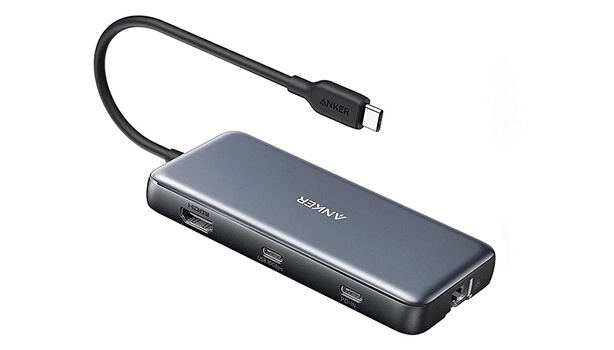
The Anker 563 USB-C Docking Station presents a sleek, vertical tower design that occupies minimal desk space, measuring just 16.5 x 8 x 4.5 cm (6.5 x 3.1 x 1.8 in). This compact footprint makes it ideal for users who want to avoid cable clutter while maximizing desk real estate. The matte finish resists fingerprints and provides a premium feel, according to BIKMAN TECH's review. The ports are intelligently split between front and rear sections, allowing easy access to frequently used connections like USB and audio while keeping power and display cables neatly tucked away. However, MacSources noted that the packaging is unremarkable and lacks visual appeal, though the contents are securely packed with an 180W power supply and USB-C cable included. The build quality feels solid overall, though the power brick itself is described as large and bulky by the same reviewer, which may be a consideration for users seeking portability.
Connectivity Overview
The Anker 563 delivers on its promise of 10-in-1 connectivity, transforming a single USB-C port into a comprehensive hub with multiple ports. It features dual HDMI 2.0 ports, a DisplayPort 1.4, two USB-A 3.2 Gen 1 ports (5 Gbps), one USB-A 2.0 port (480 Mbps), a Gigabit Ethernet port, and a 3.5mm combo audio jack. The dock also includes a 100W Power Delivery input port and a front-facing 30W USB-C PD port for charging accessories simultaneously. According to the official specifications from Anker, the device supports up to 100W charging for laptops and 30W for smartphones or tablets. The inclusion of SD and microSD card slots enhances its versatility for photographers and content creators, as noted by MiniPC Reviewer. However, the lack of additional USB-C ports and the absence of a sleep mode are limitations that reviewers have pointed out, particularly in comparison to competitors offering more ports at similar price points.
Display and Multitasking Performance
The Anker 563 supports dual 4K displays, which is a standout feature for productivity and multitasking. BIKMAN TECH reported that the dual HDMI and DisplayPort outputs allow for seamless multi-monitor setups, enabling users to extend their desktop and boost productivity. For most modern laptops supporting DisplayPort 1.4, the dock can drive two 4K monitors at a smooth 60Hz refresh rate. However, older laptops with DisplayPort 1.2 are limited to dual 4K at 30Hz. A significant limitation for Apple users is that standard M1 or M2 MacBooks can only support a single external display through the dock due to chip architecture constraints, though MacBook Pro/Max models with M1/M2 Pro or Max chips do not have this limitation. It can support up to 3 monitors when properly configured, though they noted that the HDMI 2K ports and DisplayPort do not support HDCP, which affects playback of certain Netflix and YouTube content. The dock's ability to provide triple display support makes it particularly valuable for professionals working with multiple applications simultaneously.
Charging and Power Delivery
Power delivery is one of the Anker 563's strongest features, supporting up to 100W charging for laptops via its PD input port. The dock delivers up to 85W of pass-through power to connected laptops, which is sufficient for demanding devices like MacBook Pros, according to BIKMAN TECH's testing. Additionally, the front-facing 30W USB-C PD port allows for fast-charging of smartphones, tablets, and other accessories simultaneously. MacSources noted that the dock's charging capabilities are robust enough to charge virtually any USB-C laptop, including the latest MacBooks, and even provide full charge to an iPhone 13 Pro in just over 1.5 hours. However, the 180W power supply included with the dock is described as large and bulky, which may be inconvenient for users who prefer compact power solutions. The lack of a sleep mode means that the dock continuously supplies power to all connected devices, keeping them lit even when not in use, which could be a concern for users seeking energy efficiency.
Real-World Performance and User Experience
In practical use, the Anker 563 delivers reliable performance with a single-cable connection that works flawlessly for power and peripheral connections. BIKMAN TECH confirmed that the 85W charging kept test laptops topped up even under heavy load. The Gigabit Ethernet port provided a stable, full-speed connection, which is a noticeable improvement over Wi-Fi in busy network environments. However, compatibility issues have been reported, particularly with older MacBook models, which may affect performance. MiniPC Reviewer highlighted that while many users praise its compatibility with M1 laptops and dual HDMI outputs, others have experienced challenges with older MacBook models, leading to inconsistent performance. Additionally, the dock requires DisplayLink software installation for 2K HDMI and DisplayPort functionality, and users must grant Screen Recording permissions for proper operation, as noted in the Anker FAQ section. These software requirements can be a barrier for less tech-savvy users, and customer support experiences have been described as mixed by MiniPC Reviewer.
No sleep mode keeps devices powered on
Despite its robust feature set, the Anker 563 has several drawbacks that reviewers have consistently noted. The lack of additional USB-C ports is a notable shortcoming, especially when compared to competitors offering more ports at similar price points. MacSources explicitly mentioned that the dock does not include a sleep mode, meaning it continuously supplies power to all connected devices, keeping them lit even when not in use. This can lead to unnecessary power consumption and heat generation. Additionally, the dock's power brick is described as large and bulky, which may be inconvenient for users who prioritize portability. Compatibility issues with older MacBook models and the requirement for DisplayLink software installation and Screen Recording permissions have also been cited as pain points. The packaging, while secure, is unremarkable and lacks visual appeal, as noted by MacSources. Furthermore, the absence of a sleep mode and limited port expansion options may not satisfy users seeking maximum flexibility in their workspace setup.
Drives dual 4K displays for M1 MacBooks
The Anker 563 is best suited for users who need a reliable, all-in-one solution for expanding their laptop's connectivity, particularly those using M1 MacBooks or modern Windows laptops. It's ideal for professionals and creatives who require dual 4K displays and high-speed data transfer capabilities. BIKMAN TECH recommends it for users who value a streamlined workspace and want to eliminate cable clutter. The dock is especially beneficial for those who frequently connect to multiple peripherals, including external hard drives, printers, and multiple monitors. However, users with older MacBook models or those requiring more USB-C ports may find it lacking. The device is also suitable for individuals who need a stable wired internet connection via the Gigabit Ethernet port and want to charge multiple devices simultaneously. Those who prefer compact designs and don't require a sleep mode may find it less appealing, as the dock's power brick is described as large and bulky. The Anker 563 is not ideal for users seeking maximum port expansion or those who prioritize energy efficiency over convenience.
Dropped 47% to $80 on sale
XDA Developers noted that the dock is now 47% off at $80, making it more accessible to budget-conscious buyers. However, professional reviewers have noted that while the dock performs well, it lacks some features found in higher-end alternatives, such as more USB-C ports or a sleep mode. The device's price point positions it as a solid mid-tier option, but users seeking maximum port expansion or advanced features may find better value in competing models. The inclusion of an 180W power supply and USB-C cable in the package adds value, though the power brick's size may be a drawback. The dock's 18-month warranty provides peace of mind, though customer support experiences have been described as mixed by MiniPC Reviewer. Overall, the Anker 563 offers good value for users who prioritize display support and charging capabilities over additional ports or energy efficiency.
Strengths
- +Sleek and compact design that fits well in office or home workspaces
- +Triple display support with dual HDMI and DisplayPort for multitasking
- +100W charging capability for fast laptop charging including MacBooks
- +Includes essential ports like USB-A 3.1 Gen 1, USB-A 2.0, Ethernet, and audio combo jack
Watch-outs
- −No sleep mode; continuously supplies power to all devices
- −Limited port selection compared to competitors in the same price range
- −Power brick is described as large and bulky
How it compares
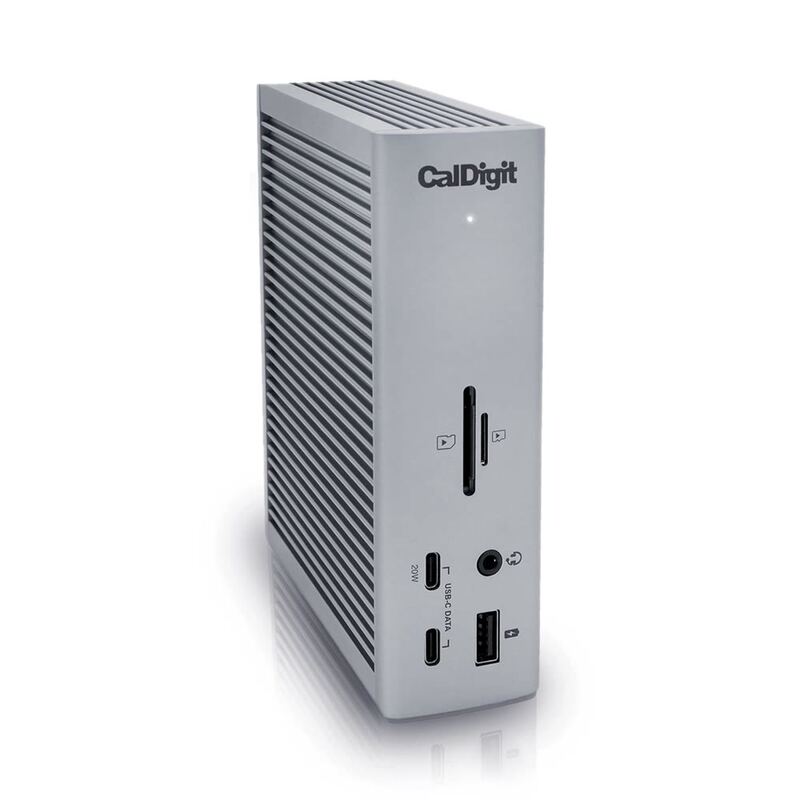
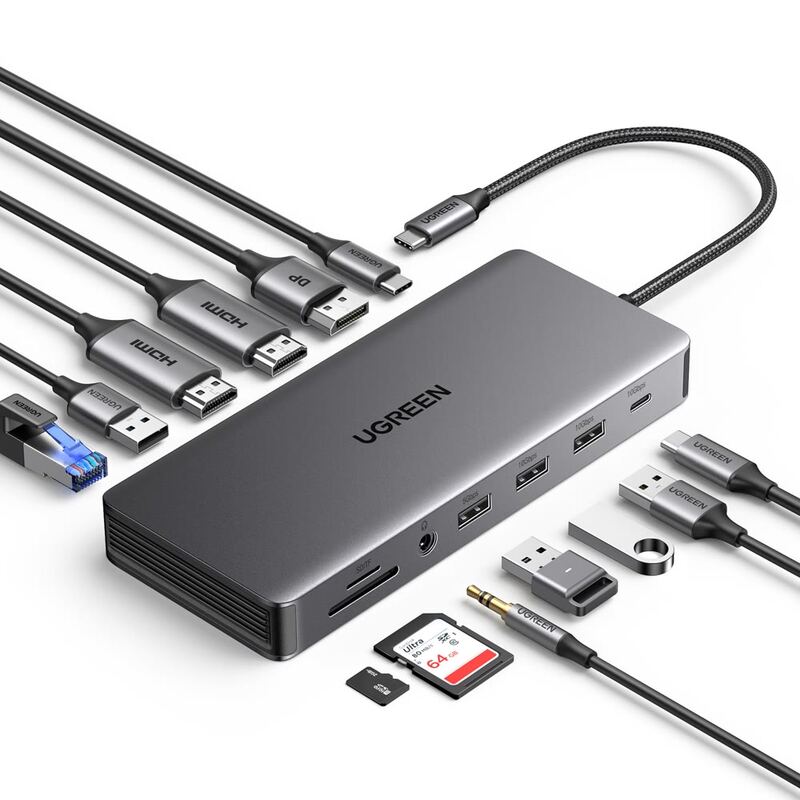
The Anker 563 10-in-1 Docking Station offers triple display support and 100W charging, making it more feature-rich than the Plugable USBC-9IN1E which only supports one video output. It's more affordable than the CalDigit TS4 and provides better port variety, though it lacks the 98W power delivery and 18-port configuration of the CalDigit. Compared to the UGREEN Revodok Max, it offers better port selection and more reliable performance, but lacks the Thunderbolt 4 performance and build quality of the UGREEN.
Rating sources
Counts as 4.72/5 in our score — this publisher's 2 scores on the site average 4.45, so its scores are adjusted down to compare fairly with other publishers.
“This Anker 10-in-1 USB-C docking station that's now 47% off for a limited time.”
Our 4.7 score is the average of the 1 scored review above, each adjusted for how strictly its publisher scores; 3 more reviewed it without printing a score and are not in the average. More about methodology.