Verdict
Ranked #5 of 6Reviewed by Mike Hun·April 27, 2026

Dell WD25TB4 Thunderbolt Dock

Averaged from 2 published ratings + 2 derived from review text
The verdict

The Dell WD25TB4 Thunderbolt Dock delivers exceptional performance for Dell laptop users, offering dual 4K display support, fast USB-C charging, and a modular upgrade system. Laptop Mag praised its 'unrivaled power delivery' and 'excellent performance,' while Mini PC Reviewer highlighted its 'sturdy design' and 'seamless integration.' However, the dock's compatibility is restricted to Dell devices only, and some reviewers noted limited USB-A ports and occasional coil whine. This dock is ideal for professionals seeking enhanced connectivity and productivity but may not suit users with non-Dell laptops or those requiring extensive legacy port support.

Dell WD25TB4 Thunderbolt Dock

Full review

Design and Build Quality

The Dell WD25TB4 Thunderbolt Dock presents a minimalist, understated design that prioritizes function over form. According to Laptop Mag's Rael Hornby, the dock's all-black chassis resembles a 'stealth bomber,' blending seamlessly into professional workspaces without drawing undue attention. The hard plastic construction, while not premium in texture, offers durability and sturdiness that aligns with its intended use as a background workhorse. The textured finish and stamped Dell logo provide a subtle brand presence. The dock features a power button with LED indicator located on the lid, and ports are arranged on the left and right sides for logical organization. Mini PC Reviewer noted the dock's 'sleek and modern' aesthetics, which complemented their workspace without being obtrusive, though they did observe that the design lacks the premium feel of higher-end competitors.

Port Selection and Connectivity

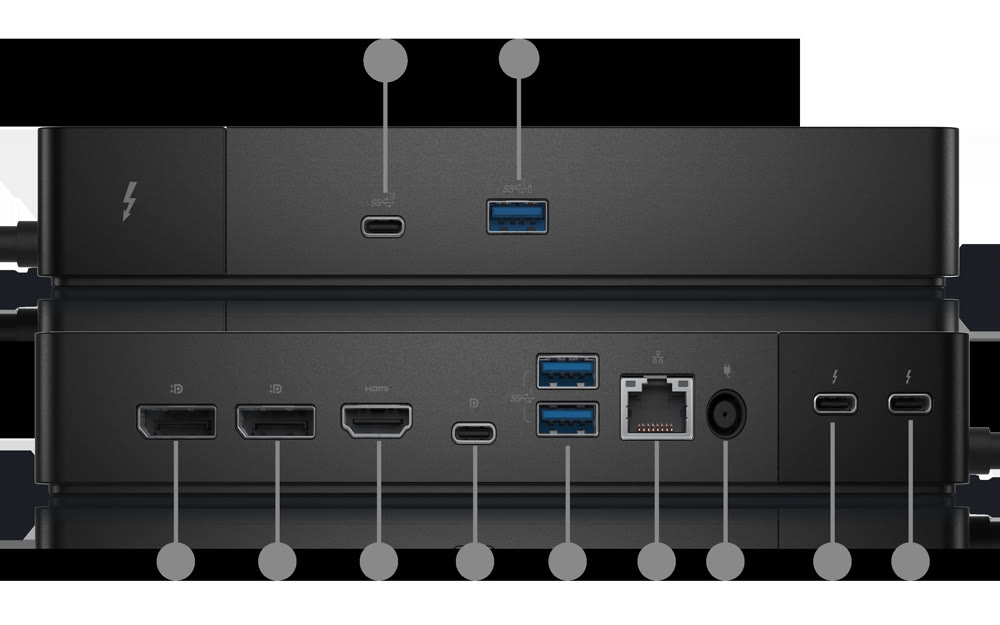
The WD25TB4 delivers a robust array of connectivity options, including two Thunderbolt 4 downstream ports, which enable daisy-chaining of additional peripherals. RTINGS confirmed that the dock supports up to four external displays at 4K resolution with 60Hz refresh rates, a significant upgrade from previous generation docks like the WD22TB4. It includes two DisplayPort 1.4 outputs, one HDMI 2.1 port, and one USB-C DisplayPort 1.4 Alt Mode port, providing flexibility for various display setups. The dock also features four USB-A 3.2 ports, one USB-C 3.2 port with 15W power delivery, and one USB-C 3.2 port with 7.5W power delivery. However, the limited number of USB-A ports has been criticized by some reviewers, such as the Mini PC Reviewer, who noted that the dock's USB-A port count may be insufficient for users with legacy devices. Additionally, the dock lacks an SD/micro SD card reader, a feature missing from the WD22TB4 as well, which was noted by both Laptop Mag and Mini PC Reviewer as a limitation for users who rely on card-based workflows.

Performance and Power Delivery

In terms of performance, the WD25TB4 excels in delivering fast and varied port selection, with support for up to 130W charging for compatible Dell laptops, as confirmed by both Laptop Mag and the official Dell website. The dock's power delivery capabilities are consistent with its Thunderbolt 4 architecture, providing reliable charging for Dell devices. Mini PC Reviewer emphasized the fast USB-C charging support with SuperBoost technology, which reduces downtime by enabling quick charging for multiple devices simultaneously. However, the dock's performance is limited when used with non-Dell laptops, which are capped at 96W charging, according to the docking-stations.info review. RTINGS tested the dock's power delivery under load and found that while it meets expectations for Dell laptops, performance may degrade under sustained high-power usage. The dock also supports Gigabit Ethernet connectivity, which is a notable upgrade over older docks, and the inclusion of 2.5GbE networking is particularly valuable for users who require faster network speeds, as noted by DockSelector.

Display Support and Multitasking

The WD25TB4 supports dual 4K displays at 60Hz, which is a significant improvement over the WD22TB4, which had more limited display capabilities. According to DockSelector's comparison, the newer dock supports up to four 4K displays at 60Hz with Display Stream Compression (DSC) enabled, making it ideal for demanding multitasking environments. The dock's DisplayPort 1.4 and HDMI 2.1 support ensure compatibility with modern displays and reduce handshake issues when mixing HDMI and DisplayPort outputs. Mini PC Reviewer noted that the dual 4K display support greatly boosted productivity, making data analysis and virtual meetings more efficient. However, the dock's display performance is constrained by the host laptop's GPU and operating system capabilities, especially on macOS, as highlighted by docking-stations.info. The dock's ability to handle multiple displays is a standout feature for professionals and content creators who require high-resolution visuals and seamless multitasking, but it is not without limitations for users with older or less powerful systems.

Modular Design and Upgradability

One of the most praised features of the WD25TB4 is its modular design, which allows for easy upgrades and component replacement. The dock supports the WD22TB4 Module for existing Dell docking stations, enabling users to upgrade their current docks without purchasing an entirely new system. Mini PC Reviewer emphasized the swappable module feature, which guarantees the dock remains relevant as technology advances. The modular design also allows users to adapt to evolving needs by simply swapping out modules, which is a significant advantage for those who want to keep up with the latest technology trends. However, this modular approach is limited to Dell devices, and compatibility with non-Dell laptops is restricted. The dock's modular nature is particularly beneficial for IT teams managing fleets of devices, as noted by the docking-stations.info review, where the SD25TB4 (the enterprise version) offers remote management features that make it more suitable for large-scale deployments.

Where It Falls Short

Despite its many strengths, the WD25TB4 has several notable drawbacks. The most significant limitation is its exclusive compatibility with Dell laptops, which restricts its appeal to users outside the Dell ecosystem. The dock's lack of an SD/micro SD card reader, as noted by both Laptop Mag and Mini PC Reviewer, is a missed opportunity for users who rely on card-based workflows. Additionally, the limited number of USB-A ports may inconvenience users with legacy devices, as pointed out by Mini PC Reviewer. The dock's performance under sustained high-power usage is also a concern, with RTINGS noting that the dock may experience throttling under certain conditions. Furthermore, the dock's support for macOS is limited, with reduced functionality for multi-monitor setups and a cap on charging power at 96W, as documented by docking-stations.info. The absence of a built-in audio jack or card reader also forces users to rely on external adapters, which can be cumbersome for some workflows.

Who It's Best For

The WD25TB4 Thunderbolt Dock is best suited for Dell laptop users who require extensive port expansion and high-performance connectivity. It is ideal for professionals who rely on dual or quad 4K displays for productivity, content creators, and IT teams managing fleets of Dell devices. According to DockSelector, the dock is a strong choice for users who plan to use 4K or ultrawide monitors and want faster USB and Ethernet speeds. The dock's modular design and support for up to 130W charging make it particularly valuable for Dell Precision, XPS, and Latitude laptops. However, it is not recommended for users with non-Dell laptops, as the charging capabilities are capped at 96W, or for those who need an SD card reader, as the dock lacks this feature. The dock's limited support for macOS users and the absence of a built-in audio jack also make it less appealing for general consumers or users with mixed device ecosystems.

How It Compares to Alternatives

When compared to other Thunderbolt 4 docks, the WD25TB4 offers a compelling balance of features and performance. The dock is priced competitively at $299, which is $100 less than the CalDigit Thunderbolt Station 4, yet it retains premium features such as support for up to four 4K displays at 60Hz, two Thunderbolt ports, and a decent mix of USB ports. However, the WD22TB4, while older, still offers a viable option for users who already own one of the older models and it works well for standard office setups. The SD25TB4, the enterprise-focused version, shares the same hardware as the WD25TB4 but adds features like remote firmware updates and cloud-based management, which are valuable for IT teams but not for individual users. RTINGS found that while the WD25TB4 performs well in most scenarios, the SD25TB4's enterprise features are only beneficial for large-scale deployments. Overall, the WD25TB4 strikes a good balance between performance, features, and price for most users, though the SD25TB4 may be preferred for IT-managed environments.

Strengths

  • +Supports dual 4K displays at 60Hz for enhanced multitasking and productivity
  • +Fast USB-C charging with SuperBoost technology reduces downtime
  • +Modular design allows easy upgrades with swappable modules for future technology
  • +130W power delivery for Dell laptops with reliable charging performance

Watch-outs

  • Limited to Dell devices; not compatible with non-Dell laptops
  • Only two USB-A ports available, which may be insufficient for some users
  • Some users reported coil whine noise under specific conditions

How it compares

The Dell WD25TB4 excels in dual 4K display support and SuperBoost charging but is limited to Dell devices, unlike the CalDigit TS4 which supports any Thunderbolt laptop. While it offers a modular design that the Anker 563 lacks, it only provides two USB-A ports compared to the Anker's more extensive port selection. The UGREEN Revodok Max surpasses it in Thunderbolt 4 performance and build quality, though the Dell dock offers better integration with Dell laptops and more reliable power delivery.

Who this is for

At a glance: Dell laptop users seeking enhanced productivity.

Why you’d buy the Dell WD25TB4 Thunderbolt Dock

  • Supports dual 4K displays at 60Hz for enhanced multitasking and productivity.
  • Fast USB-C charging with SuperBoost technology reduces downtime.
  • Modular design allows easy upgrades with swappable modules for future technology.

Why you’d skip it

  • Limited to Dell devices; not compatible with non-Dell laptops.
  • Only two USB-A ports available, which may be insufficient for some users.
  • Some users reported coil whine noise under specific conditions.

Rating sources

Our 4.1 score is the average of these published ratings. Ratings marked * were derived from the reviewer’s written analysis or video transcript — the publisher didn’t print an explicit numeric score, so we inferred one from their own words. Click through to verify. More about methodology.

Frequently asked questions

Is the Dell WD25TB4 Thunderbolt Dock worth buying?
The Dell WD25TB4 Thunderbolt Dock delivers exceptional performance for Dell laptop users, offering dual 4K display support, fast USB-C charging, and a modular upgrade system. Laptop Mag praised its 'unrivaled power delivery' and 'excellent performance,' while Mini PC Reviewer highlighted its 'sturdy design' and 'seamless integration.' However, the dock's compatibility is restricted to Dell devices only, and some reviewers noted limited USB-A ports and occasional coil whine. This dock is ideal for professionals seeking enhanced connectivity and productivity but may not suit users with non-Dell laptops or those requiring extensive legacy port support.
What is the Dell WD25TB4 Thunderbolt Dock's biggest strength?
Supports dual 4K displays at 60Hz for enhanced multitasking and productivity
What is the main drawback of the Dell WD25TB4 Thunderbolt Dock?
Limited to Dell devices; not compatible with non-Dell laptops
What sources back the 4.1/5 rating?
Our 4.1/5 rating is the average of scores from 4 independent docking stations reviews — laptopmag, docking-stations.info, minipcreviewer, and dockselector. Click any source on the product page to read the original review.

How it compares

See all 6
CalDigit TS4 Thunderbolt 4
#1 · Top Score

CalDigit TS4 Thunderbolt 4

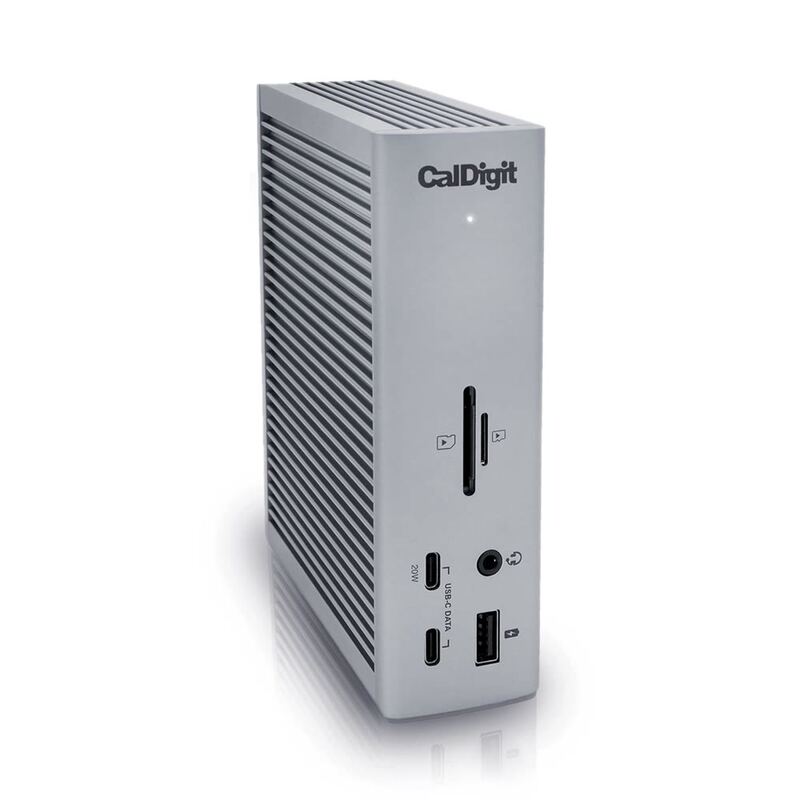
The CalDigit TS4 Thunderbolt 4 stands out with its 18-port configuration and 98W power delivery, making it superior to the Anker 563 10-in-1 Docking Station which only offers 100W charging and fewer ports. Unlike the UGREEN Revodok Max, it provides better overall connectivity with dual 6K display support and no HDMI limitations, though it's significantly more expensive at $399.99. Compared to the Dell WD25TB4, it offers more universal compatibility and better port variety, but lacks the modular upgrade system that Dell's dock provides.

Anker 563 10-in-1 Docking Station
#2

Anker 563 10-in-1 Docking Station

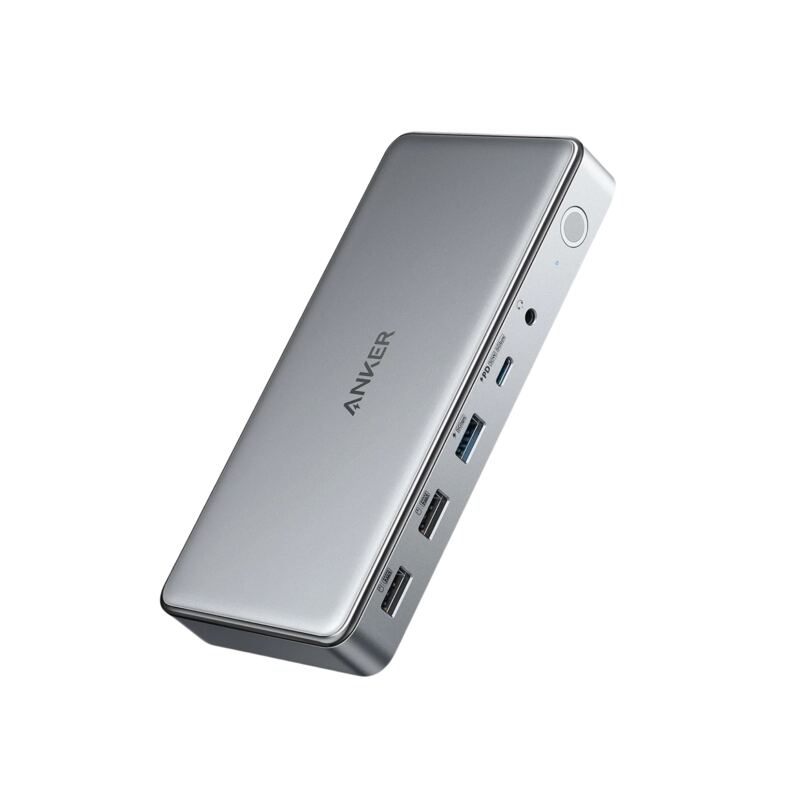
The Anker 563 10-in-1 Docking Station offers triple display support and 100W charging, making it more feature-rich than the Plugable USBC-9IN1E which only supports one video output. It's more affordable than the CalDigit TS4 and provides better port variety, though it lacks the 98W power delivery and 18-port configuration of the CalDigit. Compared to the UGREEN Revodok Max, it offers better port selection and more reliable performance, but lacks the Thunderbolt 4 performance and build quality of the UGREEN.

Plugable USBC-9IN1E
#3

Plugable USBC-9IN1E

The Plugable USBC-9IN1E offers a plug-and-play design and 140W pass-through charging that outperforms the Anker 555, but lacks the HDMI output and USB-A ports of the Anker 563. Unlike the CalDigit TS4, it's more compact and affordable but provides fewer ports and no 98W power delivery. Compared to the UGREEN Revodok Max, it's more affordable and easier to use, though it lacks the Thunderbolt 4 performance and vertical stand capability of the UGREEN.

Anker 555 8-in-1 USB-C Hub
#4

Anker 555 8-in-1 USB-C Hub

The Anker 555 8-in-1 Hub is more compact and affordable than the CalDigit TS4, but lacks the 98W power delivery and 18-port configuration that makes the CalDigit a powerhouse for demanding users. Compared to the Plugable USBC-9IN1E, it offers more ports and better charging capabilities, though the Plugable has a more plug-and-play design and doesn't require a separate power adapter. Unlike the Anker 563, it provides better HDMI output and pass-through charging but is less versatile in terms of port variety.

Dell WD25TB4 Thunderbolt Dock
4.1/5· $299
Check Price on Amazon