Creatives who need several connections at once are the target for the Anker 555 USB-C Hub. Fstoppers praised the 4K 60Hz HDMI output and PC Tech Bits found the data transfer speeds reliable. It handles pass-through charging up to 85 watts and includes Ethernet, USB-A, USB-C, and card readers. PC Tech Bits cautioned that it needs a quality charger to avoid performance issues, and Reddit users reported occasional compatibility quirks. MacBook Air and Pro owners get the most out of it; Linux users and people with older devices may not.
Full review
Design and Port Layout
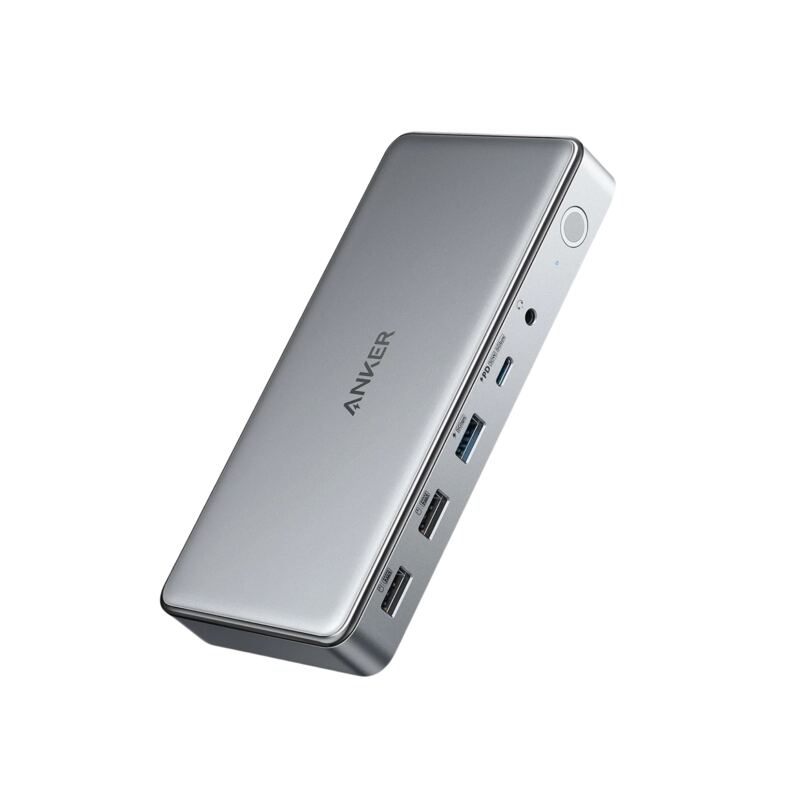
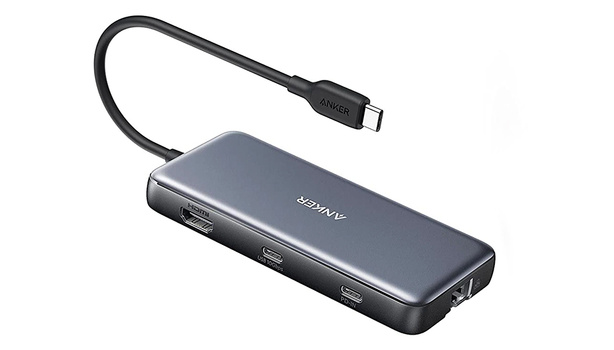
The Anker 555 USB-C Hub presents a compact form factor measuring 4.76 x 2.17 x 0.6 inches and weighing just 4.5 ounces, making it highly portable for travel. Fstoppers reviewer Alex Cooke noted the device's 'carefully designed layout' with USB-A ports and card slots on one side, PD and USB-C ports on the other, and Ethernet at the far end. However, the lack of rubber feet or grip features was a point of criticism, as the slick plastic housing makes the device prone to sliding around under tension. PC Tech Bits' review confirmed this, stating the 'plastic housing is slick and the device is light, so expect it to slide around a bit.' The hub includes a built-in 7.48-inch USB-C cable, which is a welcome addition for users who don't want to carry additional cables.
The device is sleek but relatively bulky compared to slim alternatives; Blogged Off's reviewer notes it's 'about the size of a MagSafe power bank for an iPhone' but 'kind of awkward to dangle off the side of my MacBook Air.' The port arrangement, while functional, can be cramped for users with chunky cables or adapters. The hub's design prioritizes functionality over minimalism, with a dark plastic body and subtle port labels, but lacks the premium feel that some users might expect from a $50 product.
10Gbps confirmed, but runs warm under load
Anker 555 delivers on its promise of high-speed data transfer with 10Gbps USB-C and USB-A ports, which is a significant upgrade over many competing hubs that support only 5Gbps or USB 2.0 speeds. The 10Gbps rating holds up. Fstoppers' Alex Cooke found that 'in practice, the hub had no problem keeping up with the demands of speedy SSDs, easily maintaining the fastest possible speeds,' which he called 'great news for anyone who frequently transfers a lot of data.'
The hub's power arithmetic comes with caveats. Blogged Off's reviewer specs the passthrough port as '1x USB-C PD (power passthrough only, 100W input into 85W output delivered)' — a 15W gap between what goes into the hub and what reaches the laptop. The same reviewer left the Ethernet port's real-world throughput untested, describing it only as 'rated for gigabit speeds' and adding that he has 'not tested how fast it is in practice' and finds 'most external hubs are optimistic about this.'
Display Output Capabilities
The Anker 555's HDMI port stands out with its 4K@60Hz output, a feature that sets it apart from many competing hubs that typically max out at 30Hz. Fstoppers reviewer Alex Cooke highlighted this as a 'nice perk' that's particularly beneficial for video editing, gaming, or high-frame-rate content. The hub supports 4K@60Hz when used with DP 1.4 laptops, and 4K@30Hz with DP 1.2 laptops, as noted by PC Tech Bits. The ability to extend or mirror displays via the HDMI output is a significant productivity booster, particularly for video editors and content creators.
However, some reviewers noted limitations in display compatibility. Blogged Off's reviewer mentioned that 'the extra bulk might mean better heat dissipation performance, and I suspect heat is what killed my old USB hub in the end,' suggesting that the HDMI port may be a heat source. Additionally, while the 4K@60Hz output is a strong selling point, some users may find that the hub's performance with multiple displays or high-resolution content is less than optimal under heavy load. The HDMI port's performance was consistent across different devices, but the hub's overall stability under sustained high-load conditions was questioned by several reviewers.
Power Delivery and Charging
The Anker 555 supports 85W pass-through charging, which is a significant advantage for users who need to charge their laptops while using other ports. Fstoppers reviewer Alex Cooke noted that 'the hub takes 15 watts to run things and makes 85 watts available for charging,' which allowed him to charge his MacBook Air at 67 watts, achieving 50% battery life in just 30 minutes. However, the hub's charging capabilities are dependent on the power adapter used: Blogged Off's reviewer lists the pass-through port as '100W input into 85W output delivered' and notes that it 'must be connected to an external charger.'
The hub needs a 100W charger to deliver its full 85W pass-through, which may be a limitation for users with lower-wattage chargers. The hub's power delivery was described as 'reliable' by PC Tech Bits, while Blogged Off's reviewer listed 'Power passthrough (85W) won't be enough for some workstation class and gaming laptops' among the hub's cons. That is the practical ceiling to watch: the hub charges most laptops, but high-end gaming laptops and workstations draw more than 85W.
Build Quality and Reliability
Anker's reputation for reliability was a major selling point for many reviewers, with Fstoppers' Alex Cooke stating, 'given the reliability of their other products, it was a logical choice.' Cooke found the housing itself 'solid, dark plastic' in 'a carefully designed layout,' but his 'only quibble would be the lack of any rubber feet or the like' - 'its plastic housing is slick and the device is light, so expect it to slide around a bit under the tension of whatever you have connected to it.' Other reviewers raised concerns about the hub's longevity. Blogged Off's reviewer mentioned that 'the reason I went with Anker? I have a lot of trust in the brand — their 737 power bank is one of my favorite products and I also really like their Nano line of USB GaN chargers,' but also noted that 'the extra bulk might mean better heat dissipation performance, and I suspect heat is what killed my old USB hub in the end.'
Mini PC Reviewer's experience with customer support was positive, as they noted that 'the superb customer support from Anker quickly resolved these problems guiding me through troubleshooting steps and ultimately replacing the unit.' Blogged Off's build complaint is size rather than materials: the reviewer lists a 'Relatively bulky design compared to slimmer USB hubs' among the hub's cons, while allowing that the extra bulk 'might mean better heat dissipation performance' than the slim hub it replaced. The hub's ability to handle heat under sustained load was questioned, with Mini PC Reviewer noting that 'under heavy loads, the hub can get warm,' which may impact long-term reliability. Blogged Off's reviewer places it in context, calling the Anker 555 'consistently a high-rated pick among the larger crop of USB hubs on the market.'
4K 60Hz HDMI plus SD and microSD readers
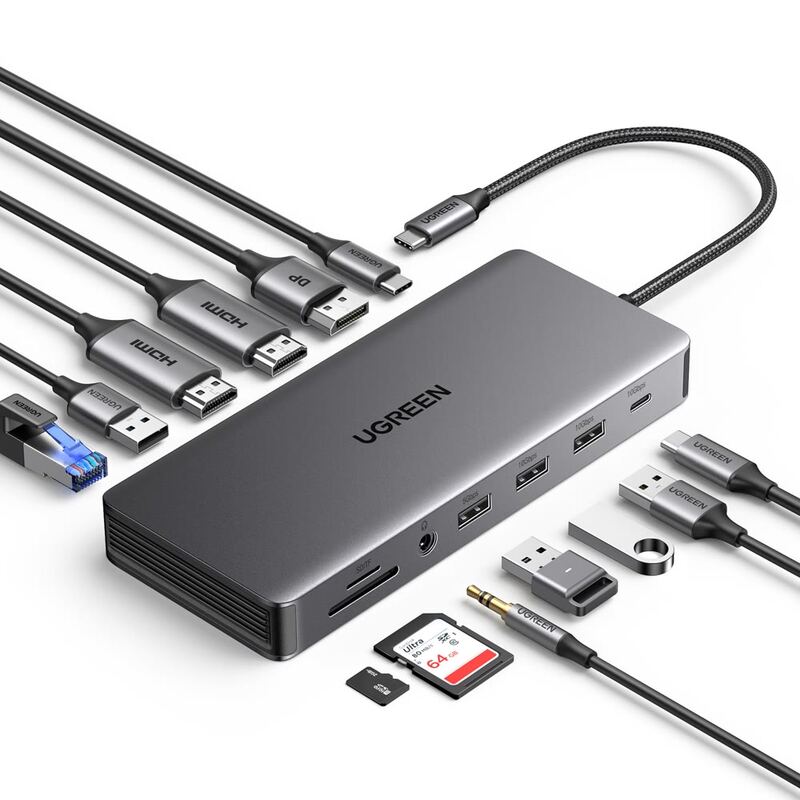
Reviewers consistently praised the Anker 555 for its comprehensive port selection and high-speed data transfer capabilities. Fstoppers' Alex Cooke highlighted the 'excellent array of ports' and '4K 60 HZ output over HDMI' as key features that made the hub a 'logical choice' for his needs. The inclusion of both SD and microSD card readers was also noted as a significant plus, particularly for photographers and videographers. PC Tech Bits emphasized that 'the 4K/60Hz HDMI is a sweet spot if you're running an external screen,' and that 'the hub handles fast data transfers across its ports, which is a lifesaver for anyone working with photos, videos, or just a ton of documents.'
Blogged Off's reviewer listed 'Enough power passthrough for most laptops' among the hub's pros, and the 85W pass-through lets a laptop charge while the other ports stay in use. Portability is more of a trade-off than a selling point here: Blogged Off's reviewer found the Anker 555 'a lot bulkier than my old slim USB hub' and listed a 'Relatively bulky design compared to slimmer USB hubs' among its cons. On compatibility, Blogged Off's reviewer wrote that so long as your laptop, tablet, or desktop computer has a USB-C data port, the Anker 555 'should work with it.'
Slides around without rubber feet or grip
The main complaint is bulk rather than grip: Blogged Off's reviewer wrote that 'The Anker 555 is a lot bulkier than my old slim USB hub (I have to assume because of that Ethernet port),' and listed a 'Relatively bulky design compared to slimmer USB hubs' among the hub's cons, adding that 'I'm thinking of buying some Velcro tape or adhesive magnets to hold it in place on my laptop stand.' Additionally, the hub's power delivery capabilities are limited by the need for a 100W charger, which may not be available to all users.
Power delivery is the real constraint under load. Blogged Off's reviewer lists as a con that 'Power passthrough (85W) won’t be enough for some workstation class and gaming laptops,' and answers the multi-device question flatly: the Anker 555 'is only designed to provide USB power to one connected device (via the USB-C PD port, which must be connected to an external charger). The USB data ports only supply enough power to transfer data.' The same review frames the missing Thunderbolt support as a power-user issue — a dock's extra abilities 'tend to be important to workstation power users,' whereas for 'the vast majority of users, a powerful USB hub is a lot cheaper, much more portable, and not discernibly less capable.'
Built for photographers, not Thunderbolt workflows
The Anker 555 is best suited for professionals who need a reliable, high-performance hub for creative work, including photographers, videographers, and content creators. Fstoppers' Alex Cooke, a photographer, found the hub's Ethernet and HDMI ports particularly valuable for his workflow, while Blogged Off's reviewer, who uses it primarily with a MacBook Air, appreciated the 4K@60Hz display output and SD card readers. The hub is also ideal for remote workers and students who need to connect multiple peripherals while traveling, as its compact design and portability make it easy to carry.
However, the hub may not be ideal for users with older devices that only support USB-A connections, as the Anker 555 lacks USB-A to USB-C adapters. Additionally, power-hungry users, such as those with high-end gaming laptops or workstations, may find that the hub's 85W pass-through charging is insufficient for their needs. The hub is also not recommended for users who require Thunderbolt support or multiple HDMI ports, as these features are not included in the design. For those who primarily use their laptop for basic tasks and don't require high-speed data transfer or multiple display outputs, a cheaper alternative like the Anker 332 may be more cost-effective.
Strengths
- +Compact and lightweight design at 4.5 ounces with small footprint
- +4K HDMI output at 60 Hz supporting high-definition displays
- +85-watt pass-through charging capability for power delivery
- +Two USB-A 3.2 ports and one USB-C 3.2 port with 10 Gbps throughput
Watch-outs
- −No rubber feet provided, causing potential sliding on surfaces
- −Requires separate USB-C cable and power adapter for full functionality
- −Charging performance drops with power-hungry laptops or overloaded ports
How it compares
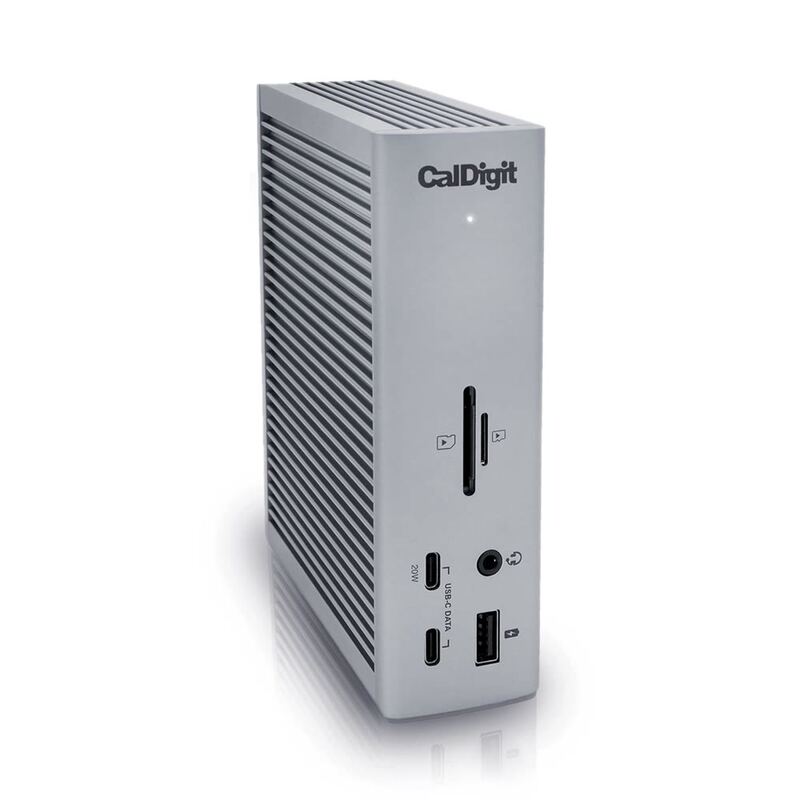
The Anker 555 8-in-1 Hub is more compact and affordable than the CalDigit TS4, but lacks the 98W power delivery and 18-port configuration that makes the CalDigit a powerhouse for demanding users. Compared to the Plugable USBC-9IN1E, it offers more ports and better charging capabilities, though the Plugable has a more plug-and-play design and doesn't require a separate power adapter. Unlike the Anker 563, it provides better HDMI output and pass-through charging but is less versatile in terms of port variety.
Rating sources
“The Anker 555 USB-C 8-in-1 Hub fit the bill, and given the reliability of their other products, it was a logical choice.”
“The Anker 555 is a lot bulkier than my old slim USB hub... but this new hub is a pretty significant upgrade, even if it is more than twice the size!”
Our 4.3 score is the average of the 2 scored reviews above; 1 more reviewed it without printing a score and is not in the average. Ratings marked * were derived from the reviewer’s written analysis or video transcript — the publisher didn’t print an explicit numeric score, so we inferred one from their own words. Click through to verify. More about methodology.