Verdict
Head-to-head · Best USB-C Docks

HyperDrive 12 USB-C Dock vs UGREEN Revodok Pro USB-C Dock

Which is the better buy? Side-by-side on rating, price, strengths, and watch-outs — with the published ratings we averaged to get there.

The short answer

HyperDrive 12 USB-C Dock and UGREEN Revodok Pro USB-C Dock score essentially the same (4.2 vs 4.2). Pick the one whose trade-offs match your priorities — the strengths and watch-outs below are where they actually differ.

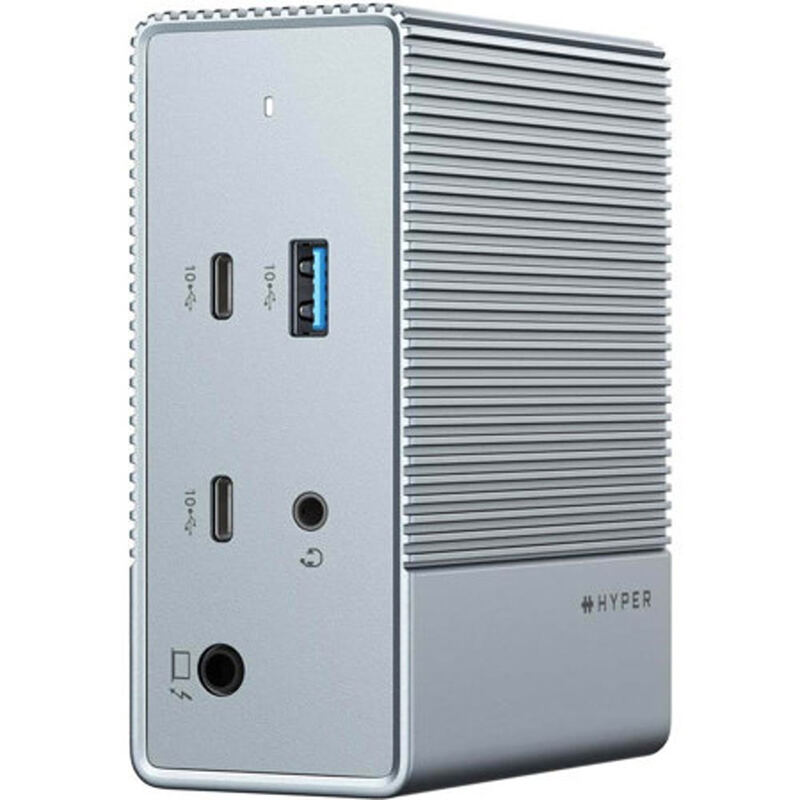
HyperDrive 12 USB-C Dock
Ranked #3 in Best USB-C Docks
HyperDrive 12 USB-C Dock
$149

The HyperDrive 12-Port USB-C Dock offers excellent value with its 12-port connectivity including dual HDMI 2.0 and DisplayPort 1.4 outputs, 10Gbps USB ports, and 100W power delivery passthrough. TechRadar praised its driver-free operation and triple display support on Windows and ChromeOS. However, reviewers noted the lack of included power adapter and limited macOS display support. The dock's 10Gbps host connection creates bandwidth bottlenecks when running multiple displays simultaneously, making it best suited for users who primarily work on Windows or ChromeOS systems rather than Mac users needing triple displays.

Strengths
  • Supports triple extended display on Windows and ChromeOS via MST without requiring drivers
  • 10Gbps USB-C and USB-A ports enable fast external drive transfers
  • Compact and lightweight design at just 480 grams with aluminum-look chassis
Watch-outs
  • Power adapter not included, required separately for PD charging
  • Triple display not supported on macOS due to lack of MST support
  • Two USB-A 2.0 ports limit transfer speeds to 480Mbps
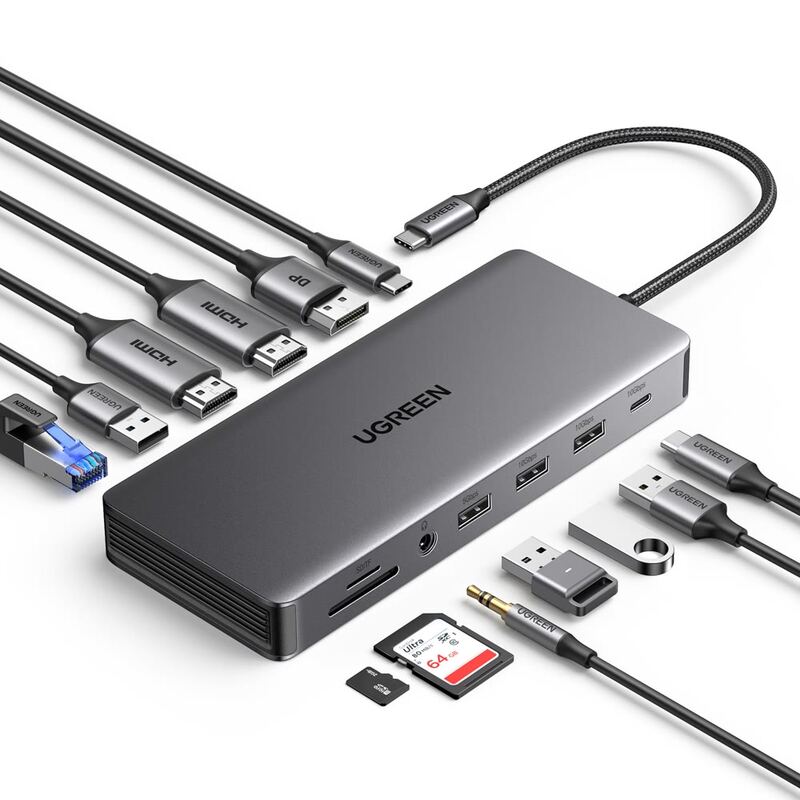
UGREEN Revodok Pro USB-C Dock
Ranked #4 in Best USB-C Docks
UGREEN Revodok Pro USB-C Dock
$129

The UGREEN Revodok Pro 13-in-1 offers impressive triple-display capabilities with 4K at 60Hz on two ports and 8K at 30Hz on one, making it an excellent value compared to premium Thunderbolt docks. PCWorld's Mark Hachman praised its 'excellent performance' and 'great value for the money,' while XDA's Brady Snyder called it a 'good mix of price and performance.' However, reviewers noted the short built-in cable and requirement for a separate power supply. The dock works best with modern laptops and Apple Silicon Macs, though compatibility with older Intel Core systems is uncertain. This dock is ideal for power users needing multiple displays but may not suit everyone due to its specific requirements.

Strengths
  • Excellent triple-display support with 4K at 60Hz on two ports and 8K at 30Hz on one port
  • Great value for money compared to premium Thunderbolt docks
  • Optimized build with multiple connectivity options including HDMI, DisplayPort, USB-A, USB-C, Ethernet, and SD/TF slots
Watch-outs
  • Built-in USB-C cable is short and requires separate power supply
  • Not fully compatible with older 11th-gen Intel Core laptops
  • Included cables aren't long enough for some setups

How they stack up

HyperDrive 12 USB-C Dock

The HyperDrive 12 provides driver-free triple display support on Windows and ChromeOS, unlike the Dell D6000 which requires DisplayLink drivers. It's more compact than the CalDigit TS4 and offers 10Gbps USB speeds, but lacks Thunderbolt support and has limited macOS compatibility. Compared to the Anker 555, it's less expensive but doesn't support 4K60Hz HDMI output.

UGREEN Revodok Pro USB-C Dock

The UGREEN Revodok Pro offers triple-display support with 8K output, a feature not matched by the HyperDrive 12 or Dell D6000. It's more affordable than the CalDigit TS4 Thunderbolt Dock but lacks Thunderbolt ports and has a short built-in cable. Unlike the Satechi 15-in-1, it provides Ethernet and SD card readers, though it's less portable and doesn't offer wireless charging.

Specs side-by-side

SpecHyperDrive 12 USB-C DockUGREEN Revodok Pro USB-C Dock
Host ConnectionUSB-CUSB-C
USB-A Ports2x 2.04
USB-C Ports2x 10Gbps1
Display Outputs3 displays3x (2x 4K@60Hz, 1x 8K@30Hz)
Ethernet10/100/1000 Mbps2.5 Gbps
Power Delivery100WPD 3.0 100W
Card SlotsSD, microSDSD/TF slots
Build MaterialAluminumAluminum Alloy
← See the full ranking of best usb-c docks