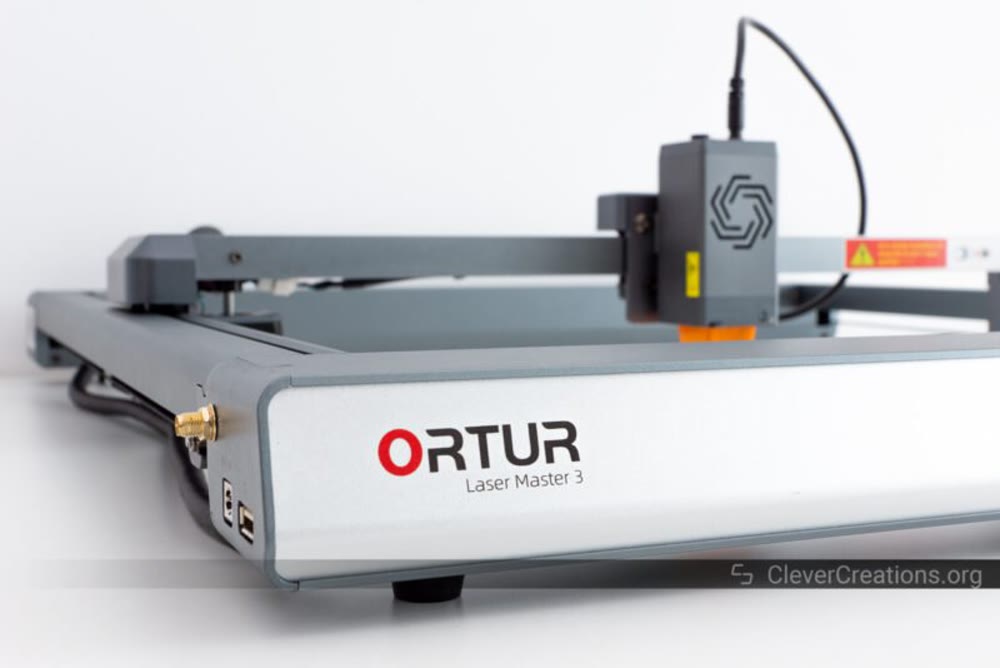
The Ortur Laser Master 3 uses a modern open-frame layout with integrated electronics and a 15.74" x 15.74" work area. Reviewers got good engraving and cutting results on wood, glass, aluminum, ceramic, and acrylic. Quality control is the problem. One reviewer received a damaged frame assembly that had been returned and re-shipped, hit a defective frame component and a troublesome WiFi setup, and flagged security concerns around unsecured FTP and TELNET servers. Buy it only if you're prepared to troubleshoot and tolerate build quality issues.
Full review
Initial Assembly Experience
The Ortur Laser Master 3 presents a mixed bag when it comes to initial assembly, with one reviewer's experience highlighting significant quality control issues. Johns Tech Blog's author reported receiving a defective frame assembly that contained stripped threads on set screws, requiring him to use an M4 tap and pliers to install the tensioning mechanism properly. This reviewer noted that the internal threads appeared to have been cut by a 'drunken machinist' or that the part had been returned and re-shipped as new. The quality control failure extended beyond just the tensioning screws, as the same reviewer discovered tool marks hidden under one foot, suggesting the frame had been damaged and improperly returned. This experience stands in stark contrast to the smooth assembly process described by 3D Print Beginner's reviewer, who completed assembly in under 45 minutes with clear instructions and stickers on the laser components.
3D Print Beginner described the assembly process as straightforward, noting that all steps were 'nicely described in the manual' and that stickers on the sides aided the process. However, the quality control issues reported by Johns Tech Blog suggest that some units may arrive with manufacturing defects that require significant troubleshooting. The Ortur Laser Master 3's open-frame design and aluminum extrusions were praised for their modern aesthetic and ease of access for maintenance, but the assembly experience was marred by the defective components. The reviewer who encountered the frame issues noted that while the machine eventually worked after repairs, the experience left him 'FUMING' and questioning the brand's quality control processes.
WiFi and Connectivity Issues
WiFi connectivity for the Ortur Laser Master 3 proved to be a significant challenge, with Johns Tech Blog's reviewer describing the process as 'almost as much fun as running an M4 metric tap to fix the shitty part they sent me.' The reviewer attempted to connect to WiFi multiple times, following official videos and installation guides, but was unable to establish a stable connection until after rebooting the machine. The device reportedly showed up as 'Espressif' during network scans, indicating it uses an ESP32-S2 IoT chip as specified in Ortur's documentation.
The security implications of the Ortur Laser Master 3's network configuration were also raised by Johns Tech Blog's reviewer, who discovered that the device ran open FTP and TELNET servers on standard ports (21 and 23 respectively) with anonymous login capabilities. This configuration poses significant security risks for users who expose the device to the internet without proper firewall protection. The reviewer noted that while the web interface was 'cool,' the security vulnerabilities were concerning. The device's built-in Wi-Fi capabilities, while present, appear to have been implemented with insufficient attention to security best practices, creating potential entry points for unauthorized access that could compromise user data or system integrity.
Performance and Material Capabilities
Testing conducted by Ortur's own blog revealed impressive performance capabilities across various materials, with the Laser Master 3 demonstrating strong cutting and engraving abilities. The device was able to cut 10mm pine at 300 mm/min in 6 passes with 40 psi air assist for cleaner edges. Glass engraving was successful at 70% power and 1500 mm/min speed, with good contrast and no chipping. Engraving on painted aluminum business cards revealed the metal underneath with a shiny finish at 5,000 mm/min speed and 100% power. Ceramic tile engraving was accomplished at 3,000 mm/min speed and 100% power with 0.1mm line spacing, taking approximately 48 minutes for a 6" x 4" photograph.
The machine's dual 5.5W laser diodes provided true 10W power output, enabling the high-speed capabilities mentioned in the specifications. The focal spot size of 0.05mm x 0.01mm allowed for detailed engraving, while the 400mm x 400mm working area provided sufficient space for diverse creative projects. Cutting capabilities included 12mm thickness for wood, 10mm for acrylic, and up to 20mm for pine board. The machine also demonstrated multi-pass cutting capabilities for thicker materials, with acrylic sheets cut up to 30mm thickness. The inclusion of air assist functionality was noted as essential for clean cutting edges, particularly with thicker materials, and the device's ability to handle various material types including wood, glass, aluminum, ceramics, and acrylic was highlighted as a significant advantage.
Adjusts laser module without any hex tools
The Ortur Laser Master 3's build quality was widely praised by reviewers, with 3D Print Beginner noting its premium construction that distinguished it from cheaper alternatives. The open-frame design with dark gray color and integrated electronic components creates a futuristic aesthetic with minimal visible wiring. The aluminum extrusions were specifically noted for their quality, with the reviewer commenting that 'the alignment of the aluminum parts is better' and the overall sturdiness of the LM3 frame is stronger than typical alternatives.
Several design features were highlighted as particularly innovative or user-friendly. The front power button with colorful LED light indicating machine state, the key lock for unauthorized use prevention, and the metallic emergency stop button were all praised. The machine also features sensorless homing, built-in Wi-Fi, and a laser explorer mobile app with web interface. The dual laser setup with dual fan cooling was noted as a significant advantage, and the diagonal laser module adjustment knob was appreciated for its ease of use without requiring hex tools. The rotary roller switch for compatibility with rotary units and the simple lever for Z offset adjustment were also mentioned as helpful features that improve user experience.
Software and Control Systems
The Ortur Laser Master 3 supports multiple software platforms including LaserGRBL (free) and LightBurn (paid), with both programs noted as compatible with the device's specifications. The machine's motherboard uses OLM-ESP-PRO-V2.4 firmware with OLF-V2.0 firmware, and it supports various input formats including JPG, JPEG, PNG, BMP, SVG, and more. The device operates on 100-240~50/60Hz power with a 24V/4A power adapter, and the control mode uses PWM power rate S0-S1,000. The machine's control software allows for adjustable pixel accuracy with default settings of 300 DP (roughly 0.81um pixel accuracy). The inclusion of a safety lock key, emergency stop button, active position protection, exposure duration detection and limitation, laser beam safety guard, and security lock key were all noted as important safety features. The device also includes automatic maintenance reminders to help users keep track of essential maintenance tasks for optimal performance.
However, the software experience was not without criticism. The device's built-in FTP and TELNET servers with anonymous login capabilities were identified as security vulnerabilities by one reviewer, who noted that these open servers pose risks for users who don't have proper firewall protection. The reviewer who experienced the frame assembly issues also noted that the device's connection to Lightburn software was not fully tested due to the initial setup problems, suggesting that the software experience may be limited by hardware quality control issues.
Safety and Operational Features
Safety features were a significant focus in multiple reviews, with Ortur's own documentation listing several key protections including emergency shut off button, safety lock, program operation watchdog, time limit, USB connection monitor, tilt monitor detection, and voltage & current safety control system. The emergency shut off button was specifically highlighted as an important safety feature, with one reviewer noting that it 'immediately shuts down' the laser when pressed, making it particularly valuable for households with children. The safety lock key was also praised as a feature that prevents unauthorized use when stored away from the machine. The reviewer who tested the tilt detection noted that tilting the machine would quickly shut off the laser, demonstrating the effectiveness of this safety feature.
The machine's design also included anti-vibration feet for the air assist system, which was noted as helpful in preventing table vibration during operation. The inclusion of safety goggles was mentioned as a positive feature, with the reviewer noting they were 'large enough to easily and comfortably fit over glasses.' The laser's focal point of 0.08 x 0.08 mm and estimated diode life of 8,000-10,000 hours were also noted as important specifications for long-term use. However, the security vulnerabilities related to the open FTP and TELNET servers were identified as concerning issues that users should be aware of when setting up the device.
Open FTP and Telnet servers pose security risk
Despite its impressive specifications and performance capabilities, the Ortur Laser Master 3 has several notable shortcomings that significantly impact user experience. The most critical issue identified was the quality control failures in manufacturing, with one reviewer reporting that they received a defective frame assembly with stripped threads that required extensive repair work using tools and manual intervention. This quality control problem extended beyond just the tensioning mechanism, as the same reviewer discovered tool marks on the frame suggesting it had been damaged and improperly returned. The device's built-in FTP and TELNET servers with anonymous login capabilities created security vulnerabilities that could expose users to hacking risks.
The software experience was also problematic, with the WiFi connectivity issues preventing effective wireless operation and the security vulnerabilities making the device unsuitable for users who don't have proper firewall protection. The machine's pricing was noted as premium, with one reviewer purchasing it during a Black Friday sale for $550, but the quality issues and connectivity problems meant that the value proposition was questionable. The device's assembly process, while generally straightforward, was marred by manufacturing defects that required significant troubleshooting. Additionally, the lack of clear instructions for handling the security vulnerabilities meant that users were left to figure out how to protect their systems without proper guidance from the manufacturer.
Best for experienced users comfortable configuring network security
The Ortur Laser Master 3 is best suited for experienced users who have the technical expertise to handle assembly issues and security configuration problems. The machine's premium build quality, dual 10W laser system, and high-speed capabilities make it ideal for professionals or serious hobbyists who require detailed engraving and cutting performance. Users who already have dedicated laser workspaces with proper ventilation and safety measures would benefit most from the device's capabilities. The machine's 400mm x 400mm working area and ability to handle various materials including wood, glass, aluminum, ceramics, and acrylic make it suitable for users with diverse creative projects. The inclusion of air assist functionality and multiple software compatibility options also benefit users who need flexibility in their workflow.
However, the device is not recommended for beginners or casual users who lack technical experience with laser equipment. The quality control issues with frame assembly and the WiFi connectivity problems would likely frustrate users who expect straightforward operation. The security vulnerabilities related to open FTP and TELNET servers make it unsuitable for users who don't have proper firewall protection or technical knowledge to secure their network. Users who are looking for a plug-and-play experience or who don't have experience with laser safety protocols would be better served by alternative models that don't present these challenges. The device's premium pricing also means that casual users who don't require the advanced capabilities would find better value in less expensive alternatives.
Strengths
- +Open-frame design with integrated electronics for futuristic appearance
- +Capable of engraving and cutting on multiple materials including wood, glass, aluminum, ceramic, and acrylic
- +Work area of 15.74" x 15.74" (400 x 400 mm) suitable for medium-sized projects
- +Low center of gravity design prevents vibrations at high speeds during engraving
Watch-outs
- −Received defective frame component with cross-threaded set screw requiring manual repair
- −WiFi connection issues reported with unstable initial setup and unsecured FTP/TELNET servers
- −Included frame assembly showed signs of damage and returned part reuse
How it compares
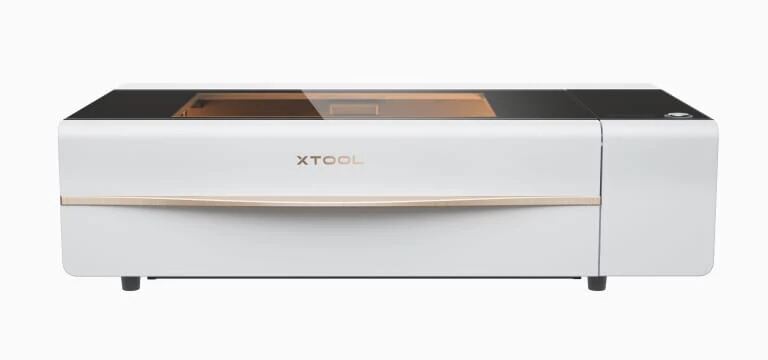
The Ortur Laser Master 3's open-frame design and integrated electronics distinguish it from the xTool D1 Pro's enclosed build, but it suffers from quality control issues and WiFi instability that the xTool P2 avoids. It also lacks the automated features and AI batch engraving capabilities of the xTool P2, though it offers a more affordable entry point.
Rating sources
“The Ortur Laser Master 3 has perhaps the easiest build of any desktop laser Ive ever owned. However, there was one catch and that catch left me FUMING.”
“I was timing how long it took me to put it together, but I got up to run an errand and forgot to turn off the timer. Oops. The laser master 3 comes standard with an air assist. This is nothing more than an air pump or low-pressure air compressor.”
Our 3.5 score is the average of these published ratings. Ratings marked * were derived from the reviewer’s written analysis or video transcript — the publisher didn’t print an explicit numeric score, so we inferred one from their own words. Click through to verify. More about methodology.