Verdict
Head-to-head · Best Laser Engravers

Atomstack A5 Pro vs Ortur Laser Master 3

Which is the better buy? Side-by-side on rating, price, strengths, and watch-outs — with the published ratings we averaged to get there.

The short answer

Atomstack A5 Pro comes out ahead by a clear margin (4.0 vs 3.6). The gap is mostly about beginners seeking simplicity — read the strengths below before deciding.

Atomstack A5 Pro
Higher ratedRanked #2 in Best Laser Engravers
Atomstack A5 Pro
$149.99as of Jul 7

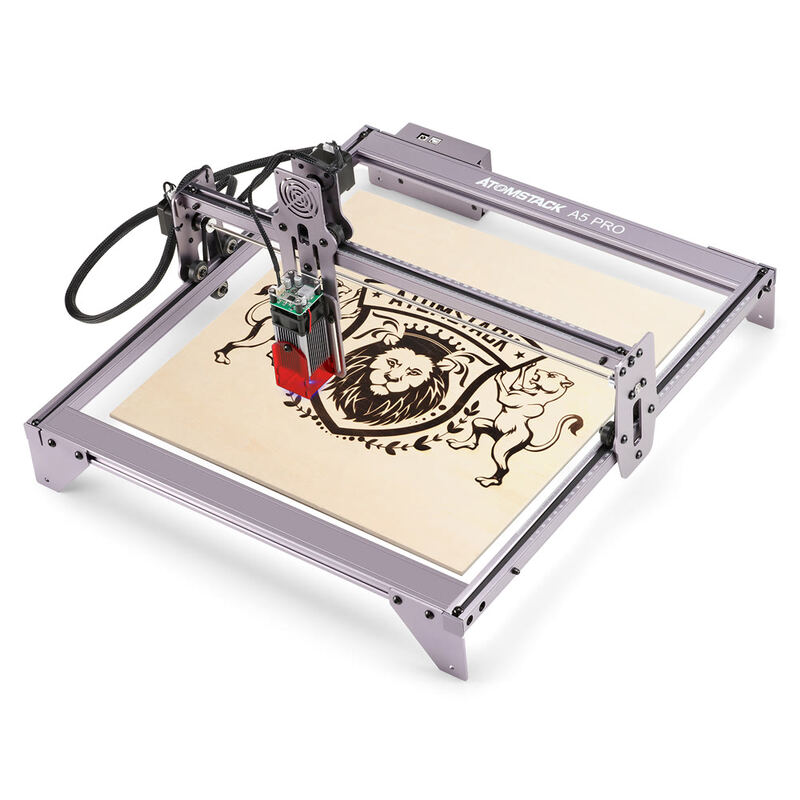
The Atomstack A5 Pro is a 20W diode laser engraver with fixed focus design that simplifies operation. Reviewers noted its ease of assembly and included protective shroud, though it lacks endstops for automatic positioning. The laser outputs 5-5.5W optical power, which is lower than the electrical input rating. Users appreciate its compatibility with standard laser software and ability to work with various materials including wood, plastic, and leather. It's best suited for beginners or hobbyists seeking a straightforward engraving solution.

Strengths
  • Fixed focus laser design eliminates need for manual focusing
  • Includes protective acrylic shroud for added safety
  • Supports multiple engraving materials including wood, plastic, and leather
Watch-outs
  • No endstops included for automatic homing
  • Laser output power is 5-5.5W despite 20W input rating
Ortur Laser Master 3
Ranked #5 in Best Laser Engravers
Ortur Laser Master 3
$388.06as of Jul 7

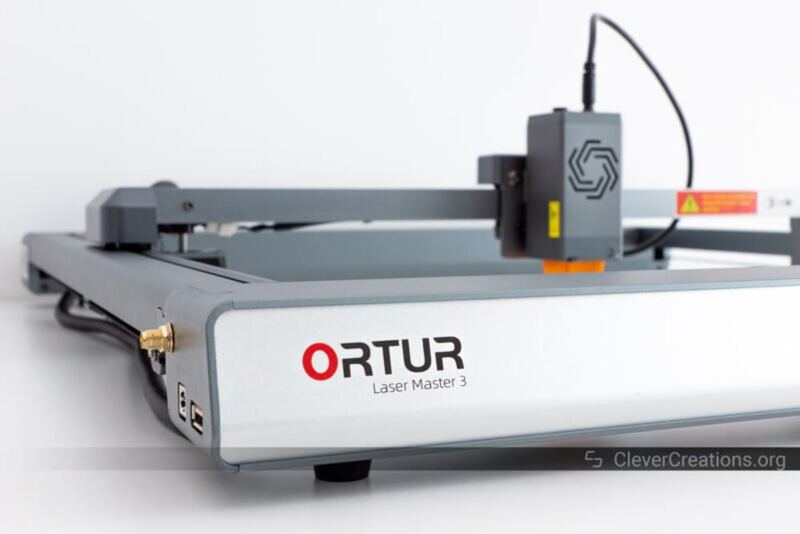
The Ortur Laser Master 3 offers a modern open-frame design with integrated electronics and a 15.74" x 15.74" work area. Reviewers noted it performs well on various materials including wood, glass, aluminum, ceramic, and acrylic, with good engraving and cutting results. However, initial user experiences were marred by quality control issues including a defective frame component and problematic WiFi setup. One reviewer reported receiving a damaged frame assembly that had been returned and re-shipped, and noted security concerns with unsecured FTP and TELNET servers. The machine is best suited for users who can tolerate potential build quality issues and are willing to troubleshoot initial setup challenges.

Strengths
  • Open-frame design with integrated electronics for futuristic appearance
  • Capable of engraving and cutting on multiple materials including wood, glass, aluminum, ceramic, and acrylic
  • Work area of 15.74" x 15.74" (400 x 400 mm) suitable for medium-sized projects
Watch-outs
  • Received defective frame component with cross-threaded set screw requiring manual repair
  • WiFi connection issues reported with unstable initial setup and unsecured FTP/TELNET servers
  • Included frame assembly showed signs of damage and returned part reuse

How they stack up

Atomstack A5 Pro

The Atomstack A5 Pro's fixed focus design and protective shroud make it more beginner-friendly than the Ortur Laser Engraver 4, which requires complex alignment. However, it's less powerful than the xTool D1 Pro and lacks the large cutting area and included software tutorials that make the D1 Pro more accessible.

Ortur Laser Master 3

The Ortur Laser Master 3's open-frame design and integrated electronics distinguish it from the xTool D1 Pro's enclosed build, but it suffers from quality control issues and WiFi instability that the xTool P2 avoids. It also lacks the automated features and AI batch engraving capabilities of the xTool P2, though it offers a more affordable entry point.

Specs side-by-side

SpecAtomstack A5 ProOrtur Laser Master 3
Laser Power20W20W
Laser TypeDiode Laserdiode laser
Work Area410*400mm15.74" x 15.74" (400 x 400 mm)
SoftwareATOMSTACK Studio SoftwareOrtur's self-developed App, Lightburn, LaserGRBL
Machine Size410 x 400 mm23.1" x 25.9" x 5.9" (588 x 660 x 150 mm)
Weight8.82 lb14.3 lb
Max SpeedUp to 12,000 mm/min
← See the full ranking of best laser engravers