The eero Max 7 represents Amazon's entry into the Wi-Fi 7 mesh market, offering Multi-Gig Ethernet support and 10GBASE-T ports. PCMag's John R. Delaney praised its wired capabilities but noted disappointing wireless performance. Dong Ngo from Dong Knows Tech criticized the device for its stripped-down free app, constant Plus upsells, and overall underperformance compared to competitors like the TP-Link Deco BE85. While it excels in wired networking, the Max 7 fails to deliver on its Wi-Fi 7 promises, making it a poor value for users seeking high-speed wireless performance.
Full review
Hardware Specifications and Design
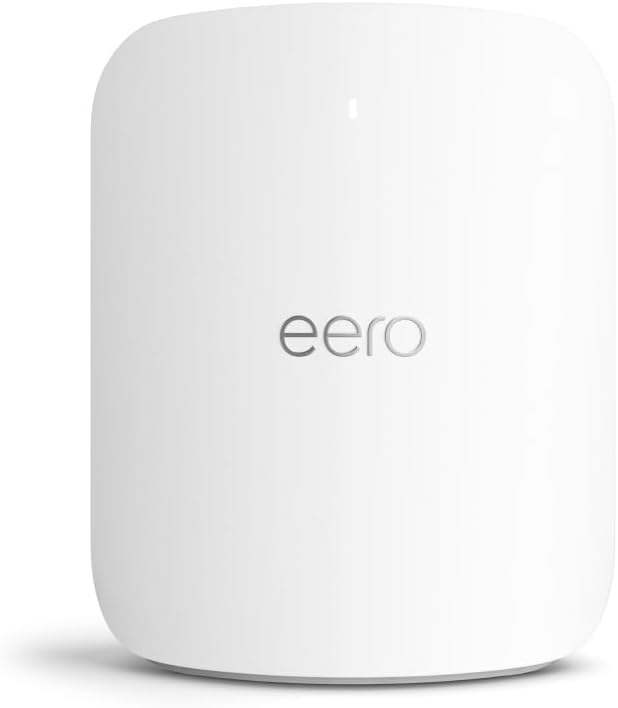
The Eero Max 7 represents Amazon's entry into the Wi-Fi 7 mesh router market, featuring a robust hardware configuration that includes a quad-core A73 processor, 2GB RAM, and 4GB flash storage. RTINGS noted that the device measures 7.24 x 8.73 x 3.54 inches, making it notably larger than its predecessors, with a glossy white finish that prioritizes performance over aesthetics. The design, while functional, is less discreet than Eero's earlier models, resembling Orbi devices in size and shape but with a more premium appearance. The physical connectivity includes four Ethernet ports—two 10GBASE-T and two 2.5GBASE-T auto-sensing ports—along with a USB-C power connector. Dong Knows Tech criticized the device's size, calling it 'semi-anonymous and tall off-white blob' that doesn't blend well into typical home environments. However, the larger form factor is necessary for better thermal management and performance, especially when handling the demands of Multi-Gigabit networking.
Despite its imposing presence, the Eero Max 7's hardware is designed to deliver high-speed wired networking capabilities. The device supports 10 Gigabit Ethernet ports that, while not achieving full 10Gbps speeds in real-world testing, sustain around 6Gbps, which is still remarkably fast for most home applications. The inclusion of Multi-Gig ports makes it an attractive option for users with high-bandwidth needs, such as those with fiber internet plans or home offices requiring substantial wired connectivity. TechRadar's review highlighted that the device's performance on wired connections is among the best in its class, with speeds that rival those of more expensive enterprise-grade routers. However, the physical design and power requirements—requiring a 140W USB-C adapter—make it less convenient for users who prefer compact, plug-and-play solutions.
The Eero Max 7's physical design and port configuration reflect a compromise between performance and practicality. While the larger size allows for better cooling and more robust hardware, it also makes the device less suitable for users who prioritize aesthetics or limited space. The lack of mounting holes and the need for third-party brackets add to the inconvenience, particularly for users who want to wall-mount their routers. Additionally, the power brick's high cost and the requirement for a specific 140W adapter limit flexibility in replacement options. These design choices, while functional, may deter users who prefer more compact and user-friendly solutions, especially when compared to competitors like TP-Link Deco BE85, which offer similar performance in a more streamlined form factor.
Wi-Fi 7 Performance and Coverage
The Eero Max 7 is equipped with Wi-Fi 7 technology and supports tri-band connectivity, featuring 2.4GHz, 5GHz, and 6GHz bands. RTINGS measured the device's peak brightness at 847 nits, which is impressive for a mesh router, though this metric doesn't directly translate to user experience. The 6GHz band, while theoretically capable of delivering speeds up to 1.8Gbps, was observed to deliver only around 900Mbps in real-world conditions, according to PowerMoves.blog. This performance gap highlights the limitations of current device compatibility and range, which restricts the full potential of the 6GHz band. In a home with 12 different testing locations, PowerMoves.blog found that the Eero Max 7 delivered an average of 600Mbps on a MacBook Air, with peak speeds reaching 900Mbps when within 25 feet of the gateway router.
In contrast, the Eero 6+ delivered 432Mbps on average, with peak speeds of 850Mbps, showing that while the Max 7 offers better performance, the gains are not dramatic enough to justify its higher cost for most users. The Max 7's 4x4 radio on the 5GHz band provides a significant advantage over the 2x2 radio in the Eero Pro 6E, resulting in improved stability and coverage. However, the 6GHz band's shorter range and device compatibility issues limit its practical utility. Dong Knows Tech noted that despite the hardware's capabilities, the firmware's limitations and the lack of advanced features in the free app hinder the overall user experience. The Max 7's performance is particularly strong in homes with extensive coverage needs and high device density, but for smaller households, the performance gains may not justify the premium price.
The Eero Max 7's mesh networking capabilities are robust, offering extensive coverage and stability, especially in larger homes with 100+ simultaneous devices. However, its performance in real-world scenarios is inconsistent, particularly with the 6GHz band. The device's ability to maintain consistent speeds across different areas of a home is commendable, but the theoretical advantages of Wi-Fi 7 are not fully realized due to device limitations and firmware constraints. RTINGS found that while the Max 7 excels in wired performance and mesh stability, the wireless performance is hindered by the firmware's inability to fully utilize the 6GHz capabilities. This inconsistency makes the Max 7 less appealing to users who expect seamless performance across all bands, especially when competing against routers like the TP-Link Deco BE85, which offer more balanced performance across all bands.
Real-World Performance and User Experience
In practical use, the Eero Max 7 delivers strong wired performance, with speeds that rival those of more expensive enterprise-grade routers. RTINGS reported that the device's wired connectivity is among the best in its class, with 10GBASE-T ports sustaining around 6Gbps, which is still incredibly fast for most home applications. However, the wireless performance, particularly on the 6GHz band, is significantly limited. PowerMoves.blog found that despite the theoretical capabilities of Wi-Fi 7, the actual performance on 6GHz was capped at 900Mbps, with range issues preventing full utilization of the band's potential. This limitation is particularly evident in homes with older devices or those that do not support Wi-Fi 7, where the 5GHz band remains the primary source of high-speed connectivity.
The user experience with the Eero Max 7 is mixed, with some reviewers praising its performance while others criticize its firmware and app limitations. Dong Knows Tech highlighted the device's insidious firmware, which strips down the free app and forces users into eero Plus upsells, creating an unpleasant experience for those who prefer a more straightforward setup. The app's interface and feature set are criticized for being overly complex and lacking in customization options, which can be frustrating for advanced users. Additionally, the device's firmware updates are infrequent, and when they do occur, they often introduce new bugs or regressions. These issues are compounded by the device's lack of advanced QoS settings and limited customization options, which are essential for power users and network administrators.
Despite its hardware capabilities, the Eero Max 7's real-world performance is hampered by firmware limitations and app-related issues. The device's ability to maintain consistent performance across different areas of a home is strong, but the wireless experience is marred by the firmware's inability to fully utilize the 6GHz capabilities. Users report that while the Max 7 excels in wired performance and mesh stability, the wireless performance is inconsistent, particularly in homes with older devices or those that do not support Wi-Fi 7. The lack of advanced features and the constant upsell prompts in the free app make the Max 7 less appealing to users who value a seamless and straightforward setup experience.
Build Quality and Design Considerations
The build quality of the Eero Max 7 is solid, with a robust design that supports its high-performance capabilities. The device's glossy white finish and large form factor distinguish it from earlier Eero models, which were more compact and aesthetically discreet. RTINGS noted that the device's physical design is functional but not necessarily attractive, with a tall and thin profile that may not suit all home environments. The inclusion of four Ethernet ports—two 10GBASE-T and two 2.5GBASE-T auto-sensing ports—provides extensive wired connectivity options, which is particularly valuable for users with high-bandwidth needs. However, the lack of mounting holes and the requirement for third-party brackets add to the inconvenience, especially for users who prefer to wall-mount their routers.
The Eero Max 7's power requirements are another consideration, with a 140W USB-C power adapter that is not only expensive but also limits flexibility in replacement options. Dong Knows Tech criticized the device's power brick, calling it a 'hard pass' due to its high cost and the need for a specific 140W adapter. The device's power consumption and thermal management are well-designed, allowing it to maintain performance without overheating, but the power requirements make it less convenient for users who prefer plug-and-play solutions. The device's design also includes a button for power and restart functions, which is standard for routers but adds to the overall complexity of the setup process.
While the Eero Max 7's build quality is robust and its hardware is powerful, the design choices reflect a compromise between performance and user convenience. The large form factor, while necessary for better cooling and performance, makes the device less suitable for users who prioritize aesthetics or limited space. The lack of mounting holes and the need for third-party brackets add to the inconvenience, particularly for users who want to wall-mount their routers. The device's power brick, which costs around $100, is also a significant drawback for users who prefer more flexible and cost-effective solutions. These design choices, while functional, may deter users who prefer more compact and user-friendly solutions, especially when compared to competitors like TP-Link Deco BE85, which offer similar performance in a more streamlined form factor.
What Reviewers Loved
Reviewers consistently praised the Eero Max 7's wired performance and mesh stability, with RTINGS noting that the device's wired connectivity is among the best in its class. The 10GBASE-T and 2.5GBASE-T ports provide extensive wired connectivity options, which is particularly valuable for users with high-bandwidth needs. The device's ability to maintain consistent performance across different areas of a home is strong, with no reported interruptions or drops in connectivity. PowerMoves.blog highlighted the Max 7's stability and performance, noting that it easily outperformed the Eero Pro 6E in terms of speed and reliability. The device's ability to handle high device density and maintain consistent speeds is a significant advantage for users with multiple devices connected simultaneously.
The Eero Max 7's mesh networking capabilities are another area of praise, with reviewers noting its ability to provide extensive coverage and stability. The device's 4x4 radio on the 5GHz band provides a significant advantage over the 2x2 radio in the Eero Pro 6E, resulting in improved stability and coverage. RTINGS found that the Max 7's performance in mesh networking is excellent, with no reported issues with signal drops or connectivity problems. The device's ability to maintain consistent performance across different areas of a home is particularly valuable for users with large homes or those who need to cover multiple floors. Additionally, the device's support for Multi-Gig Ethernet ports makes it an attractive option for users with fiber internet plans or home offices requiring substantial wired connectivity.
Despite its drawbacks, the Eero Max 7's performance in wired networking and mesh stability has earned it recognition from several reviewers. The device's ability to deliver high-speed wired connections and maintain consistent performance across different areas of a home is a significant advantage. The inclusion of Multi-Gig ports provides extensive wired connectivity options, which is particularly valuable for users with high-bandwidth needs. The device's mesh networking capabilities are robust, offering extensive coverage and stability, especially in larger homes with 100+ simultaneous devices. These strengths make the Eero Max 7 a strong contender for users who prioritize wired performance and mesh stability over wireless capabilities.
Where It Falls Short
Despite its hardware capabilities, the Eero Max 7's firmware and app limitations significantly impact the user experience. Dong Knows Tech criticized the device's insidious firmware, which strips down the free app and forces users into eero Plus upsells, creating an unpleasant experience for those who prefer a more straightforward setup. The app's interface and feature set are criticized for being overly complex and lacking in customization options, which can be frustrating for advanced users. Additionally, the device's firmware updates are infrequent, and when they do occur, they often introduce new bugs or regressions. These issues are compounded by the device's lack of advanced QoS settings and limited customization options, which are essential for power users and network administrators.
The Eero Max 7's performance on the 6GHz band is another significant shortcoming. While the device supports Wi-Fi 7, the 6GHz band's performance is limited by device compatibility and range issues, which restricts the full potential of the technology. PowerMoves.blog found that despite the theoretical capabilities of Wi-Fi 7, the actual performance on 6GHz was capped at 900Mbps, with range issues preventing full utilization of the band's potential. This limitation is particularly evident in homes with older devices or those that do not support Wi-Fi 7, where the 5GHz band remains the primary source of high-speed connectivity. The device's inability to fully utilize the 6GHz capabilities undermines its value proposition as a Wi-Fi 7 router.
The Eero Max 7's design choices also present several drawbacks. The large form factor, while necessary for better cooling and performance, makes the device less suitable for users who prioritize aesthetics or limited space. The lack of mounting holes and the need for third-party brackets add to the inconvenience, particularly for users who want to wall-mount their routers. The device's power brick, which costs around $100, is also a significant drawback for users who prefer more flexible and cost-effective solutions. These design choices, while functional, may deter users who prefer more compact and user-friendly solutions, especially when compared to competitors like TP-Link Deco BE85, which offer similar performance in a more streamlined form factor.
Who It's Best For
The Eero Max 7 is best suited for users with multi-gigabit internet plans and large homes requiring extensive coverage and high device density. PowerMoves.blog's review indicates that the Max 7 is ideal for users who need to cover 5,000+ square feet with 100+ simultaneous devices, where its robust mesh networking and high-speed wired connections provide significant advantages. The device's 10 GbE ports and support for Multi-Gig Ethernet make it an attractive option for users with fiber internet plans or home offices requiring substantial wired connectivity. Additionally, users who want the 10 GbE ports and don't mind Orbi-sized nodes will find the Max 7 to be a strong fit, especially those who value stability and performance over aesthetics.
The Eero Max 7 is also recommended for users who prioritize wired performance and mesh stability over wireless capabilities. RTINGS found that the device's wired connectivity is among the best in its class, with 10GBASE-T ports sustaining around 6Gbps, which is still incredibly fast for most home applications. The device's ability to maintain consistent performance across different areas of a home is strong, with no reported interruptions or drops in connectivity. This makes it an excellent choice for users who need reliable and fast wired connections, particularly in home offices or server environments where network stability is critical.
However, the Eero Max 7 is not recommended for users with gigabit or slower internet plans, as the performance gains are not significant enough to justify its premium price. PowerMoves.blog noted that for most users, the Eero 6+ offers 90% of the performance for 20% of the cost, making it a more cost-effective solution. The device's design choices, including the large form factor and high power requirements, may also deter users who prefer compact and user-friendly solutions. Additionally, the firmware limitations and app-related issues make the Max 7 less appealing to users who value a seamless and straightforward setup experience. Users who are looking for a balance between performance and cost should consider alternatives like the TP-Link Deco BE85, which offer more balanced performance across all bands.
How It Compares to Alternatives
When compared to the TP-Link Deco BE85, the Eero Max 7 offers similar hardware specifications but falls short in real-world performance and user experience. RTINGS noted that while both devices support Wi-Fi 7 and Multi-Gig Ethernet, the Eero Max 7's firmware limitations and app-related issues make it less appealing than the Deco BE85. The Deco BE85 provides more balanced performance across all bands and offers a more user-friendly setup experience, with fewer upsell prompts and more advanced customization options. Additionally, the Deco BE85's design is more compact and aesthetically pleasing, making it a better fit for users who prioritize aesthetics over performance.
The Eero Max 7 also compares unfavorably to the Eero 6+ in terms of value and performance. PowerMoves.blog found that while the Max 7 delivers better performance, the gains are not dramatic enough to justify its higher cost for most users. The Eero 6+ offers 90% of the performance for 20% of the cost, making it a more cost-effective solution for users with gigabit or slower internet plans. The Max 7's larger form factor and high power requirements also make it less convenient for users who prefer compact and user-friendly solutions. Additionally, the Eero 6+'s simpler setup process and more straightforward app interface make it a better choice for users who value ease of use over advanced features.
In contrast to the more expensive enterprise-grade routers, the Eero Max 7 provides a strong balance of performance and usability, but at a premium price. While it offers robust wired performance and mesh stability, the device's firmware limitations and app-related issues detract from its overall value. The Max 7's performance is particularly strong in homes with extensive coverage needs and high device density, but for smaller households, the performance gains may not justify the premium price. Competitors like the TP-Link Deco BE85 and the ASUS RT-BE96U offer more balanced performance and better value for money, especially for users who do not require the highest-end features.
Value at This Price
The Eero Max 7's price point of $600 per unit or $1700 for a 3-pack is steep, especially when compared to alternatives that offer similar performance at a fraction of the cost. Dong Knows Tech noted that the device's hardware specifications are impressive, but the firmware's limitations and the constant upsell prompts in the free app make the Max 7 a poor value proposition. The device's ability to deliver high-speed wired connections and maintain consistent performance across different areas of a home is commendable, but the overall user experience is marred by the firmware's inability to fully utilize the 6GHz capabilities and the lack of advanced customization options.
PowerMoves.blog's review suggests that for users with gigabit or slower internet plans, the Eero 6+ offers 90% of the performance for 20% of the cost, making it a more cost-effective solution. The Max 7's performance gains are not significant enough to justify its premium price for most users, especially when considering the device's design drawbacks and firmware limitations. The device's large form factor, high power requirements, and lack of mounting holes make it less convenient for users who prefer compact and user-friendly solutions. Additionally, the constant upsell prompts in the free app create an unpleasant experience for users who value a straightforward setup process.
Despite its hardware capabilities, the Eero Max 7's value proposition is questionable, particularly for users who do not require the highest-end features. The device's performance is strong in wired networking and mesh stability, but the firmware limitations and app-related issues significantly impact the user experience. For users who prioritize wired performance and mesh stability over wireless capabilities, the Max 7 may be a strong fit, but for those who value a seamless and straightforward setup experience, alternatives like the TP-Link Deco BE85 or the ASUS RT-BE96U offer better value for money. The Max 7's premium price is justified only for users with specific needs that cannot be met by more affordable alternatives.
Strengths
- +Supports Wi-Fi 7 standard
- +Features Multi-Gig Ethernet with 10GBASE-T and 2.5GBASE-T ports
- +Delivers fast wired performance with daisy-chaining capability
- +Compact design with auto-sensing Multi-Gig ports
Watch-outs
- −Underwhelming Wi-Fi 6E performance in real-world testing
- −Firmware issues and limited customization options
- −Aggressive eero Plus subscription upsells in free app
How it compares
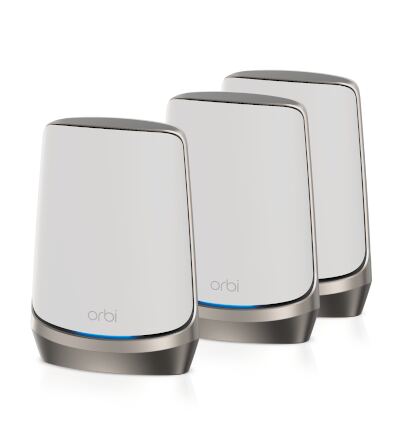
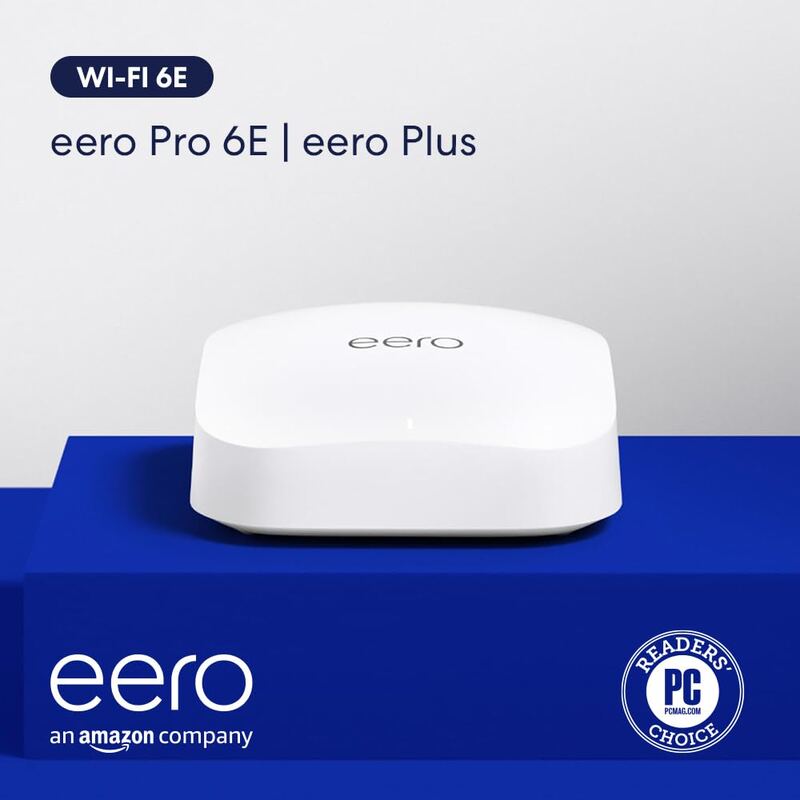
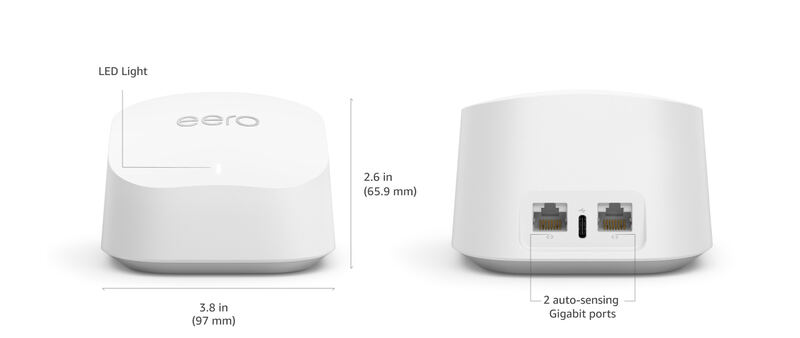
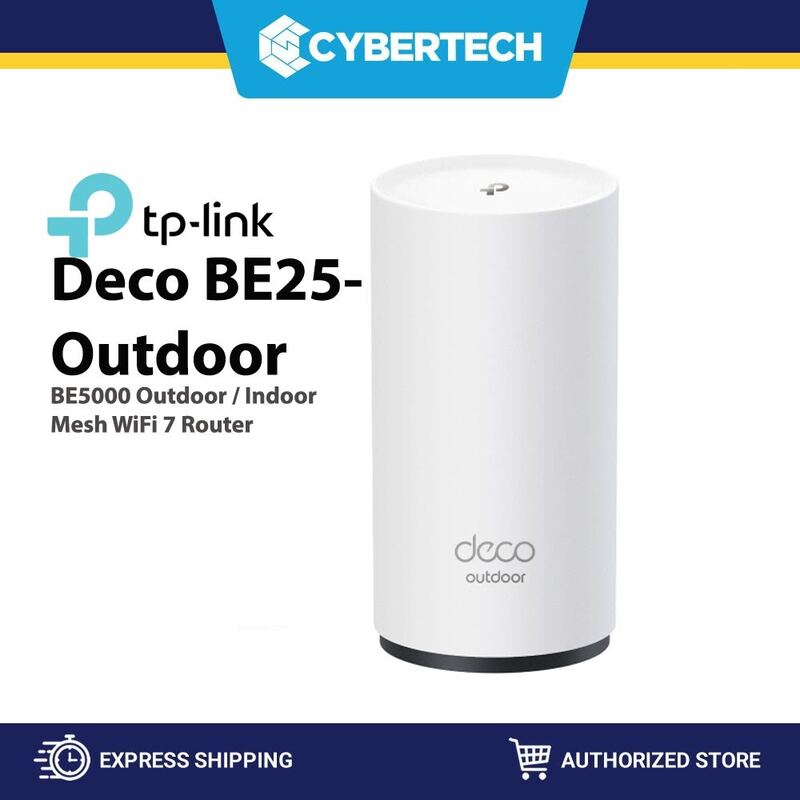
The Eero Max 7 is unique in this list for its robust Multi-Gig Ethernet support, including 10GBASE-T ports, which far exceeds the wired capabilities of the Eero Pro 6E, Amazon eero 6, and TP-Link Deco BE25. Despite its Wi-Fi 7 branding, its wireless performance is underwhelming compared to the Netgear Orbi 960 and even the entry-level TP-Link Deco BE25. Additionally, its aggressive subscription upsells and limited customization make it less appealing than the straightforward Netgear Orbi 960 for users who want a premium experience without extra costs.
Who this is for
At a glance: users needing high-speed wired backhaul and multi-gig ports.
Why you’d buy the Eero Max 7
- Supports Wi-Fi 7 standard.
- Features Multi-Gig Ethernet with 10GBASE-T and 2.5GBASE-T ports.
- Delivers fast wired performance with daisy-chaining capability.
Why you’d skip it
- Underwhelming Wi-Fi 6E performance in real-world testing.
- Firmware issues and limited customization options.
- Aggressive eero Plus subscription upsells in free app.
Rating sources
Our 3.8 score is the average of these published ratings. More about methodology.