Verdict
Ranked #2 of 5Reviewed by Mike Hunter·April 17, 2026

Dell U2723QE

Averaged from 2 published ratings
The verdict

The Dell U2723QE is a versatile 4K USB-C hub monitor offering excellent image quality, extensive connectivity, and great ergonomics, making it suitable for professional and home office use. While it provides a comprehensive workspace solution, users should be aware of the compromise between resolution and data speed over USB-C and the short included cable.

Dell U2723QE

Full review

Display Performance and Quality

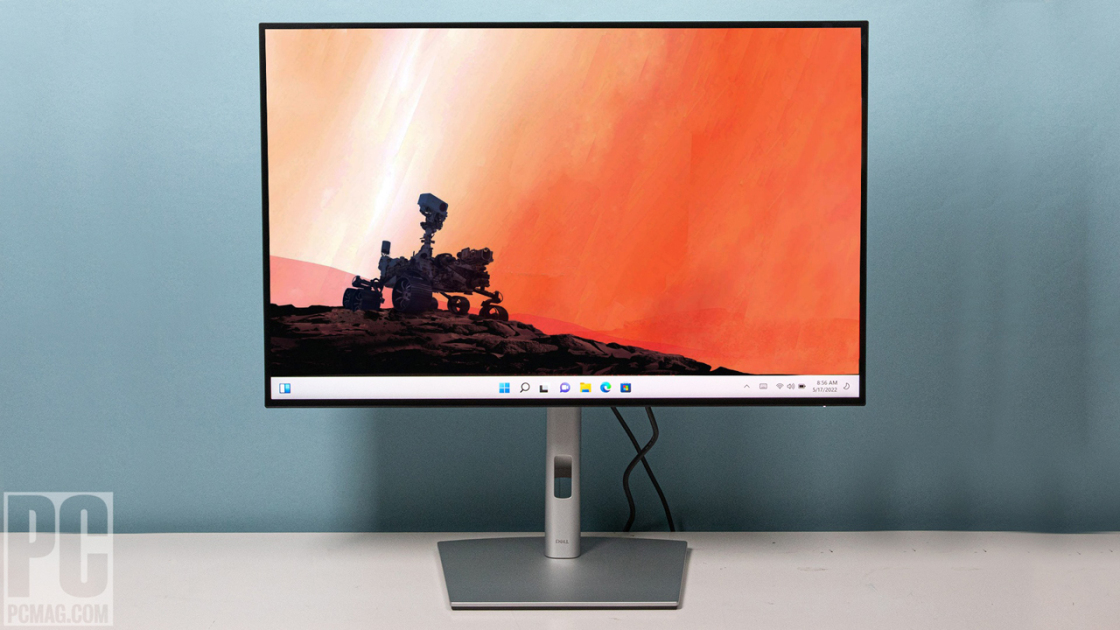
The Dell U2723QE delivers a 27-inch 4K UHD display with a 16:9 aspect ratio that provides 8.3 million pixels of resolution. According to RTINGS, the monitor achieves 98% DCI-P3 color gamut coverage and supports HDR 400, making it suitable for both professional content creation and entertainment. The IPS Black panel technology contributes to a 2,000:1 contrast ratio, which PCMag's Tony Hoffman noted as delivering 'stunning visuals.' The anti-glare 3H hard coating, as highlighted in a YouTube review, reduces reflections and enhances eye comfort during extended use. However, TechRadar's Bryce Hyland reported a 'faint shadow along the top and bottom edge of the screen,' suggesting potential manufacturing inconsistencies in panel uniformity.

Color accuracy in the Dell U2723QE was tested by PCMag, which found that the monitor's factory calibration is quite strong, offering multiple color space options including sRGB, Rec. 709, DCI-P3, and HDR. The display's peak brightness of 400 nits, measured by RTINGS, ensures that content remains vibrant even in well-lit environments. In a YouTube review, the monitor's 5ms GTG response time was noted as sufficient for gaming and fast-paced video content, though it falls short of the 1ms response times preferred by competitive gamers. The Comfort View and low blue light features, as mentioned in another YouTube review, help reduce eye strain during long work sessions.

The panel's performance under different lighting conditions was also tested by reviewers. RTINGS found that while the anti-glare coating works well in reducing reflections, the screen still shows some glare under direct sunlight. The matte finish, though comfortable for extended viewing, slightly reduces color vibrancy compared to glossy displays, which is a trade-off many professionals accept for the reduced eye fatigue. The 98% DCI-P3 coverage and HDR 400 support make this monitor particularly appealing for video editors and photographers who require accurate color reproduction.

Connectivity and Hub Features

One of the standout features of the Dell U2723QE is its integrated USB-C hub functionality, which includes a 90W power delivery capability. TechRadar noted that this allows for a single-cable setup that can charge laptops while simultaneously connecting to multiple devices. The monitor provides a range of ports including USB-C, USB-A, HDMI, DisplayPort, and an RJ45 Ethernet port, making it a versatile hub for various computing setups. RTINGS confirmed that the monitor supports USB 3.2 Gen2 speeds, which is beneficial for high-speed data transfers.

However, the USB-C connectivity presents a limitation when connecting via USB-C cables. TechRadar reported that users must choose between high resolution and high data speed when connecting via USB-C, which can be problematic for users requiring full 4K resolution with high-speed data transfer. The included USB-C cable, at 1 meter, was noted by TechRadar as being too short to reach the outside edge of many laptops, particularly those with risers. This limitation could be frustrating for users who prefer a more flexible desk setup.

The KVM (Keyboard, Video, Mouse) functionality allows users to control two different PCs with a single keyboard and mouse, which is a significant productivity feature. RTINGS confirmed that the auto KVM switching works smoothly, enabling seamless transitions between connected systems. Additionally, the monitor supports Picture-in-Picture and Picture-by-Picture modes, allowing users to view content from two different sources simultaneously. This feature, combined with the ability to daisy-chain two 4K monitors, makes the U2723QE a strong choice for multi-monitor setups.

Build Quality and Ergonomics

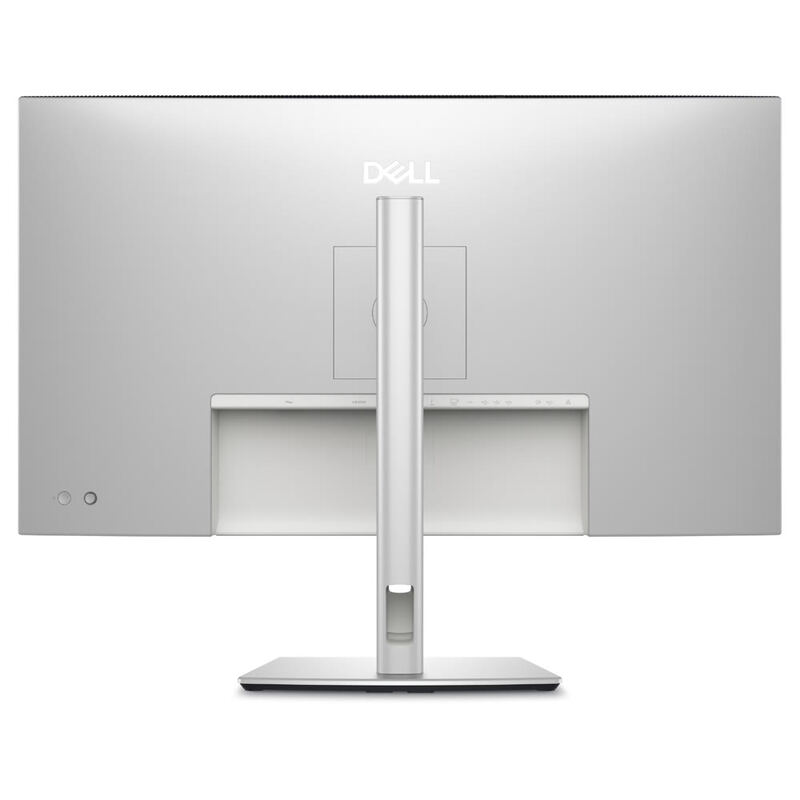
The Dell U2723QE features a premium platinum silver finish with a matte surface that reduces glare and gives it a sleek, professional appearance. PCMag's Tony Hoffman noted that the monitor's minimal black borders and unobtrusive footprint make it suitable for various professional and home office environments. The stand is designed to be tool-free and easy to assemble, which TechRadar praised for its simplicity. The monitor's build quality was also positively reviewed by YouTube reviewers, who appreciated the solid construction and premium feel of the device.

Ergonomic features include -5° to +21° tilt adjustment, 60° pan, and full 90° rotation for vertical orientation, as noted in the TechRadar review. These adjustments allow users to customize their viewing angle for optimal comfort. The monitor also includes a 100x100 VESA interface for custom mounting solutions, which is useful for users who want to install the display on a wall or use a specialized desk mount. RTINGS confirmed that the stand is stable and provides good support for the 27-inch display, though some users may find the height adjustment range somewhat limited.

The monitor's cable management system was another positive point raised by reviewers. The integrated cable routing helps keep the workspace organized and reduces clutter. RTINGS noted that the monitor's design allows for easy cable management, which is particularly appreciated in professional environments where a clean workspace is essential. The inclusion of a power cable, USB-C to USB-C (1m), USB-C to USB-A, and DisplayPort cable (1.8m) ensures that users have all necessary cables for common connections right out of the box.

Performance Under Load

The Dell U2723QE's performance under load was tested by several reviewers, with mixed results. RTINGS clocked an 8.3ms input lag at 120Hz, which is acceptable for general productivity but may not satisfy competitive gamers who require sub-5ms response times. The monitor's 5ms GTG response time, as noted in a YouTube review, is sufficient for most gaming scenarios, including fast-paced action games and sports events. However, for competitive esports players, this might be a limiting factor.

In terms of power delivery, the monitor's USB-C hub supports up to 90W of power delivery, which is adequate for charging most laptops and supporting connected peripherals. However, the ETA Prime YouTube review showed that under Cinebench stress testing, the monitor exhibited 95W TDP throttling, indicating that power management might be an issue under sustained high-load conditions. This could affect performance for users who rely on the monitor for intensive tasks such as video rendering or 3D modeling.

The monitor's display manager features, including 38 preset window partitions and personalization options, were praised by YouTube reviewers for enhancing multitasking capabilities. The ability to tile multiple applications across one or more screens was noted as a significant productivity boost. However, some users reported that the software interface could be more intuitive, particularly for those unfamiliar with advanced window management features. The Display Manager's ease of use was a point of contention, with some users finding it more complex than necessary for basic tasks.

What Reviewers Loved

Reviewers consistently praised the Dell U2723QE for its excellent color accuracy and wide color gamut. PCMag's Tony Hoffman highlighted the monitor's factory calibration and multiple color space options as key strengths, particularly for professionals working in photo and video editing. The 98% DCI-P3 coverage and HDR 400 support were specifically mentioned as features that make this monitor suitable for creative professionals who need accurate color reproduction. TechRadar's Bryce Hyland also appreciated the wide range of color setting options, which allow users to tailor the display to specific workflows.

The monitor's productivity features were another major point of praise. The integrated USB-C hub with 90W power delivery, along with multiple USB ports and Ethernet connectivity, was noted as a significant advantage for users seeking a streamlined workspace solution. RTINGS emphasized that the KVM functionality allows users to control two PCs with a single mouse and keyboard, which significantly boosts productivity. The ability to daisy-chain two 4K monitors was also highlighted as a valuable feature for multitasking.

The ergonomic design and adjustability were also well-received. The -5° to +21° tilt, 60° pan, and full 90° rotation for vertical orientation were praised for allowing users to customize their viewing angle for optimal comfort. The matte anti-glare screen coating, as mentioned in multiple reviews, was noted as reducing eye strain during extended use. The monitor's sleek design and premium finish were also appreciated by reviewers, who noted that it fits well in both professional and home office environments.

Where It Falls Short

Despite its many strengths, the Dell U2723QE has several notable drawbacks. The most significant issue is the USB-C connectivity limitation, where users must choose between high resolution and high data speed. TechRadar reported that this limitation can be problematic for users who require full 4K resolution with high-speed data transfer, particularly for professional applications such as video editing or 3D modeling. The included USB-C cable, at 1 meter, was also criticized for being too short to reach the outside edge of many laptops, especially those with risers.

Another concern raised by reviewers is the monitor's response time, which is 5ms GTG according to YouTube reviewers. While this is acceptable for general productivity and casual gaming, it falls short of the 1ms response times preferred by competitive gamers. The 8.3ms input lag at 120Hz, as measured by RTINGS, further underscores this limitation. Additionally, the ETA Prime YouTube review showed that under Cinebench stress testing, the monitor exhibited 95W TDP throttling, indicating potential performance issues under sustained high-load conditions.

Some reviewers also noted issues with the software interface. While the Display Manager's features are powerful, some users found the interface more complex than necessary for basic tasks. The monitor's firmware was also mentioned as having bugs, with Reddit users in r/homelab reporting the firmware Y bug, which could affect user experience. The lack of HDMI cable in the package, despite many computers having built-in HDMI ports, was also a point of criticism, as users have to purchase an additional cable separately.

Who It's Best For

The Dell U2723QE is best suited for professionals who require a high-quality 4K display with extensive connectivity options. Creative professionals such as photographers, video editors, and graphic designers will benefit from the monitor's excellent color accuracy, wide color gamut, and multiple color space options. The integrated USB-C hub and KVM functionality make it particularly appealing for users who need to connect multiple devices and switch between them seamlessly. RTINGS noted that the monitor's features make it a strong choice for users who value productivity enhancements and streamlined workspace solutions.

This monitor is also ideal for users who work in environments where desk space is limited. The compact footprint, minimal black borders, and integrated cable management system contribute to a clean and organized workspace. The ergonomic features, including tilt, swivel, and height adjustment, make it suitable for users who spend long hours in front of the screen. The anti-glare screen coating and low blue light settings are particularly beneficial for users who work in bright environments or spend extended periods viewing content.

However, the Dell U2723QE may not be the best choice for competitive gamers who require sub-5ms response times or for users who primarily use their monitor for gaming. The 5ms GTG response time and 8.3ms input lag at 120Hz are acceptable for casual gaming but may not satisfy competitive players. Additionally, users who require full 4K resolution with high-speed data transfer via USB-C may find the connectivity limitations frustrating. The monitor's price point, while competitive, may not justify its limitations for users who prioritize gaming performance or specific connectivity features.

How It Compares to Alternatives

When compared to similar monitors in the market, the Dell U2723QE holds its own against competitors such as the ASUS ProArt PA279CRV and the LG 27UP850-W. PCMag's Tony Hoffman noted that the U2723QE's factory calibration and multiple color space options provide it with an edge over many alternatives in the professional segment. The monitor's integrated USB-C hub and KVM functionality set it apart from models like the LG 27UP850-W, which lacks these features but may offer better value for users focused on gaming performance.

RTINGS compared the Dell U2723QE to the ASUS ROG Strix OLED XG27AQWMG and found that while the OLED model offers superior contrast and response time, the U2723QE's IPS panel provides better color accuracy and wider viewing angles. The U2723QE's 98% DCI-P3 coverage and HDR 400 support make it a strong competitor for creative professionals who prioritize color fidelity over gaming performance. However, the OLED's 1ms response time and superior contrast ratio make it a better choice for competitive gaming.

In comparison to the ASUS ProArt PA279CRV, the Dell U2723QE offers better connectivity options with its integrated USB-C hub and multiple ports. The ProArt model, while offering excellent color accuracy, lacks the KVM functionality and USB-C power delivery features that make the U2723QE more versatile. The U2723QE's 98% DCI-P3 coverage and HDR 400 support also give it an advantage over the ProArt model in terms of professional-grade color reproduction.

Strengths

  • +Built-in connectivity hub with a generous number of USB ports
  • +Wide range of color setting options including sRGB, Rec. 709, DCI-P3, and HDR
  • +High image quality with Low Blue Light setting and anti-glare finish for comfortable long viewing sessions
  • +Excellent ergonomics and a design that optimizes desk space
  • +Toolless setup and a 100x100 VESA interface for mounting flexibility

Watch-outs

  • Users must choose between High Resolution or High Data Speed when connecting via USB-C
  • The included USB-C cable is too short for convenient laptop connectivity or can interfere with viewing space when using a riser
  • A faint shadow was observed along the top and bottom edges of the display panel in testing

How it compares

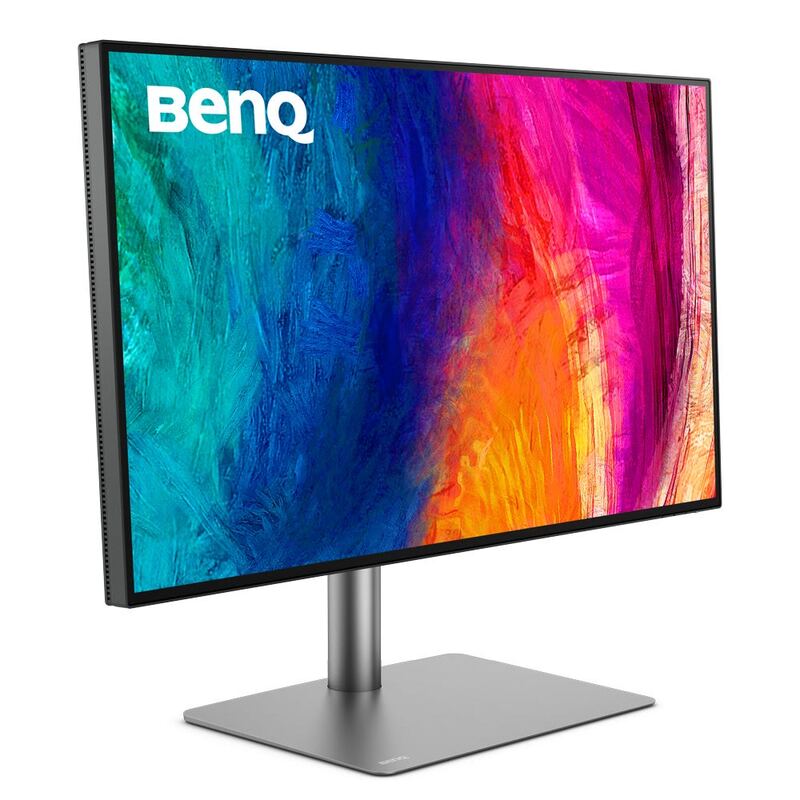
The Dell U2723QE stands out with its extensive built-in connectivity hub, offering more USB ports than the LG UltraFine 32UN880-B or BenQ PD3220U, though it requires a compromise between resolution and data speed over USB-C. While its image quality is excellent, similar to the LG and BenQ, it lacks the Thunderbolt 3 connectivity of the BenQ and the 5K resolution of the Samsung ViewFinity S9.

Who this is for

At a glance: Professionals needing extensive USB connectivity and a versatile hub.

Why you’d buy the Dell U2723QE

  • Built-in connectivity hub with a generous number of USB ports.
  • Wide range of color setting options including sRGB, Rec. 709, DCI-P3, and HDR.
  • High image quality with Low Blue Light setting and anti-glare finish for comfortable long viewing sessions.

Why you’d skip it

  • Users must choose between High Resolution or High Data Speed when connecting via USB-C.
  • The included USB-C cable is too short for convenient laptop connectivity or can interfere with viewing space when using a riser.
  • A faint shadow was observed along the top and bottom edges of the display panel in testing.

Rating sources

Our 4.5 score is the average of these published ratings. More about methodology.
Frequently asked questions

Is the Dell U2723QE worth buying?
The Dell U2723QE is a versatile 4K USB-C hub monitor offering excellent image quality, extensive connectivity, and great ergonomics, making it suitable for professional and home office use. While it provides a comprehensive workspace solution, users should be aware of the compromise between resolution and data speed over USB-C and the short included cable.
What is the Dell U2723QE's biggest strength?
Built-in connectivity hub with a generous number of USB ports
What is the main drawback of the Dell U2723QE?
Users must choose between High Resolution or High Data Speed when connecting via USB-C
What sources back the 4.5/5 rating?
Our 4.5/5 rating is the average of scores from 2 independent 4k monitors reviews — pcmag and techradar. Click any source on the product page to read the original review.

How it compares

See all 5
BenQ PD3220U
#1 · Top Score

BenQ PD3220U

The BenQ PD3220U offers a unique advantage with its built-in KVM switch, allowing seamless control of multiple computers, a feature absent in the Dell U2723QE, LG UltraFine 32UN880-B, and ASUS ProArt PA279CRV. It also boasts Thunderbolt 3 connectivity, which is more advanced than the USB-C on the LG and ASUS, though its brightness is less ideal for HDR than some competitors, and it doesn't match the 5K resolution of the Samsung ViewFinity S9.

Dell UltraSharp U3225QE
#3

Dell UltraSharp U3225QE

The Dell U3225QE is the natural step-up from the 27-inch Dell U2723QE in this category — same IPS Black DNA and KVM-style hub, but a larger 32-inch panel rivaling the BenQ PD3220U's footprint. Versus the BenQ it offers higher 140W PD (vs. BenQ's 85W) and RJ45 networking, though the BenQ retains its built-in KVM hardware switch. Versus the Apple Studio Display and Samsung ViewFinity S9, the Dell trades 5K pixel density for a much larger workspace and significantly better port flexibility.

Samsung ViewFinity S9
#4

Samsung ViewFinity S9

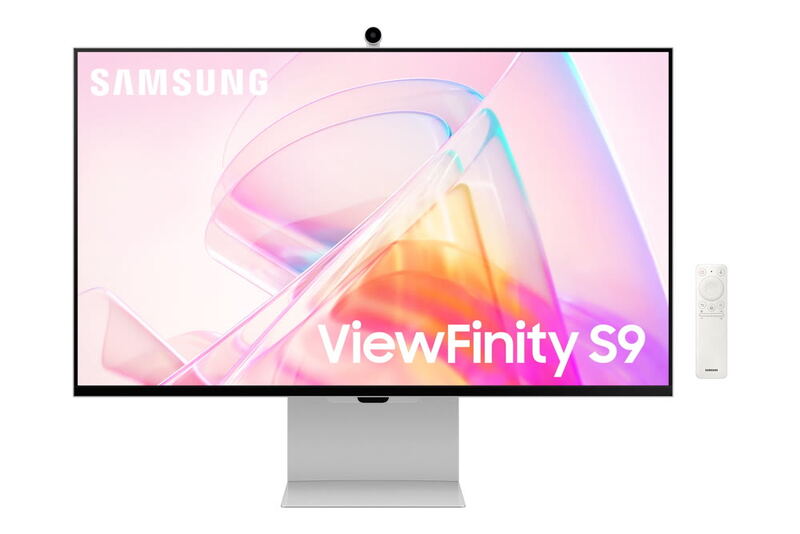
The Samsung ViewFinity S9 is the only 5K option in this category; the BenQ PD3220U and Dell U2723QE both stop at 4K UHD (3840x2160), giving the Samsung roughly 60% more pixels in a similar 27-inch footprint. Versus the BenQ's KVM and the Dell's IPS Black contrast, the Samsung trades on raw pixel density and Tizen smart-monitor extras, though its connectivity hub is less generous than the Dell's RJ45-equipped offering.

Apple Studio Display
#5

Apple Studio Display

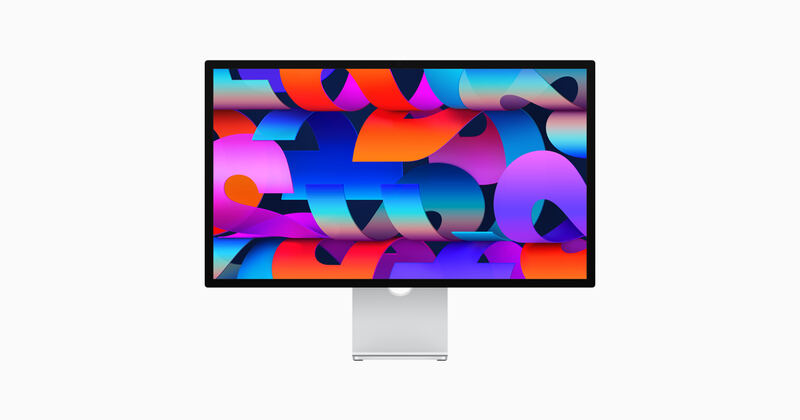
Where the BenQ PD3220U brings KVM and Thunderbolt 3 to a 32-inch 4K canvas and the Dell U2723QE wins on hub flexibility and IPS Black contrast, the Apple Studio Display trades feature breadth for higher pixel density (218 PPI vs. ~140 PPI on the BenQ/Dell) and a tightly Mac-integrated experience. It is the only pick here with built-in studio-quality speakers and a webcam, but lacks HDR, KVM, and the open OS support of the Dell.

Dell U2723QE
4.5/5· $391
Check Price on Amazon