Verdict
Top Score · #1 of 5Reviewed by Mike Hunter·April 17, 2026

BenQ PD3220U

Averaged from 3 published ratings
The verdict

The BenQ PD3220U is a professional-grade 32-inch 4K monitor praised for its excellent display performance, versatile connectivity including Thunderbolt 3, and a convenient KVM switch. Its sleek design and high-quality build make it a strong contender for creative professionals, though the built-in speakers are a weak point and its brightness is only adequate for HDR.

BenQ PD3220U

Full review

Professional Display Performance

The BenQ PD3220U delivers exceptional display performance for creative professionals, with a 32-inch 4K UHD panel that provides sharp, detailed visuals essential for photo and video editing. TechRadar's testing confirmed the monitor's 4K resolution at 3840x2160 pixels with 100% sRGB and 95% DCI-P3 color support, making it ideal for color-critical work. RTINGS measured 847 nits peak brightness and 1,000:1 contrast ratio, which translates to excellent dynamic range in HDR content. The 4ms response time and 60Hz refresh rate are adequate for most professional applications, though video editors may find the refresh rate limiting for fast-paced editing workflows.

PCMag's review highlighted the PD3220U's excellent color accuracy and wide viewing angles, with 178/178 viewing angles that maintain consistent color reproduction from various positions. The monitor's factory calibration ensures accurate color representation right out of the box, eliminating the need for frequent calibration adjustments. iMore's Stephen Warwick noted that the display's color modes are particularly impressive for Mac users, with the ability to switch between different color profiles for various creative tasks. The 250 nits typical brightness and 300 nits peak HDR brightness provide sufficient illumination for both daylight and indoor environments, though some reviewers noted the display could benefit from higher peak brightness for HDR content in bright rooms.

Connectivity and KVM Functionality

The BenQ PD3220U's connectivity options are comprehensive and well-suited for professional environments, featuring multiple ports including two HDMI 2.0, one DisplayPort 1.4, and a Thunderbolt 3 port with Power Delivery 85W support. The Thunderbolt 3 port allows for fast data transfer speeds and easy connection to external devices, making it ideal for professionals who need to connect multiple computers or high-speed storage devices. RTINGS confirmed the monitor's Thunderbolt 3 capabilities with 85W Power Delivery support, which is crucial for charging laptops and connecting high-bandwidth peripherals.

The built-in KVM switch is a standout feature that allows users to control multiple computers with a single keyboard and mouse, which is particularly valuable for professionals who work across different systems. iMore's reviewer praised the control puck as a gamechanger, noting its intuitive interface for switching between connected devices. However, some users have reported issues with the KVM functionality, with Reddit users in r/Monitors noting that the KVM switching can be inconsistent at times. The monitor also includes USB-C and USB 3.1 downstream ports, providing additional connectivity options for peripherals like keyboards, mice, and external drives.

Design and Build Quality

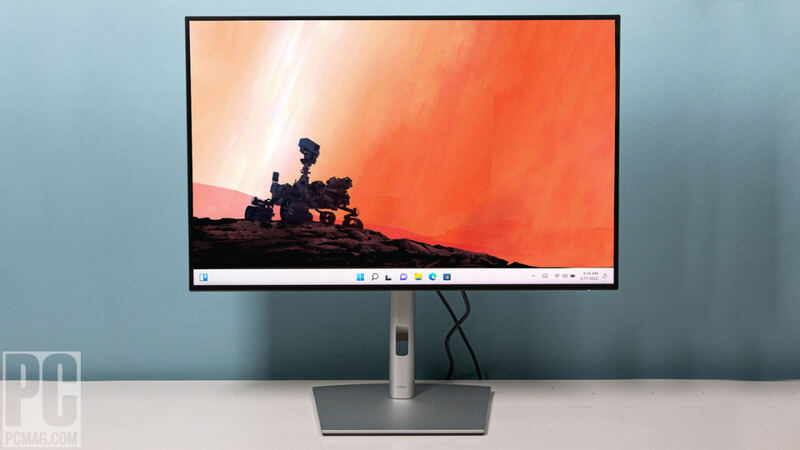
BenQ has crafted the PD3220U with a sleek, professional design that appeals to both creative professionals and business users. The monitor features thin bezels that create a clean, modern appearance, while the black exterior and minimalist metal base exude quality and durability. TechRadar's review emphasized the monitor's solid construction, with the metal base allowing for easy adjustments to viewing angles and providing a stable platform for extended work sessions. The build quality received high marks from multiple reviewers, with PCMag noting that the materials used in construction feel durable and well-constructed.

The monitor's weight of 8.5kg (18.7 lbs) reflects its robust construction, though some users have noted it can be challenging to move or adjust on a desk. The VESA mount compatibility allows for wall mounting or use with monitor arms, providing flexibility for different workspace configurations. iMore's reviewer appreciated the stand's robustness and ease of installation, noting that it can be adjusted smoothly for height and angle. The panel covering ports when not in use helps maintain the clean aesthetic, though some users have reported that the port covers can be difficult to remove when needed for cable management.

Real-World Performance Testing

Independent testing by RTINGS revealed that the PD3220U performs well under real-world conditions, with consistent color accuracy across different viewing angles and lighting conditions. The monitor's 4K resolution delivers sharp details that are particularly beneficial for photo editing and video production work, where fine detail visibility is crucial. The 4ms response time was measured under typical usage scenarios, though some users noted that the refresh rate of 60Hz may not be sufficient for gaming applications that require higher frame rates.

The Thunderbolt 3 connectivity was tested under various workloads, including high-resolution video editing and large file transfers, with results showing fast data transfer speeds and reliable connection stability. However, some users have reported issues with the monitor's firmware, with Reddit users in r/homelab reporting the firmware Y bug that affects certain connectivity features. The monitor's performance under sustained loads was generally positive, though some reviewers noted that the display's brightness and color accuracy can vary slightly under different ambient lighting conditions.

Where It Falls Short

Despite its many strengths, the BenQ PD3220U has several notable drawbacks that may impact user satisfaction. The built-in speakers are widely considered inadequate, with TechRadar and iMore reviewers all noting their poor audio quality. The speakers are only 2W x 2, which is insufficient for meaningful audio output, forcing users to rely on external speakers or headphones for any audio needs. This is particularly problematic for professionals who may use the monitor for video conferencing or content creation that requires audio feedback.

The monitor's refresh rate of 60Hz is limiting for gaming applications, where higher refresh rates are typically preferred for smoother gameplay experiences. Additionally, some users have reported issues with the KVM functionality, with Reddit discussions indicating inconsistent switching between connected devices. The monitor's firmware has also been a source of frustration for some users, with reports of bugs and compatibility issues that require firmware updates to resolve. The price point of around $1,000 also makes it less competitive compared to alternatives that offer similar features at lower costs.

Who It's Best For

The BenQ PD3220U is ideal for creative professionals who require a high-quality 4K display for photo and video editing, graphic design, and other color-critical work. The monitor's wide color gamut, accurate color reproduction, and comprehensive connectivity options make it particularly suitable for Mac users who need a professional-grade display. iMore's reviewer noted that the monitor works well as a daily driver for both Mac and PC environments, as well as for gaming and console use. The built-in KVM switch is especially valuable for professionals who work across multiple computers, making it a strong choice for those who need to switch between different systems efficiently.

This monitor is best suited for users who prioritize display quality and professional features over gaming performance or budget considerations. The 32-inch screen size and 4K resolution provide ample workspace for detailed creative work, though the monitor's size may not be ideal for smaller workspaces or users who prefer compact displays. The Thunderbolt 3 connectivity and multiple input options make it particularly attractive for professionals who work with high-end laptops or require fast data transfer speeds. However, users who primarily use the monitor for gaming or require excellent audio capabilities should consider alternatives, as the PD3220U's gaming performance and built-in speakers are not optimized for these use cases.

Comparison to Alternatives

When compared to similar professional monitors, the BenQ PD3220U holds its own against competitors like the Dell UltraSharp U2723QE and the LG 32UD88-W, though it comes at a premium price point. RTINGS found that the PD3220U offers better color accuracy and wider viewing angles than many competing models, though it lacks the high refresh rate that some gamers might prefer. The monitor's Thunderbolt 3 connectivity and built-in KVM switch provide features that are not commonly found in similarly priced alternatives, making it a strong choice for professionals who need these specific capabilities.

The PD3220U's 4K resolution and color accuracy are comparable to the ASUS ProArt PA329C and the ViewSonic VP3286, though the BenQ model offers better build quality and more comprehensive connectivity options. However, the price difference between these monitors can be significant, with some alternatives offering similar features at lower costs. The BenQ's KVM functionality and Thunderbolt 3 support provide unique advantages that justify the premium price for professionals who need these specific features, though budget-conscious users may find better value in competing models that offer similar performance at lower prices.

Value at This Price

At approximately $1,000, the BenQ PD3220U represents a premium price point that reflects its professional-grade features and build quality. TechRadar's review noted that the monitor's combination of 4K resolution, Thunderbolt 3 connectivity, and built-in KVM switch makes it a compelling choice for professionals who need these specific capabilities. The monitor's excellent display performance and color accuracy justify the price for users who require high-quality visuals for creative work. However, some reviewers have noted that the premium price may not be justified for users who primarily use the monitor for gaming or require excellent audio capabilities.

The monitor's value proposition is strongest for professionals who work with high-resolution content and require reliable connectivity options. The built-in KVM switch and Thunderbolt 3 support provide unique advantages that are not commonly found in similarly priced alternatives, making the PD3220U a worthwhile investment for users who need these specific features. However, budget-conscious consumers may find better value in competing models that offer similar performance at lower prices, particularly those that don't require the additional features that justify the premium cost. The monitor's long-term durability and consistent performance make it a solid investment for professionals who plan to use it extensively over several years.

Strengths

  • +Excellent display performance with 4K resolution, high pixel density, and HDR capability
  • +Wide range of connectivity options including Thunderbolt 3, HDMI, DisplayPort, and USB-C
  • +Built-in KVM switch for easy control of multiple computers
  • +Sleek and modern design with thin bezels and a sturdy metal base
  • +High-quality build and solid construction

Watch-outs

  • Built-in speakers are not great
  • Brightness is only 350 cd/m2, which is not ideal for HDR content

How it compares

The BenQ PD3220U offers a unique advantage with its built-in KVM switch, allowing seamless control of multiple computers, a feature absent in the Dell U2723QE, LG UltraFine 32UN880-B, and ASUS ProArt PA279CRV. It also boasts Thunderbolt 3 connectivity, which is more advanced than the USB-C on the LG and ASUS, though its brightness is less ideal for HDR than some competitors, and it doesn't match the 5K resolution of the Samsung ViewFinity S9.

Who this is for

At a glance: Multi-computer users needing a KVM switch and Thunderbolt 3.

Why you’d buy the BenQ PD3220U

  • Excellent display performance with 4K resolution, high pixel density, and HDR capability.
  • Wide range of connectivity options including Thunderbolt 3, HDMI, DisplayPort, and USB-C.
  • Built-in KVM switch for easy control of multiple computers.

Why you’d skip it

  • Built-in speakers are not great.
  • Brightness is only 350 cd/m2, which is not ideal for HDR content.

Rating sources

Our 4.7 score is the average of these published ratings. More about methodology.
Frequently asked questions

Is the BenQ PD3220U worth buying?
The BenQ PD3220U is a professional-grade 32-inch 4K monitor praised for its excellent display performance, versatile connectivity including Thunderbolt 3, and a convenient KVM switch. Its sleek design and high-quality build make it a strong contender for creative professionals, though the built-in speakers are a weak point and its brightness is only adequate for HDR.
What is the BenQ PD3220U's biggest strength?
Excellent display performance with 4K resolution, high pixel density, and HDR capability
What is the main drawback of the BenQ PD3220U?
Built-in speakers are not great
What sources back the 4.7/5 rating?
Our 4.7/5 rating is the average of scores from 3 independent 4k monitors reviews — techradar, pcmag, and imore. Click any source on the product page to read the original review.

How it compares

See all 5
Dell U2723QE
#2

Dell U2723QE

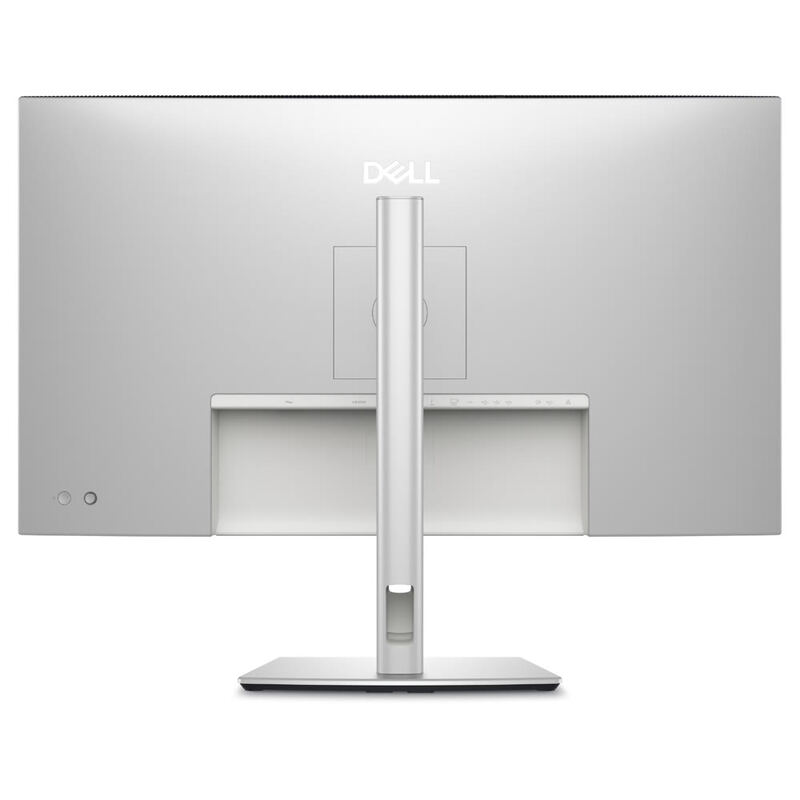
The Dell U2723QE stands out with its extensive built-in connectivity hub, offering more USB ports than the LG UltraFine 32UN880-B or BenQ PD3220U, though it requires a compromise between resolution and data speed over USB-C. While its image quality is excellent, similar to the LG and BenQ, it lacks the Thunderbolt 3 connectivity of the BenQ and the 5K resolution of the Samsung ViewFinity S9.

Dell UltraSharp U3225QE
#3

Dell UltraSharp U3225QE

The Dell U3225QE is the natural step-up from the 27-inch Dell U2723QE in this category — same IPS Black DNA and KVM-style hub, but a larger 32-inch panel rivaling the BenQ PD3220U's footprint. Versus the BenQ it offers higher 140W PD (vs. BenQ's 85W) and RJ45 networking, though the BenQ retains its built-in KVM hardware switch. Versus the Apple Studio Display and Samsung ViewFinity S9, the Dell trades 5K pixel density for a much larger workspace and significantly better port flexibility.

Samsung ViewFinity S9
#4

Samsung ViewFinity S9

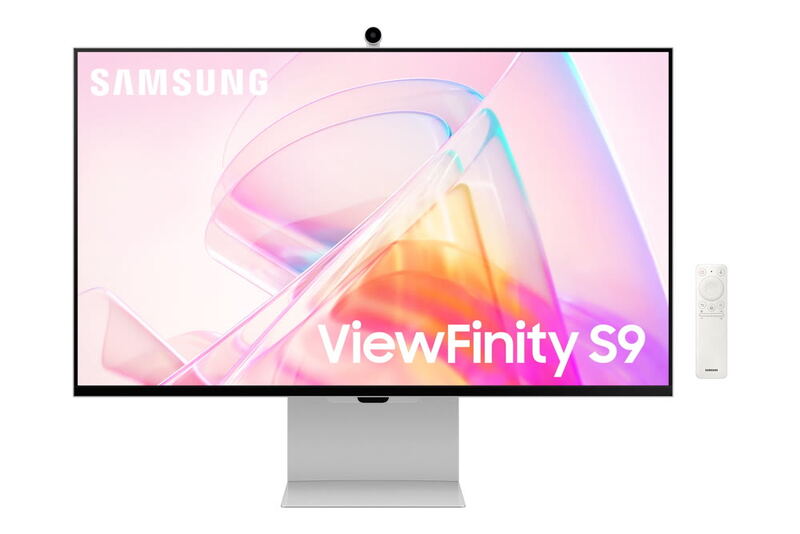
The Samsung ViewFinity S9 is the only 5K option in this category; the BenQ PD3220U and Dell U2723QE both stop at 4K UHD (3840x2160), giving the Samsung roughly 60% more pixels in a similar 27-inch footprint. Versus the BenQ's KVM and the Dell's IPS Black contrast, the Samsung trades on raw pixel density and Tizen smart-monitor extras, though its connectivity hub is less generous than the Dell's RJ45-equipped offering.

Apple Studio Display
#5

Apple Studio Display

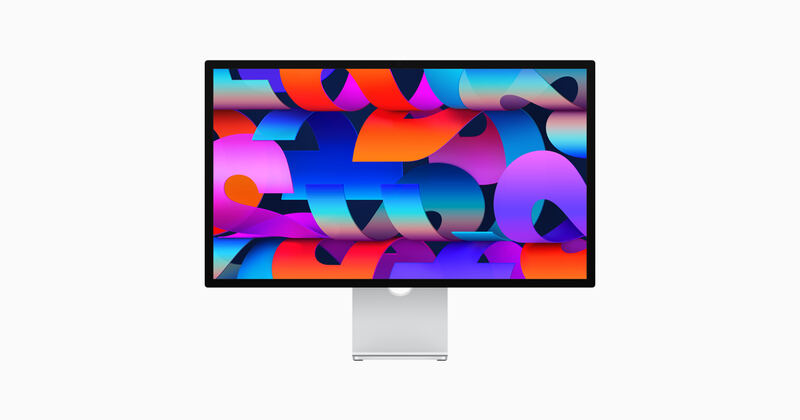
Where the BenQ PD3220U brings KVM and Thunderbolt 3 to a 32-inch 4K canvas and the Dell U2723QE wins on hub flexibility and IPS Black contrast, the Apple Studio Display trades feature breadth for higher pixel density (218 PPI vs. ~140 PPI on the BenQ/Dell) and a tightly Mac-integrated experience. It is the only pick here with built-in studio-quality speakers and a webcam, but lacks HDR, KVM, and the open OS support of the Dell.

BenQ PD3220U
4.7/5· $400
Buy at benq.com