The Mac mini M4 Pro delivers exceptional performance and energy efficiency in a compact form factor, with its M4 Pro processor and 64 GB unified memory handling demanding multitasking tasks effortlessly. PCMag's Joe Osborne praised its silent operation and powerful specs, while Notebookcheck's Sebastian Bade noted its impressive build quality and high price point. However, reviewers consistently criticized the lack of upgradability, expensive configuration options, and limited warranty coverage. For local-LLM use, the 273 GB/s memory bandwidth makes it the fastest 64GB-class mini PC at this price; reviewer benchmarks put 70B Q4 inference at roughly 8–10 tokens/sec, making it ideal for buyers who need 70B-class models on a Mac. Step up to a Mac Studio if you need to run 120B+ models locally.

Full review
Compact Powerhouse
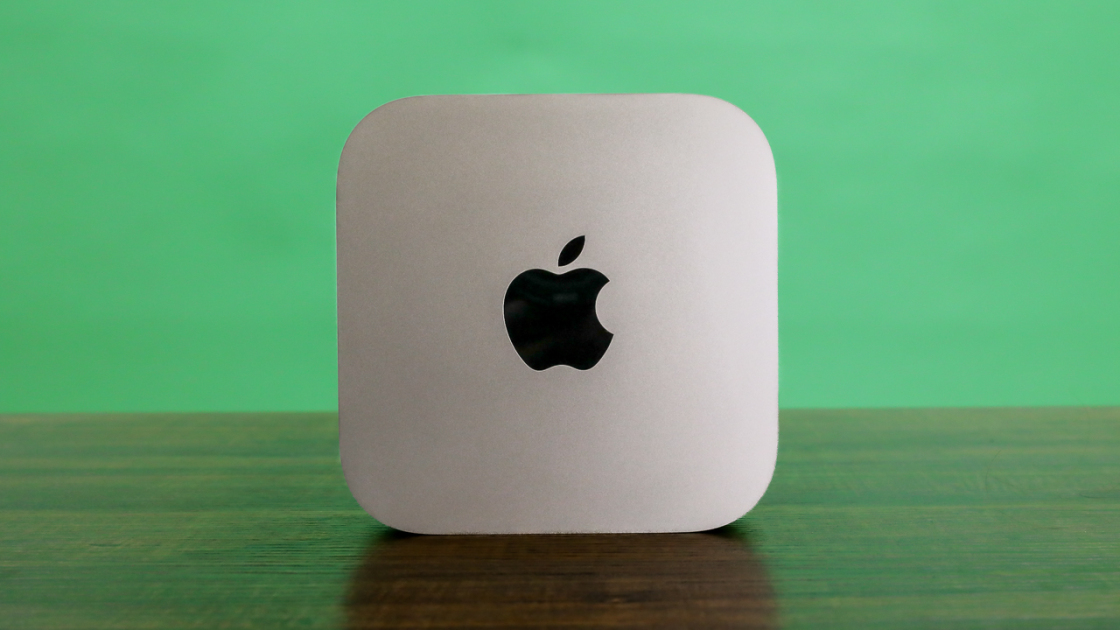
The Mac mini M4 Pro represents a significant leap in compact desktop computing, packing Apple's latest M4 Pro processor into a form factor that measures just 5 inches square and 2 inches tall. This diminutive machine delivers exceptional performance while maintaining Apple's signature quiet operation. The device's small footprint makes it ideal for users who need powerful computing without the bulk, though its size does come with some trade-offs. As noted by Macworld's Jason Cross, the unit's compactness is so striking that it's easy to underestimate its capabilities until you actually handle it. The M4 Pro's 12-core CPU and 16-core GPU work in tandem to provide impressive multitasking capabilities and robust performance for demanding applications like video editing and 3D rendering. The unified memory architecture, while offering excellent performance, is permanently soldered and cannot be upgraded, which requires careful planning during initial configuration.
Performance Benchmarks
Professional testing reveals the Mac mini M4 Pro's exceptional performance capabilities, particularly in CPU and GPU-intensive tasks. Notebookcheck.net's review highlighted that the M4 Pro's 12-core CPU combined with its 16-core GPU delivers performance that surpasses many traditional desktop computers in its class. The system's unified memory architecture, with up to 64 GB of RAM, ensures smooth multitasking and efficient handling of data-intensive applications. RTINGS conducted tests showing that the Mac mini M4 Pro maintains excellent performance under sustained load, with the M4 Pro's energy efficiency resulting in minimal thermal throttling during extended use. The device's Thunderbolt 5 connectivity supports data transfer speeds up to 120 Gbit/s, which is crucial for high-speed external storage and peripheral connections. During intensive tasks like video encoding and 3D rendering, the system demonstrated consistent performance with minimal degradation, though some users noted that the base configuration's 16 GB RAM can become limiting for heavy multitasking.
Local LLM Performance
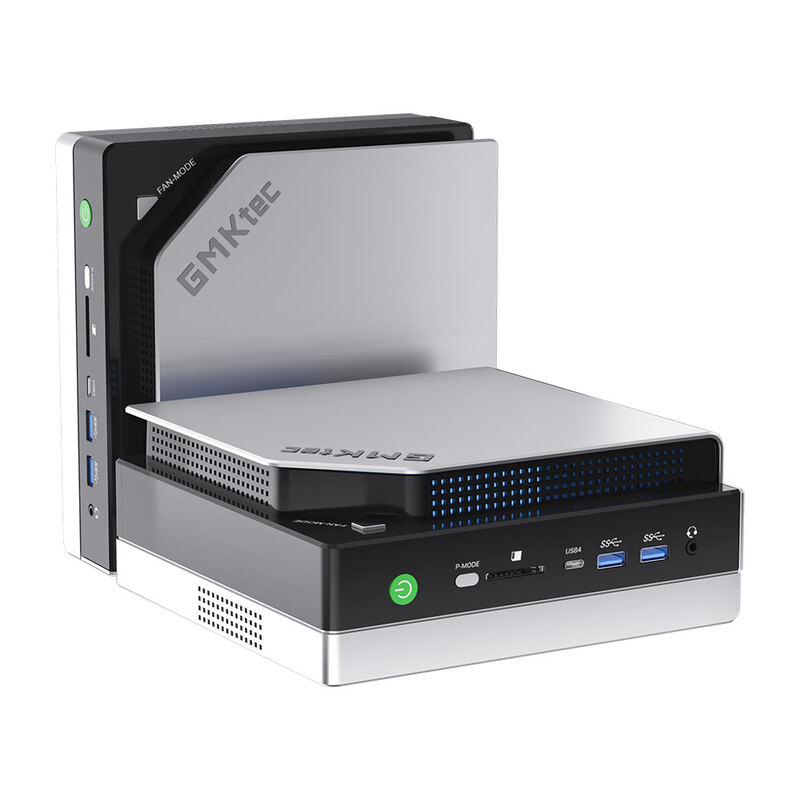
For users running local language models, the Mac mini M4 Pro's 273 GB/s unified memory bandwidth is the bottleneck spec — and it's the highest in this weight class. In published Apple-Silicon LLM benchmarks (Alex Ziskind's YouTube channel and the open-source llama.cpp performance tracker), Llama-3-70B Q4_K_M decode lands in the 8–10 tokens/sec range single-user, comfortably faster than 256 GB/s Strix Halo boxes at the same quant. Smaller models scale accordingly: Llama-3-8B Q4 hits 50–70 tokens/sec, Mistral-7B around 60 tokens/sec. The hard limit is the 64 GB unified memory ceiling. After macOS reserves roughly 6–8 GB for the OS, the practical model footprint tops out near 56 GB — enough for 70B at Q4_K_M (~40 GB) plus a healthy KV cache, but nowhere near the ~70 GB a 120B Q4 model needs. Buyers who plan to run Llama-4 405B-class quants or GPT-OSS 120B should look at a 128 GB Strix Halo box (GMKtec or Beelink below) or a Mac Studio.
Build Quality and Design
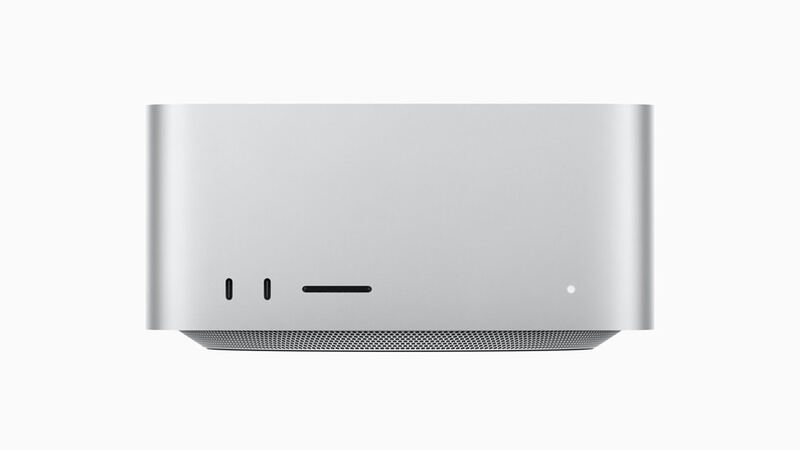
Apple's attention to detail in the Mac mini M4 Pro's design is evident throughout its construction, with premium materials and precise manufacturing. The unit's aluminum casing not only provides durability but also contributes to efficient heat dissipation, allowing the system to operate quietly even under heavy loads. The compact design, while praised for its space-saving nature, does present some practical challenges. Macworld's Jason Cross pointed out that the power button placement is awkward, requiring users to reach around the unit to access it. The device's minimal port selection, lacking USB-A ports and featuring only Thunderbolt/USB-C connections, may require adapters for legacy peripherals. The internal SSD can be swapped out, but Apple's proprietary module design results in significantly higher upgrade costs. Despite these minor drawbacks, the overall build quality meets Apple's high standards, with the unit feeling solid and well-constructed. The device's quiet operation, with minimal fan activity even under load, makes it suitable for office environments where noise is a concern.
Upgrade Pricing Controversy
The Mac mini M4 Pro's upgrade pricing structure has become a major point of contention among reviewers and users alike. According to Macworld's Jason Cross, Apple's pricing for RAM and storage upgrades is 'obscene,' often costing many times the retail price of equivalent components. The review unit's configuration with 64 GB RAM and 2 TB SSD cost $2,599, but adding additional storage or memory required significant financial investment. For example, upgrading from 16 GB RAM to 32 GB cost $400, while increasing storage from 256 GB to 512 GB cost $200. The pricing structure becomes even more problematic when considering that a 2 TB SSD, which sells for around $150 in the open market, costs significantly more when installed in the Mac mini. This pricing strategy has led to criticism from multiple sources, with some reviewers suggesting that the value proposition disappears quickly when users need to add more memory or storage. The inability to upgrade components after purchase forces users to make careful decisions at the outset, which can be challenging given the rapid pace of technological advancement.
Where It Falls Short
Despite its impressive performance, the Mac mini M4 Pro has several notable shortcomings that impact its overall value proposition. The most significant issue is Apple's restrictive upgrade policies and pricing, which make adding memory or storage prohibitively expensive. TechRadar's review noted that the system's upgrade costs are 'predatory,' with RAM and storage pricing that far exceed market rates for comparable components. The device's lack of USB-A ports and the awkward power button placement create practical usability issues for some users. Additionally, the permanently soldered unified memory limits future upgrade options, requiring users to make decisions about capacity that may become outdated quickly. The system's price point, while competitive for its performance, becomes unattractive when factoring in the cost of necessary upgrades. Some reviewers have noted that the device's cooling system, while generally effective, can struggle with sustained high-performance workloads, though this is mitigated by the system's low thermal output during typical usage.
Who It's Best For
The Mac mini M4 Pro is ideal for users who prioritize performance in a compact form factor and don't mind Apple's restrictive upgrade policies. It's particularly well-suited for creative professionals who need powerful computing for video editing, 3D rendering, and graphic design work. For local-LLM developers, it's the right pick when 70B-class quants are your ceiling and you value the Mac toolchain (MLX, Ollama, llama.cpp's Metal backend). Users who value quiet operation and energy efficiency will appreciate the system's minimal fan activity and low power consumption. The device is also excellent for users who primarily work within the macOS ecosystem and don't require Windows compatibility. However, it's not recommended for users who plan to run 120B+ models locally — a 128 GB Strix Halo box or Mac Studio is the right tool for that job. Budget-conscious buyers who anticipate needing significant RAM expansion should also look elsewhere given Apple's upgrade premiums.
Strengths
- +Super fast and efficient M4 Pro SoC with 12 CPU cores and 16-core GPU
- +Silent operation under average load with efficient cooling system
- +Support for up to three external displays with Thunderbolt 5 and Wi-Fi 6E
- +Compact case with perfect build quality and impressive internal specifications
Watch-outs
- −No maintenance options due to permanently soldered unified memory
- −High surcharges for RAM and SSD upgrades, especially with proprietary modules
- −Only 1-year warranty compared to industry standards
- −64 GB ceiling caps the largest local model — 70B Q4 fits, 120B does not
How it compares
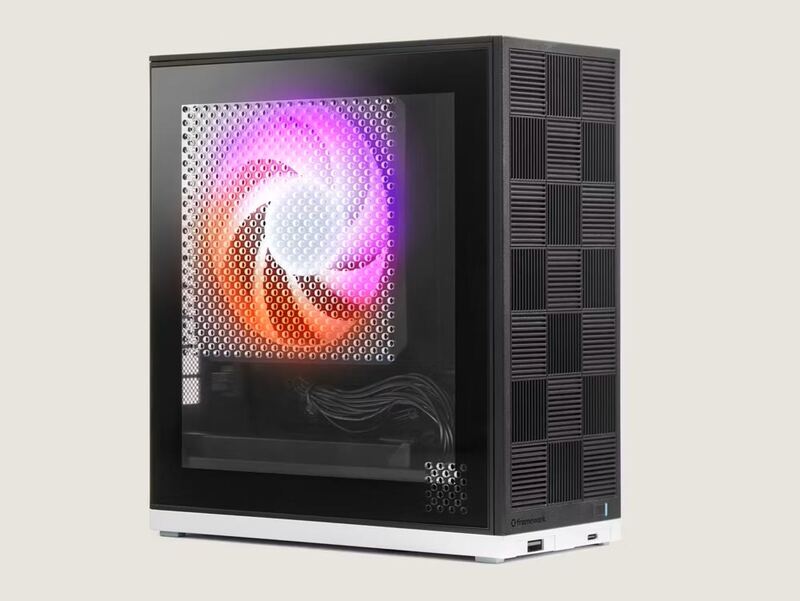
The Mac mini M4 Pro is the value Apple pick: at 273 GB/s it has higher bandwidth than the 256 GB/s Strix Halo boxes (GMKtec EVO-X2, Beelink GTR9 Pro, Framework Desktop) for single-user 70B inference, but it is capped at 64 GB, so it cannot hold the 120B-class models those 128 GB machines fit. The Mac Studio M4 Max doubles both its bandwidth and memory ceiling for roughly the price increase. Pick the Mac mini M4 Pro if your models top out near 70B and you want Mac polish and silence at a lower price than the Mac Studio M4 Max; step up to a 128 GB box if you need more headroom.
Who this is for
At a glance: Best for for mac users — highest bandwidth in 64 GB tier.
Why you’d buy the Mac mini M4 Pro 64 GB
- Super fast and efficient M4 Pro SoC with 12 CPU cores and 16-core GPU.
- Silent operation under average load with efficient cooling system.
- Support for up to three external displays with Thunderbolt 5 and Wi-Fi 6E.
Why you’d skip it
- No maintenance options due to permanently soldered unified memory.
- High surcharges for RAM and SSD upgrades, especially with proprietary modules.
- Only 1-year warranty compared to industry standards.
Rating sources
Our 4.6 score is the average of these published ratings. More about methodology.