TechGearLab found that the concave key shape hugs fingertips to reduce typing errors and provide comfort during long sessions, while Salopek noted the softened tactile feedback suits those who prefer quiet operation over mechanical click. The intelligent backlighting with proximity sensors adjusts automatically via Tom's Guide’s ambient light sensor, but TechGearLab identified a significant drawback: battery life drops to approximately 10 days when this feature is enabled, compared to five months with lights off. Hardware Canucks praised the premium build quality and Easy-Switch technology for seamless multi-device routing, yet Salopek criticized the inconsistent sizing of special keys as creating an awkward layout. This keyboard fits professionals seeking a comfortable, low-profile typing experience who can manage frequent recharging; those prioritizing long battery life or mechanical switch feel should look elsewhere.
Full review
Concave key shape reduces typing errors
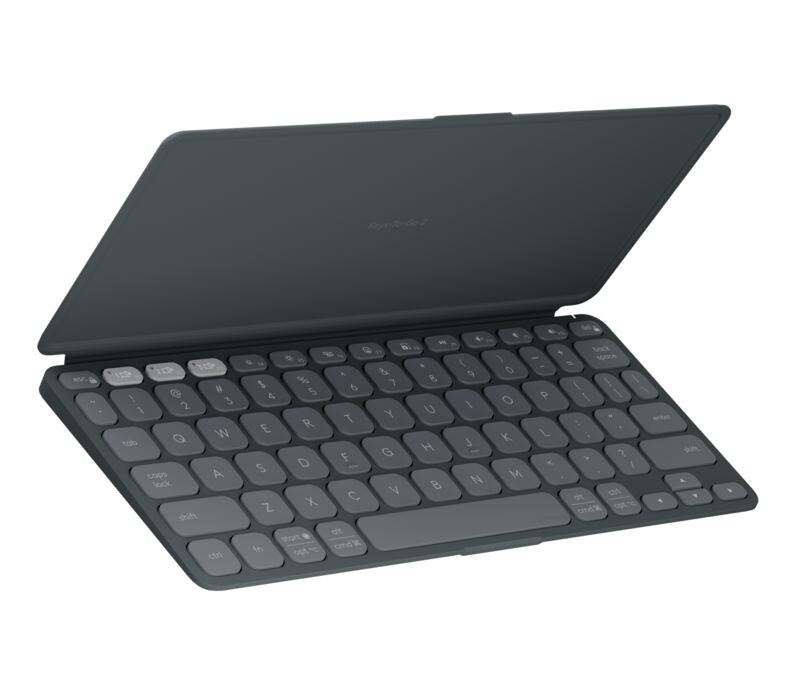
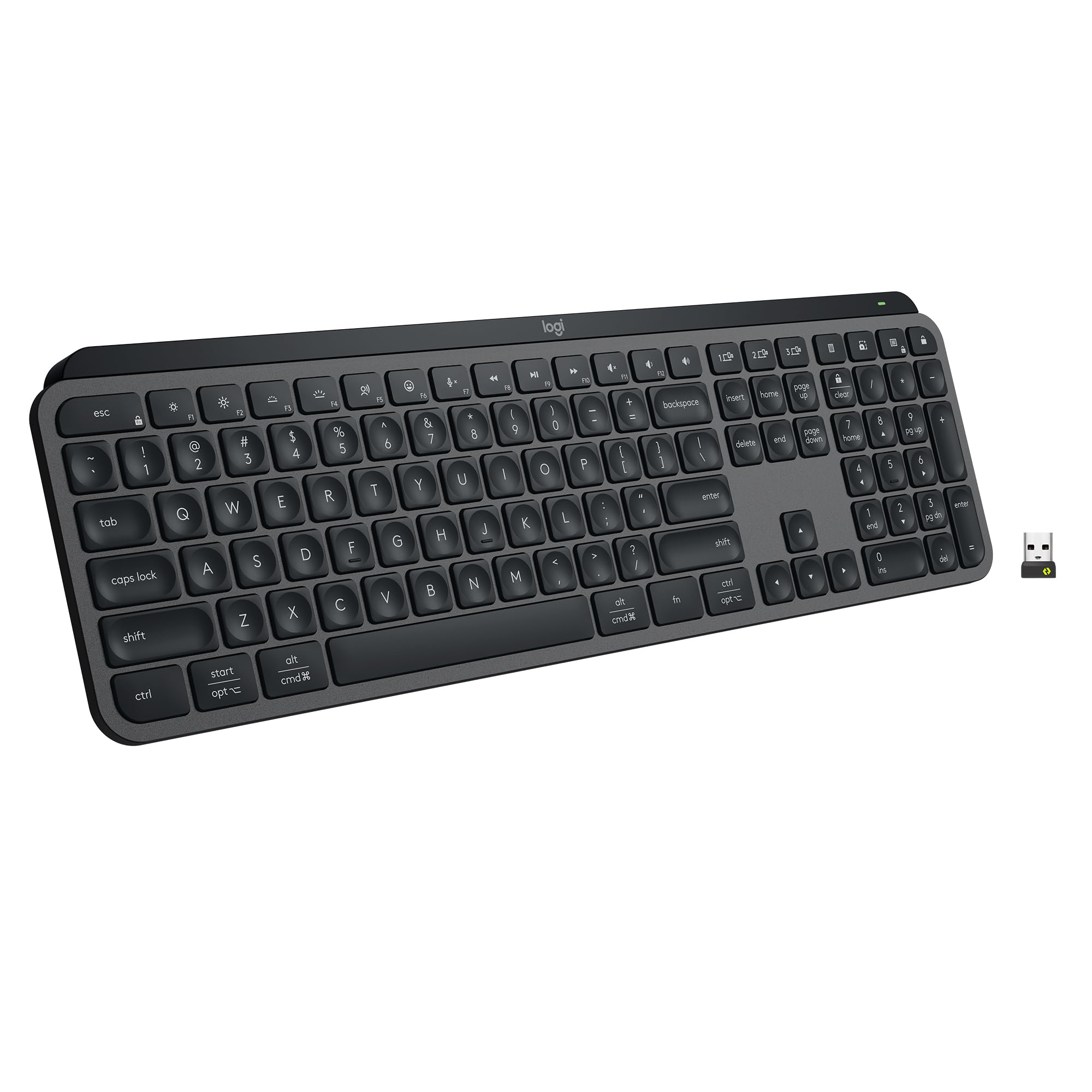
The concave divots in each keycap serve as a tactile guide that helps typists locate keys without looking down. Salopek notes that this subtle well ensures the finger hits the correct area, making the keyboard particularly beginner-friendly for those still developing touch-typing skills. The physical space between individual keys further reduces accidental strikes, providing clear boundaries where each key begins and ends.
TechGearLab describes the scooped keys as hugging fingers like a warm embrace during extended typing sessions. This ergonomic contour distributes pressure across the fingertip rather than concentrating it on a single point, which contributes to long-term comfort. The design allows users to maintain high performance levels without experiencing hand fatigue even after marathon workdays.
The combination of key spacing and concave shaping creates a forgiving typing environment that adapts well to different skill levels. Users who frequently make typos or prefer not to look at their hands will find the physical guidance significantly reduces cognitive load during fast-paced writing tasks.
Softened tactile feedback replaces clicky switches
The MX Keys S utilizes scissor-switch mechanisms that deliver a softened, laptop-like typing experience rather than the sharp actuation of mechanical keyboards.
Hardware Canucks found that despite lacking mechanical switches, the MX Keys offers a surprisingly tactile response compared to low-profile alternatives like the Cooler Master SK650 with Cherry MX Red switches. The Logitech keys feel more distinct and responsive, allowing typists to naturally increase their speed because they can clearly distinguish one key press from another.
Salopek contrasts this soft-travel design against mechanical options, noting that users who prefer a clickety-clack experience should look elsewhere. The MX Keys S prioritizes quiet operation and comfort over the aggressive feedback of mechanical boards, making it ideal for office environments where noise discipline matters.
Intelligent backlighting conserves battery life
The keyboard features proximity sensors that illuminate keys only when hands approach the desk, automatically fading out when the user leaves. Salopek highlights this intelligent lighting as a standout feature that adapts to ambient conditions while preserving power. Users can manually adjust brightness levels or set specific duration timers through software rather than relying solely on automatic detection.
TechGearLab reports that with backlighting enabled, battery life drops to approximately 10 days of continuous use. This figure represents a significant reduction compared to the manufacturer's claim of up to five months when lights are disabled entirely. The trade-off between visibility and endurance requires users to manage lighting settings based on their daily workflow.
Tom's Guide confirms that the ambient light sensor adjusts backlight intensity automatically, ensuring keys remain visible in dark environments without wasting power in bright rooms. This dynamic adjustment helps maximize the 10-day runtime when smart features are active.
Battery life suffers with constant illumination
The ten-day battery figure represents a notable compromise for users who rely on backlighting during extended work sessions. TechGearLab explicitly identifies this shortened lifespan as the keyboard's primary weakness, contrasting it sharply against the five-month potential when lighting is disabled. Shoppers who prioritize all-day visibility without frequent recharging may find this limitation frustrating.
Hardware Canucks observed that keeping smart backlighting on continuously drains power rapidly, recommending users disable the feature during daytime hours in well-lit offices to extend runtime. This manual management adds a layer of friction to an otherwise seamless wireless experience, requiring conscious effort to preserve battery health.
The USB-C charging port allows quick top-ups when levels drop low, but the ten-day baseline still falls short of competitors offering month-long runtimes with lights active. Users who frequently work in dim environments must weigh the convenience of illumination against the need for more frequent cable connections.
Easy-Switch enables seamless multi-device routing
The Easy-Switch technology allows users to connect and toggle between three different systems using dedicated buttons on the keyboard's upper left corner. Hardware Canucks praises this feature for its convenience, noting that switching between computers requires only a single press rather than re-pairing or managing multiple dongles.
Salopek identifies multi-device switching as one of the keyboard's strongest capabilities, particularly valuable for professionals juggling work laptops and personal desktops. The seamless transition eliminates downtime when moving tasks between machines, maintaining productivity without interrupting workflow continuity.
The combination of Bluetooth and Logi Bolt receiver support provides flexible connectivity options that accommodate various computer setups. Users can maintain persistent connections across multiple operating systems while retaining the ability to instantly route input to whichever machine requires attention.
Build quality justifies premium positioning
Hardware Canucks describes the MX Keys S as having a premium look and feel consistent with Logitech's higher-end lineup, noting that edges are rounded and free of sharp angles. The construction feels solid without wobbling, delivering a stable typing platform that inspires confidence during vigorous use.
Salopek emphasizes the high-quality build visible across every corner of the keyboard, contrasting its subtle office-friendly aesthetic against flashy gaming designs. The lighter grey upper plate pairs with darker keys and white backlighting to create an elegant appearance suitable for professional environments.
The absence of mechanical switches does not compromise structural integrity; instead, it contributes to a lower profile that sits comfortably on most desks. Users seeking durability alongside aesthetics will find the construction quality matches the keyboard's elevated price point.
Special keys create layout awkwardness
Salopek identifies the function and special keys as the keyboard's weakest design element due to their inconsistent sizing compared to standard alphanumeric keys. The non-uniform shapes disrupt visual alignment above numeric rows, creating an awkward typing rhythm for users accustomed to symmetrical layouts.
The placement of device selection buttons above positional navigation keys further compresses space available for function keys like Calculator and Screen Capture. This arrangement forces typists to adjust their muscle memory when reaching for upper-row commands, potentially increasing error rates during fast-paced data entry.
Low profile design limits mechanical alternatives
Hardware Canucks compares the MX Keys S directly against low-profile mechanical boards like the Cooler Master SK650, finding that Logitech's scissor switches offer superior tactile feedback despite shorter travel distances. The comparison highlights how traditional low-profile designs often sacrifice feel for thinness, whereas the MX Keys maintains distinct actuation points.
Salopek advises users who prefer mechanical switches to consider the MX Mechanical instead, noting that the force and feeling required differ completely from laptop-like keys. This distinction ensures buyers select the correct product family based on their tactile preferences rather than assuming all Logitech keyboards share similar typing characteristics.
Strengths
- +Softened tactile feel and concave key shape that hugs fingertips for comfort during long sessions (TechGearLab)
- +Intelligent backlighting with proximity sensors and ambient light adjustment to conserve battery life (Salopek, Tom's Guide)
- +Easy-Switch feature allows seamless connection and switching between up to three devices via Bluetooth or Logi Bolt receiver
Watch-outs
- −Battery life drops significantly to approximately 10 days when smart backlighting is enabled (TechGearLab)
- −Short battery life when backlighting is enabled
How it compares
The MX Keys S features intelligent backlighting with proximity sensors that adjust automatically, a feature not present in the Logitech Pebble Keys 2 K380s which lacks any lighting. However, this smart backlighting significantly reduces battery life to approximately 10 days when enabled, compared to the three-year lifespan of the Pebble Keys 2.
Rating sources
Counts as 4.69/5 in our score — this publisher's 138 scores on the site average 3.66, so its scores are adjusted up to compare fairly with other publishers.
Counts as 4.28/5 in our score — this publisher's 87 scores on the site average 3.98, so its scores are adjusted up to compare fairly with other publishers.
Counts as 3.66/5 in our score — this publisher's 181 scores on the site average 4.00, so its scores are adjusted up to compare fairly with other publishers.
Counts as 4.02/5 in our score — this publisher's 156 scores on the site average 4.15, so its scores are adjusted up to compare fairly with other publishers.
Our 4.2 score is the average of the 4 scored reviews above, each adjusted for how strictly its publisher scores; 2 more reviewed it without printing a score and are not in the average. More about methodology.