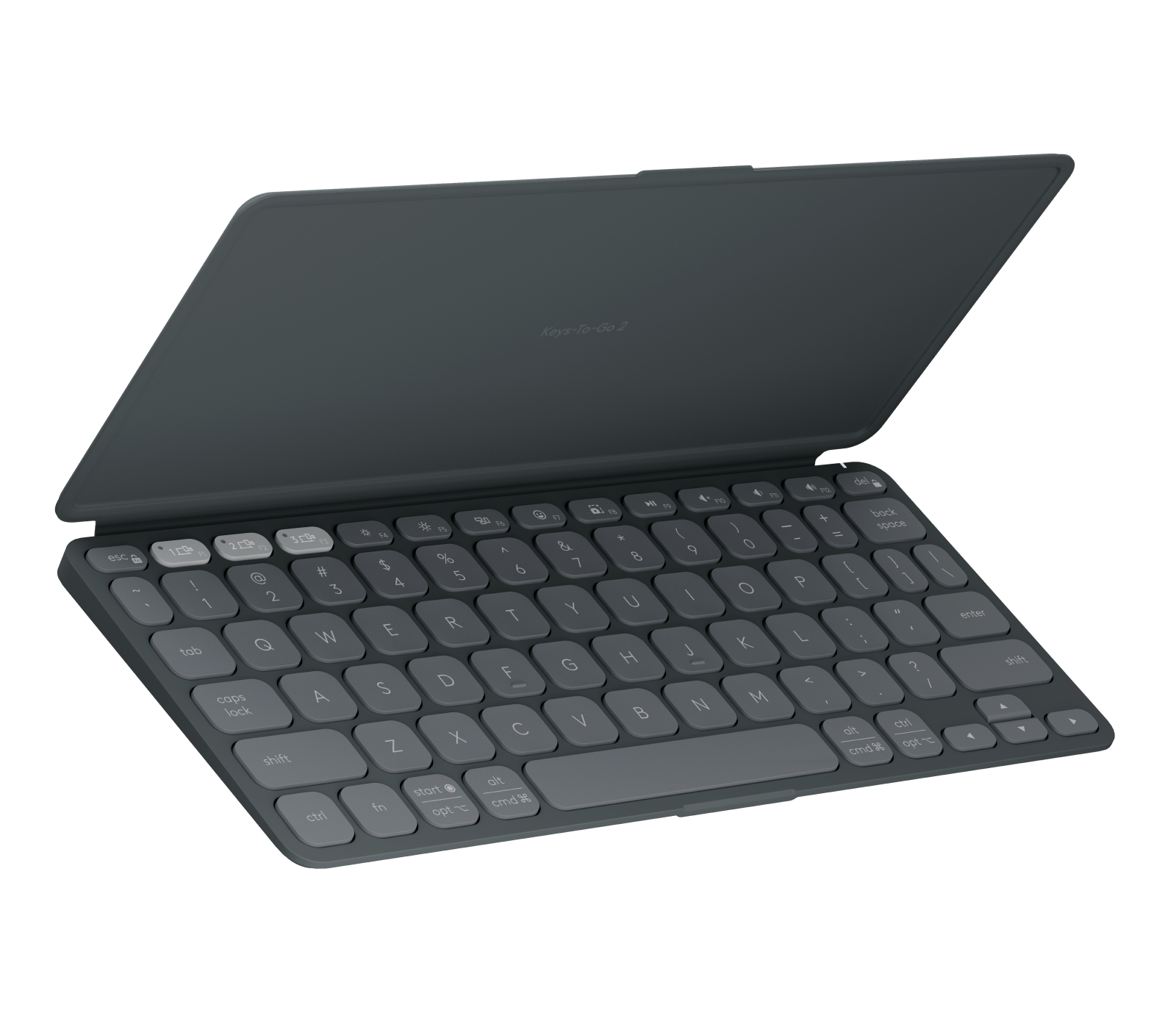
Laptop Mag found that scissor-switch keys and a matte finish create a typing experience similar to a compact laptop, while the magnetic flip cover doubles as an anti-slip base. The ultra-compact layout results in tiny arrow and modifier keys that can cause cramped hands or typos for users accustomed to standard sizes. Additionally, the device lacks a rechargeable USB-C port, requiring users to replace disposable coin cells when depleted, and does not include a built-in kickstand for tablets. This keyboard fits travelers seeking maximum portability and multi-device switching but may disappoint those who prioritize key size and convenient recharging.
Full review
Scissor switches and matte keycaps deliver laptop-like typing
Laptop Mag found that the Logitech Keys-To-Go 2 utilizes scissor-switch keys paired with a matte finish on the keycaps to create a typing experience closely resembling that of a compact laptop. The ultra-thin chassis is constructed from matching matte plastic, which provides a consistent tactile feel across the entire device. This combination ensures that fingers do not slip during rapid typing sessions, offering a level of control and comfort typically reserved for larger desktop peripherals rather than pocket-sized keyboards.
The physical dimensions of the keyboard measure 9.8 x 4.1 x 0.17 inches, allowing it to fit easily into backpacks or large coat pockets without adding significant bulk. At just 0.48 pounds, the device is light enough that users rarely notice its presence during travel. The rounded edges of the keycaps contribute further to the comfort factor, preventing finger fatigue even after extended periods of use for writing documents or coding on a tablet.
Compact 75% layout forces tiny arrow and modifier keys
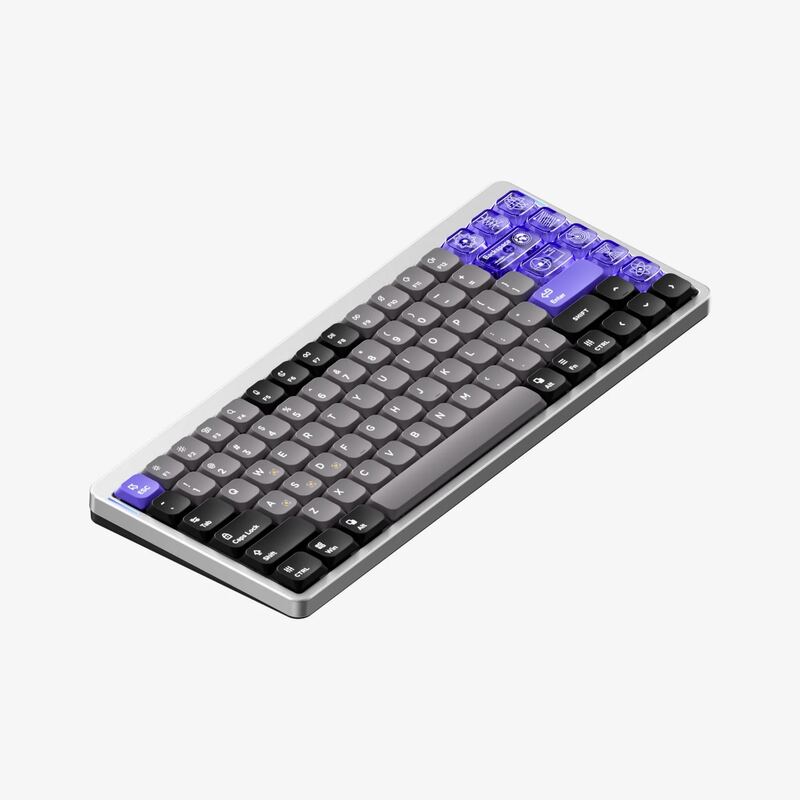
The ultra-compact form factor results in a cramped keyboard layout where the arrow keys and certain modifier keys are significantly smaller than standard dimensions. This spatial constraint can lead to typos or hand strain for users accustomed to full-sized keyboards, particularly those who rely heavily on navigation keys for editing text or gaming. The trade-off for portability is a reduction in key size that may not suit everyone's typing style.
Despite the small footprint, the keyboard retains a function row and arrow keys, distinguishing it from more extreme 60% layouts. However, the proximity of these tiny keys can make accidental presses more likely during fast-paced typing. Users who frequently use modifier combinations or navigate extensively within applications may find themselves adjusting their muscle memory to accommodate the reduced key sizes.
Magnetic flip cover doubles as anti-slip typing base
A standout feature of the Logitech Keys-To-Go 2 is its included protective cover, which attaches to the keyboard via magnets. When not in use, this cover shields the keys from dust and damage, allowing users to safely toss the keyboard into a bag or carry it under their arm without worrying about key wear or accidental presses. The design ensures that the keyboard remains pristine even during rough commutes.
When flipped underneath the keyboard for typing, the cover acts as an anti-slip base that adds a bit of extra height and stability. This configuration prevents the keyboard from sliding around on smooth surfaces like desks or laps, enhancing the overall typing experience. The magnetic attachment is secure enough to hold the cover in place during active use, providing a seamless transition between storage and typing modes.
Tri-mode Bluetooth supports three simultaneous device connections
The keyboard features tri-mode Bluetooth connectivity, allowing users to pair up to three devices simultaneously. Dedicated keys along the top row enable quick switching between these connected devices, making it easy to toggle between a tablet, phone, and computer without re-pairing or interrupting workflow. This functionality is particularly useful for professionals who juggle multiple platforms throughout their day.
In addition to device switching, the top row includes media keys for volume control, brightness adjustment, and even a screenshot function. These dedicated controls provide convenient access to common commands without needing to use on-screen keyboards or navigate complex menus. The power switch is located in the right-hand corner of the keyboard's top edge, ensuring it is easily accessible but not prone to accidental activation.
Disposable coin cells replace rechargeable battery options
Unlike many modern peripherals that offer USB-C charging, the Logitech Keys-To-Go 2 relies on disposable coin cell batteries. This design choice means users must periodically purchase and replace batteries when they run out, rather than simply plugging in a cable to recharge. While this eliminates the need for charging cables, it introduces an ongoing cost and environmental consideration that some users may find inconvenient.
The lack of a rechargeable battery also means there is no built-in kickstand for propping up tablets. Users who wish to use the keyboard as a stand for their device will need to rely on external accessories or alternative positioning methods. This limitation reduces the versatility of the flip cover, which otherwise serves as both protection and typing base.
Universal and Apple layouts cater to different ecosystems
The Logitech Keys-To-Go 2 is available in two distinct layouts: universal and Apple. The universal layout works with Android, ChromeOS, Windows, iPadOS, iOS, and macOS, making it a versatile choice for users who switch between operating systems frequently. The Apple layout, on the other hand, is optimized specifically for iPadOS, iOS, and macOS, providing dedicated keys that align with Apple's ecosystem conventions.
Both layouts are available in three color options: pale gray, graphite black, and lilac. The matte finish helps resist fingerprints and smudges, maintaining a clean appearance even after prolonged use. This variety allows users to select a configuration that best matches their existing devices and personal aesthetic preferences, ensuring the keyboard integrates seamlessly into their setup.
Strengths
- +Includes a magnetic flip cover that protects keys and doubles as an anti-slip typing base.
- +Supports tri-mode Bluetooth connectivity with dedicated buttons to pair up to three devices simultaneously.
- +Features scissor-switch keys with a matte finish for a comfortable, laptop-like typing experience.
Watch-outs
- −The ultra-compact layout results in tiny arrow and modifier keys that can cause cramped hands or typos.
- −Lacks a rechargeable USB-C port, requiring users to replace disposable coin cells when depleted.
- −Does not include a built-in kickstand for the flip cover to prop up tablets.
How it compares
This ultra-compact keyboard relies on disposable coin cells for power, whereas the Logitech Pebble Keys 2 K380s offers up to three years of battery life from two AAA batteries. It also features a magnetic flip cover that doubles as an anti-slip base, a feature absent in the fixed-angle design of the Pebble Keys 2.
Rating sources
Counts as 4.88/5 in our score — this publisher's 87 scores on the site average 3.98, so its scores are adjusted up to compare fairly with other publishers.
Counts as 4.20/5 in our score — this publisher's 15 scores on the site average 3.90, so its scores are adjusted up to compare fairly with other publishers.
Counts as 4.02/5 in our score — this publisher's 156 scores on the site average 4.15, so its scores are adjusted up to compare fairly with other publishers.
Our 4.4 score is the average of the 3 scored reviews above, each adjusted for how strictly its publisher scores; 1 more reviewed it without printing a score and is not in the average. More about methodology.