Verdict
Head-to-head · Best Wireless Keyboards

Logitech Keys-To-Go 2 vs Logitech MX Keys S

Which is the better buy? Side-by-side on rating, price, strengths, and watch-outs — with the published ratings we averaged to get there.

Verdict is reader-supported. As an Amazon Associate we earn from qualifying purchases. Some links on this page are affiliate links — if you click through and buy, we may earn a small commission at no extra cost to you. Our ratings are sourced from independent publications, not sponsors.
The short answer

Logitech Keys-To-Go 2 comes out ahead by a narrow margin (4.4 vs 4.2). Logitech Keys-To-Go 2 is best for: Travelers seeking maximum portability and multi-device switching. Read the strengths below before deciding.

Logitech Keys-To-Go 2
Higher ratedRanked #2 in Best Wireless Keyboards
Logitech Keys-To-Go 2
3 sources$80as of Oct 21

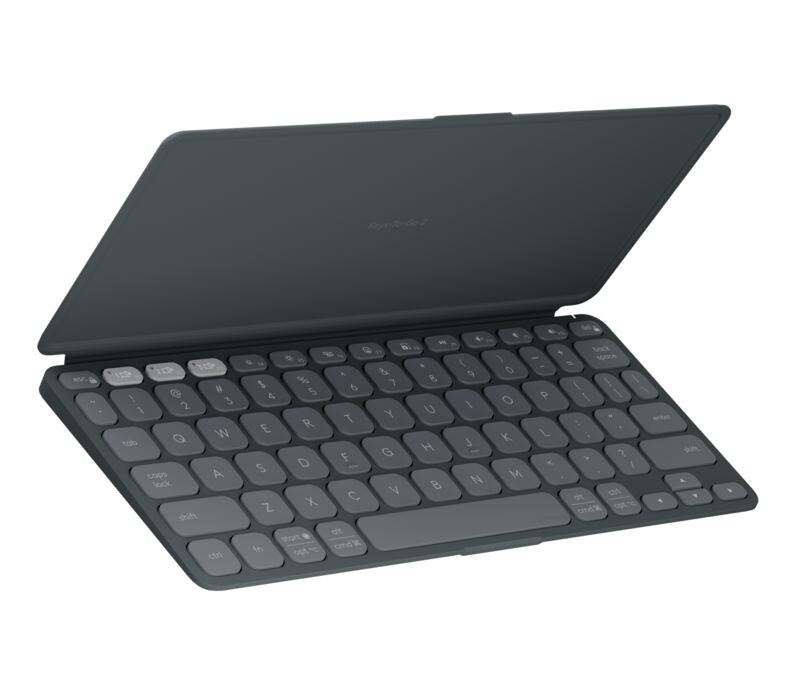
Laptop Mag found that scissor-switch keys and a matte finish create a typing experience similar to a compact laptop, while the magnetic flip cover doubles as an anti-slip base. The ultra-compact layout results in tiny arrow and modifier keys that can cause cramped hands or typos for users accustomed to standard sizes. Additionally, the device lacks a rechargeable USB-C port, requiring users to replace disposable coin cells when depleted, and does not include a built-in kickstand for tablets. This keyboard fits travelers seeking maximum portability and multi-device switching but may disappoint those who prioritize key size and convenient recharging.

Strengths
  • — Includes a magnetic flip cover that protects keys and doubles as an anti-slip typing base.
  • — Supports tri-mode Bluetooth connectivity with dedicated buttons to pair up to three devices simultaneously.
  • — Features scissor-switch keys with a matte finish for a comfortable, laptop-like typing experience.
Watch-outs
  • — The ultra-compact layout results in tiny arrow and modifier keys that can cause cramped hands or typos.
  • — Lacks a rechargeable USB-C port, requiring users to replace disposable coin cells when depleted.
  • — Does not include a built-in kickstand for the flip cover to prop up tablets.
Logitech MX Keys S
Ranked #5 in Best Wireless Keyboards
Logitech MX Keys S
4 sources$119.99as of Oct 21

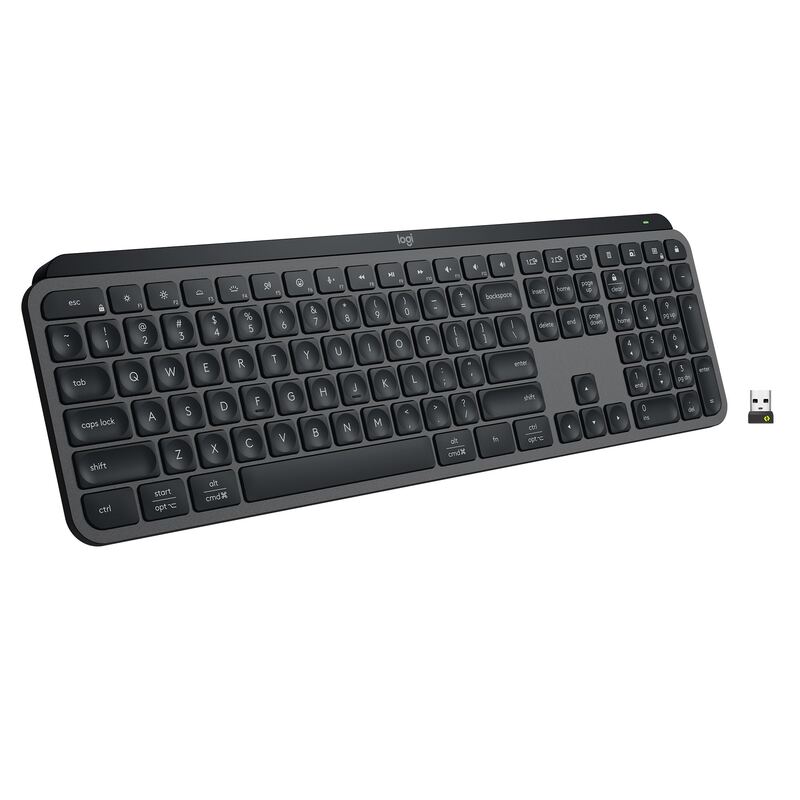
TechGearLab found that the concave key shape hugs fingertips to reduce typing errors and provide comfort during long sessions, while Salopek noted the softened tactile feedback suits those who prefer quiet operation over mechanical click. The intelligent backlighting with proximity sensors adjusts automatically via Tom's Guide’s ambient light sensor, but TechGearLab identified a significant drawback: battery life drops to approximately 10 days when this feature is enabled, compared to five months with lights off. Hardware Canucks praised the premium build quality and Easy-Switch technology for seamless multi-device routing, yet Salopek criticized the inconsistent sizing of special keys as creating an awkward layout. This keyboard fits professionals seeking a comfortable, low-profile typing experience who can manage frequent recharging; those prioritizing long battery life or mechanical switch feel should look elsewhere.

Strengths
  • — Softened tactile feel and concave key shape that hugs fingertips for comfort during long sessions (TechGearLab)
  • — Intelligent backlighting with proximity sensors and ambient light adjustment to conserve battery life (Salopek, Tom's Guide)
  • — Easy-Switch feature allows seamless connection and switching between up to three devices via Bluetooth or Logi Bolt receiver
Watch-outs
  • — Battery life drops significantly to approximately 10 days when smart backlighting is enabled (TechGearLab)
  • — Short battery life when backlighting is enabled

How they stack up

Logitech Keys-To-Go 2

This ultra-compact keyboard relies on disposable coin cells for power, whereas the Logitech Pebble Keys 2 K380s offers up to three years of battery life from two AAA batteries. It also features a magnetic flip cover that doubles as an anti-slip base, a feature absent in the fixed-angle design of the Pebble Keys 2.

Logitech MX Keys S

The MX Keys S features intelligent backlighting with proximity sensors that adjust automatically, a feature not present in the Logitech Pebble Keys 2 K380s which lacks any lighting. However, this smart backlighting significantly reduces battery life to approximately 10 days when enabled, compared to the three-year lifespan of the Pebble Keys 2.

Specs side-by-side

SpecLogitech Keys-To-Go 2Logitech MX Keys S
ConnectivityBluetooth Tri-modeBluetooth, Logi Bolt
Switch TypeScissor switch—
Layout75% Compact—
Weight0.48 lb1.78 lb
Materialmatte plastic—
BacklightingWhite with ambient sensorWhite with ambient sensor
Battery Lifebeautifully Long Battery Life5 months (lights off), 10 days (lights on)
Dimensions—18"L x 6"W x 1.5"H
← See the full ranking of best wireless keyboards