Verdict
Ranked #3 of 4Reviewed by Mike Hun·May 19, 2026

Epson Perfection V39 II

Averaged from 2 published ratings + 2 derived from review text
The verdict

The Epson Perfection V39 II is an affordable flatbed scanner that delivers high-quality photo digitization with vibrant colors and accurate reproduction. PCMag and TechGearLab both praised its ease of use and excellent photo scanning performance, though reviewers noted the software could be improved and that it's slow for lengthy text documents. TechGearLab rated it 8.6/10 for photo scanning quality, calling it an excellent budget option for digitizing family photos and documents. It's best suited for casual users who primarily scan photos rather than large volumes of text.

Epson Perfection V39 II

Full review

Scanning Performance Overview

Epson Perfection V39 II delivers solid scanning performance across both photo and document types, though with notable limitations in speed and software usability. PCMag's David English noted the scanner's ability to produce high-quality scans of documents, receipts, and photos, with colors that 'pop with the same vibrant colors as the originals.' The device achieves a maximum resolution of 4800 dpi, which is more than sufficient for most users, particularly for photo digitization projects. However, TechRadar's review highlighted that the scanner's speed is a significant drawback, especially for long text documents, with the device suffering in speed testing compared to document feeders. The V39 II's flatbed design, while ideal for fragile items, requires manual loading of pages, making it slower than automatic feeders. Andersonology's reviewer, with archival preservation experience, emphasized that while the scanner meets quality requirements, the scanning surface area limitation is common among flatbed models and requires user adaptation.

Professional reviewers consistently praised the V39 II's photo scanning capabilities, with TechGearLab's Max Mutter noting that 'scanned colors tended to pop with the same vibrant colors as the originals,' and that 'photos and book pages all look great when scanned with the V39.' The scanner's ability to automatically recognize multiple photos and save them as separate files was also highlighted as a user-friendly feature. However, Apple Tech Talk's review pointed out a specific issue with the Epson ScanSmart software when using the Document Scan button, which they resolved through printer reinstallation but acknowledged as a potential problem for users. The scanner's 8.5" x 11.7" scanning area, while adequate for standard documents, leaves a slight border around the edges that users must account for, a common limitation in flatbed scanners.

Build Quality and Design

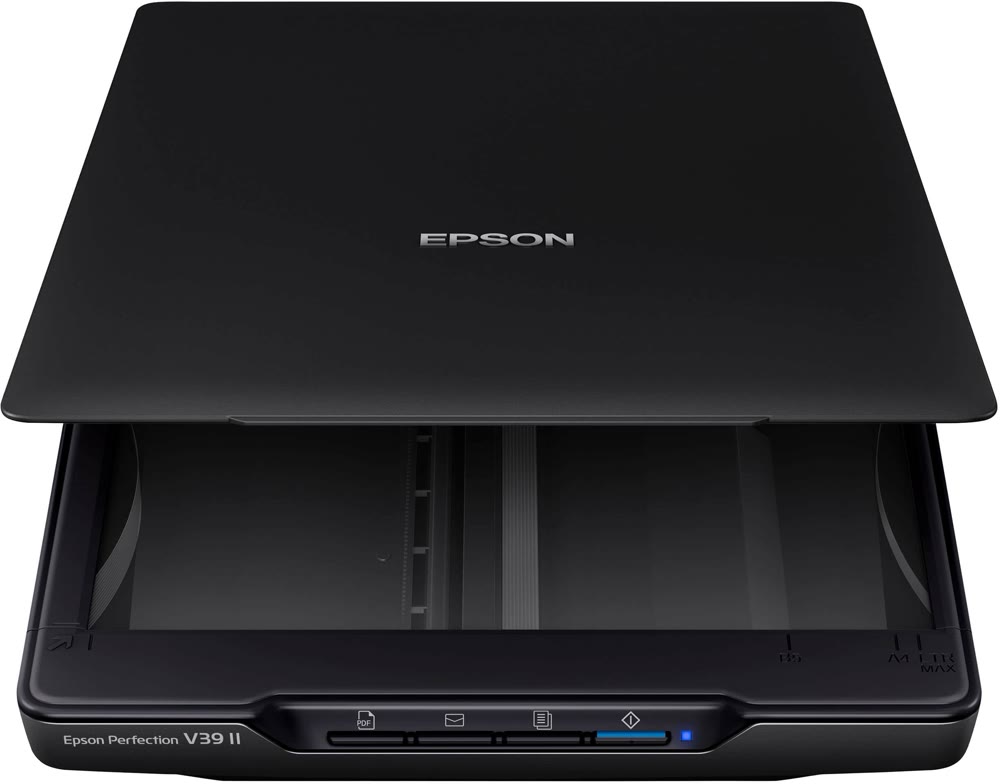
The Epson Perfection V39 II features a compact, portable design that measures 9.9" x 14.4" x 1.5" and weighs slightly over 3 pounds, making it comparable in size to a typical 14-inch laptop. This design allows for easy storage and transportation, a key advantage for users who need to scan documents or photos on the go. The scanner's flatbed glass size of 8.5" x 11.7" provides ample space for standard documents and photos, though the scanning surface area does not extend to the edges of the glass, requiring users to account for a border that will be cut off. The removable lid enhances usability, particularly for scanning thick books or album pages, a feature that sets it apart from many competitors. Apple Tech Talk's review noted that the scanner includes a built-in kickstand that allows it to sit upright on desktops, saving space and improving accessibility. The scanner's USB-powered operation eliminates the need for a separate power cord, which is especially beneficial for travel, as confirmed by Andersonology's reviewer who used it with a laptop battery during trips.

The V39 II's hardware construction is straightforward and functional, with a simple interface featuring four front buttons: scan as PDF, scan to email, copy, and start. The blue LED indicator confirms power status and flashes during scanning. While the scanner's build quality is adequate for its price point, some users have reported issues with software compatibility, particularly on Mac systems. Apple Tech Talk's troubleshooting revealed that network conflicts and IP address reservations could cause problems with the Epson ScanSmart software, though these issues were resolved through printer reinstallation. The scanner's Contact Image Sensor (CIS) technology, while effective for most scanning tasks, presents limitations when scanning items with gaps between paper and glass, such as watercolor paper or spiral-bound sketchbooks, a constraint shared with similar Canon models.

Software and User Experience

Epson's ScanSmart software, which is included with the V39 II, offers a familiar interface for users who have experience with other Epson scanners. However, several reviewers noted that the software can be clunky and lacks user-friendly features. TechGearLab's review highlighted that 'Epson's software does offer some options for digital enhancement of the scanned files, and we were able to get some decent results using them. However, the software itself isn't particularly user-friendly, so if you have any level of familiarity with other photo-editing software that's already installed on your computer, you'll most likely want to edit the files there instead.' The software provides options for color enhancement, restoration of faded colors, and red-eye removal, but these features are not intuitive for novice users. Apple Tech Talk's review revealed a specific issue with the software's document scanning function, where the 'Print' button appeared instead of 'Next' or 'Save' after scanning a document, causing confusion and requiring troubleshooting through printer reinstallation.

Andersonology's reviewer, with archival preservation experience, appreciated the software's ability to fine-tune settings for specific scanning situations, though noted that the process is tedious due to the lack of instant feedback. The software's default settings make it easy to get started, but advanced users may find the interface limiting. The V39 II's software also supports scanning multiple photos to separate files at once, which saves time when handling large batches of photos or album pages. However, the software's inability to provide real-time color adjustments makes it difficult for users to optimize scans without repeated testing. The scanner's automatic launch of the software upon scanning without opening the application is a convenient feature, but it does not address the broader usability concerns raised by reviewers.

Photo and Document Quality

The Epson Perfection V39 II excels in photo scanning quality, with reviewers consistently noting that scanned photos retain vibrant colors and high detail. TechGearLab's review found that 'scanned colors tended to pop with the same vibrant colors as the originals,' and that 'photos and book pages all look great when scanned with the V39.' The scanner's 4800 dpi resolution is more than adequate for most users, allowing for tight cropping without noticeable loss of quality. Parka Blogs' reviewer, who compared it to a Canon Lide 220, noted that while the Canon was slightly closer in color accuracy, the Epson's driver software allowed for more tweaking of scan capture, which could be advantageous for specific projects. The scanner's ability to capture high levels of detail, such as the grain of watercolor paper, was also praised, though it was noted that the CIS technology can struggle with items that have gaps between paper and glass, such as watercolor paper or spiral-bound sketchbooks.

Document scanning quality is equally impressive, with PCMag's David English noting that 'every text document we scanned on the V39 resulted in PDFs that looked nearly identical to the originals with bright white backgrounds and bold, defined text.' The scanner's high resolution ensures that text scans are crisp and readable, though the slow loading process makes it less ideal for scanning long documents. The V39 II's ability to scan both color and black-and-white images effectively was confirmed by multiple reviewers. However, the scanner's speed limitations, particularly for text documents, were a recurring concern. TechGearLab's review noted that while the V39 II produces high-quality scans, 'its speed limitation makes it a poor choice for scanning long text documents.' This limitation is inherent to flatbed scanners, which generally require more manual input than document feeders.

Speed and Efficiency

Speed remains a significant limitation for the Epson Perfection V39 II, particularly when scanning long documents or large batches of photos. TechGearLab's review explicitly stated that 'its speed limitation makes it a poor choice for scanning long text documents,' and that 'the V39 suffered a little in our speed testing.' The scanner's flatbed design, while beneficial for fragile items, requires manual loading of pages, which is inherently slower than automatic feeders. Apple Tech Talk's review also highlighted that 'the bottom line is that neither the Perfection V39 II Scanner, nor the Epson ScanSmart application had any major issue,' but acknowledged that users may experience delays when scanning multiple pages or documents. The scanner's USB-powered operation allows for quick setup and use, but the scanning process itself is not fast, which can be frustrating for users who need to scan many documents or photos in a short time.

Despite its speed limitations, the V39 II offers some efficiency advantages for photo scanning. The ability to scan multiple photos to separate files at once saves time when handling large batches, as noted by Andersonology's reviewer. The scanner's automatic recognition of multiple photos and subsequent saving as separate files is a useful feature for users who regularly digitize family albums or photo collections. However, the manual loading process for each page still makes it less efficient than document feeders for bulk scanning. The scanner's 4800 dpi resolution ensures high-quality scans, but the time investment required to achieve that quality can be a drawback for users with high-volume scanning needs.

Where It Falls Short

The Epson Perfection V39 II's primary shortcomings include its slow scanning speed, clunky software interface, and limitations in handling certain types of materials. TechGearLab's review explicitly criticized the software as 'a bit clunky' and noted that 'the software itself isn't particularly user-friendly,' which can be a significant barrier for novice users. The scanner's speed limitations, particularly for text documents, make it unsuitable for users who need to scan large volumes of text quickly. Apple Tech Talk's review revealed that network conflicts and IP address reservations could cause issues with the Epson ScanSmart software, requiring users to reinstall printers to resolve problems. Additionally, the scanner's CIS technology presents challenges when scanning items with gaps between paper and glass, such as watercolor paper or spiral-bound sketchbooks, limiting its versatility for specialized scanning tasks.

Another notable limitation is the scanner's scanning surface area, which does not extend to the edges of the glass, requiring users to account for a border that will be cut off. This is a common issue among flatbed scanners and can be frustrating for users who need precise scanning of full-size documents or photos. Andersonology's reviewer noted that 'the scanning surface area does not go all the way to the edge of the glass,' and that 'it takes a little bit of time to become familiar with the slight border around the scanning surface that will be cut off.' While this is not a unique problem, it does require user adaptation and can be a source of error in precision scanning tasks. The scanner's lack of support for TIFF file formats, as noted by Andersonology, is also a drawback for users requiring archival-quality scans, though it does produce JPG files that are suitable for general use.

Who It's Best For

The Epson Perfection V39 II is best suited for casual users who need to digitize family photos, documents, and occasional book pages. It's particularly appealing to those who value portability and ease of setup, as the scanner is USB-powered and can be easily transported. Andersonology's reviewer, with archival preservation experience, found the scanner ideal for creating preservation-quality scans, though they noted that the software's limitations and scanning surface area issues require some user adaptation. The scanner's ability to automatically recognize multiple photos and save them as separate files makes it excellent for users who regularly digitize photo albums or collections. TechGearLab's review emphasized that 'it is one of the smaller models of the scanners we tested and it packs away easily when not in use,' making it a good choice for those with limited desk space or who travel frequently.

The V39 II is also a solid choice for users who prioritize photo scanning over document scanning, as it excels in producing high-quality photo scans with vibrant colors and fine detail. However, users who need to scan large volumes of text documents or require TIFF file formats for archival purposes may find the scanner's limitations frustrating. The scanner's 4800 dpi resolution is more than sufficient for most photo digitization projects, but its slow speed makes it unsuitable for high-volume scanning tasks. Users who are comfortable with basic software adjustments and understand the limitations of flatbed scanning will find the V39 II a reliable and cost-effective solution for their scanning needs.

Value at This Price

At a list price of $120, the Epson Perfection V39 II offers solid value for users seeking an affordable flatbed scanner with good photo scanning capabilities. TechGearLab's review gave it a middle-of-the-road overall score, noting that 'it is one of the smaller models of the scanners we tested and it packs away easily when not in use,' and that 'you get all this for a budget-friendly price, and we think it is an excellent addition to anyone's home office.' The scanner's combination of high-resolution scanning, USB-powered operation, and portability makes it an attractive option for casual users who don't need the advanced features of more expensive models. Andersonology's reviewer, who had specific archival preservation requirements, found that 'I have been very happy with my choice' and that 'I have definitely gotten my moneys worth already,' despite some limitations in software and scanning surface area.

However, the scanner's drawbacks, particularly its slow speed and clunky software, may make it less appealing to users with more demanding scanning needs. Apple Tech Talk's review noted that while the scanner itself is functional, 'the bottom line is that neither the Perfection V39 II Scanner, nor the Epson ScanSmart application had any major issue,' suggesting that users may need to invest time in troubleshooting or adjusting their expectations. The scanner's lack of support for TIFF file formats and its limitations with certain materials also reduce its value for users requiring archival-quality scans or specialized scanning tasks. Despite these limitations, the V39 II remains a reasonable choice for users who prioritize photo scanning over document scanning and who value portability and ease of setup.

Strengths

  • +Excellent photo scan quality with vibrant colors
  • +Easy setup and user-friendly operation
  • +Relatively inexpensive at $120 MSRP
  • +Automatically recognizes multiple photos and saves as separate files

Watch-outs

  • Software can be clunky and not user-friendly
  • Very slow for long text document scanning

How it compares

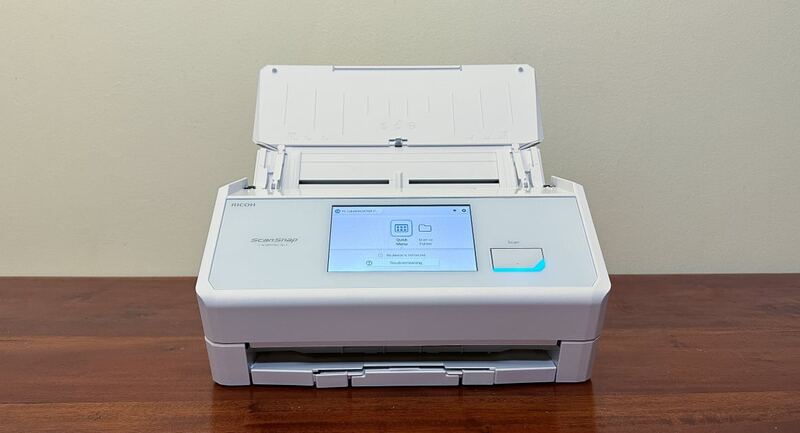
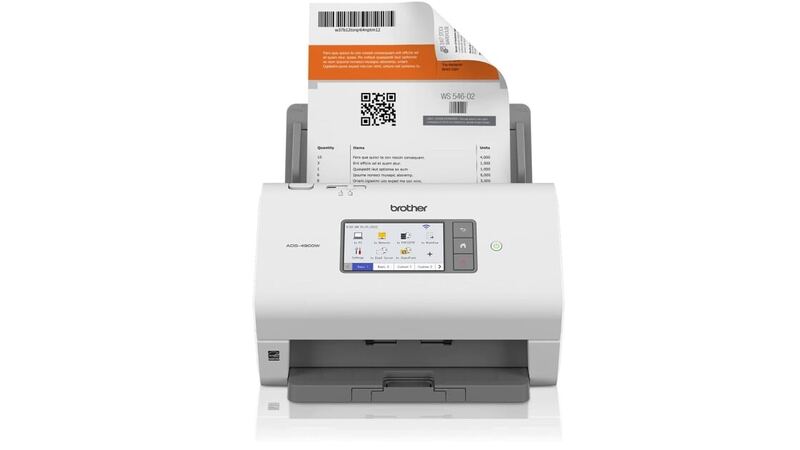
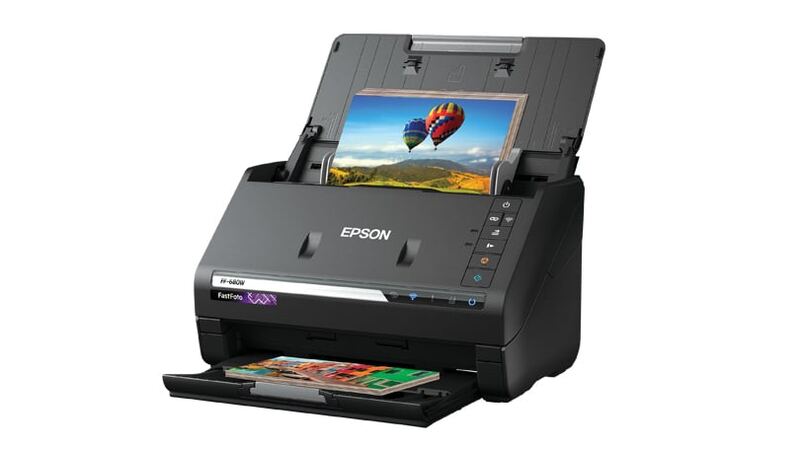
The Epson Perfection V39 II stands out for its affordability and excellent photo scanning quality, but it's much slower than the Fujitsu ScanSnap iX1600 and Ricoh ScanSnap iX2500 for document scanning. Where the Fujitsu fi-800R is a vertical front-desk specialist with Return Scan and U-Turn Scan, the Epson is a traditional flatbed best for photo archives and books. It's the only flatbed in this lineup, so it covers use cases the three ADF-based scanners cannot.

Who this is for

At a glance: Budget-conscious photo scanners.

Why you’d buy the Epson Perfection V39 II

  • Excellent photo scan quality with vibrant colors.
  • Easy setup and user-friendly operation.
  • Relatively inexpensive at $120 MSRP.

Why you’d skip it

  • Software can be clunky and not user-friendly.
  • Very slow for long text document scanning.

Rating sources

Our 4.2 score is the average of these published ratings. Ratings marked * were derived from the reviewer’s written analysis or video transcript — the publisher didn’t print an explicit numeric score, so we inferred one from their own words. Click through to verify. More about methodology.

Frequently asked questions

Is the Epson Perfection V39 II worth buying?
The Epson Perfection V39 II is an affordable flatbed scanner that delivers high-quality photo digitization with vibrant colors and accurate reproduction. PCMag and TechGearLab both praised its ease of use and excellent photo scanning performance, though reviewers noted the software could be improved and that it's slow for lengthy text documents. TechGearLab rated it 8.6/10 for photo scanning quality, calling it an excellent budget option for digitizing family photos and documents. It's best suited for casual users who primarily scan photos rather than large volumes of text.
What is the Epson Perfection V39 II's biggest strength?
Excellent photo scan quality with vibrant colors
What is the main drawback of the Epson Perfection V39 II?
Software can be clunky and not user-friendly
What sources back the 4.2/5 rating?
Our 4.2/5 rating is the average of scores from 4 independent document scanners for home office reviews — pcmag, techgearlab, andersonology, and appletechtalk. Click any source on the product page to read the original review.

How it compares

See all 4
Epson Perfection V39 II
4.2/5· $120
Check Price on Amazon