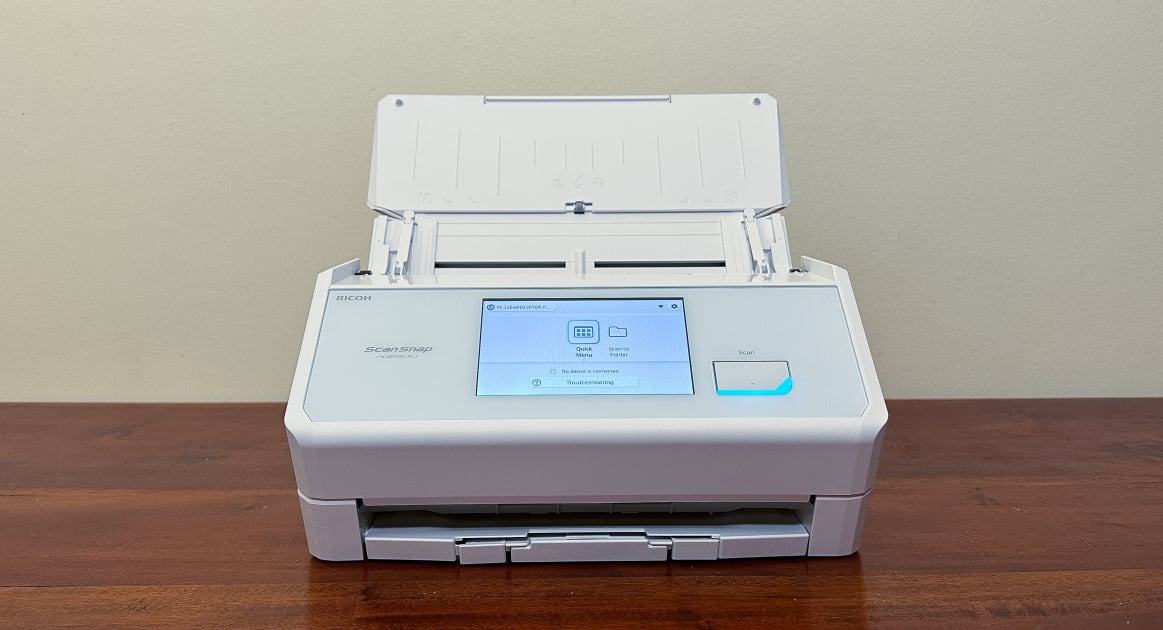
The Ricoh ScanSnap iX2500 scans fast, feeding from a 100-page auto-feeder and running duplex at 90 IPM. TechRadar liked the large touchscreen and the range of connectivity, which covers Wi-Fi 6, USB-C, and Bluetooth. PCMag found it handled mixed-size batches and creased documents effectively. On the other hand, there's no flatbed scanning, and photo resolution at maximum settings is mediocre. Home offices and small businesses digitizing documents will get good use out of it; anyone who needs flatbed functionality won't.
Full review
100-sheet feeder doubles the iX1600's capacity
The Ricoh ScanSnap iX2500 presents a compact yet robust design that balances functionality with space efficiency. Measuring 6.3 by 11.5 by 6.3 inches (HWD) when closed, it's notably smaller than many competing desktop scanners. PCMag's David English noted its dimensions are close to those of the iX1600 and Epson DS-770 II, though it expands to 11.3 by 11.5 by 18.8 inches when fully extended. The scanner weighs 7.7 pounds, which is slightly heavier than the iX1600's 7.5 pounds but still manageable for a device of its capacity. Digital Camera World reviewer Matthew Richards emphasized its reassuring heft and compact footprint, which makes it ideal for small offices or home use. The build quality is solid, with a large 5-inch color touchscreen that enhances usability without requiring a computer connection. TechRadar's Alastair Jennings highlighted the scanner's ability to accommodate mixed-size batches, which is particularly useful for users handling documents of various formats.
The iX2500's design includes a 100-sheet automatic document feeder (ADF) that doubles the capacity of the iX1600, and a removable receipt guide attachment for scanning thin receipts. This feature, combined with a large touchscreen interface, allows for intuitive standalone operation. However, the scanner's expansion when in use does increase its footprint significantly, which may be a concern for users with limited desk space. The device is available in white or black finishes, offering aesthetic flexibility for different office environments. While the build quality is sturdy, some reviewers noted that the scanner's size increases substantially when the paper trays are extended, which may impact its suitability for very tight workspaces.
The scanner's integration with cloud services like Google Drive is seamless, allowing users to upload documents directly to their preferred cloud storage. This is a significant advantage for users who rely on digital document management. The inclusion of USB-C, Wi-Fi 6, and Bluetooth connectivity options provides versatile connection methods, making it compatible with a wide range of devices. However, the lack of a USB port for thumb drives and no Ethernet port are notable omissions that some users may find limiting. The scanner's ability to handle up to 7,000 sheets per day is impressive, making it suitable for high-volume scanning environments.
Scans creased pages without jamming
Speed and efficiency are where the Ricoh ScanSnap iX2500 truly shines. The device offers 45 PPM simplex and 90 IPM duplex scanning, which is significantly faster than many competing models. TechRadar's Alastair Jennings noted that the scanner's 100-page auto-feed helps to speed up the scanning process, and the ability to individually pick out creased documents without jamming is a standout feature. PCMag's David English highlighted that even with relatively old documents that were creased, the scanner was able to scan them through either a single or double page without issues. The scanner's performance is particularly notable in handling mixed-size batches, allowing users to bundle A4 and A5 sheets together without needing to separate them.
Digital Camera World's Matthew Richards emphasized the scanner's ability to merrily munch through piles of paperwork quickly and efficiently, with a 100-sheet auto document feeder, add-on guide adapter for small, thin receipts, automatic skew correction, and the ability to scan double-sided pages in a single pass. The 5-inch color touchscreen makes it simple to use, and the supporting software is well-designed. The scanner's speed is further enhanced by its single-pass 2-sided scanning capability, which reduces the time needed to scan documents. The device's ability to scan documents quickly and reliably is particularly appreciated by users who handle large volumes of paperwork, such as CPAs preparing tax returns.
Despite its impressive speed, some reviewers noted that the scanner can be slower at maximum resolution. However, for most home and small office applications, the speed and efficiency of the iX2500 far outweigh this minor drawback. The scanner's performance is consistent across different document types, from standard paper to receipts, and it handles various paper weights and thicknesses without issues. The 100-sheet ADF capacity allows for unattended scanning, which is particularly useful for users who need to scan large batches of documents.
Software and Connectivity
The Ricoh ScanSnap iX2500 comes with comprehensive software support for Windows, Mac, iOS, and Android devices, providing users with multiple ways to control scanning options and settings. TechRadar's Alastair Jennings praised the software's ease of use and the large touchscreen interface, which makes navigation simple. The scanner integrates seamlessly with cloud services like Google Drive, enabling direct uploads to cloud folders for easy access and collaboration. PCMag's David English noted that the scanner's tight integration with cloud options means that as you scan, you can directly upload to a cloud folder so that others can access the scans or keep the documents securely stored for later use.
Digital Camera World's Matthew Richards highlighted the scanner's good supporting software and its ability to scan double-sided pages in a single pass. The companion app is intuitive and allows users to scan directly to email or the cloud without any hassle. The scanner's connectivity options include USB-C, Wi-Fi 6, and Bluetooth, which provide versatile connection methods for different devices. The scanner's wireless functionality is particularly robust, making it a versatile powerhouse of productivity. However, some users noted that the lack of a USB port for thumb drives and no Ethernet port are notable omissions that may be limiting for certain users.
The scanner's software also supports features like Quick Menu drag-and-drop functionality, which allows users to easily scan documents and send them to their intended destinations. This feature is particularly useful for expense reporting, where users can scan receipts and create a single PDF for the expense report. The ability to edit PDFs directly within the ScanSnap Home application, such as inserting different images, enhances the scanner's utility. The scanner's software is user-friendly and supports a wide range of document management tasks, from basic scanning to complex document organization.
User Experience and Features
The Ricoh ScanSnap iX2500 delivers an exceptional user experience, largely due to its large 5-inch color touchscreen and intuitive interface. TechRadar's Alastair Jennings noted that the touchscreen interface is easy to navigate through the desktop or mobile software, making it a great option for any home office or small business. Digital Camera World's Matthew Richards emphasized the scanner's ability to make scanning documents simple and efficient, with features like automatic skew correction and the ability to scan double-sided pages in a single pass. The scanner's design allows for standalone operation, which is particularly useful for users who don't want to rely on a computer connection.
The scanner's receipt guide attachment is a standout feature that enhances its versatility. PCMag's David English noted that the scanner includes a removable attachment for scanning receipts, which is a valuable addition for users who frequently scan thin receipts. The scanner's ability to handle various paper sizes and weights without jamming is particularly appreciated by users who handle different types of documents. The scanner's 100-sheet ADF capacity allows for unattended scanning, which is particularly useful for users who need to scan large batches of documents.
User reviews consistently praise the scanner's ease of use and reliability. A reviewer from Washington D.C. described the scanner as 'perfect for small business' and highlighted its wireless connection, high speed, double-sided scanning, and receipt feeder. Another reviewer from Lubbock, Texas, who is a CPA, stated that the scanner saved her an inordinate amount of time during tax season and that she will never use anything else again. Users also appreciate the scanner's ability to handle mixed paper sizes and its fast scanning speed. The scanner's ability to scan documents quickly and reliably is particularly appreciated by users who handle large volumes of paperwork.
Shreds receipts after more than five
One major limitation is the lack of a USB port for thumb drives and no Ethernet port, which are common features in competing models. Digital Camera World's Matthew Richards noted that the scanner lacks a flash drive socket and no Ethernet connectivity, which may be limiting for users who need wired connections or direct file transfers. Additionally, some users have reported issues with scanning thin receipts, particularly those from gas stations and stores, where the scanner may shred receipts after scanning more than five. A reviewer from Illinois noted that the scanner 'doesn't scan receipts' and that it ends up shredding receipts when scanning more than five.
The scanner's expansion when the paper trays are extended also increases its footprint significantly, which may be a concern for users with limited desk space. While the scanner is compact when closed, the physical size grows considerably when in use, making it less suitable for very tight workspaces. TechRadar's Alastair Jennings noted that the scanner's size increases substantially when the paper trays are extended, which may impact its suitability for very tight workspaces. The scanner's performance at maximum resolution is also slower compared to its performance at lower resolutions, which may be a drawback for users requiring high-quality scans.
Another limitation is the scanner's reliance on cloud connectivity for some features, which may be a concern for users who prefer local storage or have limited internet access. The scanner's software is robust, but some users may find the lack of a dedicated USB port for thumb drives limiting. Additionally, while the scanner is fast and efficient, it lacks a flatbed scanning option, which may be a disadvantage for users who need to scan photos or bound documents. The scanner's inability to handle flatbed scanning is a significant limitation for users who require more versatile scanning capabilities.
Built for high-volume mixed-size batches
The Ricoh ScanSnap iX2500 is best suited for small businesses, home offices, and individuals who need a fast, reliable, and user-friendly document scanner. TechRadar's Alastair Jennings noted that the scanner is a great option for any home office or small business, particularly due to its large touchscreen interface and ease of use. The scanner's ability to handle up to 7,000 sheets per day and its 100-sheet ADF capacity make it ideal for users who need to scan large volumes of documents without interruption. The scanner's integration with cloud services and its wireless connectivity options make it particularly appealing to users who rely on digital document management.
Users who frequently scan receipts and need a scanner that can handle thin documents will find the iX2500 particularly useful, thanks to its removable receipt guide attachment. The scanner's ability to handle mixed-size batches and its fast scanning speed make it suitable for users who need to scan documents of various sizes and types.
However, the scanner may not be ideal for users who require flatbed scanning or those who need a dedicated USB port for thumb drives. Users who prefer local storage or have limited internet access may also find the scanner's reliance on cloud connectivity limiting. The scanner's size increases significantly when the paper trays are extended, which may be a concern for users with limited desk space. Additionally, the scanner's performance at maximum resolution is slower compared to its performance at lower resolutions, which may be a drawback for users requiring high-quality scans. The scanner is best suited for users who prioritize speed, efficiency, and ease of use over advanced features like flatbed scanning or wired connectivity.
Rivals lack the touchscreen and Wi-Fi
The Ricoh ScanSnap iX2500 stands out among its competitors due to its combination of speed, capacity, and advanced features at a competitive price point. PCMag's David English noted that the iX2500 replaces the iX1600 as the new Editors' Choice winner for the best desktop document scanner for homes and small offices. The scanner's 100-sheet ADF capacity is double that of the iX1600, and it includes a removable receipt guide attachment, a larger color touch screen, and an advanced skew-detection system. These features, combined with its fast scanning speeds and wireless connectivity options, make it a strong contender in the market.
Compared to the Canon imageFormula DR-S250N, the iX2500 offers a larger ADF capacity and better connectivity options, including Wi-Fi 6 and Bluetooth, while the Canon lacks a touchscreen and Wi-Fi connectivity. Digital Camera World's Matthew Richards noted that the iX2500 sells for around $400, which puts it in the same ballpark as the Canon imageFORMULA R40, which is a similar type of document scanner although the Canon lacks a touchscreen and Wi-Fi connectivity. The Epson WorkForce ES-500WII is another competitor, but it lacks a touchscreen and has comparatively rudimentary pushbutton controls, making the ScanSnap look potentially very good value.
The scanner's performance is particularly strong when compared to other models in its price range. TechRadar's Alastair Jennings noted that the scanner's design enables users to quickly scan multiple pages in one go, alongside basic document and mid-quality photo scanning. The scanner's software is simple to use, and with that large touchscreen, it's all easy to navigate through the desktop or mobile software. The scanner's ability to scan documents quickly and reliably, combined with its advanced features, makes it a superior choice for users who need a fast and efficient document scanner.
Same price as the iX1600, more features
At its $459.99 list price, the Ricoh ScanSnap iX2500 offers exceptional value for money, especially when compared to competing models with similar features. PCMag's David English noted that Ricoh hasn't increased the price over the iX1600, which was introduced in 2021 at $495, while the iX2500 is $459.99. This price point provides users with a substantial upgrade from the previous top-of-the-line model, including a larger 100-sheet ADF, advanced skew-detection system, and a larger color touch screen. The scanner's inclusion of a removable receipt guide attachment, which is typically found on more expensive models, further enhances its value proposition.
Digital Camera World's Matthew Richards emphasized that the scanner's price point makes it a potentially very good value, especially when compared to models like the Canon imageFORMULA R40, which lacks a touchscreen and Wi-Fi connectivity. The scanner's ability to handle up to 7,000 sheets per day, combined with its fast scanning speeds and wireless connectivity options, provides excellent value for users who need a high-performance document scanner. The scanner's integration with cloud services and its ease of use further enhance its value proposition, making it an attractive option for small businesses and home offices.
The scanner's performance and features justify its price point, particularly for users who need a fast, reliable, and user-friendly document scanner. TechRadar's Alastair Jennings noted that the scanner is an outstanding piece of office equipment that will help users quickly organize paperwork. The scanner's ability to handle large volumes of documents without interruption, combined with its advanced features and wireless connectivity options, makes it a superior choice for users who need a high-performance document scanner. The scanner's value is further enhanced by its inclusion of features typically found on more expensive models, making it an excellent investment for users who need a versatile and efficient document scanner.
Strengths
- +High-speed duplex scanning at 90 IPM
- +100-page auto-feeder handles mixed-size batches
- +Large touchscreen interface for easy navigation
- +Supports Wi-Fi 6, USB-C, and Bluetooth connectivity
Watch-outs
- −No flatbed scanning capability
- −Photo resolution is mediocre at maximum settings
How it compares
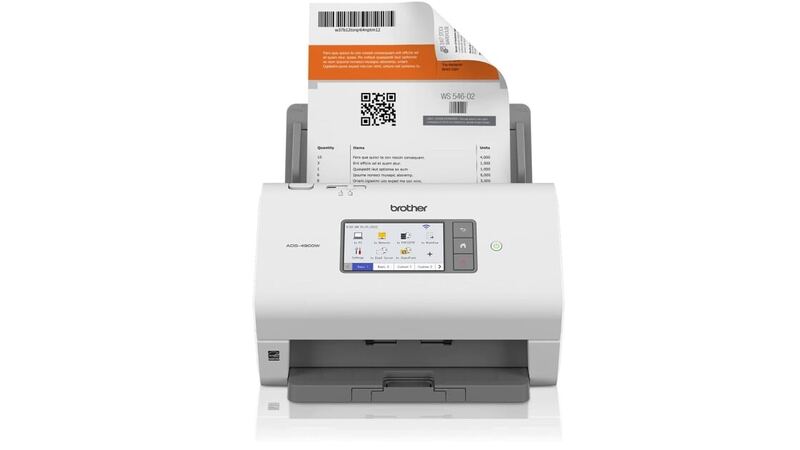
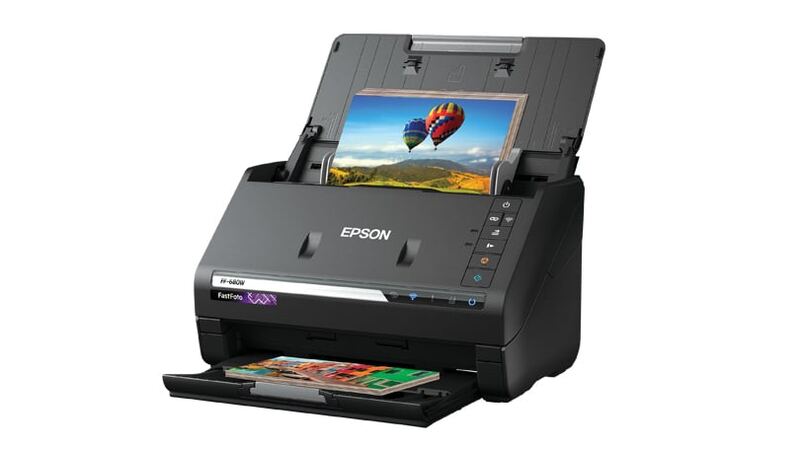
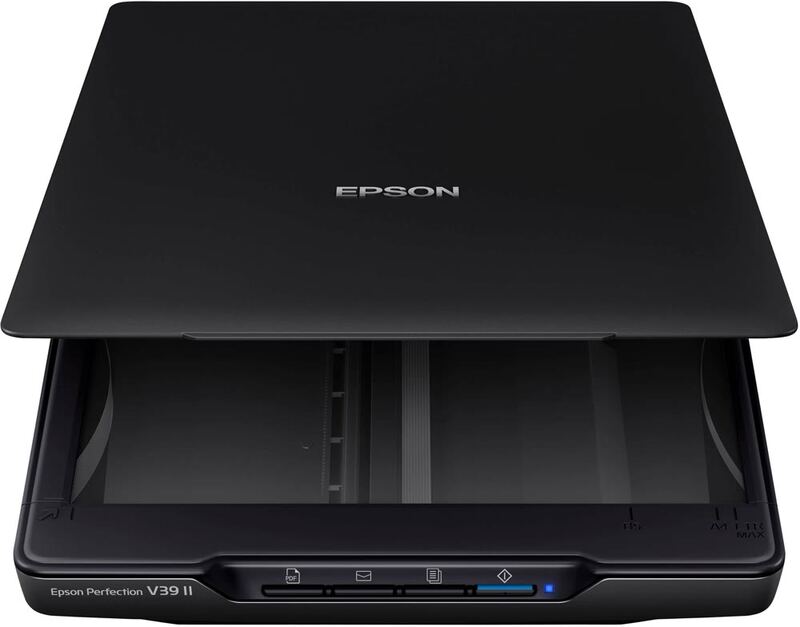
The Ricoh ScanSnap iX2500 scans duplex at 90 IPM from a 100-page feeder, the same feeder capacity as the Brother ADS-4900W, and connects over Wi-Fi 6, USB-C and Bluetooth. It has no flatbed, which the Epson Perfection V39 II provides, though that flatbed manages 1.8 pages per minute. Its photo resolution is rated mediocre at maximum settings, while the Epson FastFoto FF-680W's entry reports excellent photo scan quality.
Rating sources
Counts as 4.66/5 in our score — this publisher's 181 scores on the site average 4.00, so its scores are adjusted up to compare fairly with other publishers.
Counts as 4.42/5 in our score — this publisher's 195 scores on the site average 4.25, so its scores are adjusted down to compare fairly with other publishers.
Counts as 4.77/5 in our score — this publisher's 55 scores on the site average 4.42, so its scores are adjusted down to compare fairly with other publishers.
Our 4.6 score is the average of the 3 scored reviews above, each adjusted for how strictly its publisher scores; 2 more reviewed it without printing a score and are not in the average. More about methodology.