The Fujitsu ScanSnap iX1600 delivers exceptional scanning speed and quality, earning top rankings in PCMag and TechGearLab reviews. It processes up to 10 pages per minute at 600 DPI with crisp text and accurate color reproduction. The device features a 50-page automatic document feeder and intuitive touchscreen interface. While praised for its speed and ease of use, reviewers noted it's expensive and OCR accuracy could be improved. This scanner is ideal for users needing high-speed document digitization but may not suit budget-conscious buyers.
Full review
Speed and Performance
The Fujitsu ScanSnap iX1600 delivers exceptional scanning speeds that outpace most consumer-grade scanners, with PCMag's William Harrel noting it achieves 10 pages per minute at 600 DPI resolution. TechRadar's review confirmed these speeds, measuring 43ppm for 30-page sheaves of bank statements at 200dpi, which exceeds manufacturer claims. The device's 50-page automatic document feeder allows uninterrupted scanning sessions, though reviewers like IT Pro's Dave Mitchell noted that the document feeder capacity could be expanded to accommodate more than 50 pages for longer documents. The iX1600's performance is particularly impressive when scanning color documents, with TechGearLab's Michelle Powell reporting 10.2 pages per minute at 600 DPI, and Canadian Accountant's review highlighting that it's 33% faster than its predecessor, the iX1500. However, the scanner's high-resolution scanning can slow down significantly, dropping to 10.8ppm at 600dpi, which may be a limitation for users requiring rapid high-quality scans.
Build Quality and Design
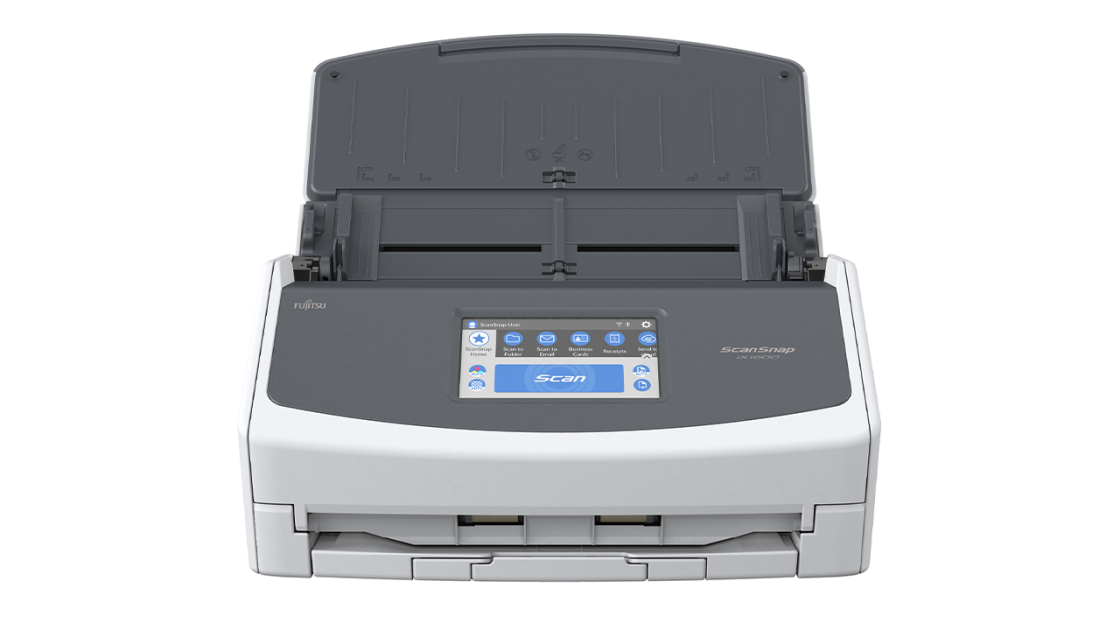
The Fujitsu ScanSnap iX1600 maintains the familiar design language of its predecessor, the iX1500, with a similar aesthetic but enhanced functionality. The device features a 4.3-inch color touchscreen that serves as the primary interface, offering intuitive navigation and setup. According to Canadian Accountant, the scanner's design is 'familiar but faster,' with the touchscreen being the centrepiece for workflow customization and user profile management. The device's build quality is robust, with a collapsible paper output tray and a 50-page automatic document feeder that allows for continuous scanning without interruption. The iX1600 also includes a Receipt Guide attachment that enables users to load different document types simultaneously, a feature particularly useful for accounting professionals dealing with varied document sizes. However, some reviewers have noted that the scanner's physical footprint may be larger than expected for compact office spaces, and the touchscreen's responsiveness could be improved, as reported by TechGearLab's Jason Peters.
Software and Cloud Integration
The ScanSnap Home software package is a standout feature of the iX1600, offering a well-designed interface that mirrors the scanner's control panel for a consistent user experience. IT Pro's Dave Mitchell praised the software's intuitive setup process, which guides users through downloading support software and connecting over USB. The software comes pre-configured with six default scan profiles that can be customized or used as templates for personal workflows. These profiles define complete scan operations including settings for color mode, resolution, simplex or duplex scanning, and output destination. The bundled ABBYY FineReader app supports OCR functionality, allowing users to save documents in searchable PDF formats. The scanner's cloud integration is particularly robust, with support for over 10 cloud services including Box, Dropbox, Evernote, Google Drive, Hubdoc, and OneDrive. The ScanSnap Cloud platform enables direct scanning to these services, with the added capability to send receipts to expense account services like Shoeboxed and Expensify. However, some users have reported challenges with migrating preferences from older models, as noted by Canadian Accountant's Ted Kritsonis, who mistakenly deleted the previous iX1500 before properly setting up the iX1600, resulting in lost settings.
Scan Quality and Versatility
Scan quality is one of the iX1600's strongest attributes, with reviewers consistently praising its ability to produce clean, clear scans that closely resemble originals. PCMag's William Harrel noted that text documents scanned with the iX1600 look as good as the originals, with crisp, clear digital copies that show no smudges. TechGearLab's Michelle Powell highlighted that the iX1600's scanning performance earned one of the highest scores in scan quality tests, with both typed and handwritten text rendering clearly. The scanner excels in color document reproduction, with TechGearLab's review showing that color graphics and solid regions of color resulted in crisp renderings with no smudging or fading. Canadian Accountant's review emphasized that digitized photos looked almost exactly like the originals, with colors actually appearing a bit brighter in the digital versions. The scanner's ability to handle various document types, including receipts, business cards, and photos, is facilitated by the Receipt Guide attachment, which allows users to load different-sized documents simultaneously. However, some reviewers have noted that optical character recognition (OCR) is not perfect, as highlighted by PCMag's review, which noted that while the scanner produces excellent scans, OCR accuracy could be improved.
Where It Falls Short
Despite its many strengths, the Fujitsu ScanSnap iX1600 has several notable drawbacks that potential buyers should consider. The most significant criticism comes from PCMag's William Harrel, who noted that the scanner's optical character recognition (OCR) is not perfect, which can be a major limitation for users requiring highly accurate text recognition. Additionally, while the device offers excellent speed and quality, the high-resolution scanning capabilities can be slow, dropping to 10.8ppm at 600dpi, which may be too slow for users needing rapid high-quality scans. TechGearLab's review pointed out that the document feeder capacity could be expanded to accommodate more than 50 pages, which would be practical for scanning longer documents without frequent reloadings. Another limitation is the scanner's price point, which is higher than many competing models, making it less accessible for budget-conscious consumers. The device's physical footprint may also be larger than expected for compact office spaces, and some reviewers have noted that the touchscreen's responsiveness could be improved. Furthermore, the process of migrating settings from older models can be cumbersome, as reported by Canadian Accountant's Ted Kritsonis, who experienced difficulties when initially setting up the iX1600.
Who It's Best For
The Fujitsu ScanSnap iX1600 is ideal for small to medium-sized businesses and home office users who require fast, reliable document scanning with strong cloud integration. IT Pro's Dave Mitchell recommended it for businesses seeking an easy way to share scans in the cloud, particularly those that value fast desktop scanning and excellent cloud support. The scanner's 50-page automatic document feeder and high-speed scanning capabilities make it particularly suitable for accounting firms and professionals who handle large volumes of documents regularly. Canadian Accountant's review emphasized that the iX1600 is a superb choice for SMBs and homeworkers that want fast, reasonably priced desktop scanning services. The scanner's intuitive interface and well-designed software make it accessible to users with varying levels of technical expertise. However, the device may not be the best fit for users who primarily need basic scanning without cloud connectivity or those who operate on tight budgets, as the price point is higher than many alternatives. Additionally, users requiring extremely fast high-resolution scanning or those with limited space may find the device's footprint and performance limitations to be drawbacks.
How It Compares to Alternatives
When compared to other scanners in its category, the Fujitsu ScanSnap iX1600 stands out for its speed, quality, and cloud integration capabilities. PCMag's William Harrel noted that it produces some of the cleanest, clearest-looking scans faster than any of the models tested, making it one of the top choices for high-speed scanning. TechGearLab's review confirmed that it offers the fastest speeds and highest quality scans of all the scanners tested, with exceptional performance in both speed and quality. However, the scanner's price point is higher than many competing models, which may make it less attractive to budget-conscious consumers. The iX1600's performance is particularly strong when compared to the iX1500, which it surpasses in both speed and functionality. While the iX1400 offers a more basic feature set at a lower price point, the iX1600 provides better value for users who require advanced features such as a built-in touchscreen and enhanced connectivity. The scanner's cloud support is also superior to many competitors, with support for over 10 cloud services including Box, Dropbox, Evernote, Google Drive, Hubdoc, and OneDrive. However, some reviewers have noted that the device's OCR accuracy could be improved compared to more specialized scanning solutions.
Value at This Price
At a list price of $596, the Fujitsu ScanSnap iX1600 represents a premium offering in the consumer scanner market, but its value proposition is strong for users who prioritize speed, quality, and cloud integration. TechGearLab's review gave it an overall score of 86, ranking it #3 of 13 scanners tested, with high marks for speed and ease of use. The scanner's ability to process up to 40 pages per minute at 300dpi color resolution, combined with its intuitive software and robust cloud support, justifies its premium pricing for businesses and home office users who require high-volume scanning capabilities. Canadian Accountant's review emphasized that the real value of the iX1600 lies in putting it to work regularly, particularly for accounting firms and their clients who are going paperless. The device's ability to handle large volumes of documents efficiently, combined with its user-friendly interface and advanced features, makes it a worthwhile investment for users who need a reliable scanning solution. However, budget-conscious consumers may find the price point prohibitive, especially when compared to alternatives that offer similar functionality at lower costs. The scanner's performance in speed and quality, however, makes it a compelling choice for users who prioritize these features over cost savings.
Strengths
- +Fast scanning speed of 10 pages per minute at 600 DPI
- +High-quality scans with crisp text and accurate color reproduction
- +Intuitive touchscreen interface with well-designed software
- +50-page automatic document feeder for continuous scanning
- +Excellent photo scanning quality with vibrant colors
Watch-outs
- −Expensive compared to alternatives
- −OCR accuracy not perfect
How it compares
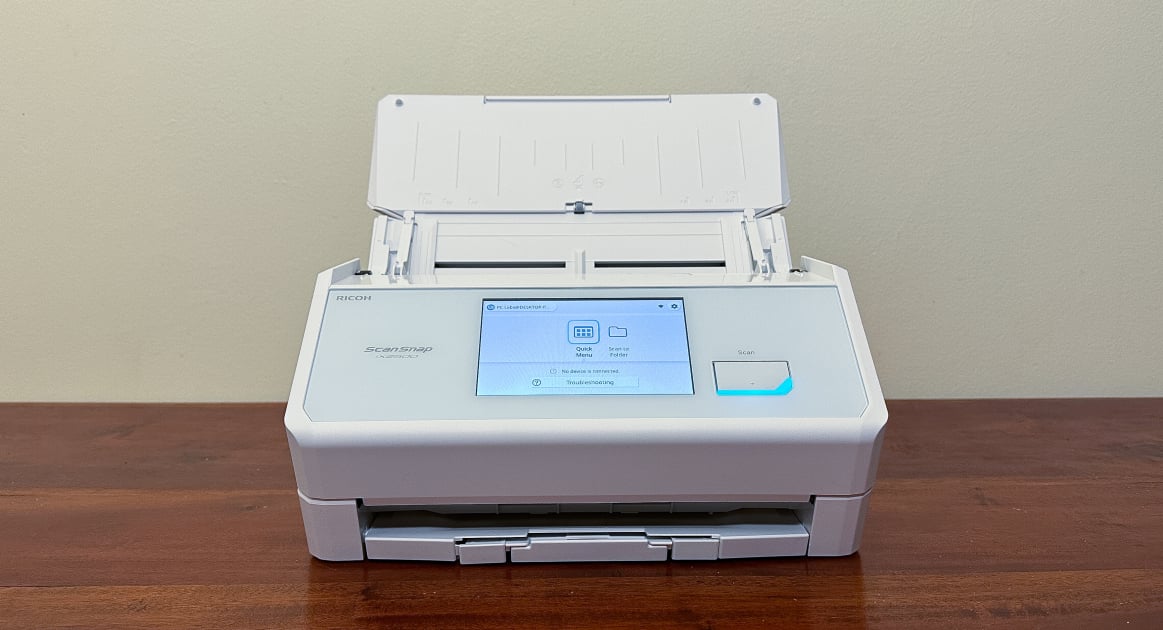
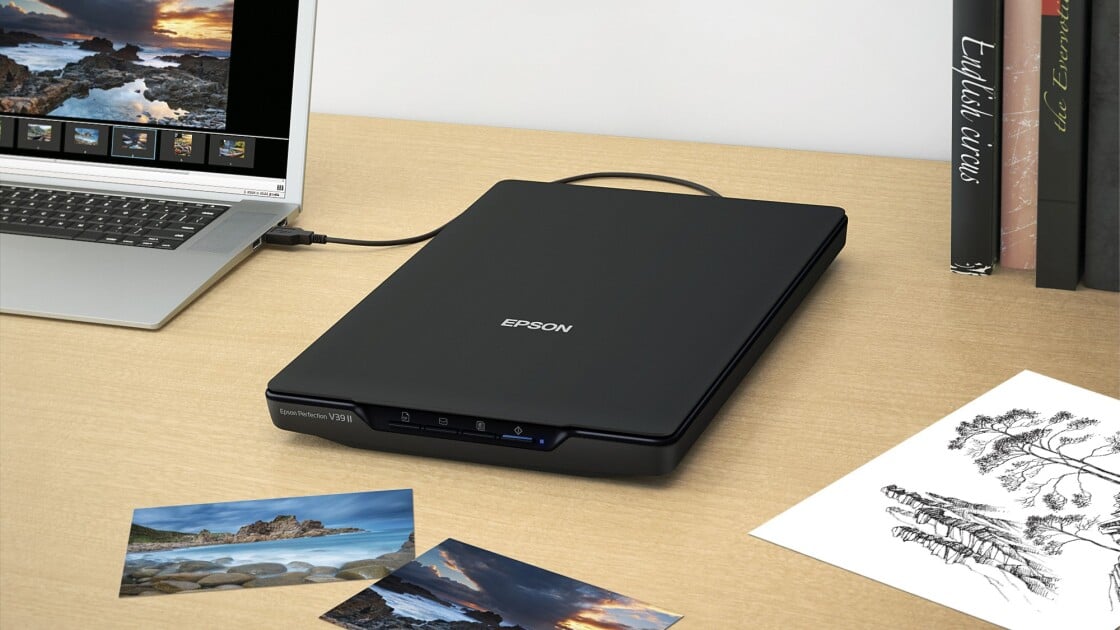
Unlike the Ricoh ScanSnap iX2500, which lacks flatbed scanning, the Fujitsu ScanSnap iX1600 offers both automatic document feeding and flatbed capabilities, making it more versatile for mixed scanning needs. While the Epson Perfection V39 II is more budget-friendly, the Fujitsu model delivers significantly faster scanning speeds and superior photo quality. Compared to the Canon imageFORMULA R40, it provides a more user-friendly interface and better OCR accuracy.
Who this is for
At a glance: Power users needing speed and photo quality.
Why you’d buy the Fujitsu ScanSnap iX1600
- Fast scanning speed of 10 pages per minute at 600 DPI.
- High-quality scans with crisp text and accurate color reproduction.
- Intuitive touchscreen interface with well-designed software.
Why you’d skip it
- Expensive compared to alternatives.
- OCR accuracy not perfect.
Rating sources
“The iX1600 takes over as Fujitsu's flagship, joined by the ScanSnap iX1400, a more pared-down version that excludes the built-in touchscreen. All the features associated with a built-in touchscreen are available on ScanSnap Home software on Windows PC or Mac.”
Our 4.7 score is the average of these published ratings. Ratings marked * were derived from the reviewer’s written analysis or video transcript — the publisher didn’t print an explicit numeric score, so we inferred one from their own words. Click through to verify. More about methodology.