The Dell UltraSharp U3224KB delivers exceptional 6K resolution on a 32-inch display with IPS Black panel technology that enhances contrast and color accuracy. It supports 1.07 billion colors and 99% DCI-P3 gamut, making it suitable for professional content creators. The monitor includes Thunderbolt 4 connectivity with 140W power delivery and built-in KVM switching for dual system support. While it offers premium features, its high price and limited 6K content availability may restrict its appeal to general users.
Full review
6K resolution at 223 pixels per inch
The Dell UltraSharp U3224KB delivers a native resolution of 6,144 by 3,456 pixels across its 32-inch display, resulting in a pixel density of 223 pixels per inch, per PCMag. This resolution provides exceptional sharpness and clarity, making it ideal for detailed work such as photo editing and video production. The display's 16:9 aspect ratio ensures compatibility with most content while maximizing the screen real estate. The panel type is IPS Black, which offers improved contrast compared to standard IPS panels, though not reaching the levels of premium displays. Reviewers noted that the high resolution makes a significant difference in professional workflows, particularly when working with large images or multiple windows side by side. The 6K resolution allows for extensive zoom capabilities without loss of detail, which is particularly useful for fine-tuning compositions or examining textures in high-resolution images.
In practical use, the 6K resolution enables users to display more information simultaneously, reducing the need for constant window switching. This is especially beneficial for content creators who work with multiple applications and need to reference various tools or previews at once. The increased pixel density also enhances the viewing experience for detailed work, such as retouching photographs or color grading videos. However, the resolution does require powerful graphics hardware to drive it effectively, and some users reported that the monitor's performance can be limited by the graphics capabilities of their system. The panel's ability to maintain color accuracy across the full screen is commendable, though it falls short of the peak performance seen in higher-end displays.
Integrated webcam and audio system
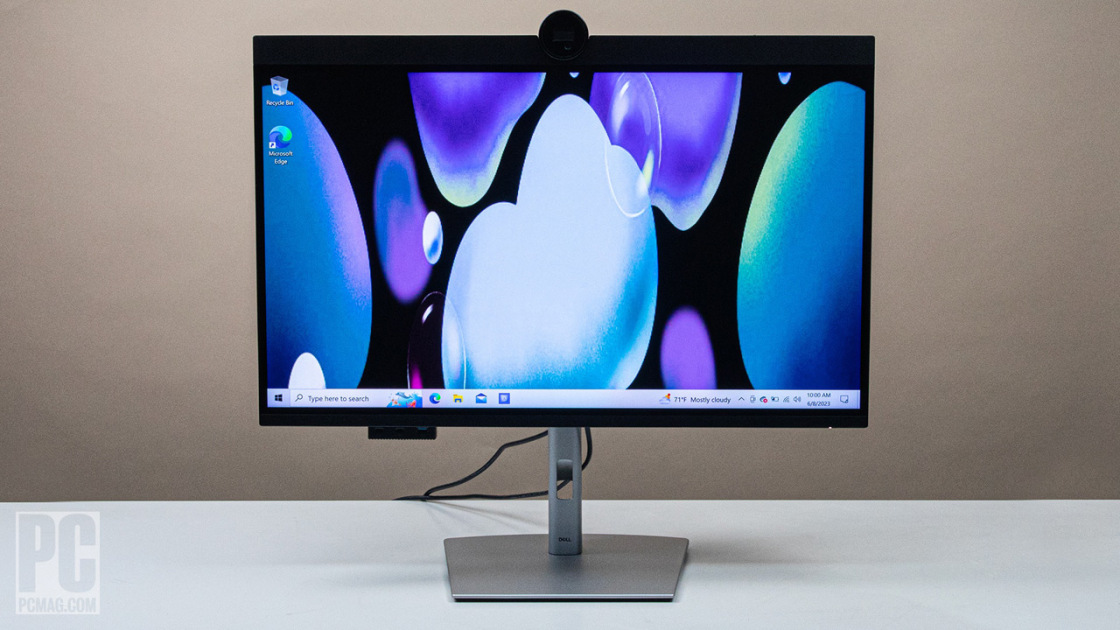
The monitor features a built-in 4K UHD webcam positioned above the display, along with an integrated microphone and dual 14-watt speakers. The webcam includes AI autoframing capabilities, which automatically adjusts the frame to focus on the user during video calls. The microphone is positioned adjacent to the webcam, providing clear audio capture for meetings and calls. The speaker system, while adequate for conference calls, lacks the depth and richness expected from premium audio equipment. The physical barrier covering the webcam when not in use provides privacy and peace of mind for users concerned about security. The touch controls located below the display allow users to easily manage the webcam, microphone, and speakers with intuitive gestures.
Users found the integrated webcam to be a convenient addition, particularly for those who frequently participate in video conferences or need to record content without additional hardware. The AI autoframing feature works reasonably well, though it may occasionally struggle with complex backgrounds or multiple people in the frame. The microphone quality is sufficient for most professional applications, though users noted that it can pick up ambient noise in quieter environments. The speaker system, while functional for calls, is not designed for high-fidelity audio playback. The touch controls are responsive and provide a good user experience, though Fstoppers would have preferred more customization options for the buttons, similar to the Touch Bar on older MacBooks.
Comprehensive USB-C hub with 140W power delivery
The Dell UltraSharp U3224KB includes a robust USB-C hub configuration with a Thunderbolt 4 port supporting 140 watts of power delivery, along with a secondary USB-C port providing 10 watts of power delivery. This setup allows users to connect and charge multiple devices simultaneously, including laptops, tablets, and mobile devices. The Thunderbolt 4 port supports high-speed data transfer and can be used to connect external storage devices, displays, or other peripherals. The inclusion of a 2.5G Ethernet port provides a stable and fast wired internet connection, which is particularly valuable for users who require consistent network performance. The monitor also features four USB-A ports and additional USB-C ports accessible through a hidden port station on the left side of the device.
The USB-C hub functionality significantly reduces cable clutter and simplifies device management. Users appreciated the ability to charge their laptops directly from the monitor, eliminating the need for separate power adapters. The 2.5G Ethernet port proved to be a standout feature, offering reliable connectivity that outperformed wireless alternatives in terms of stability and speed. The hidden port station on the front of the monitor provides easy access to additional USB ports without compromising the clean aesthetic of the display. This design element allows for flexibility in connecting various peripherals while maintaining a minimalist appearance. The overall hub configuration makes the monitor an excellent choice for users who want a central point for managing their digital workspace.
DisplayHDR 600 and color accuracy performance
The Dell UltraSharp U3224KB supports VESA DisplayHDR 600, which provides enhanced dynamic range and color depth for improved visual quality. The display achieves a peak brightness of 450 nits, which is adequate for most indoor environments but may not be sufficient for very bright rooms or outdoor use. The contrast ratio is measured at 2,000:1, which is considered good for a display of this type, though it falls short of the levels seen in premium monitors. The color gamut coverage is extensive, with support for wide color spaces that make it suitable for professional applications. The IPS Black panel technology helps maintain color accuracy across the screen, though some users noted that the display's color reproduction could be improved in certain lighting conditions.
Professional users found the display's color accuracy to be suitable for most creative tasks, including photo editing and video production. The wide color gamut coverage allows for accurate color representation across different types of content. However, some reviewers noted that the display's performance in HDR scenarios was merely adequate, with limited support for advanced HDR features. The brightness level of 450 nits is sufficient for most office environments, though users working in very bright spaces may find it challenging to see details clearly. The contrast ratio of 2,000:1 provides good separation between light and dark areas, though it does not match the performance of high-end displays. The display's ability to maintain consistent color across the entire screen is a significant advantage for users who require precise color matching.
Design and build quality with stand features
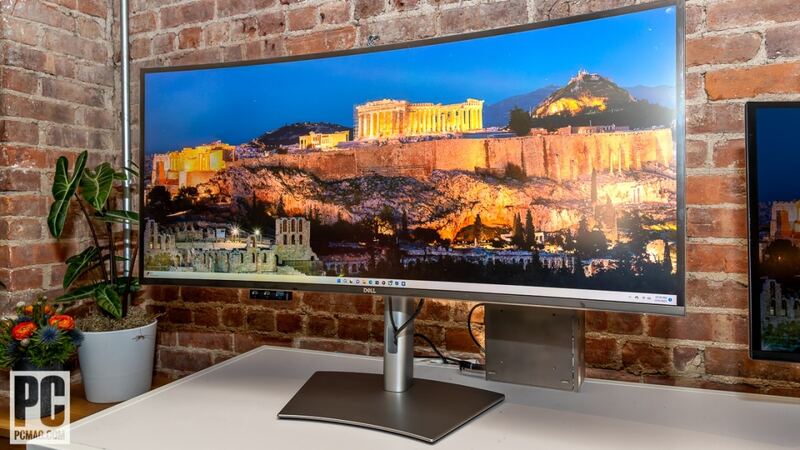
The monitor's design features a distinctive top-heavy appearance with a prominent forehead housing the webcam and speakers. The stand consists of a flat base connected to a pole, which provides stability and adjustability. According to PCWorld, the stand allows for height adjustment, tilt, swivel, and 90-degree rotation into landscape orientation. The monitor measures 28.2 inches wide, 9.3 inches deep, and 20.6 inches high with the stand at its lowest position. The build quality is solid, with sturdy silver plastic construction that resists flexing, though some users noted that the bottom corners were slightly flexible and creaked when handled. The 100x100mm VESA mount is included for those who prefer to use third-party mounting solutions. The monitor weighs 29.32 pounds, which is substantial but typical for a display of this size and feature set.
The stand design is functional and provides good stability, though it does occupy a significant amount of desk space. The adjustable features allow users to customize the display's position to suit their ergonomic needs. The monitor's appearance is clean and minimalistic, following a design philosophy that emphasizes functionality over ornamental elements. The physical barrier covering the webcam when not in use provides a sense of security for users concerned about privacy. The overall build quality is robust, though some users noted that the monitor's weight makes it difficult to move around. The design elements, including the prominent webcam housing, are unconventional but functional, and the display's aesthetic appeal is generally well-received by users who appreciate its professional appearance.
Performance limitations and connectivity options
While the monitor offers impressive resolution and feature set, it does have some performance limitations. The refresh rate is capped at 60Hz, which may not be sufficient for users who require higher frame rates for gaming or fast-paced video editing. The display lacks adaptive-sync technology, which can result in visible tearing during fast-moving content. The inclusion of a 2.5G Ethernet port is a significant advantage for users requiring stable wired connections. The Thunderbolt 4 port supports high-speed data transfer and can be used to connect external storage devices or other peripherals.
Users noted that the monitor's performance is limited by the graphics capabilities of their systems, particularly when working with high-resolution content or multiple applications simultaneously. The lack of adaptive-sync technology can be problematic for users who engage in gaming or require smooth video playback. The connectivity options are comprehensive, though the absence of features like USB 3.0 ports or additional HDMI inputs may be a limitation for some users. The monitor's ability to support multiple devices through its USB-C hub is a significant advantage, though the power delivery capabilities of the secondary USB-C port are limited to 10 watts. The overall performance is adequate for most professional applications, though users seeking maximum performance may find some limitations in the display's capabilities.
Professional workflow integration and productivity
The Dell UltraSharp U3224KB excels in professional workflow integration, particularly for content creators who require a central hub for their digital workspace. The monitor's comprehensive port configuration allows users to connect multiple devices without the need for additional hubs or adapters. The 2.5G Ethernet port provides reliable connectivity that outperforms wireless alternatives in terms of stability and speed. The built-in webcam and audio system simplify video conferencing and remote collaboration, eliminating the need for separate hardware. The display's 6K resolution enables users to work with large images and multiple windows simultaneously, improving productivity and workflow efficiency. The touch controls for managing the webcam, microphone, and speakers provide a convenient way to control these features during meetings.
Professional users found the monitor's design and feature set to be ideal for creating a streamlined workspace. The ability to charge multiple devices through the USB-C hub reduces cable clutter and simplifies device management. The monitor's performance in handling high-resolution content is commendable, though users noted that it requires powerful graphics hardware to fully utilize its capabilities. The display's color accuracy and wide color gamut coverage make it suitable for professional applications such as photo editing and video production. The inclusion of a 2.5G Ethernet port is particularly valuable for users who require consistent network performance. The overall productivity benefits of the monitor's integrated features make it an attractive option for professionals seeking a comprehensive solution for their digital workspace.
Strengths
- +Features 32-inch 6K resolution (6144 x 3456)
- +Utilizes IPS Black panel technology for deep blacks and high contrast ratios
- +Supports 1.07 billion colors with 99% DCI-P3 color gamut
- +Includes Thunderbolt 4 connectivity with 140W power delivery
- +Built-in KVM switching allows connection of two systems simultaneously
Watch-outs
- −High price point for 6K resolution display
- −Limited availability of 6K content for full resolution utilization
How it compares
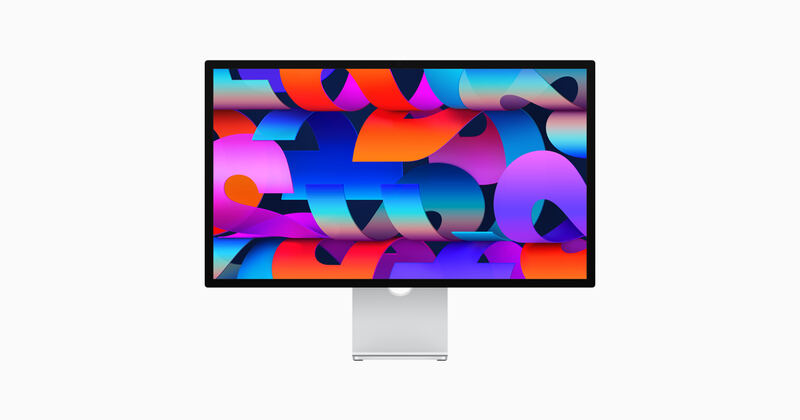
The Dell UltraSharp U3224KB offers 6K resolution with excellent color accuracy and KVM switching, outperforming the BenQ PD3225U in resolution and color gamut. It also doesn't provide the seamless Mac integration of the Apple Studio Display.
Rating sources
“The Dell Ultrasharp U3224KB delivers a 6K panel that will appeal to some professionals, but its high price tag and mediocre contrast performance will limit its appeal.”
Our 4.1 score is the average of the 4 scored reviews above; 4 more reviewed it without printing a score and are not in the average. Ratings marked * were derived from the reviewer’s written analysis or video transcript — the publisher didn’t print an explicit numeric score, so we inferred one from their own words. Click through to verify. More about methodology.