Verdict
Head-to-head · Best Color-accurate Monitors For Video Editing

ASUS ProArt Display PA279CRV vs Dell UltraSharp U3224KB

Which is the better buy? Side-by-side on rating, price, strengths, and watch-outs — with the published ratings we averaged to get there.

Verdict is reader-supported. As an Amazon Associate we earn from qualifying purchases. Some links on this page are affiliate links — if you click through and buy, we may earn a small commission at no extra cost to you. Our ratings are sourced from independent publications, not sponsors.
The short answer

Dell UltraSharp U3224KB comes out ahead by a narrow margin (4.1 vs 4.0). The gap is mostly about content creators needing 6K resolution and dual system support — read the strengths below before deciding.

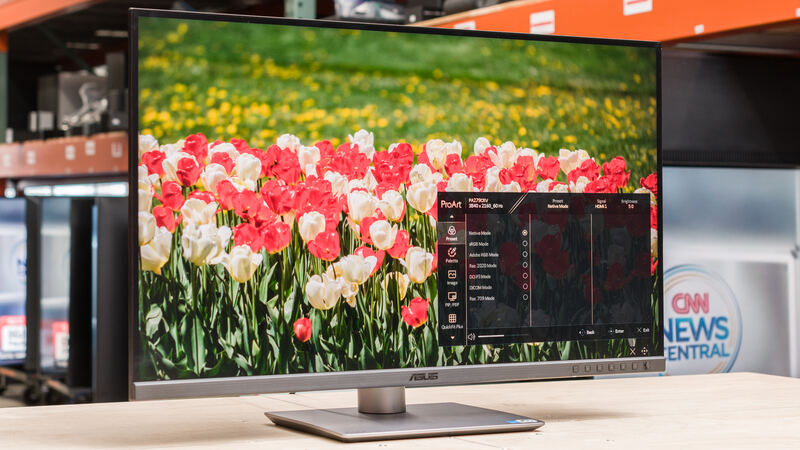
ASUS ProArt Display PA279CRV
Ranked #5 in Best Color-accurate Monitors For Video Editing
ASUS ProArt Display PA279CRV
4 sources1 derived$399as of Sep 25

The ASUS ProArt Display PA279CRV delivers exceptional color accuracy and wide gamut coverage suitable for creative professionals, though it falls short in contrast and HDR performance. It features 4K resolution, 27-inch IPS panel, and robust connectivity options including USB-C with 96W PD. While it offers good value for budget-conscious creators, its motion clarity and overall display quality are unimpressive compared to higher-end alternatives.

Strengths
  • — Extremely wide color gamut covering 99% of Adobe RGB and DCI-P3
  • — USB-C with 96 watts Power Delivery support
  • — Supports HDR 10 and 60Hz refresh rate
Watch-outs
  • — Mediocre contrast and brightness performance, per PCWorld
  • — Mediocre contrast, brightness, and HDR performance
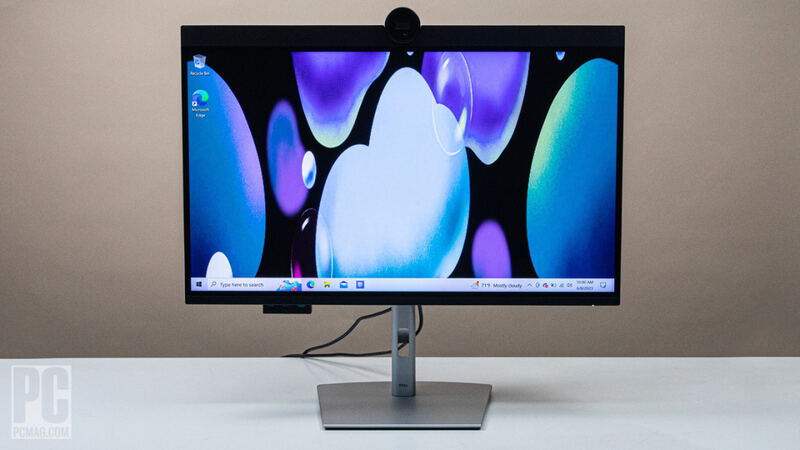
Dell UltraSharp U3224KB
Higher ratedRanked #4 in Best Color-accurate Monitors For Video Editing
Dell UltraSharp U3224KB
8 sources1 derived$1,179as of Sep 25

The Dell UltraSharp U3224KB delivers exceptional 6K resolution on a 32-inch display with IPS Black panel technology that enhances contrast and color accuracy. It supports 1.07 billion colors and 99% DCI-P3 gamut, making it suitable for professional content creators. The monitor includes Thunderbolt 4 connectivity with 140W power delivery and built-in KVM switching for dual system support. While it offers premium features, its high price and limited 6K content availability may restrict its appeal to general users.

Strengths
  • — Features 32-inch 6K resolution (6144 x 3456)
  • — Utilizes IPS Black panel technology for deep blacks and high contrast ratios
  • — Supports 1.07 billion colors with 99% DCI-P3 color gamut
Watch-outs
  • — High price point for 6K resolution display
  • — Limited availability of 6K content for full resolution utilization

Derived means the reviewer published no score, so one was inferred from their written verdict. Everything else is a number the publisher printed. How we rank.

How they stack up

ASUS ProArt Display PA279CRV

The ASUS ProArt Display PA279CRV stands out for its wide color gamut coverage. While it offers good value for budget-conscious creators, its contrast and HDR performance are unimpressive relative to the Dell UltraSharp 40 Curved Thunderbolt Hub Monitor.

Dell UltraSharp U3224KB

The Dell UltraSharp U3224KB offers 6K resolution with excellent color accuracy and KVM switching, outperforming the BenQ PD3225U in resolution and color gamut. It also doesn't provide the seamless Mac integration of the Apple Studio Display.

Specs side-by-side

SpecASUS ProArt Display PA279CRVDell UltraSharp U3224KB
Display Size27-inch32 inches
Resolution3480×21606144 x 3456
Panel TypeIPS LCDIPS Black
Refresh Rate60Hz60Hz
Color Gamut100% sRGB, 99% DCI-P3, and 98% AdobeRGB99% DCI-P3
Brightness366 nits450 nits
ConnectivityUSB-C, DisplayPort 1.4, HDMI 2.0, USB-A 3.2 Gen-1Thunderbolt 4
Contrast Ratio1000:12000:1
← See the full ranking of best color-accurate monitors for video editing