The SSD Review and StorageReview both frame the Crucial X10 Pro as a high-performance portable drive for media professionals, moving data over USB 3.2 Gen 2x2. They praise the ultra-compact aluminum build and the security package, hardware encryption plus a 5-year warranty, that separates it from the base X10. Some testers saw sustained write performance dip below Crucial's maximum claims under heavy loads. Get it if you have a compatible 20Gbps port and value speed and durability over cost; on older USB ports the slower, cheaper X9 Pro makes more sense.
Full review
Real-world speeds trail the advertised 2100 MB/s peak
The Crucial X10 Pro is engineered around the USB 3.2 Gen 2x2 interface, which provides a theoretical bandwidth of 20Gbps, double that of the standard USB 3.2 Gen 2 found in many competitors. Tom's Hardware tested the drive extensively and crowned it the fastest 20Gb/s SSD they had reviewed, validating Crucial's claims of up to 2,100MB/s read and 2,000MB/s write speeds. However, real-world testing reveals that these peak numbers are often aspirational. StorageReview.com measured sequential read speeds of 1,564MB/s and write speeds of 1,723MB/s using their Blackmagic test suite. While these figures are impressive for a portable drive, they fall short of the advertised maximums, a discrepancy StorageReview attributes to the single-threaded nature of their testing methodology which does not fully stress the drive's parallel processing capabilities.
When compared directly against other high-end portable SSDs, the X10 Pro holds its own but does not dominate the market. StorageReview placed it in a tier with the Lexar SL660 Blaze and ADATA SE880, noting that while the X10 Pro is competitive, it actually loses slightly to these rivals in both read and write metrics. Dong Knows Tech highlighted that the newer, non-Pro Crucial X10 model has surpassed the X10 Pro in raw speed, suggesting that the Pro variant's value proposition is shifting. The X10 Pro remains a top-tier performer for its specific interface, but potential buyers should be aware that the gap between it and newer USB4 or Thunderbolt alternatives is closing rapidly as those technologies become more affordable and ubiquitous.
Sustained write performance is a critical metric for media professionals who transfer large video files. The SSD Review noted that the X10 Pro is designed to enable direct media manipulation, implying a need for consistent throughput rather than just burst speeds. While the drive utilizes Micron's TLC NAND and the Silicon Motion SM2320 ASIC to manage heat and performance, users transferring massive 4K or 8K video files may notice thermal throttling over extended periods. The drive's ability to maintain high speeds depends heavily on the host system's USB controller and the quality of the included USB-C cable, which must support the full 20Gbps data rate to avoid bottlenecking the drive's potential.
Rated to survive drops from 7.5 feet
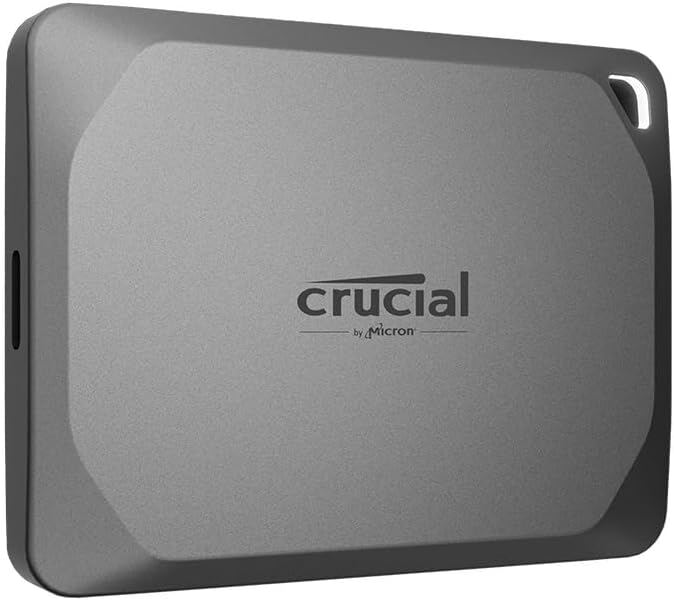
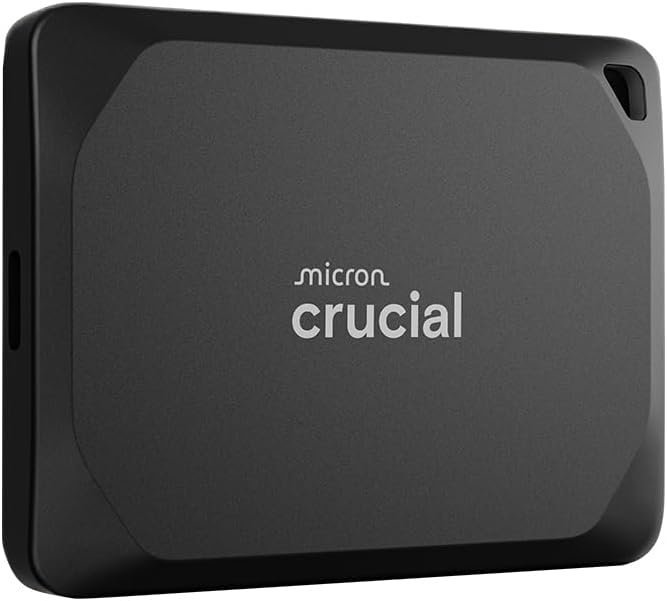
The physical design of the Crucial X10 Pro is one of its most compelling features, boasting a diminutive form factor that measures just 65 x 50 x 10mm and weighs a mere 1.48 ounces (42 grams). This compact size allows it to fit comfortably in a pocket or attach to a keychain without being cumbersome. The drive's unibody anodized aluminum shell provides a solid, premium feel, and the rubberized soft-touch exterior helps prevent slipping and offers some grip during handling.
Durability is another key aspect of the X10 Pro's design, with an IP55 rating for water and dust resistance. This rating means the drive can withstand low-pressure water jets from any direction and is protected against dust ingress, though it is not fully submersible. The drive is also rated to survive drops from up to 7.5 feet (2 meters), making it suitable for on-location shoots where accidents are more likely. However, some users on ServeTheHome questioned whether the aluminum case is sufficient for long, constant workloads like 30-minute raw video recordings, suggesting that thermal management under sustained load might be a concern despite the metal chassis.
The physical interface is a USB 3.2 Gen 2x2 Type-C port, which is clearly marked on the drive. The package includes a short USB-C to USB-C cable, which is essential for achieving the drive's maximum speeds. It is crucial to note that not all USB-C ports are created equal; many laptops and desktops only offer USB 3.2 Gen 2 (10Gbps) ports, which would halve the drive's performance. Tom's Hardware explicitly warned users to ensure their host device has a USB 3.2 Gen 2x2 port or a Thunderbolt 3/4 port that supports the necessary data rates. Without the correct host interface, the X10 Pro performs no better than a standard 10Gbps drive, rendering its premium price point less justifiable.
Security and Software
One of the primary differentiators between the Crucial X10 Pro and the standard X10 is the inclusion of 256-bit AES hardware encryption. This feature allows for password protection and secure data transfer, which is vital for professionals handling sensitive client footage or proprietary data. The SSD Review noted that the Pro version includes software for password protection, which is not available on the base model. This hardware-based encryption ensures that data is encrypted and decrypted automatically as it passes through the drive's controller, adding a layer of security without significantly impacting performance.
However, the effectiveness of this encryption has been questioned by users. On The SSD Review's comment section, a user named James asked whether the automatic encryption at rest actually provides security if a password is not enforced. He argued that if the drive encrypts data silently in the background without user intervention, it offers no protection against unauthorized access if the drive is lost or stolen. This is a valid concern, as hardware encryption is only as secure as the authentication mechanism. Users must actively set a password and ensure the drive is locked when not in use to benefit from this feature.
In addition to security features, the X10 Pro comes with bundled software that adds value for creative professionals. The SSD Review listed the software the Pro adds as 'Adobe Creative Cloud All Apps Plan and Hedge File Transfer utilities', both unavailable with the base model. The Hedge utilities are designed to streamline the workflow for video editors by allowing them to copy, verify, and organize media files efficiently. These software bundles are not available on the non-Pro X10, making the Pro version more attractive for those who need these specific tools.
Compatibility and Connectivity
The Crucial X10 Pro is compatible with a wide range of devices, including Windows, macOS, Linux, Android, iPad, PlayStation, Xbox, and select cameras. This broad compatibility makes it a versatile storage solution for users who work across multiple platforms. The SSD Review noted that the drive can be connected to media equipment for direct storage, allowing users to edit files directly from the drive without needing to transfer them to a computer first. This capability is particularly useful for videographers who need to offload footage from cameras and immediately begin editing on a laptop or tablet.
Despite its wide compatibility, the drive's performance is heavily dependent on the host device's USB controller. As noted by Tom's Hardware, the drive requires a USB 3.2 Gen 2x2 port to achieve its maximum speeds. Many modern laptops and desktops still only offer USB 3.2 Gen 2 (10Gbps) ports, which would limit the X10 Pro's performance to around 1,000MB/s. Dong Knows Tech pointed out that with the rise of USB4 and Thunderbolt 4 drives, the USB 3.2 Gen 2x2 standard is becoming somewhat dated. Users who invest in the X10 Pro for its speed should verify that their primary devices support the necessary interface to avoid underutilizing the drive's capabilities.
For mobile devices, the X10 Pro can be used with iPads and iPhones, allowing users to record ProRes video directly to the drive for extra storage. ServeTheHome highlighted this use case, noting that the drive's small size makes it ideal for mounting to an iPhone for shooting footage. However, users should be aware that iOS devices may have limitations on file system compatibility, and formatting the drive to exFAT is recommended for cross-platform use. The drive's bus-powered design means it draws power directly from the host device, which is convenient but may not provide enough power for some older or lower-power USB ports.
Needs a rare port to hit full speed
The most significant drawback of the Crucial X10 Pro is the rarity of USB 3.2 Gen 2x2 ports on modern devices. Tom's Hardware explicitly listed this as a con, noting that users must have a compatible port to unlock the drive's full potential. Without it, the drive performs no better than cheaper, slower alternatives. This limitation is compounded by the fact that many newer devices are moving towards USB4 and Thunderbolt 5, which offer higher speeds but may not be backward compatible with USB 3.2 Gen 2x2 in all cases. Users who buy the X10 Pro for its speed may find themselves frustrated if their primary devices do not support the necessary interface.
Another concern is the drive's thermal management under sustained loads. While the aluminum chassis helps dissipate heat, users transferring large files over extended periods may experience thermal throttling, which reduces write speeds. ServeTheHome users questioned whether the drive's case is sufficient for long, constant workloads, such as 30-minute raw video recordings. This is a valid concern for media professionals who need consistent performance, as throttling can significantly slow down workflows. The SSD Review did not provide detailed sustained write performance data, leaving this as a potential area of weakness for heavy users.
Finally, the price of the X10 Pro is higher than that of the standard X10 and some competitors. Dong Knows Tech pointed out that the non-Pro X10 is faster and available in larger capacities, making the Pro version less attractive for those who prioritize raw speed and capacity over security features. Users who do not need hardware encryption or the bundled software may be better served by the standard X10 or other competitors that offer better value.
Tops out at 4TB versus the X10's 8TB
The Crucial X10 Pro is best suited for media professionals and content creators who require fast, portable storage for large video files and who have access to USB 3.2 Gen 2x2 or Thunderbolt ports. The SSD Review put it plainly: 'This SSD is meant for media professionals.' The inclusion of hardware encryption and password protection makes it an ideal choice for those handling sensitive data, while the bundled software like Hedge File Transfer streamlines their workflow. Users who need a rugged, compact drive that can withstand the rigors of travel will also find the X10 Pro appealing due to its IP55 rating and drop resistance.
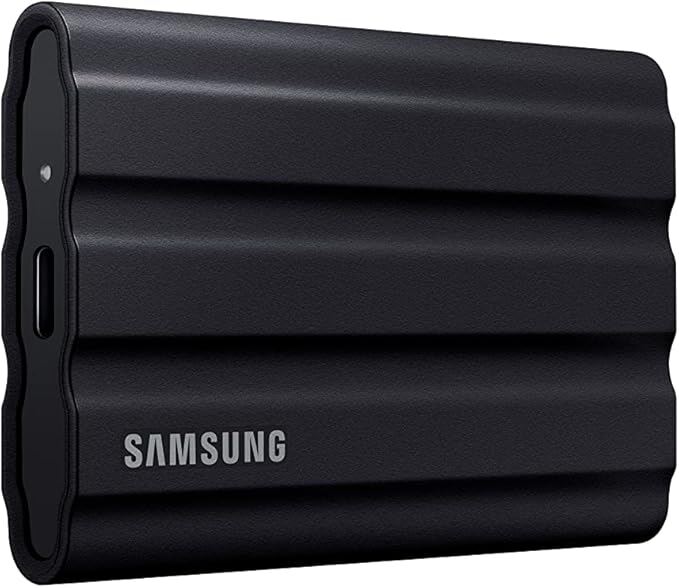
It is also a good fit for users who work across multiple platforms, including Windows, macOS, and Linux, and who need a single drive that can be used seamlessly across all of them. The drive's compatibility with iPads and iPhones allows mobile creators to offload footage directly from their cameras, making it a versatile tool for on-location shoots. However, users who do not have access to USB 3.2 Gen 2x2 ports or who do not need hardware encryption may find the X10 Pro's premium price hard to justify. In such cases, the standard X10 or other competitors like the Samsung T7 Shield may offer better value.
The drive is less suitable for users who prioritize maximum capacity over speed, as the X10 Pro is only available in 1TB, 2TB, and 4TB capacities. Dong Knows Tech noted that the non-Pro X10 is available in up to 8TB, making it a better option for those who need large amounts of storage. Additionally, users who are concerned about long-term reliability and sustained write performance should consider other options, as the X10 Pro's thermal management under heavy loads has been questioned by some reviewers. For those who need a drive that can handle constant, high-volume data transfer, a more robust solution may be necessary.
Strengths
- +Supports USB 3.2 Gen 2x2 interface for up to 20Gbps transfer speeds
- +Compact 65 x 50mm unibody anodized aluminum chassis weighing 1.48 ounces
- +Includes 256-bit AES hardware encryption with software-based password protection
- +Comes with a 5-year limited warranty and bundled Adobe Creative Cloud license
Watch-outs
- −Real-world sustained write speeds may fall short of the advertised 2,000MB/s peak
- −Higher price point compared to standard USB 3.2 Gen 2 portable SSDs
Rating sources
“this thing is phenomenal and I can actually edit all my footage directly off that on either an iPad a Mac a laptop doesn't matter which whether it's PC or Mac and this thing is absolutely phenomenal”
“Part of the benefit is being able to mount it to an iPhone for shooting footage.”
Our 4.0 score is the average of the 4 scored reviews above; 2 more reviewed it without printing a score and are not in the average. Ratings marked * were derived from the reviewer’s written analysis or video transcript — the publisher didn’t print an explicit numeric score, so we inferred one from their own words. Click through to verify. More about methodology.