Verdict
Head-to-head · Best External SSDs

Corsair EX400U (1 TB) vs Crucial X10 Pro

Which is the better buy? Side-by-side on rating, price, strengths, and watch-outs — with the published ratings we averaged to get there.

Verdict is reader-supported. As an Amazon Associate we earn from qualifying purchases. Some links on this page are affiliate links — if you click through and buy, we may earn a small commission at no extra cost to you. Our ratings are sourced from independent publications, not sponsors.
The short answer

Corsair EX400U (1 TB) comes out ahead by a narrow margin (4.3 vs 4.2). Corsair EX400U (1 TB) is best for: Owners of USB4 or Thunderbolt machines who want a fast 1 TB drive that attaches magnetically to metal surfaces. Read the strengths below before deciding.

Corsair EX400U (1 TB)
Higher ratedRanked #3 in Best External SSDs
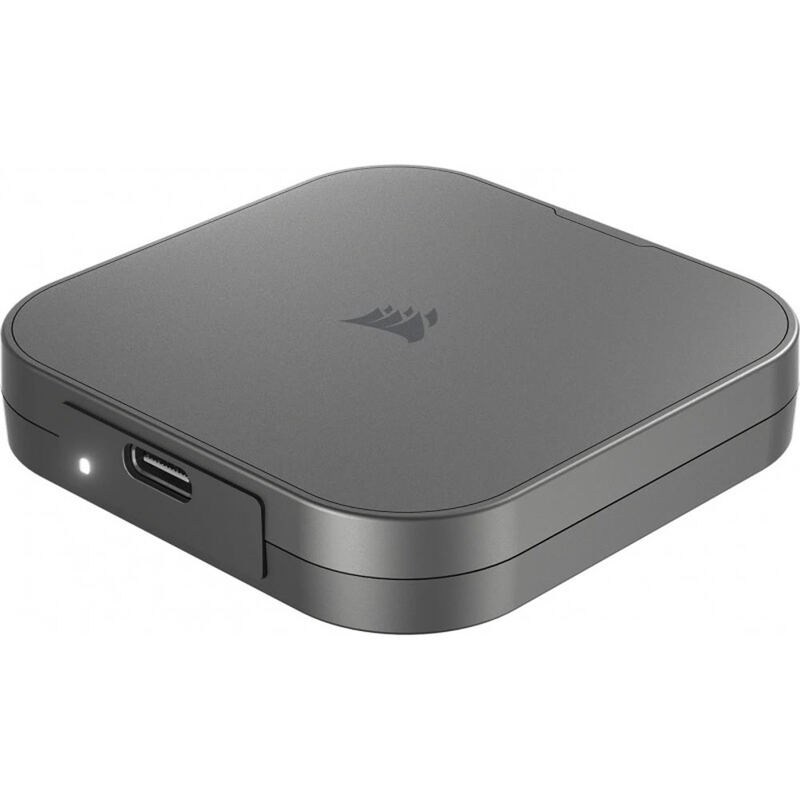
Corsair EX400U (1 TB)
3 sources$305.72as of Oct 16

The SSD Review clocked the Corsair EX400U at up to 4GB/s read on Thunderbolt 5 systems while warning that motherboard implementations often limit USB4 speeds. PCMag's Tony Hoffman singled out the unusual magnetic Magsafe connector, which lets the drive attach securely to metal surfaces such as the Corsair 6500x case. Phison controllers and KIOXIA memory earned praise for build quality, though reviewers repeated the caveat: without USB4 support on the host device, expect significant speed bottlenecks. Buy it for a high-end USB4/Thunderbolt setup where secure physical attachment matters, not for a machine with standard USB 3.2 ports.

Strengths
  • — Achieves up to 4GB/s read and 3.6GB/s write speeds on compatible USB4/Thunderbolt 4 systems
  • — Features a unique magnetic Magsafe connector for secure attachment to metal surfaces
  • — Constructed with high-quality internal components including Phison PS2251-21 controller and KIOXIA TLC memory
Watch-outs
  • — Not waterproof despite being shock resistant
Crucial X10 Pro
Ranked #4 in Best External SSDs
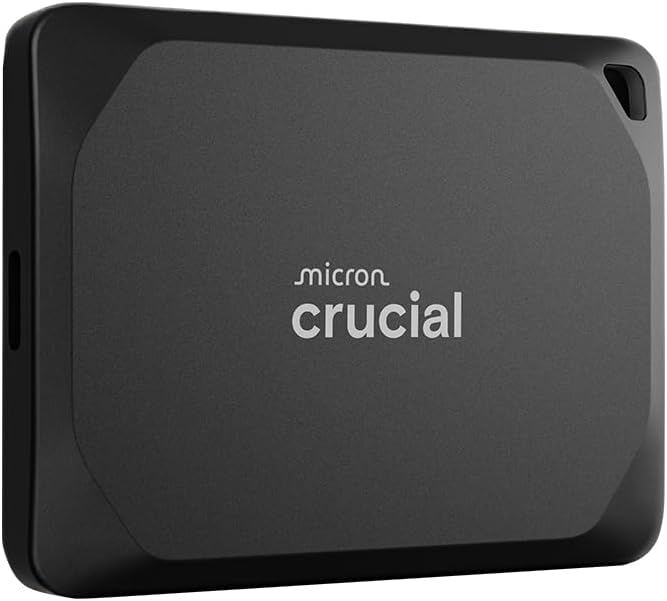
Crucial X10 Pro
1 source$194.99as of Oct 11

The SSD Review and StorageReview both frame the Crucial X10 Pro as a high-performance portable drive for media professionals, moving data over USB 3.2 Gen 2x2. They praise the ultra-compact aluminum build and the security package, hardware encryption plus a 5-year warranty, that separates it from the base X10. Some testers saw sustained write performance dip below Crucial's maximum claims under heavy loads. Get it if you have a compatible 20Gbps port and value speed and durability over cost; on older USB ports the slower, cheaper X9 Pro makes more sense.

Strengths
  • — Supports USB 3.2 Gen 2x2 interface for up to 20Gbps transfer speeds
  • — Compact 65 x 50mm unibody anodized aluminum chassis weighing 1.48 ounces
  • — Includes 256-bit AES hardware encryption with software-based password protection
Watch-outs
  • — Higher price point compared to standard USB 3.2 Gen 2 portable SSDs

How they stack up

Corsair EX400U (1 TB)

The Corsair EX400U (1 TB) uses a USB4 (40Gbps) interface, double the 20Gbps USB 3.2 Gen 2x2 link of the Crucial X10 Pro, and it costs more than the Crucial. It is not waterproof, where the Samsung T7 Shield carries an IP65 rating and the OWC Envoy Ultra IP67. Its listed 3.5 GB/s maximum read speed is below the 6000 MB/s listed for the Thunderbolt 5 OWC Envoy Ultra.

Crucial X10 Pro

The Crucial X10 Pro is listed at up to 2,100MB/s read over USB 3.2 Gen 2x2, about twice the 1050MB/s of the Samsung T7 Shield and below the 3.5 GB/s listed for the Corsair EX400U (1 TB), which costs more. Both the Crucial and the Samsung have 256-bit AES hardware encryption. The Samsung adds an IP65 water and dust rating and 3-meter drop resistance.

Specs side-by-side

SpecCorsair EX400U (1 TB)Crucial X10 Pro
InterfaceUSB4 (40Gbps)USB 3.2 Gen 2x2 (20Gbps)
Capacity1 TB1TB, 2TB, 4TB
Max Read Speed3.5 GB/sUp to 2,100MB/s
Max Write Speed3500 MB/sUp to 2,000MB/s
Form FactorPortablePortable
NAND TypeTLCMicron TLC NAND
← See the full ranking of best external ssds