StorageReview and The SSD Review both call out how small the Crucial X9 Pro is: 65x50mm and 1.34 ounces. Single-threaded real-world tests came in slightly under the advertised 1,050MB/s, while multi-threaded workloads tracked the manufacturer's claims closely, which suits creators moving large files fast. Both also credit the rugged build, with IP55 water/dust resistance and drop-proof durability up to 7.5 feet. Peak speeds require a host with USB 3.2 Gen 2; anything less caps performance. It fits professionals who weigh portability and durability above absolute throughput.
Full review
Compact Form Factor and Build
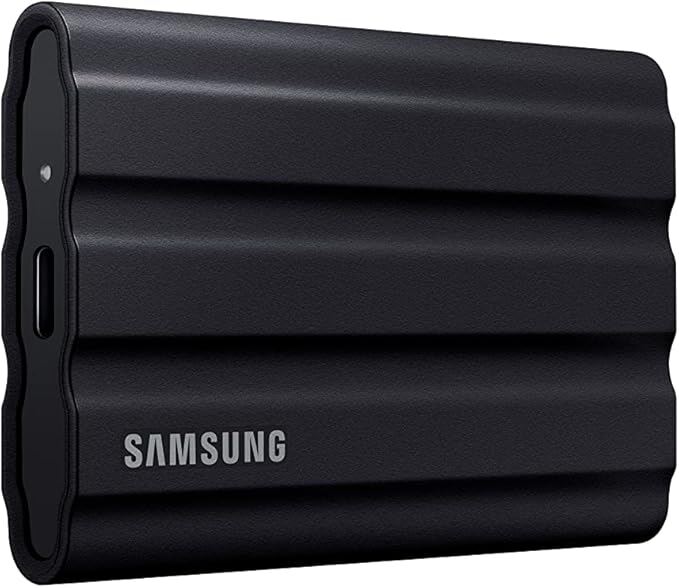
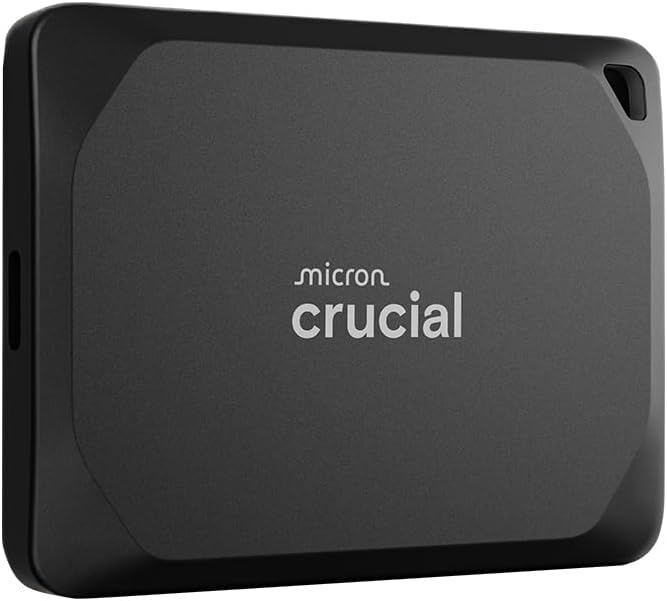
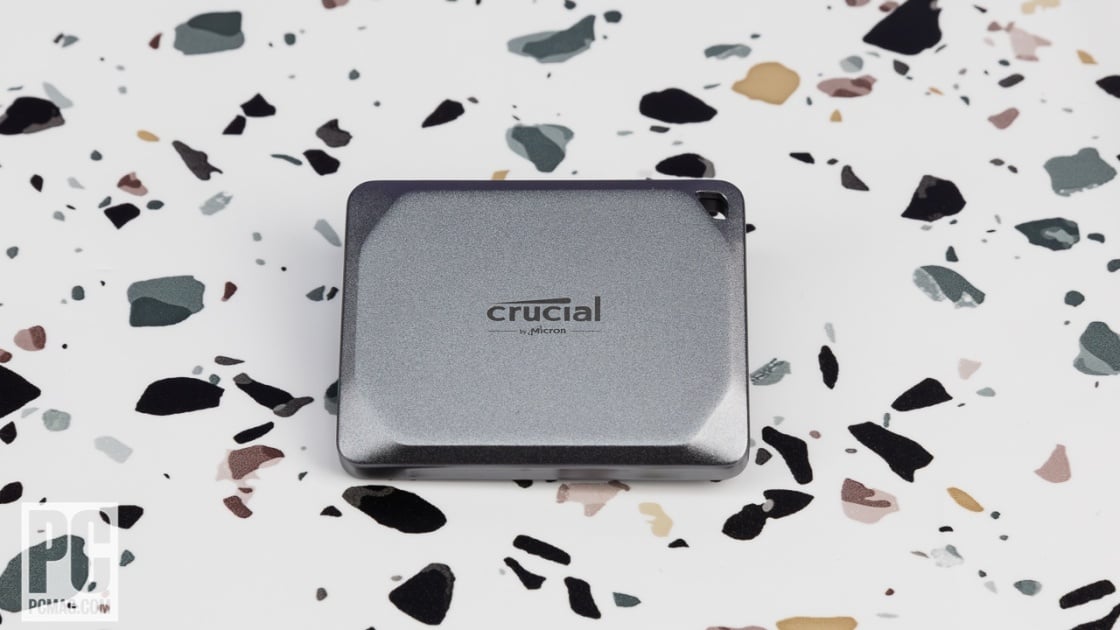
The defining characteristic of the Crucial X9 Pro is its physical footprint, which reviewers consistently highlight as a major differentiator in the crowded portable SSD market. StorageReview measured the drive at just 65 by 50 millimeters, noting that it is significantly smaller and lighter than competitors like the Samsung T7 Shield. Dong Knows Tech emphasized this point further, describing the drive as slightly more than two-thirds the size of a credit card and weighing only 40 grams. This diminutive size allows users to attach it to a keychain via the integrated lanyard hole without it appearing cumbersome, a feature particularly valued by professional photographers who carry multiple drives. The construction utilizes a solid frame with a soft-touch rubber exterior on the bottom, which serves a dual purpose of providing grip and preventing the drive from sliding off desks. However, this material choice has drawn criticism; a user on ServeTheHome reported that the rubber-like backside on their units began peeling after a short period of use, suggesting that long-term durability of the casing may be inconsistent.
Durability claims are robust on paper, with Crucial asserting that the drive can survive drops from up to 6.5 to 7.5 feet and withstand IP55 water and dust resistance. While the aluminum top and rubber bottom design helps with heat dissipation and grip, the mixed feedback on the rubber’s longevity indicates that the tactile experience may degrade over time. For users who prioritize portability above all else, the X9 Pro’s ability to fit in a palm or on a keyring is unmatched, but those who frequently expose their gear to harsh environments should monitor the casing integrity closely.
Performance and Speed Metrics
Performance testing reveals that the X9 Pro operates within the USB 3.2 Gen 2 (10Gbps) standard, delivering speeds that are impressive for its class but fall short of the top-tier USB 3.2 Gen 2x2 drives. StorageReview’s testing of the 2TB model showed sequential read speeds of 957.9MB/s and write speeds of 901.7MB/s in Blackmagic tests, which are slightly under Crucial’s quoted 1,050MB/s peak. In IOMeter 1-thread tests, the drive achieved 873.5MB/s read and 803.3MB/s write, while random 4K read/write speeds hit 4,507 and 18,102 IOPS respectively. When pushed to a 4-thread workload, the X9 Pro approached its theoretical limits, with sequential reads reaching 1,039.2MB/s and random 4K writes climbing to 65,700 IOPS. These figures place it in direct competition with the Samsung T7 Shield and SanDisk Extreme Portable SSD V2, though it often trails slightly in raw sequential throughput compared to the T7 Shield’s 1,019.62MB/s write speed in similar multi-threaded scenarios.
Dong Knows Tech argued that despite not hitting the 20Gbps speeds of the more expensive X10 Pro, the X9 Pro’s 10Gbps performance is sufficient for most real-world applications, including 4K video editing and large file transfers. The drive’s NVMe-based architecture ensures that random access speeds remain high, which is critical for loading large photo libraries or video projects. However, the gap between the X9 Pro and the X10 Pro is notable for users with high-end workstations equipped with USB 20Gbps ports. For the average consumer or even many professionals, the performance delta may not justify the price premium of the Gen 2x2 model, making the X9 Pro a sweet spot for those who do not need to fully saturate a 20Gbps interface.
Capacity Options and Pricing
The Crucial X9 Pro is available in 1TB, 2TB, and 4TB capacities, with pricing that positions it as a mid-range option in the portable SSD landscape. At launch, the 1TB model was priced at $79.99, the 2TB at $129.99, and the 4TB at $239.99. StorageReview's 2023 review put the Amazon range at $80 to $240 across capacities. This pricing strategy makes the X9 Pro approximately $40 cheaper than Crucial’s own X10 Pro and about $20 less than the Samsung T7 Shield 2TB. The SSD Review highlighted the value proposition of the 4TB model at $219, calling it an incredible capacity for such a compact design. For users who need bulk storage for photo archives or video projects, the 4TB option offers a cost-effective alternative to larger, bulkier external hard drives.
Despite the competitive pricing, the value proposition is nuanced. While the X9 Pro is cheaper than the X10 Pro, the performance difference is significant for users who frequently transfer massive files. Dong Knows Tech pointed out that the 10Gbps interface is the most popular standard, meaning most users will not benefit from the faster X10 Pro unless they have specific hardware requirements. However, the price gap between the 2TB and 4TB models is substantial, with a $100 jump for double the capacity. Shoppers should evaluate whether they need the extra space or if two 2TB drives would be a more flexible and potentially more durable solution, given the risk of losing a single point of failure.
Connectivity and Compatibility
Connectivity is straightforward, with the X9 Pro featuring a USB Type-C port that supports USB 3.2 Gen 2 (10Gbps). The drive is backward compatible with USB 3.2 Gen 1 (5Gbps) and USB 2.0 ports, though users will be limited to slower speeds on older interfaces. The package includes a short Type-C to Type-C cable, which is useful for immediate use but may require an adapter for users with only USB-A ports. The SSD Review noted that an Adapter Bundle is available for an additional $10, which includes a Type-C to Type-A adapter. This is a critical consideration for users with older PCs or laptops that lack USB-C ports, as the base package does not include this adapter.
Compatibility extends beyond just PC and Mac systems. The drive is pre-formatted with exFAT, allowing it to work plug-and-play on Windows, macOS, Linux, Android phones, tablets, and even iPads. Dong Knows Tech confirmed that, like most modern portable SSDs, the X9 Pro also works with Android phones and tablets, and pointed out the keyfob hook at one of its corners for clipping it to a keychain. However, users should be aware that while the drive is compatible with these devices, the speed of file transfers will be limited by the host device’s USB port capabilities. For example, connecting the X9 Pro to an iPad with USB 2.0 speeds will result in significantly slower transfer times, despite the drive’s high-speed capabilities.
Security and Encryption Features
Security is a key feature of the X9 Pro, with built-in 256-bit AES hardware encryption that allows users to password-protect their data. The SSD Review highlighted this feature as a significant advantage for professionals handling sensitive information, as the encryption is handled by the drive’s controller rather than software, ensuring minimal performance impact. The drive does not come with pre-installed software for encryption; instead, users must use the operating system’s built-in tools or download bundled applications via shortcuts on the drive. This approach keeps the drive lightweight and compatible across different platforms, but it may be less convenient for users who prefer a dedicated software interface for managing encryption and backups.
The inclusion of hardware encryption is particularly valuable for photographers and videographers who often work with client data. The ability to secure files without relying on third-party software reduces the risk of compatibility issues and ensures that data remains protected even if the drive is lost or stolen. However, users must remember their passwords, as losing access to the encryption key can result in permanent data loss. Crucial’s 5-year limited warranty provides some peace of mind, but the responsibility for data security rests largely with the user to manage passwords and backup encryption keys securely.
Rubber bottom has been reported to peel over time
Despite its strengths, the X9 Pro has notable drawbacks that potential buyers should consider. The most significant limitation is its USB 3.2 Gen 2 interface, which caps speeds at 10Gbps. For users with high-end workstations or laptops equipped with USB 20Gbps ports, the X10 Pro offers twice the speed for a relatively small price increase. StorageReview's 4-thread IOMeter results put its sequential write at 975.5MB/s against the Samsung T7 Shield's 1,019.62MB/s, though its own conclusion is that at this level it really doesn't matter which a buyer chooses. Additionally, the rubber bottom, while providing grip, has been reported to peel over time, as noted by a ServeTheHome user, which could affect the drive’s aesthetic and tactile experience in the long run.
Another concern is the lack of included USB-A adapters in the base package. The SSD Review pointed out that users with older systems will need to purchase an adapter separately or opt for the more expensive Adapter Bundle. This adds to the total cost and inconvenience, especially for users who are not aware of this requirement until after purchase. Furthermore, the drive’s small size, while a benefit for portability, can make it easy to lose or misplace, particularly when attached to a keychain. Users who frequently travel or work in multiple locations should consider the risk of losing such a small device and may prefer a slightly larger drive that is harder to misplace.
Small enough to lose on a keychain
The Crucial X9 Pro is best suited for photographers, videographers, and content creators who prioritize portability and compact storage. Its small size and light weight make it ideal for professionals who carry multiple drives in their bags, as every millimeter and ounce adds up. Dong Knows Tech described it as a sweet-spot portable SSD for those who need fast, reliable storage without the bulk of larger drives. It is also a good choice for users who need a secondary backup for their computers, especially those who value the peace of mind that comes with hardware encryption and a 5-year warranty.
Conversely, the X9 Pro is not the best choice for users who require the absolute fastest transfer speeds available. Those with high-end workstations and USB 20Gbps ports should consider the X10 Pro instead. Additionally, users who frequently connect to older USB-A only systems may find the lack of included adapters inconvenient. The drive is also less suitable for users who prioritize long-term durability of the casing, given the reported issues with the rubber peeling. For those who need a balance of speed, size, and security, the X9 Pro is a strong contender, but it is essential to weigh these factors against individual needs and usage patterns.
Strengths
- +Compact dimensions of 65x50mm and lightweight at 1.34 ounces
- +High sequential read/write speeds up to 1,050MB/s
- +IP55 water and dust resistance rating
Watch-outs
- −Single-threaded performance falls slightly below quoted maximums
- −Requires USB 3.2 Gen 2 port for optimal speeds
Rating sources
“it is still a phenomenal system regardless of what speed you're getting from it but I found that with the MacBook Air getting those 900 GB per second speed being able to copy 6 GB files in literally a few seconds was insane to watch”
“Something a bit different is that the top seems ot be aluminum while bottom is a rubber material.”
Our 4.0 score is the average of the 4 scored reviews above; 3 more reviewed it without printing a score and are not in the average. Ratings marked * were derived from the reviewer’s written analysis or video transcript — the publisher didn’t print an explicit numeric score, so we inferred one from their own words. Click through to verify. More about methodology.