The Audient iD4 MkII packs professional performance into a compact desktop box with an all-metal shell. Reviews cite a -114.8 dB A-weighted noise floor and 115.0 dB of dynamic range. The complaints are physical: the volume knob feels flimsy, and volume settings reset every time you power cycle. It also skips the input monitoring hardware its sibling, the iD14 MkII, includes. Solo recording setups are a good match; anyone wanting more advanced monitoring features will be disappointed.
Full review
All-metal build, but the volume knob feels flimsy
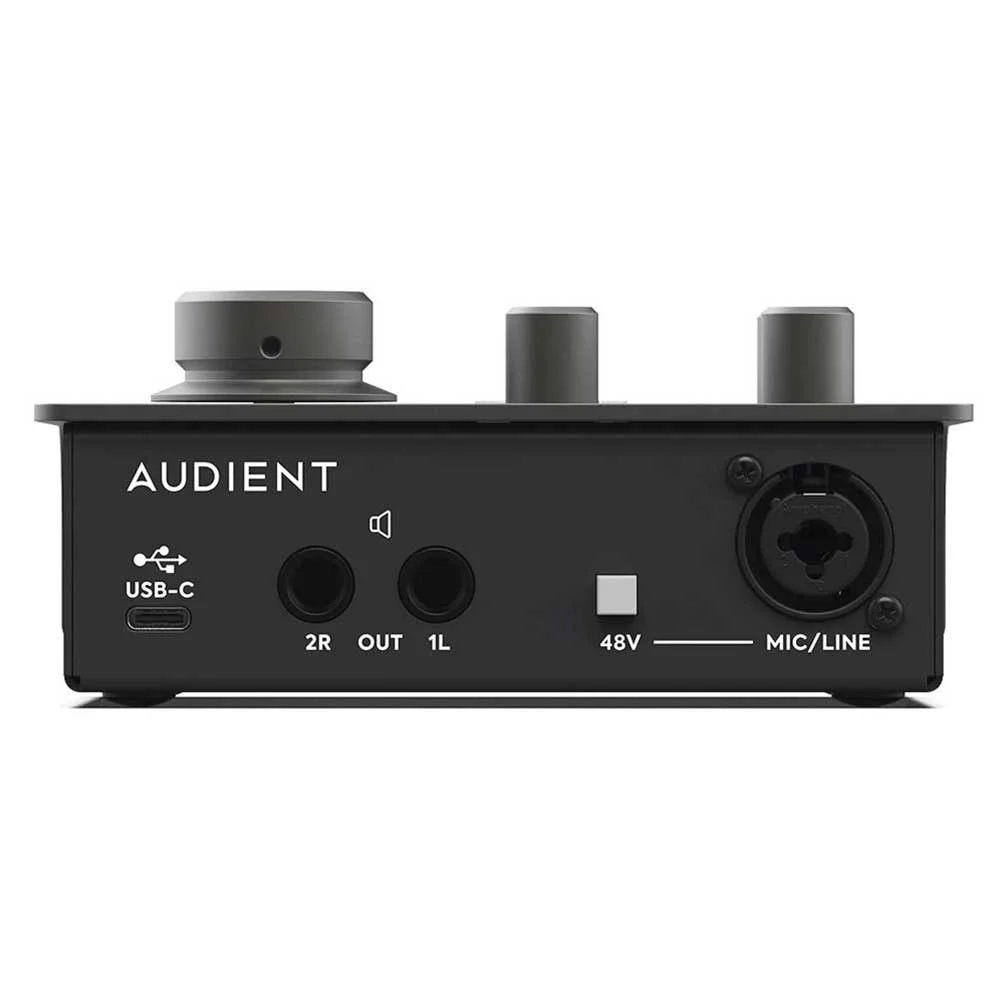
The Audient iD4 MkII presents a robust, professional-grade build that immediately distinguishes it from typical budget audio interfaces. According to Sound On Sound's Robin Vincent, the device features 'all-metal construction' that gives it 'a decent heft and a luxuriously smooth feel.' The grey finish and color-matched knobs contribute to a 'subtle and serious presence on the desktop,' with the capitalised logo offering a more sophisticated appearance than previous models. The interface measures 10 inches in length and houses a compact yet substantial form factor that sits solidly on work surfaces without feeling flimsy or unstable.
Technical reviewer Dilettante from Audio Science Review noted the volume knob's 'significantly less robust' construction compared to other interfaces, which he found puzzling given that 'volume level does not persist between power cycles.' Despite this, the physical controls are well-placed, with gain controls, LED meters, and the multi-purpose encoder positioned on the top surface for easy access. The design places instrument input and headphone outputs at the front edge, while the majority of connections reside on the rear panel, maintaining a clean and ergonomic layout that supports both desktop and studio environments.
The iD4 MkII's design also includes dual headphone outputs, accommodating both 1/4-inch and 3.5mm connections simultaneously, which Guitar World's Chris Corfield found 'useful' for guitarists. This dual-output configuration allows for monitoring flexibility, such as sending audio to a guitar pedal while using headphones for personal monitoring.
Input and Output Configuration
The iD4 MkII's input configuration includes a single combi XLR/jack input on the back, with a dedicated phantom power button located slightly inconveniently next to it. Sound On Sound's reviewer noted that input 2 is a JFET-endowed socket on the front designed for electric guitar or bass, which adds 'a little bit of character to the sound.' This input works well for synths as well, making it a versatile option for one-person setups. The interface also includes a headphone section at the front that supports both 1/4-inch and 3.5mm connections, allowing for simultaneous monitoring and auxiliary output capabilities.
According to the Audio Science Review, the interface's line input delivers excellent performance with a frequency response from 40 Hz to 15 kHz within ±0.04 dB, and noise levels as low as -114.8 dB. The microphone preamp at 11 o'clock position shows even better performance, with noise levels at -111.5 dB and a dynamic range of 111.6 dB. The THD measurement for line input was 0.00479%, while the microphone preamp achieved 0.00083%, indicating superior signal clarity and reduced distortion. These measurements suggest that the iD4 MkII handles both line-level and microphone signals with high fidelity.
The output section features a pair of jack outputs at the rear for connecting to speakers or studio monitors. While the iD4 MkII shares its headphone level control with the main output, the iD14 MkII has a separate hardware level control over headphones, which is a notable difference between the two models. The interface's ability to handle multiple input types and outputs makes it suitable for a range of recording and monitoring scenarios, from simple guitar setups to more complex home studio configurations.
Mic preamp far cleaner than the line input
In practical use, the iD4 MkII demonstrates strong performance across various audio tasks, particularly in its handling of guitar and microphone signals. Audio Science Review's Dilettante reported that the microphone preamp at 11 o'clock position showed significantly better performance than the line input, with THD at 0.00083% compared to 0.00479% for line input. This indicates that the interface excels at capturing clean, detailed audio from microphones, which is essential for podcasting, vocal recording, and acoustic instrument capture. The interface's ability to maintain low noise levels and high dynamic range makes it suitable for professional applications.
Sound On Sound's Robin Vincent wrote of the iD4 and iD14 MkII that 'They are absolutely solid on the desk and do not feel like entry‑level audio interfaces in the slightest.' The device's performance in real-world scenarios includes its ability to manage multiple inputs and outputs without compromising signal quality. The inclusion of a Monitor Mix knob allows users to balance direct monitoring and software playback, which is particularly useful for live recording sessions or when working with latency-sensitive applications.
Guitar World's Chris Corfield emphasized the interface's suitability for guitarists, describing it as a 'quick, simple way to get a high-quality signal into their amp simulator of choice.' The iD4 MkII's performance in this role is supported by its ability to handle both instrument and microphone inputs with clarity, making it an ideal choice for home studio setups where guitarists need reliable signal conversion and monitoring capabilities.
Software and User Interface
The iD4 MkII comes with the iD Mixer app, which has been upgraded to reflect the sleek design of Audient's EVO audio interfaces. Sound On Sound's reviewer noted that the mixer app is 'excellent,' particularly on the iD14 MkII, where it adds multiple channels for running different software and two alternative monitoring mixes. The app allows users to take advantage of Loopback functionality, which is ideal for live-streaming the output of music software. The system tray icon provides quick access to main settings, including ASIO Buffer Size, which is a welcome feature for Windows users.
The interface's multi-purpose encoder serves as a volume control and includes additional functions such as 15dB of dimming when pushed down, panning when the Mute and iD buttons are held together, and acting as a mouse scroll wheel for controlling knobs and faders. However, the encoder's 'bumpy lumpiness' that feels good for volume control becomes less precise when used for fine-tuning knobs, as each bump represents a jump in value. This limitation suggests that while the encoder is functional, it may not be ideal for users requiring precise adjustments.
According to Sweetwater's review, the interface's software integration is seamless, with both Windows and macOS systems recognizing the device without issue. The setup process is described as 'as simple as it gets,' with the interface automatically configuring itself on macOS and requiring minimal driver installation on Windows. The iOS compatibility advertised on the box was also confirmed by Guitar World's Chris Corfield, who tested the interface with his iPhone and found the experience 'pain-free.' This cross-platform compatibility enhances the interface's versatility for users working across different operating systems.
Headphone level is shared with the main output, unlike the iD14
Despite its many strengths, the iD4 MkII has several notable drawbacks that may impact user experience. Audio Science Review's Dilettante pointed out that the volume knob is 'significantly less robust' compared to other interfaces and that 'volume level does not persist between power cycles,' which can be inconvenient for users who rely on consistent settings. This design choice raises questions about the interface's long-term reliability and user convenience, particularly in professional environments where consistent settings are crucial.
Sound On Sound's Robin Vincent noted that while the iD4 MkII and iD14 MkII share many features, there are 'key differences' that may disappoint users. Specifically, the iD4 MkII lacks a headphone level control, which the iD14 MkII has, and the iD14 MkII does not have a Monitor Mix knob or input monitoring. These omissions can limit the interface's functionality for users who require more advanced monitoring capabilities. The absence of input monitoring on the iD4 MkII hardware means that users must rely on the software mixer for these features, which may not always be ideal.
Guitar World's Chris Corfield, while praising the interface's value, noted that it 'doesn't have much to criticise at this price,' which suggests that while the device is well-designed, it may lack some of the advanced features found in higher-end interfaces. The interface's performance, while good, may not meet the expectations of users seeking professional-grade capabilities, particularly in terms of advanced monitoring and control options.
Dual headphone outputs for flexible monitoring setups
The Audient iD4 MkII is ideally suited for home studio musicians, podcasters, and content creators who require a reliable, high-quality audio interface without breaking the bank. According to Guitar World's Chris Corfield, it offers 'a quick, simple way to get a high-quality signal into their amp simulator of choice,' making it particularly appealing to guitarists. The interface's dual headphone outputs and support for both 1/4-inch and 3.5mm connections provide flexibility for monitoring setups, which is valuable for users who work with multiple devices or need to send audio to external equipment.
Sound On Sound's Robin Vincent emphasized that the interface is 'absolutely solid on the desk and does not feel like entry-level audio interfaces in the slightest,' indicating that it's suitable for users who want a professional-grade device without the complexity and cost of high-end alternatives. The iD4 MkII's performance in handling both line-level and microphone signals makes it appropriate for a wide range of applications, from podcasting to acoustic instrument recording.
The interface's cross-platform compatibility and ease of setup make it an excellent choice for users working across different operating systems. Sweetwater's review highlights that the interface works seamlessly with both Windows and macOS, with minimal driver installation required on Windows and automatic configuration on macOS. This versatility, combined with its robust build quality and solid performance, makes the iD4 MkII a strong contender for users who need a reliable, user-friendly audio interface for home or small studio use.
-114.8dB noise floor beats rival budget interfaces
When compared to similar budget audio interfaces, the iD4 MkII holds its own in terms of build quality and performance. Sound On Sound's Robin Vincent noted that the interface 'exudes a sort of professional calm' and is 'weighty, serious and look far cooler than their predecessors,' suggesting that it offers a premium feel that rivals higher-end models. The interface's ability to handle both instrument and microphone inputs with clarity, combined with its solid construction, makes it competitive with other mid-range interfaces in the market.
Guitar World's Chris Corfield compared the iD4 MkII to other similarly priced interfaces and found it to be 'ideal for home studios and has some cool 'hidden' features to make life easier for you.' This comparison underscores the interface's value proposition, particularly for users who need a straightforward, reliable solution without the complexity of more advanced features. The interface's dual headphone outputs and support for multiple input types set it apart from simpler alternatives.
The iD4 MkII's performance metrics, as measured by Audio Science Review, show it performing well in key areas such as noise levels, dynamic range, and distortion. The interface's ability to maintain low noise levels (-114.8 dB) and high dynamic range (115.0 dB) makes it competitive with other interfaces in its price bracket. While it may not match the advanced features of higher-end models, it offers a solid balance of performance and usability that makes it an attractive option for users seeking a reliable, no-frills interface.
Under $200 with iD Mixer app included
At a price point just under $200, the Audient iD4 MkII offers exceptional value for money, particularly for users who need a reliable, professional-grade audio interface without the premium cost. Guitar World's Chris Corfield described it as 'a great value guitar interface,' emphasizing its ability to provide 'a quick, simple way to get a high-quality signal into their amp simulator of choice.' This value proposition is reinforced by the interface's solid build quality, clear performance metrics, and user-friendly features.
Sound On Sound's Robin Vincent noted that the interface 'is weighty, serious and look far cooler than their predecessors,' suggesting that the price reflects the quality and craftsmanship. The inclusion of dual headphone outputs, support for both 1/4-inch and 3.5mm connections, and the iD Mixer app all contribute to the interface's value, providing features that are often found in more expensive models. The interface's ability to handle multiple inputs and outputs without compromising signal quality further justifies its price point.
Sweetwater's review highlights the interface's ease of setup and cross-platform compatibility as key value drivers. The fact that it works seamlessly with both Windows and macOS, with minimal driver installation required on Windows and automatic configuration on macOS, adds to its appeal. The interface's performance in handling both line-level and microphone signals, combined with its robust construction and solid feature set, makes it a strong contender in the budget audio interface market, offering users a reliable solution that delivers professional results at an accessible price.
Strengths
- +All-metal construction with solid heft and professional appearance
- +Excellent technical performance with low noise floor (-114.8 dB A-weighted)
- +Good dynamic range (115.0 dB A-weighted)
- +Robust input controls with dedicated gain knobs and LED meters
Watch-outs
- −Volume knob feels less robust compared to other models
- −Volume level does not persist between power cycles
- −No input monitoring on hardware (unlike iD14 MkII)
How it compares
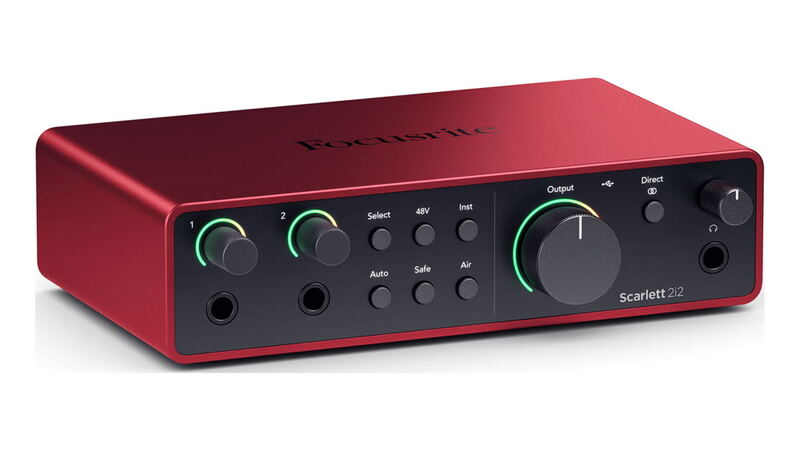
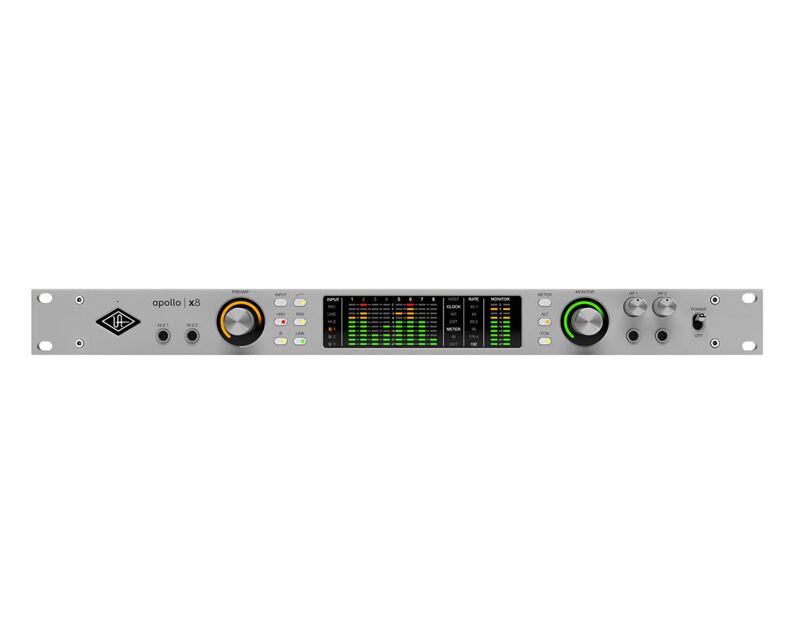
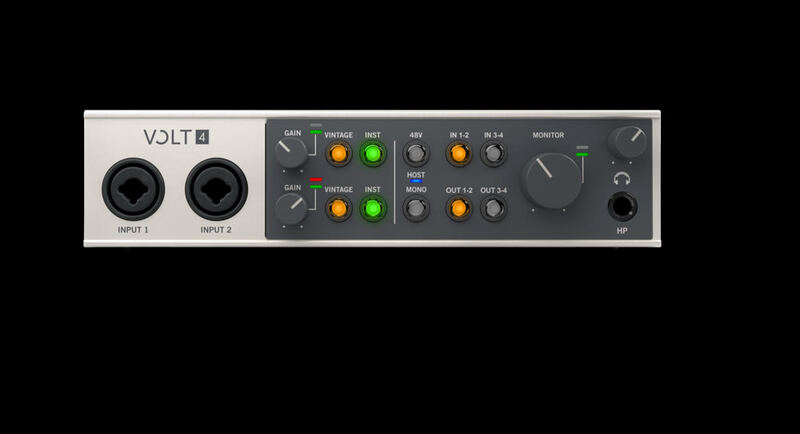
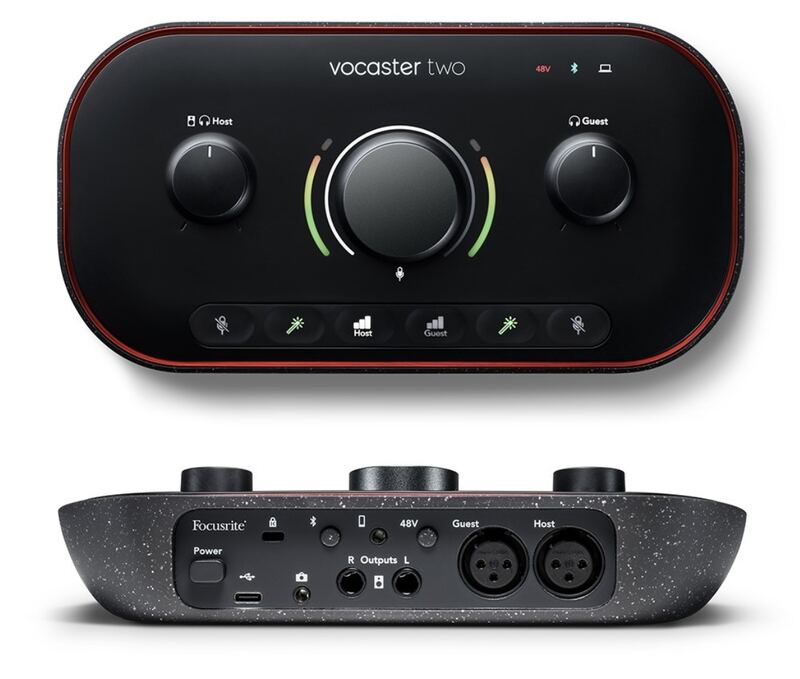
The Audient iD4 MkII offers excellent technical performance with a low noise floor and good dynamic range, surpassing the Focusrite Scarlett 2i2 4th Gen and Behringer UMC22 in these areas. However, it lacks the analog preamp features of the Universal Audio Volt Series and the specialized podcasting capabilities of the Focusrite Vocaster Two, making it more suitable for solo recording setups rather than multi-mic tracking or podcasting.
Rating sources
“For a shade under $200, the Audient iD4 MkII offers guitarists a quick, simple way to get a high-quality signal into their amp simulator of choice.”
“The JFET instrument input was smooth and warm, giving a lovely tone to my Telecaster.”
Our 4.5 score is the average of the 2 scored reviews above; 2 more reviewed it without printing a score and are not in the average. More about methodology.