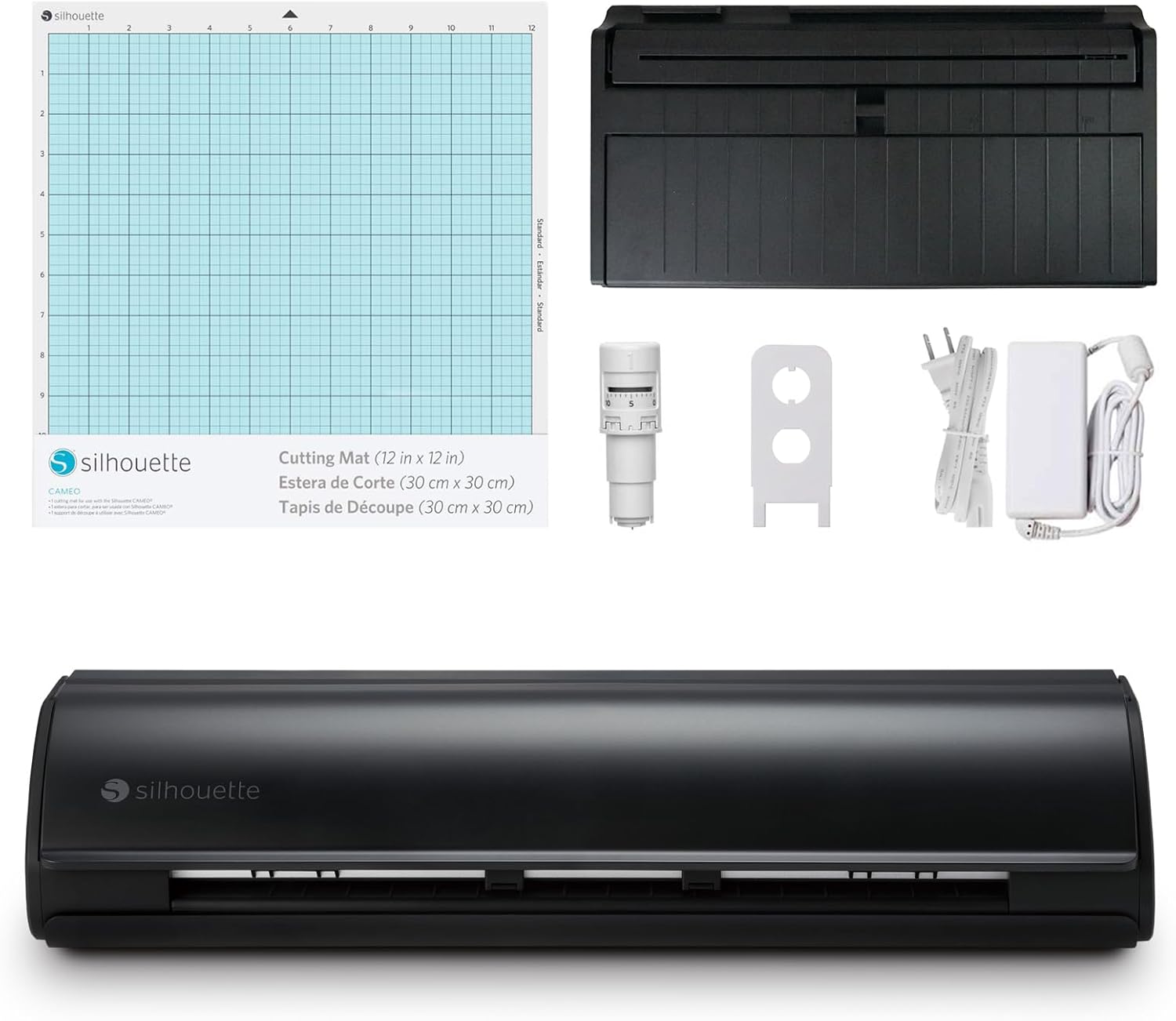
The Silhouette Cameo 5 stands out as a powerful cutting machine with a 12-inch or expandable 15-inch cutting area, built-in roll feeder for long material projects, and improved auto blade technology that handles materials up to 3 mm thick. Reviewers praised its fast sketch mode, powered carriage for foiling, and enhanced print-and-cut accuracy with four-point registration. However, some users noted the lack of a physical start guide in the box and the requirement to use Silhouette Studio software for full capabilities. It's ideal for crafters seeking advanced precision and versatility but may require more technical setup than beginner-friendly alternatives.
Full review
Precision and Speed in Action
The Silhouette Cameo 5 delivers on its promise of enhanced cutting precision and speed, with reviewers noting its ability to handle intricate designs with minimal waste. Dinosaur Mama from dinosaurmama.com highlighted the machine's improved registration marks, stating that 'Every print and cut has been flawless' during her initial week of use. The new four-point registration system significantly reduces material waste and increases accuracy, which is particularly beneficial for detailed projects. The machine's powered carriage and auto crosscut feature further streamline the process, allowing users to tackle both delicate and heavy-duty projects with equal ease. These capabilities make it a standout choice for crafters who demand precision in their work.
YouTube reviewer Victoria Sheree from Pretty Party and Crafty emphasized the machine's fast sketch mode, which enables users to transform notes or doodles into finished art quickly. The redesigned pinch rollers move smoothly and lock in place without requiring tools, making it easy to adjust to different material sizes. The Cameo 5 Alpha's ability to cut materials up to 3 mm thick with precision was particularly noted, with the machine's auto blade handling various materials including paper, vinyl, heat transfer, and sticker paper effectively. The integration with Silhouette Studio software provides a professional yet accessible platform for design work, making it suitable for both beginners and experienced crafters.
Software Integration and User Experience
Silhouette Studio software serves as the backbone of the Cameo 5 experience, offering advanced design capabilities that distinguish it from competitors like Cricut Design Space. According to Dinosaur Mama, 'What I like about the Silhouette studio software is that its a little more advanced than Cricut Design Space.' The software's professional design tools allow for complex projects, though it may present a steeper learning curve for beginners. The machine's Bluetooth connectivity eliminates the need for a physical cable, but users must ensure they have the correct software version installed to avoid recognition issues. Victoria Sheree noted that while the software can be intimidating for newcomers, it includes a beginner guide that helps users choose between beginner or experienced modes based on their skill level.
The setup process for Silhouette Studio requires updating to the latest version to ensure compatibility with the Cameo 5 Alpha. Users must navigate through various settings including machine type, feed type, cutting mat size, and media dimensions. The software's grid settings and registration mark options provide flexibility for different project requirements. While the initial setup lacks a physical guide, online resources and community support help new users get started. The ability to customize page settings and create offsets for designs offers users greater control over their projects, though it may require some time to master the interface's advanced features.
Electrostatic Mat Performance and Limitations
The electrostatic mat for the Silhouette Cameo 5, priced at $99, has received mixed reviews regarding its practical application. Crafty Christie from craftychristiescreations.com initially struggled with the mat's packaging, noting that 'the protective sheet was a wrinkled mess' upon first use. However, after allowing time for the sheet to flatten, she found that 'the protective sheet had completely flattened itself and maintained a secure hold across the entire mat.' The mat's static cling effectively holds materials in place without causing tearing or curling, particularly beneficial for cardstock and sticker paper. The mat's performance with 80lb cardstock, sticker paper, and vinyl was positive, though textured materials did not produce strong static cling.
Despite its advantages, the electrostatic mat presents several limitations. Crafty Christie noted that 'there are no gridlines on the ES mat or in the software when using the ES mat,' requiring users to find workarounds for precise placement. She developed a hack involving tracing gridlines onto the protective sheet using a permanent marker and ruler. The mat's inability to handle thick materials was also a concern, as 'you may not be able to cut thicker material on the ES mat like you can using the sticky mat.' Additionally, the lack of clear instructions upon arrival and the need for careful handling during setup were common complaints from early users.
Physical Design and Build Quality
The physical design of the Silhouette Cameo 5 reflects a blend of functionality and space-saving features. Dinosaur Mama described the machine as 'a big machine and she now has her own desk in my craft room,' indicating its substantial size and need for dedicated workspace. The top glides up rather than flipping, which saves space and prevents damage to the machine. The adjustable pinch rollers on the right side accommodate various material widths without requiring tools, while the fixed left-side roller provides stability. The machine's lower front cover can be removed for attaching accessories like the roll feeder or electrostatic mat, though this requires unlocking mechanisms at the bottom of the machine.
Victoria Sheree noted the absence of a start guide or QR codes in the box, which she found confusing as a Cricut user accustomed to such features. The machine includes a power outlet on the right side, USB interface for computer connection, and a power button that acts as an emergency stop when held for two seconds. The tool holders are numbered to correspond with appropriate tools, and the auto blade is designed for cutting standard materials. The inclusion of a handheld blade adjuster for cleaning and maintenance was appreciated by users, though the lack of a blade cleaning tool in the box was noted as a potential inconvenience.
Cutting Capabilities and Material Handling
The Cameo 5's cutting capabilities extend to materials up to 3 mm thick, making it suitable for both delicate and robust projects. The auto blade handles a wide range of materials including paper, vinyl, heat transfer, and sticker paper effectively. Users have reported success with various media types, including 80lb cardstock, sticker paper, and vinyl. The machine's ability to cut materials up to 16 feet in length provides flexibility for large-scale projects, though this advantage is limited by the need for repeat patterns when using the Cricut Maker which maxes out at 12 feet. The powered carriage makes foiling easier than ever, with the heat pen requiring no separate plug and simply needing to be loaded for optimal performance.
The machine's support rollers hold materials down to prevent warping during cutting, with the ability to adjust their position based on material thickness. The right pinch roller and auxiliary rollers are adjustable to accommodate various media widths, while the left-side roller remains fixed. The tool holders accommodate various blade types including the auto blade, manual 1 mm blade, 2 mm blade, and craft blades for thicker materials. The inclusion of optional tools such as embossing tools, punch tools, and rotary blades expands the machine's versatility for different crafting applications. The machine's ability to handle both standard and specialty materials makes it a comprehensive solution for various crafting needs.
Strengths
- +Features a 12-inch cutting area with expandable 15-inch option for larger vinyl cuts
- +Includes a built-in roll feeder for continuous material handling up to 16 feet in length
- +Equipped with auto blade that handles diverse materials including thicker options up to 3 mm high
- +Offers improved print and cut registration with four-point accuracy for reduced waste
- +Supports fast sketch mode and powered carriage for easier foiling and design execution
Watch-outs
- −No included start guide or QR codes for setup in the box
- −Requires Silhouette Studio software (either free or Business version) for full functionality
How it compares
The Silhouette Cameo 5 offers a built-in roll feeder and auto blade system that the Cricut Explore 4 lacks, but it requires separate software and has no included setup guide. Compared to the Cricut Maker 4, it's more focused on vinyl cutting and lacks the Maker's advanced engraving capabilities.
Rating sources
“The Silhouette Cameo 5 is a fast and accurate cutting machine that has been updated to bring you to the peaks of your crafting capabilities.”
“I was so disappointed that this ES mat wasn't going to work and that the problem was simply the way it was packaged. With my head held low, I left the protective sheet on the mat, turned the mat off, and walked away from the craft room for a few days.”
“The Cameo 5 Alpha, creativity elevated.”
Our 4.2 score is the average of the 3 scored reviews above; 1 more reviewed it without printing a score and is not in the average. Ratings marked * were derived from the reviewer’s written analysis or video transcript — the publisher didn’t print an explicit numeric score, so we inferred one from their own words. Click through to verify. More about methodology.