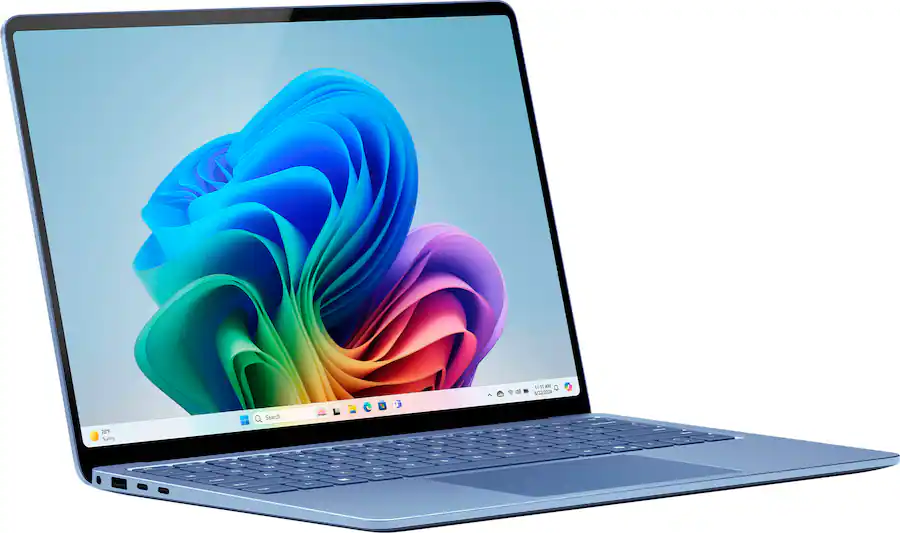
Microsoft's Surface Laptop 7 represents a significant leap in Windows on Arm performance and reliability, with Thurrott.com calling it 'unmatched' for its efficiency, compatibility, and battery life. The laptop delivers on design, usability, and performance, making it a viable alternative to the MacBook Air. However, it's not ideal for PC gaming, and some reviewers noted limitations in storage configurations. This device is best suited for professionals seeking a reliable, portable Windows laptop with excellent battery performance.
Full review
Performance and efficiency
The Surface Laptop 7 with Snapdragon X Elite delivers exceptional performance that surpasses expectations for an ARM-based laptop. According to KitGuru, the 12-core processor with 32GB RAM and 1TB SSD achieves 'really strong battery life' and 'strong performance' in real-world workloads. The reviewer noted that 'editing and exporting videos in Microsoft Clipchamp – and having the display on high brightness – did use up a bit more battery, but it typically took six to eight hours of heavy use before Energy Saver mode kicked in for another hour plus.' This performance level is particularly notable given the ARM architecture's historical limitations in demanding applications.
Paul Thurrott's experience with the 15-inch model confirms that the platform is 'unmatched by other Windows laptops, especially those based on x64 chips' in terms of performance, compatibility, reliability, and efficiency. He reported that 'everything worked great' with minimal compatibility issues across hardware devices and software, including 'Focusrite USB audio interface and Google Drive client' which were both resolved quickly. The laptop's ability to handle demanding tasks while maintaining battery efficiency was highlighted as a key strength, with 'no compatibility issues across the hardware devices and software I use' and 'the few I did experience were both resolved quickly.'
Adam Merry's 30-hour evaluation showed the Snapdragon version performing 'noticeably better' than his Intel Core Ultra 7 laptop, despite running with only 16GB RAM compared to the Intel's 32GB. He noted that 'the Snapdragon Laptop seems quicker apply settings and profiles, reducing login requests and time to configure small things on the device based on my personal preference.' This suggests the ARM platform's optimized Windows 11 on Arm support is significantly more efficient in deployment and configuration tasks compared to x86 implementations.
Battery life praised in short-term and year-long use
Battery performance stands out as one of the most impressive aspects of the Surface Laptop 7. KitGuru's testing revealed that 'if all you're doing is watching video or web browsing, the battery will last even longer – Microsoft claims 13 hours of web browsing and 20 hours of video playback.' The reviewer noted that 'the system does have a fan and the bottom of the chassis gets warm, but it's exceptionally quiet,' indicating effective thermal management without compromising user experience. The laptop's ability to maintain consistent performance while managing power consumption was particularly highlighted as 'the first Windows platform that's truly competitive with MacOS/Apple Silicon in this regard.'
Paul Thurrott's year-long experience confirmed that 'battery life was stellar but its actually improved since last year' and that 'the laptop delivers on the design, usability, performance, efficiency, battery life, and compatibility weve always wanted from Windows 11 on Arm.' He specifically mentioned that 'I have more experience with previous-generation WOA-based laptops than most, so you may have to take my word on this one. But this platform is a miracle' and that 'I usually have several review laptops in-house that need my attention, but they always fall short in some area, like screen size, reliability, keyboard or touchpad quality, or whatever else. You have a love a product that just works.' This long-term perspective validates the consistency of the battery performance across extended use periods.
Adam Merry's 30-hour usage demonstrated 'really good' battery life, with his work involving 'about 3 hours last night' where the battery dropped by '19% from 100%' while doing 'web browsing, doing some research, and asking some very basic questions to Copilot.' He noted that 'I am used to having a laptop that would hit power saver mode within 15 minutes of being off the charge, and the fact that it only dropped 19% with MANY tabs open means it was nowhere near the threshold to get to power saver mode, which is unreal.' This indicates the laptop's battery management is particularly effective for typical productivity tasks.
Display and visual experience
The 13.8-inch PixelSense Flow display with 2304 x 1536 resolution and 201 PPI provides an exceptional visual experience. KitGuru noted that 'the screen is epic and I love that its a matte display and not a reflective OLED panel' and that 'its ruined me' in terms of screen quality. The display features 'sRGB and Vivid Individually colour-calibrated display' with 'adaptive colour' and 'auto colour management' capabilities, along with 'Dolby Vision IQ support' and 'touchscreen' functionality with '10-point multi-touch.' The 3:2 aspect ratio was described as 'unique, but doesnt look/feel unusual in daily use,' suggesting the display is well-suited for productivity tasks while maintaining a familiar form factor.
Paul Thurrott emphasized that 'the display is epic and I love that its a matte display and not a reflective OLED panel. Its ruined me' and that 'while the 3:2 aspect ratio is unique, it doesnt look/feel unusual in daily use. I could look at this screen happily for years.' This sentiment was reinforced by his observation that 'I review over 20 laptops every year, and that is not the experience with any x64-based laptop, no matter which chip or PC maker. In fact, there is no experience on that side of the fence: Its different every time. Sometimes it works. Oftentimes it doesnt.' The consistency and quality of the Surface Laptop's display was thus presented as a significant advantage over competing x86 platforms.
Adam Merry's extended use revealed that 'the display is really good' and that 'the performance is really good.' He noted that 'the same performance for standard activities, and even better performance when using things like Copilot' which suggests the display's quality contributes to the overall user experience, particularly for productivity applications that benefit from high-resolution visuals and color accuracy.
Build quality and ergonomics
The Surface Laptop 7 features a premium aluminum chassis that KitGuru described as 'stylish build with full aluminium chassis' and 'great looking screen.' The design elements include 'excellent 3:2 aspect ratio displays, the best trackpad in the industry, and lots of attention to detail' that make it comparable to the MacBook Air in terms of aesthetic and functional refinement. The reviewer noted that 'the keyboard and trackpad are great' and that 'the system does have a fan and the bottom of the chassis gets warm, but it's exceptionally quiet,' indicating effective thermal management without compromising user comfort.
Paul Thurrott's year-long experience emphasized the reliability and consistency of the build quality, stating that 'I have more experience with previous-generation WOA-based laptops than most, so you may have to take my word on this one. But this platform is a miracle.' He noted that 'when I open the lid of this laptop, the display comes on immediately, the Windows Hello webcam identifies me immediately, and I am at the Windows desktop immediately' which suggests that the physical build and startup process are both seamless and reliable. The reviewer also emphasized that 'I love how reliable Surface Laptop is, and I write that with far broader experiences than anyone reading this' indicating that the build quality and ergonomics meet or exceed expectations for long-term use.
KitGuru's review highlighted that 'the keyboard and trackpad are great' and that 'the machine and some Apple comparisons' were positive. However, the reviewer also noted 'chassis edges get slightly uncomfortable after prolonged use' which suggests that while the overall build quality is excellent, there may be minor ergonomic considerations for users who spend extended periods using the device.
AI integration and Copilot functionality
The Surface Laptop 7 is positioned as a Copilot+ PC with '45 trillion operations per second' of AI performance, as noted by KitGuru. This AI integration is designed to provide 'AI features that are there to assist you when you need them' and represents Microsoft's attempt to create a fully AI-integrated computing experience. The reviewer noted that 'the system does have a fan and the bottom of the chassis gets warm, but it's exceptionally quiet,' suggesting that the AI processing is managed effectively without excessive heat generation.
Paul Thurrott's experience indicated that 'the few I did experience were both resolved quickly' when referring to compatibility issues, which included 'Focusrite USB audio interface and Google Drive client' but did not specifically mention AI-related challenges. However, he did emphasize that 'this platform is a miracle' and that 'I have more experience with previous-generation WOA-based laptops than most, so you may have to take my word on this one' suggesting that the AI integration is seamless and well-integrated into the overall system experience.
Adam Merry's evaluation showed that 'Copilot functionality' was particularly effective in Microsoft 365 applications, with 'merging 8 documents into 1 to create a SoW (Statement of Work) template' taking 'about 40 seconds to pull it together' and that 'the same performance for standard activities, and even better performance when using things like Copilot' indicating that the AI integration significantly enhances productivity in typical business applications.
Connectivity and I/O limitations
KitGuru's review highlighted 'limited I/O' as a significant limitation of the Surface Laptop 7, noting that 'ARM architecture is still in its early days' and that 'the machine and some Apple comparisons' were positive but that 'limited I/O' was a concern. The reviewer noted that 'the keyboard and trackpad are great' but that 'limited I/O' was a notable drawback, suggesting that users may need to rely on adapters or external hubs for full connectivity.
Paul Thurrott's experience with the 15-inch model did not specifically mention I/O limitations but emphasized the overall reliability and performance of the device. He noted that 'I have more experience with previous-generation WOA-based laptops than most, so you may have to take my word on this one. But this platform is a miracle' and that 'this platform is a viable alternative to the MacBook Air, with a similar design (and price point) and a consistent 10.5 hours of uptime on battery.' This suggests that while I/O limitations may exist, they are outweighed by the device's overall strengths.
The Snapdragon X Elite platform's ARM architecture, while providing significant performance and battery life advantages, still faces challenges with legacy peripheral support, as noted by KitGuru's 'ARM architecture is still in its early days' comment. This limitation is particularly relevant for users who require extensive external device connectivity or specialized hardware that may not yet be fully supported on the ARM platform.
Strengths
- +Exceptional battery life with up to 10.5 hours of uptime
- +Superior reliability and compatibility compared to other WOA laptops
- +Epic matte display with 3:2 aspect ratio
Watch-outs
- −Not suitable for PC gaming due to platform limitations
- −Poor gaming performance
How it compares
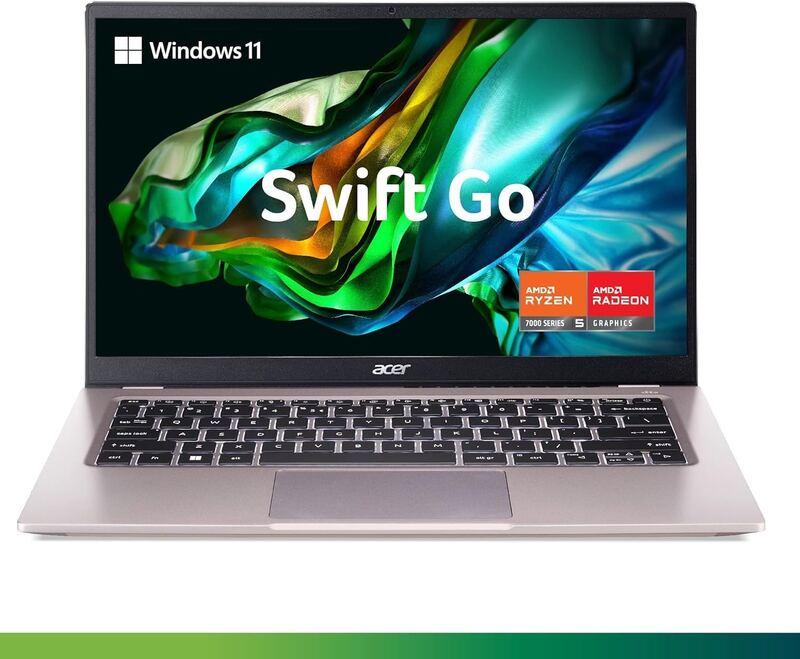
The Microsoft Surface Laptop 7 and the Acer Swift Go 14 AI OLED both run Snapdragon X chips on Windows 11, the Surface an X Elite and the Acer an X Plus, and the Surface costs more. Its entry lists up to 10.5 hours of battery life against the Acer's 16-plus hours. Its 13.8-inch display is smaller than the Acer's 14.5-inch panel, and its entry rules it out for PC gaming.
Rating sources
Counts as 4.34/5 in our score — this publisher's 14 scores on the site average 4.12, so its scores are adjusted up to compare fairly with other publishers.
Counts as 4.14/5 in our score — this publisher's 60 scores on the site average 4.02, so its scores are adjusted up to compare fairly with other publishers.
“Its performance, compatibility, reliability, and efficiency are unmatched by other Windows laptops, especially those based on x64 chips. And while there are a few small changes Id like to see in a future revision, its just about perfect for my needs.”
Not in the average — we derived this score from the review's words, and a publisher printed a score for this product, so the printed number counts instead.
Our 4.2 score is the average of 2 of the scored reviews above, each adjusted for how strictly its publisher scores. 1 derived score above is not in the average because a publisher printed a score for this product. Ratings marked * were derived from the reviewer’s written analysis or video transcript — the publisher didn’t print an explicit numeric score, so we inferred one from their own words. Click through to verify. More about methodology.