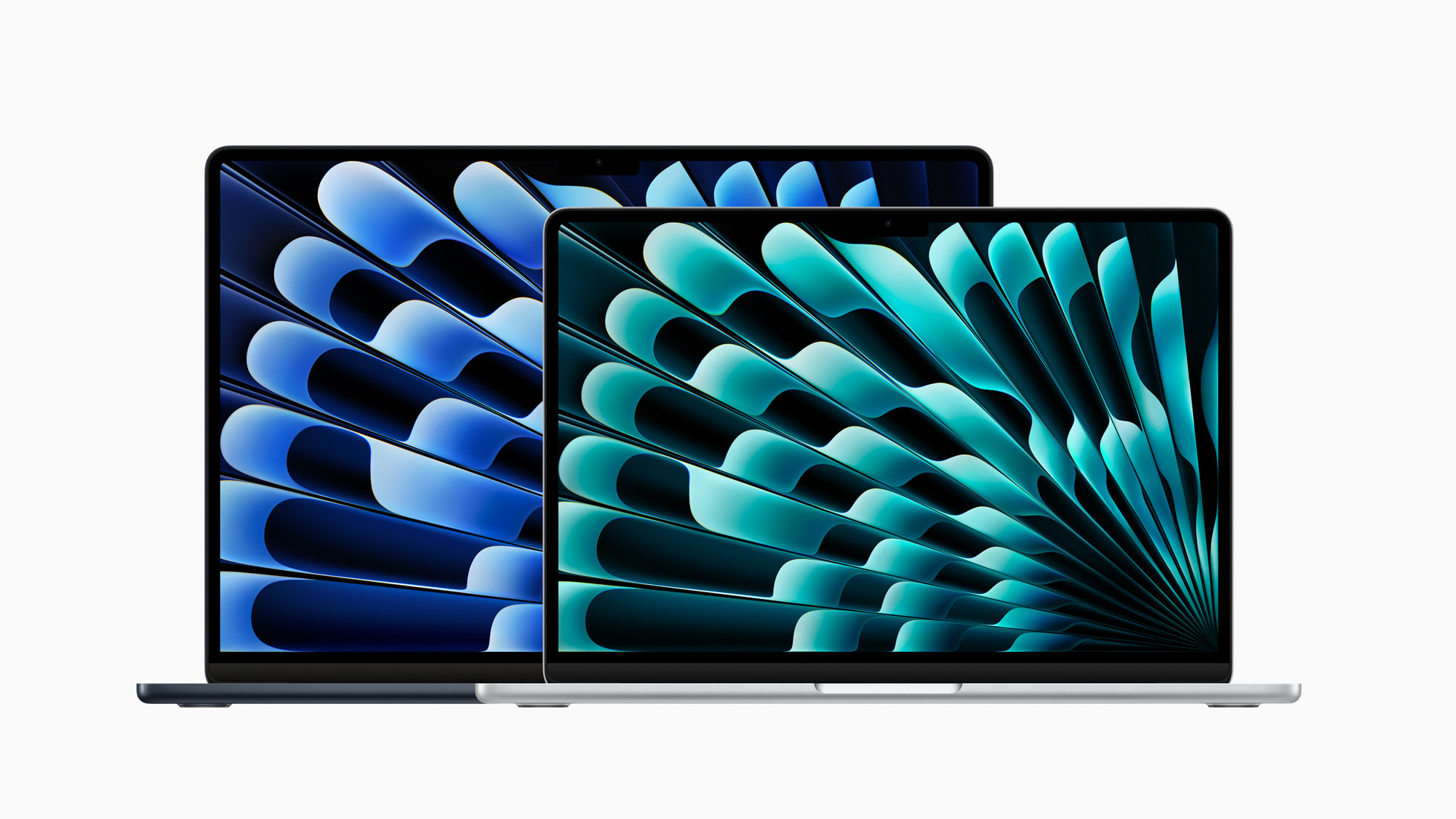
The Apple MacBook Air 15-inch M3 delivers a near-perfect blend of performance, design, and battery life. Thurrott.com praised its elegant, minimalist design and exceptional user experience, noting how it impressed more over time. YouTube reviewer MTG highlighted the M3 chip's consistent performance across various tasks including video editing and browser work, with no overheating or lag issues. While the display notch and bezels are minor drawbacks, the device's overall reliability and silent operation make it ideal for productivity-focused users seeking a premium laptop experience.
Full review
Design evolution and visual impact
The 15-inch MacBook Air M3 continues the flat, MacBook Pro-inspired design introduced in 2022, maintaining the same silhouette as its predecessor while incorporating subtle refinements. According to Jason Snell of Six Colors, the external design remains nearly identical to the M2 model, with the only visible difference being a new fingerprint-resistant anodization on the midnight black models. Paul Thurrott of Thurrott.com noted that the design is 'stunning' and 'arguably even more attractive than the MacBook Pro,' particularly with color options like the 'subtle champagne-like Starlight.' The laptop's form factor achieves a balance between portability and screen real estate, with the 15.3-inch display offering a 2,880 x 1,864 resolution and 16:10 aspect ratio that's ideal for productivity work. However, the display bezels are described as 'not particularly small by premium PC standards,' though macOS's on-screen menu system helps to visually minimize this issue. The overall aesthetic is described as 'elegant' and 'minimalist,' with the device's lightness and thinness triggering an emotional response that sets it apart from typical laptops.
Performance and chip improvements
The M3 chip delivers significant performance improvements over its predecessor, with Kimberly Gedeon of Mashable noted that the new M3 MacBook Air is 'like the partner who frowns at you for not noticing their new haircut,' suggesting that while the external changes may seem minor, the internal upgrades are substantial. The chip's 8-core CPU and 10-core GPU provide a noticeable boost in processing power, especially when running demanding applications like Blender or Illustrator. Paul Thurrott emphasized that the MacBook Air's performance is 'silent and effortless,' and that it 'achieves what I thought was impossible by impressing me more the more I used it.' The device's ability to handle demanding creative tasks without overheating or fan noise is highlighted as a key strength, with the M3 chip delivering consistent performance that exceeds typical expectations for a laptop in this category.
Display and visual experience
The 15-inch MacBook Air M3 features a 15.3-inch IPS panel with a 2,880 x 1,864 resolution and 16:10 aspect ratio, providing excellent visual clarity for productivity tasks. While the display is described as 'not particularly small by premium PC standards,' the on-screen menu system in macOS helps to visually minimize the bezels. Jason Snell of Six Colors noted that the display is 'perfect for productivity work' and that the 224 pixels per inch (PPI) pixel density ensures sharp text and graphics. The display's performance is further enhanced by the M3 chip's ability to handle high-resolution content without lag or stuttering. However, the presence of a 'notch' in the display that houses the 1080p FaceTime camera is mentioned as a design compromise, though Snell noted that he 'forgets the notch is there, honestly.' The display's color accuracy and brightness are considered excellent, making it suitable for both professional work and entertainment purposes.
Battery life and portability
Battery life is one of the standout features of the 15-inch MacBook Air M3, with reviewers consistently praising its longevity. Paul Thurrott noted that the MacBook Air's battery 'just lasts and lasts and lasts,' making it a 'mockery of other companies all-day battery life claims.' The device is described as 'incredibly light' for its size, making it easy to carry around and use in various locations. The laptop's portability is enhanced by its slim profile and lightweight construction, which allows users to move it effortlessly between rooms or workspaces. The device's ability to maintain consistent performance without overheating or fan noise is also highlighted as a key advantage, particularly for users who value quiet operation during travel or in shared workspaces.
Dual display support and productivity features
One of the most significant upgrades for the 15-inch MacBook Air M3 is its ability to support dual external displays, a feature that was previously unavailable in Apple Silicon MacBooks. Jason Snell of Six Colors reported that he was able to use the M3 MacBook Air with two Apple Studio Displays, provided the lid was closed and an external keyboard and trackpad were used for control. The device can support one 6K display and a second display up to 5K resolution, though there are scaling disparities between the two monitors. This capability makes the MacBook Air an attractive option for professionals who require a multi-monitor setup but prefer the portability of a laptop over a desktop workstation. The dual display support is particularly valuable for creative professionals who need to work with multiple applications simultaneously or require extended workspace for tasks like video editing or data analysis.
Audio and connectivity
The 15-inch MacBook Air M3 features punchy, rich audio that enhances the overall user experience, according to Kimberly Gedeon of Mashable. The device's speakers are described as 'punchy, rich' and provide clear sound quality for both media consumption and video conferencing. Connectivity options include two Thunderbolt ports, which allow for dual display support and other peripheral connections. However, the device is noted to be 'stingy with ports' compared to some competitors, which may be a limitation for users who require extensive connectivity options. The inclusion of WiFi 6E support is also mentioned as a positive upgrade, providing faster wireless connectivity and better performance in crowded network environments. The device's ability to maintain stable connections and handle high-bandwidth tasks without issues is considered a strength for users who rely on wireless networks for their work.
Camera and user experience
The 1080p FaceTime camera is described as 'passable but not amazing' by Jason Snell of Six Colors, though he notes that it's 'not particularly small by premium PC standards.' The camera is housed in the display's notch, which also contains the webcam and prevents the use of Apple's Face ID facial recognition system. Despite this limitation, the camera performs adequately for video calls and general use. The device's overall user experience is praised for its consistency and attention to detail, with Paul Thurrott noting that the MacBook Air's 'attention to detail and consistency' is 'so foreign to the Windows ecosystem that it feels like science fiction.' The device's ability to open the lid with one finger and fire up the display instantly is highlighted as a small but significant improvement that enhances daily usability.
Strong value, though upgrade pricing draws criticism
Kimberly Gedeon of Mashable noted that the device is 'a worthy refresh' and 'a replica of its predecessor, but it has an edge to it.' The price point is considered reasonable for the performance and features offered, particularly when compared to competing laptops in the same category. However, Paul Thurrott of Thurrott.com noted that while the device is 'near-perfect' and 'unbeatable value,' there is 'some upgrade price-gouging' that may affect its perceived value. The device's ability to handle demanding creative tasks while maintaining portability and battery life makes it a strong contender for professionals who need a reliable, high-performance laptop. The inclusion of dual display support and WiFi 6E connectivity further enhances its value proposition for users who require advanced features.
Strengths
- +Elegant and stunning design with a flat MacBook Pro-inspired aesthetic
- +Silent operation with no fan required, even under heavy load
- +Powerful M3 chip handles all tasks with ease, from light to intensive workloads
- +Exceptional battery life that outperforms most competitors
Watch-outs
- −Display features a notch that doesn't support Face ID facial recognition
- −Display bezels are not particularly small by premium PC standards
How it compares
The Apple MacBook Air 15-inch M3 runs without a fan and battery life is a listed strength, where the Lenovo ThinkPad T14 Gen 5 AMD's entry flags weak battery life. Its 15.3-inch screen is larger than the 14-inch panels on the Samsung Galaxy Book4 Pro 14 and the ThinkPad, and at 3.3 pounds it is heavier than both, at 2.64 and 2.9 pounds. Its specs list 8 GB of memory against the Samsung's 16GB.
Rating sources
Counts as 4.26/5 in our score — this publisher's 11 scores on the site average 4.22, so its scores are adjusted down to compare fairly with other publishers.
“The Apple MacBook Air 15-inch M3 is a near-perfect combination of silent and effortless performance, epic battery life, and elegant design.”
Not in the average — we derived this score from the review's words, and a publisher printed a score for this product, so the printed number counts instead.
“Apple did a spectacularly good job redesigning the MacBook Air in 2022, and now here's a revision that brings Apple's most popular Mac up to date with the latest generation of Apple silicon.”
Not in the average — we derived this score from the review's words, and a publisher printed a score for this product, so the printed number counts instead.
“The new MacBook Air is coming to end Apple's M3 nightmare once and for all. It offers a great combination of performance, portability, and price for the customer.”
Our 4.3 score is the average of 1 of the scored reviews above, each adjusted for how strictly its publisher scores; 2 more reviewed it without printing a score and are not in the average. 2 derived scores above are not in the average because a publisher printed a score for this product. Ratings marked * were derived from the reviewer’s written analysis or video transcript — the publisher didn’t print an explicit numeric score, so we inferred one from their own words. Click through to verify. More about methodology.