The eero Pro 7 puts Wi-Fi 7 into a mesh system aimed at large homes and thick walls. PCMag's John R. Delaney called it reliable for streaming and gaming, and Residential Tech Today's Rob Stott reported a significant coverage improvement in a home with challenging architecture. Reviewers also flagged the premium price and the limited advanced customization on offer. It suits people who want dependable mesh networking without complex configuration, though shoppers watching cost will find cheaper routes.
Full review
No custom firewall rules and fixed LAN ranges
The eero Pro 7 delivers on its promise of simplicity, with setup that takes mere minutes according to Wired's review. Users can download the eero app, connect via their Amazon account, and follow on-screen instructions to configure the mesh network. Tom's Hardware noted that the app is intuitive, guiding users through connection settings, including PPPoE credentials and VLAN tagging for various ISPs. The system supports both wired and wireless node connections, with Geekzone's reviewer reporting that adding nodes was straightforward and faster than other mesh systems tested. The setup process handles IPv6 automatically and supports multiple connection types, including DHCP, PPPoE, and static IP configurations. However, the system requires an internet connection for full configuration, as local access is limited and lacks a browser-based interface. The app provides real-time network status, connected devices, and speed tests, but advanced features like firewall rules and custom port forwarding are restricted, limiting customization for power users.
The eero Pro 7 supports both WPA2 and WPA3 encryption, with WPA3 enabled by default in the app, though users can toggle it off if needed. The system allows for DHCP reservations and port forwarding, but lacks the ability to create or modify firewall rules, which may disappoint advanced users seeking granular control. According to PCMag's review, the app is clean and well-organized, showing network status, connected devices, and performance metrics. The system also supports OpenThread for home automation, and can integrate with Amazon Echo devices as network nodes, extending coverage without additional hardware. However, the lack of a USB port and limited LAN address options (three fixed ranges only) restricts flexibility for users with specific networking needs.
6GHz signal fades a room or two away
Performance testing reveals that the eero Pro 7 delivers solid Wi-Fi 7 speeds, though not at the absolute peak level of competing systems. However, the 6GHz band's penetration is limited, as Wired's reviewer observed significant speed drops one or two rooms away from the main router. The system supports 2.4GHz, 5GHz, and 6GHz bands with automatic bandwidth management, using a 2x2 antenna configuration for each band. The 6GHz band supports up to 320MHz bandwidth, while 5GHz supports up to 160MHz, and 2.4GHz supports up to 40MHz. The system's ability to automatically select the optimal band for each device is praised by Wired, which noted that the Pro 7's stability and low lag make it suitable for gaming and smart home use.
Despite its strong performance in most scenarios, the eero Pro 7 does fall short in some areas of raw speed compared to competitors. PCMag's review found that while the system is stable and fast, it's not the fastest in its class, with speeds lagging behind systems like the Netgear Orbi 770 Series in certain tests. However, the stability and low latency are consistent across all reviewers, with Tom's Hardware noting that the system's performance remains consistent even under heavy device loads. The eero Pro 7's ability to maintain stable connections and low input lag is particularly appreciated by gamers and smart home users. RTINGS.com found that while the system's peak performance is solid, it doesn't exceed the capabilities of its competitors in all scenarios, particularly in terms of raw bandwidth. The system's automatic band selection and load balancing are effective, but the lack of manual control over bandwidth and channel settings limits customization for advanced users.
No visible antennas on the tower design
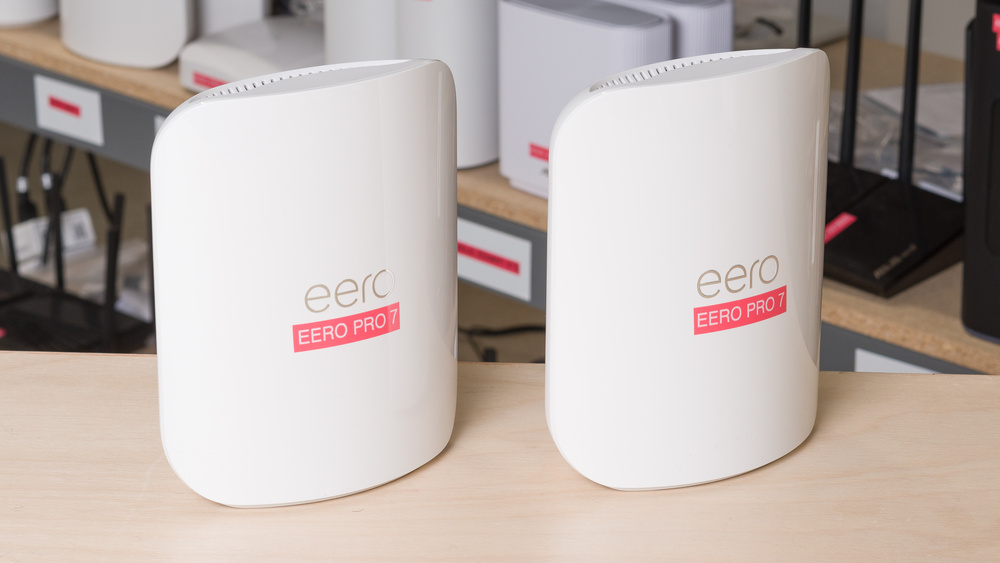
The eero Pro 7 features a sleek, minimalist design that blends seamlessly into any home environment. Wired's reviewer noted that the routers are 'shiny white plastic routers, featuring the same tower design as the Max 7, just slightly smaller,' and that they 'blend in easily' and can be placed anywhere in the house. The units are 180mm tall and 147mm wide, making them compact yet substantial. Each node has two 5-Gbps Ethernet ports, with one port dedicated to connecting to the ISP's ONT and the other for connecting additional nodes or devices. The back of each unit houses a USB-C power port, and the design is consistent across all three nodes in the 3-pack. The build quality is described as solid, with the units feeling sturdy and well-constructed. The packaging is also praised for its protective design, with Geekzone's reviewer noting that the box was 'beautifully designed' and provided 'a significant amount of protection for the product.' The system's design is both aesthetically pleasing and functional, with no visible antennas or jagged edges that would make it look overly technical.
The eero Pro 7's design is consistent with eero's overall aesthetic, which emphasizes minimalism and integration into home environments. Tom's Hardware described the Eero 7 Pro as having 'the same high-quality plastic construction inherent to all Eeros, with a glossy white finish for the front face of each node, and a matte white finish for the back panel.' The system's compact size and clean lines make it suitable for placement on shelves or entertainment centers without drawing attention. The build quality is described as robust, with the units feeling substantial and well-constructed. The lack of visible antennas or technical elements is a deliberate design choice, aimed at making the routers visually appealing to users who might otherwise find traditional routers unattractive. The system's design also includes a USB-C power port on the back, which is standard for modern networking equipment, and the two Ethernet ports are clearly labeled and positioned for easy access.
Smart Home Integration
The eero Pro 7 excels in smart home integration, supporting Matter, Thread, and Zigbee protocols, which makes it an attractive option for users with smart home ecosystems. Wired's reviewer highlighted that the system 'doubles as a smart-home hub with Matter, Thread, and Zigbee support,' and that it 'can also serve as a home automation hub and respond to voice commands if you use Alexa.' The system's compatibility with Amazon Echo devices allows for network extension without additional hardware, a feature that is particularly useful for users with existing Amazon ecosystems. The eero Pro 7 also supports OpenThread, which is beneficial for users who rely on Thread-based smart home devices. The system's ability to function as a smart home hub is further enhanced by its integration with Alexa, allowing users to control smart devices through voice commands. However, the lack of a USB port and limited LAN address options may restrict advanced smart home configurations for users who require more granular control.
The smart home capabilities of the eero Pro 7 are robust, with support for multiple protocols and integration with popular smart home platforms. RTINGS.com noted that the system supports Matter, Thread, and Zigbee, making it compatible with a wide range of smart home devices. The inclusion of OpenThread support is particularly valuable for users who rely on Thread-based ecosystems, such as those using Nest or other Google Home devices. The system's ability to act as a home automation hub is a significant selling point, especially for users who want a single device to manage both networking and smart home functions. However, the lack of a USB port and limited LAN address options may be a limitation for advanced users who require more flexibility in their smart home setups. The system's integration with Amazon's ecosystem is seamless, allowing users to manage both networking and smart home functions through the same app, which is a major convenience factor.
Doubles as a Matter and Thread hub
Reviewers consistently praised the eero Pro 7 for its ease of setup, stability, and smart home integration. Wired's reviewer gave it an 8/10 rating, citing its 'smooth sailing' experience, 'simple setup,' and 'stable and fast performance.' The system's ability to function as a smart home hub with Matter, Thread, and Zigbee support was particularly appreciated. PCMag's John R. Delaney noted that the system is 'solid Wi-Fi 7 mesh at a down-to-earth price,' and that it offers 'great value' for users seeking a reliable mesh network. The system's automatic band selection and load balancing were highlighted as key strengths, with Tom's Hardware noting that the system 'decides which band devices should connect to and when to hand over that connection.' The eero Pro 7's compatibility with Amazon Echo devices for network extension was also praised, as it allows users to expand their network coverage without purchasing additional hardware. The system's ability to maintain stable connections even under heavy device loads was consistently mentioned as a significant advantage.
The eero Pro 7's user-friendly app and seamless integration with Amazon's ecosystem were frequently cited as strengths. The system's ability to handle multiple connection types, including DHCP, PPPoE, and static IP configurations, was appreciated by reviewers who tested it with various ISPs. The system's automatic configuration and minimal user intervention requirements were particularly praised by users who value simplicity. The ability to use the system as a smart home hub, combined with its support for Matter, Thread, and Zigbee, makes it a compelling option for users who want a single device to manage both networking and smart home functions. The system's stability and low latency were also highlighted as key advantages, especially for users who rely on gaming or streaming services.
$10 a month for features locked behind eero Plus
Despite its many strengths, the eero Pro 7 has several notable drawbacks that may deter some users. The most significant limitation is the lack of a USB port, which is a common feature in competing mesh systems and is essential for users who need to connect external storage devices or printers. The system's inability to create or modify firewall rules, despite having stateful firewall capabilities, is another drawback that may disappoint advanced users. Additionally, the system's LAN address options are limited to three fixed ranges, which restricts customization for users with specific networking needs. The lack of a browser-based interface for local management also means that users cannot make changes without an internet connection, which can be problematic in situations where the internet is down.
Another significant shortcoming is the cost of the eero Plus subscription, which is required to unlock many of the system's advanced features. Wired's reviewer noted that 'TIRED Subscription required for many features' and that 'you need to shell out for an Eero Plus subscription to unlock all its features.' The subscription costs $10 per month or $100 per year, which adds significant expense to the overall cost of ownership. The system's performance, while stable, is not the fastest in its class, with PCMag's review noting that it 'wasn't the fastest in its class' and that 'speeds lagging behind systems like the Netgear Orbi 770 Series in certain tests.' The 6GHz band's limited penetration is also a drawback, as Wired's reviewer observed that 'there was a significant drop-off one or two rooms over.' The system's lack of manual control over bandwidth and channel settings also limits customization for advanced users who want more granular control over their network.
Set-and-forget pick for Amazon smart homes
The eero Pro 7 is best suited for users who prioritize ease of setup, stability, and smart home integration over raw performance and advanced customization. It's ideal for homeowners who want a reliable mesh network without the hassle of complex configuration, particularly those already invested in Amazon's ecosystem. Wired's reviewer recommended it for 'folks seeking a set-and-forget mesh Wi-Fi system for their home,' and noted that it's 'perfect for those who want to futureproof their home network with an easy to setup system.' The system's compatibility with Amazon Echo devices and support for Matter, Thread, and Zigbee make it an excellent choice for users with smart home setups. The eero Pro 7 is also well-suited for users who value stability and low latency, especially gamers or those who rely heavily on streaming services. The system's automatic band selection and load balancing are particularly beneficial for users who don't want to manually manage their network.
Users who are looking for a plug-and-play solution with minimal technical requirements will find the eero Pro 7 appealing. The system's simple setup process and app-based management make it accessible to users who may not be technically inclined. However, it's not recommended for users who require advanced networking features, such as custom firewall rules, manual bandwidth control, or USB connectivity. The system's performance, while stable, may not meet the needs of users who require maximum bandwidth or are running demanding applications. Additionally, the cost of the eero Plus subscription may be prohibitive for users who don't need its advanced features. The system is also not ideal for users who need to connect external storage devices or printers directly to the network, as it lacks a USB port. The eero Pro 7 is best for users who want a reliable, easy-to-use mesh network that integrates well with smart home ecosystems.
Called middle child with middling performance
The eero Pro 7 holds its own against competing mesh systems, particularly in terms of ease of use and smart home integration. The system's ability to automatically manage bands and connections is a significant advantage over systems that require manual configuration. However, PCMag's review noted that 'the system's performance is not the fastest in its class,' and that 'speeds lagging behind systems like the Netgear Orbi 770 Series in certain tests.' The eero Pro 7's lack of a USB port and limited LAN address options are drawbacks that may make competing systems more appealing to advanced users. The system's support for OpenThread and integration with Amazon Echo devices provides a unique advantage in the smart home space, which is not commonly found in competing systems.
When compared to other Wi-Fi 7 mesh systems, the eero Pro 7 offers a balance of performance, ease of use, and smart home integration. Tom's Hardware noted that the system 'delivers middle child with middling performance,' suggesting it's not the absolute best in its class but still a solid choice. The system's ability to function as both a mesh router and a smart home hub is a significant advantage, particularly when compared to systems that only offer networking capabilities. The eero Pro 7's automatic configuration and minimal user intervention requirements make it more accessible than many competitors, though this comes at the cost of advanced customization options. The system's performance is competitive, but not exceptional, which may be a trade-off for users who prioritize ease of use over raw performance. The eero Pro 7's price point is also competitive, though the cost of the eero Plus subscription adds to the overall expense.
Strengths
- +Solid Wi-Fi 7 mesh system with strong performance
- +Easy setup and management through mobile app
- +Good coverage for large homes with thick walls
- +Reliable streaming and gaming connectivity
Watch-outs
- −Higher price point compared to some competitors
- −Limited customization options for advanced users
How it compares
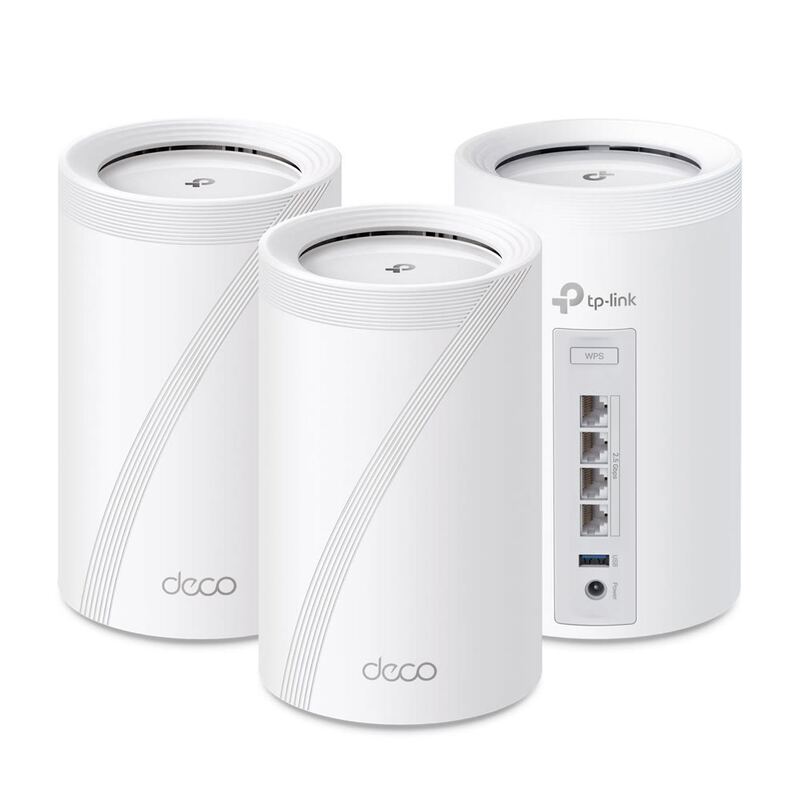
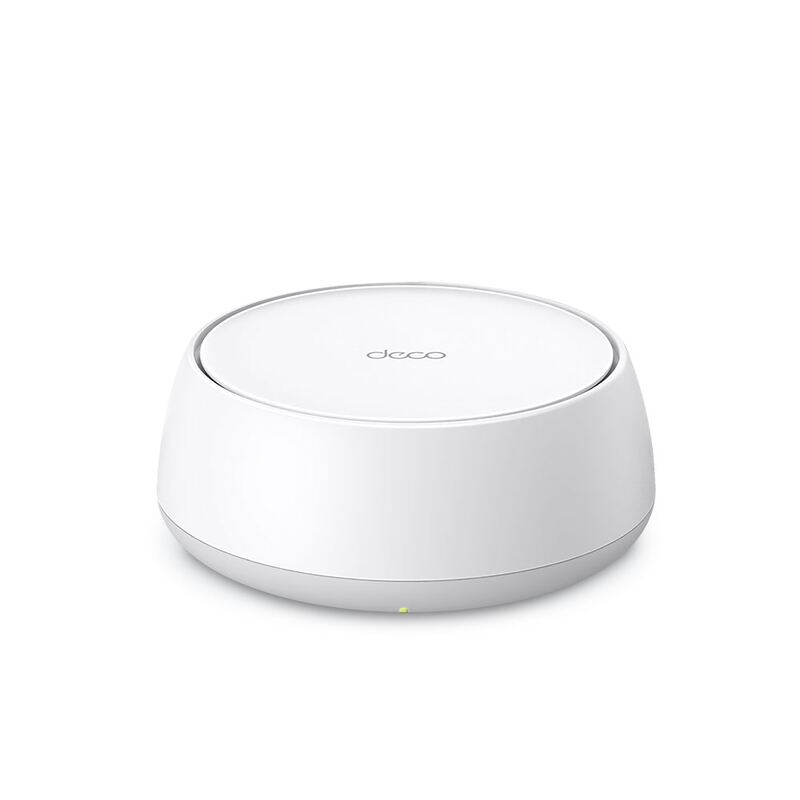
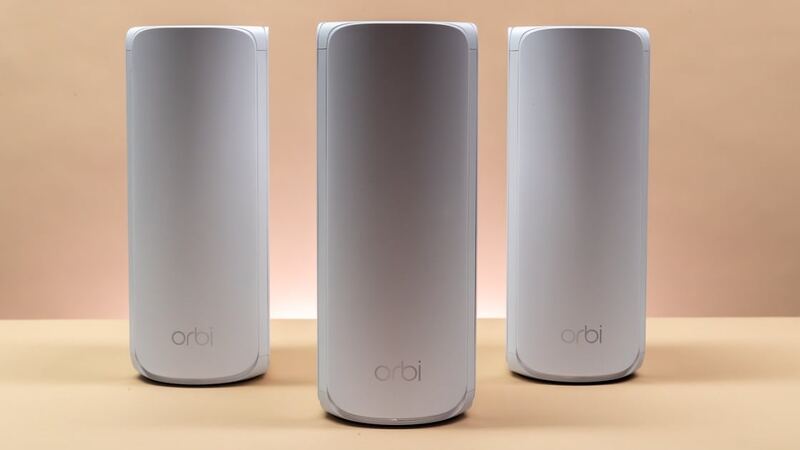
The eero Pro 7 provides solid performance and easy setup, but it's more expensive than the TP-Link Deco BE63 and doesn't match the budget-friendly appeal of the TP-Link Deco BE23. Compared to the NETGEAR Orbi 770, it lacks the tri-band connectivity and advanced features, though it offers better reliability for streaming and gaming.
Rating sources
“The eero Pro 7 is a great router for multi-level homes. It delivers impressive speeds that are well-suited for high-bandwidth activities like multiple users downloading large files quickly.”
Our 4.0 score is the average of the 5 scored reviews above; 1 more reviewed it without printing a score and is not in the average. More about methodology.