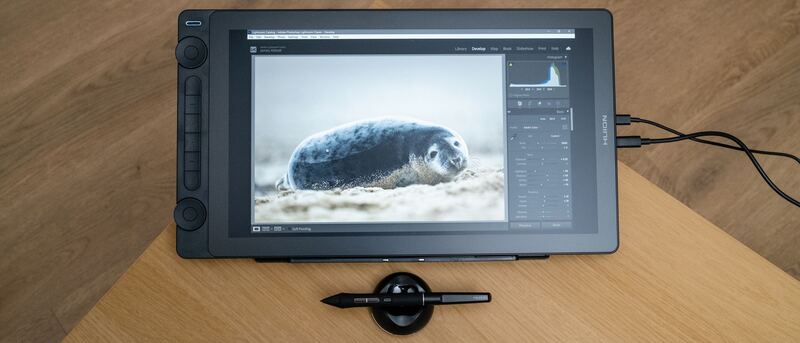
Verdict
Head-to-head · Best Graphics Drawing Tablets

Huion Kamvas 16 (Gen 3) vs XP-Pen Deco Pro MW

Which is the better buy? Side-by-side on rating, price, strengths, and watch-outs — with the published ratings we averaged to get there.

The short answer

Huion Kamvas 16 (Gen 3) comes out ahead by a narrow margin (4.4 vs 4.2). The gap is mostly about Intermediate artists who want a sharp mid-size pen display with a top-tier pen and lots of on-device shortcut controls at a reasonable price. — read the strengths below before deciding.

Huion Kamvas 16 (Gen 3)
Higher ratedRanked #4 in Best Graphics Drawing Tablets
Huion Kamvas 16 (Gen 3)
$459as of Jun 7

The Huion Kamvas 16 (Gen 3) is the standout mid-range pen display, pairing a sharp 2.5K QHD screen with a high-end 16,384-level PenTech 4.0 pen and on-device dials. Creative Bloq praised its unique control-heavy design and Digital Camera World called it good enough for professional use. Modest brightness and added bulk are the trade-offs.

Strengths
  • Crisp 15.8-inch 2.5K QHD (2560x1440) display with full lamination
  • High-spec PenTech 4.0 pen with 16,384 pressure levels
  • Strong color: 99% sRGB, 99% Rec.709, ~90% Adobe RGB with low Delta-E
Watch-outs
  • Not a standalone device; must connect to a computer or Android phone
  • 200-nit brightness is modest for bright rooms
  • Bulkier design than streamlined rivals due to the added controls
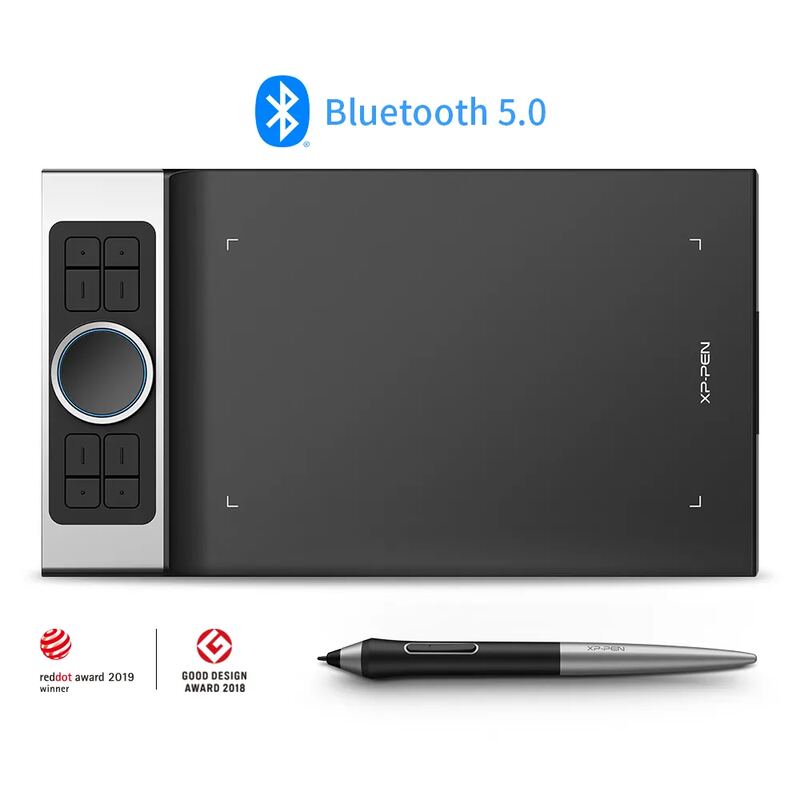
XP-Pen Deco Pro MW
Ranked #5 in Best Graphics Drawing Tablets
XP-Pen Deco Pro MW
$99.99as of Jun 7

The XP-Pen Deco Pro MW is the budget screenless pick, offering a large active area, a high-pressure battery-free pen and a premium control layout for well under $200. Reviewers including Parka Blogs recommend it easily and Big Red Illustration rated it 4/5 as an accessible entry into digital art. The screenless learning curve and shaky phone support are the trade-offs.

Strengths
  • Affordable screenless tablet with a large 11x6-inch active area
  • Battery-free stylus with high pressure sensitivity and 60-degree tilt
  • Bluetooth 5.0 wireless with 10+ hours of battery and no perceptible latency
Watch-outs
  • Screenless, so it has a learning curve for those used to drawing on a display
  • Smartphone connectivity and use are unreliable
  • No built-in display means you draw while looking at your monitor

How they stack up

Huion Kamvas 16 (Gen 3)

The mid-range pick: its 16,384-level PenTech 4.0 pen actually out-specs the 8,192-level Huion Kamvas Pro 24 and the ~4,000-level Wacom One 13 Touch, but its 2.5K screen sits below the 4K Kamvas Pro 24 and Wacom Cintiq Pro 27; it adds a screen the XP-Pen Deco Pro MW lacks.

XP-Pen Deco Pro MW

The only screenless and by far the cheapest option here: it forgoes the display of the Wacom Cintiq Pro 27, Huion Kamvas Pro 24, Wacom One 13 Touch and Huion Kamvas 16 (Gen 3), trading the on-screen drawing experience for a high-pressure pen and premium controls at a budget price.

Specs side-by-side

SpecHuion Kamvas 16 (Gen 3)XP-Pen Deco Pro MW
Screen Size15.8-inch
Resolution2.5K QHD (2560x1440)
Color Gamut99% sRGB, ~90% Adobe RGB
PenPenTech 4.0, 16,384 levelsBattery-free, high pressure sensitivity
LaminationFull lamination, anti-sparkle glass
Controls2 dials + 6 Quick Keys8 ExpressKeys + dual dial wheel
Brightness200 nits
ConnectivityUSB-C, Android-compatible
TypeScreenless pen tablet
Active Area11 x 6 inches
Tilt60 degrees
WirelessBluetooth 5.0
Battery10+ hours
CompatibilityWindows, macOS, Android, Chrome OS, Linux
← See the full ranking of best graphics drawing tablets