Verdict
Head-to-head · Best USB-C Docks

Anker 555 8-in-1 USB-C Dock vs Dell D6000 Universal Dock

Which is the better buy? Side-by-side on rating, price, strengths, and watch-outs — with the published ratings we averaged to get there.

The short answer

Anker 555 8-in-1 USB-C Dock comes out ahead by a narrow margin (4.2 vs 4.0). The gap is mostly about creatives needing high-speed data and 4K output — read the strengths below before deciding.

Anker 555 8-in-1 USB-C Dock
Higher ratedRanked #2 in Best USB-C Docks
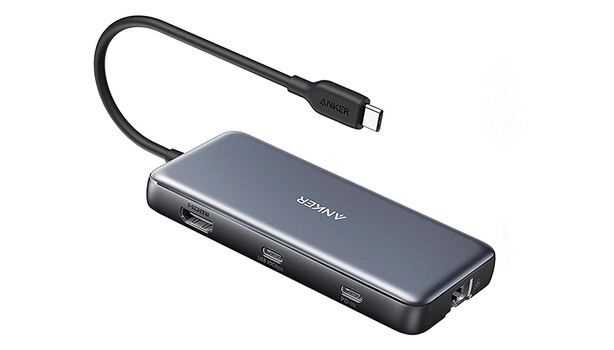
Anker 555 8-in-1 USB-C Dock
$50

The Anker 555 USB-C 8-in-1 Hub offers significant upgrades over cheaper alternatives with its 4K60Hz HDMI output, full 10Gbps USB speeds across all ports, and dual card readers. Blogged Off reviewer noted it's bulkier than older hubs but provides better heat dissipation and reliable performance. Fstoppers reviewer praised its compact size and pass-through charging capabilities, though both reviewers mentioned the lack of rubber feet and awkward dangling design. This hub is ideal for creatives needing high-speed data transfer and display output, but those seeking a slimmer form factor or Thunderbolt connectivity should consider more expensive docking stations.

Strengths
  • Supports 4K at 60 Hz over HDMI, which is superior to most competitors that max out at 30 Hz
  • All USB ports (2x USB-A 3.2 and 1x USB-C 3.2) deliver 10 Gbps throughput
  • Includes both SD and microSD card readers with 104 MBps speed
Watch-outs
  • No rubber feet or grip mechanism, causing it to slide around on surfaces
  • Relatively bulky design compared to slim alternatives, awkwardly dangling from laptop
  • Ethernet port is included but may not be frequently used by many consumers
Dell D6000 Universal Dock
Ranked #5 in Best USB-C Docks
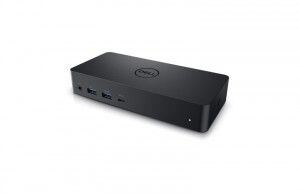
Dell D6000 Universal Dock
$199

The Dell D6000 Universal Dock offers broad compatibility by supporting both USB Type-A and USB-C connections, making it ideal for mixed-device environments. It delivers triple 4K display support via USB-C, a rare feature at this price point, according to docking-stations.info. However, reviewers noted significant drawbacks including a non-removable cable that can't be replaced, the need for DisplayLink drivers on every OS, and software-based video compression that limits its usefulness for gaming or creative work. While it's a budget-friendly option for office setups requiring multi-monitor support, the dock's reliability concerns and performance limitations make it best suited for general productivity tasks rather than power users.

Strengths
  • Supports both USB 3.0 and USB Type-C for universal compatibility with older and newer laptops
  • Outputs to up to three 4K monitors via USB-C (two at 4K@60Hz + third at 4K@30Hz)
  • Includes Gigabit Ethernet, multiple USB-A ports, and combo audio jack for office needs
Watch-outs
  • Non-removable USB-C cable means if it fails, the entire dock becomes unusable
  • Requires DisplayLink driver installation on all operating systems, not plug-and-play
  • DisplayLink compression makes it unsuitable for gaming or GPU-intensive creative work

How they stack up

Anker 555 8-in-1 USB-C Dock

The Anker 555 excels in 4K60Hz HDMI output and full 10Gbps USB speeds, surpassing the UGREEN Revodok Pro and HyperDrive 12 in display and data transfer capabilities. However, it lacks Thunderbolt support and is bulkier than the Satechi 15-in-1, which offers wireless charging and vertical device organization. Compared to the Dell D6000, it's more affordable but doesn't support triple 4K displays without DisplayLink drivers.

Dell D6000 Universal Dock

The Dell D6000 offers universal compatibility with both USB-A and USB-C laptops, a feature the CalDigit TS4 and UGREEN Revodok Pro lack. It supports triple 4K displays at a lower price point than the Satechi 15-in-1, but requires DisplayLink drivers and has poor performance for creative work. Unlike the Anker 555, it doesn't support 4K60Hz HDMI output, and unlike the HyperDrive 12, it lacks 10Gbps USB speeds.

Specs side-by-side

SpecAnker 555 8-in-1 USB-C DockDell D6000 Universal Dock
Host ConnectionUSB-CUSB-C
USB-A Ports2 ports with 10 Gbps4
USB-C Ports1 port with 10 Gbps1
Display Outputs4K at 60 Hz2x DisplayPort 1.2, 1x HDMI 2.0
Ethernet1 Gbps bandwidth10/100/1000 Mbps
Power Delivery85 watts pass-through90W
Card SlotsSD, microSDSD, microSD
Build MaterialPlasticPlastic
← See the full ranking of best usb-c docks