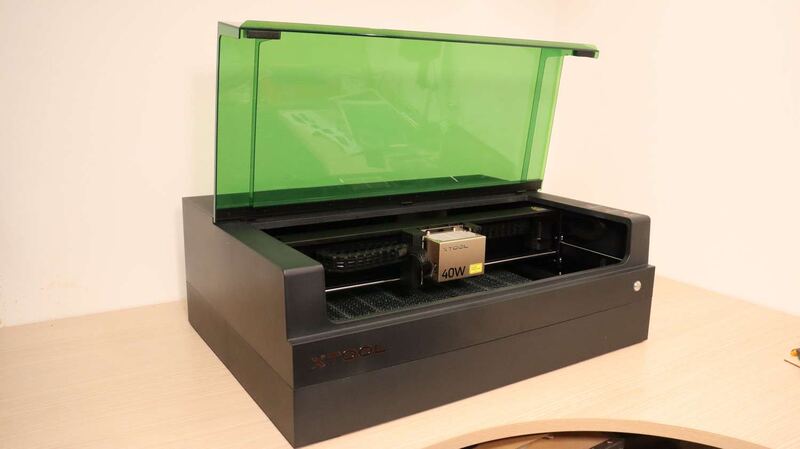
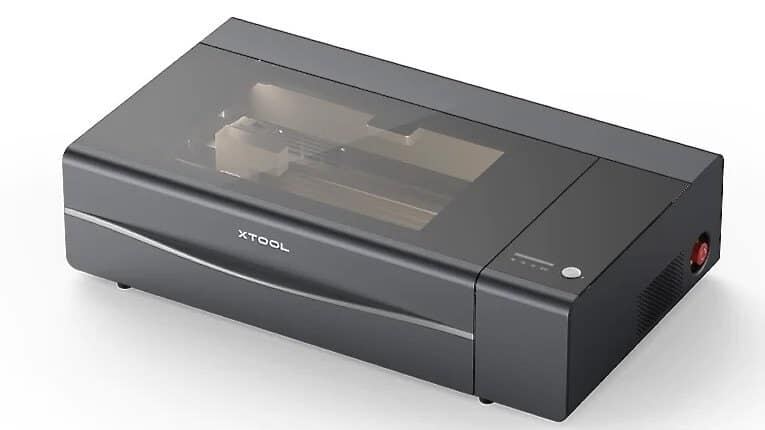
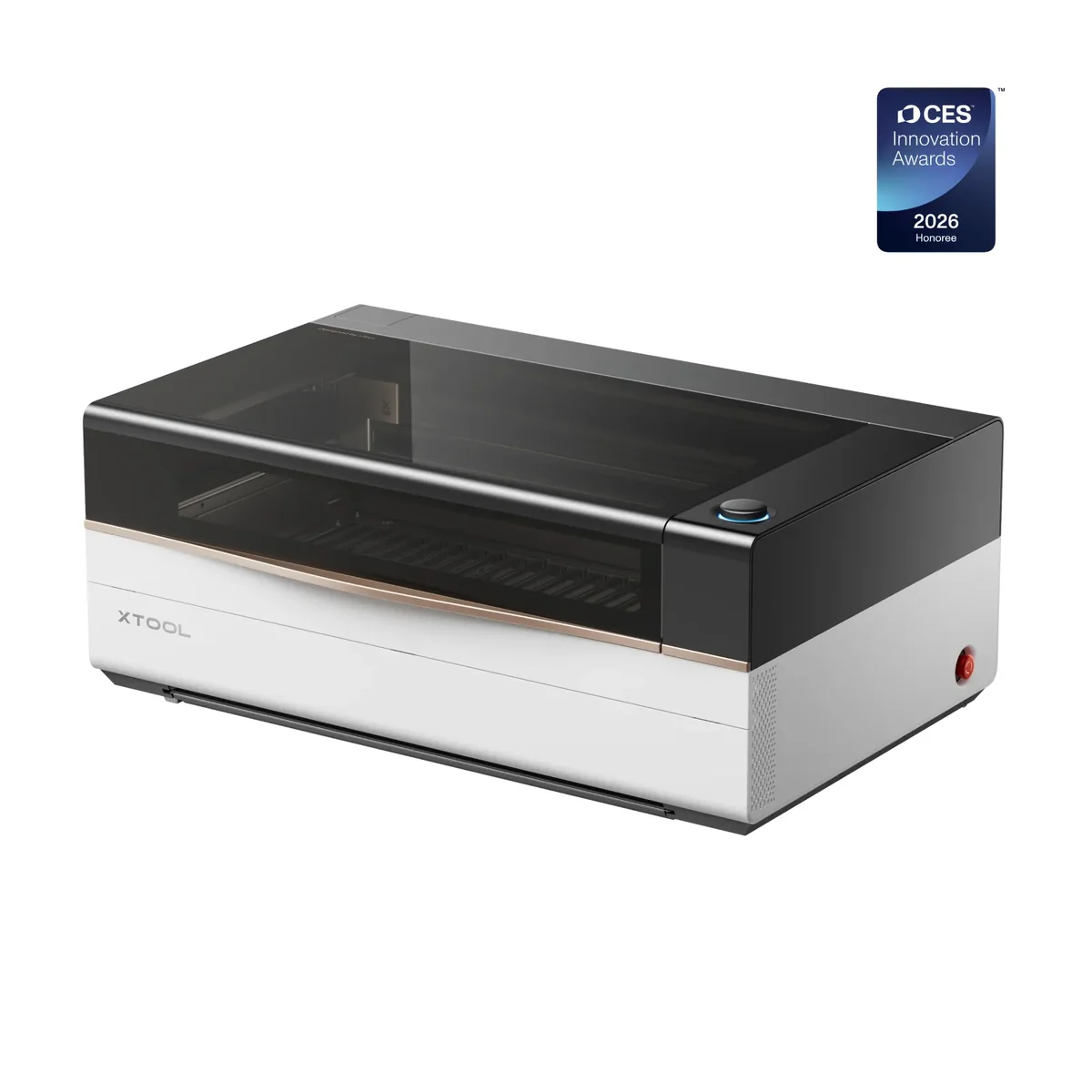
The xTool P3 features a massive 915 by 458 millimeter working area that accommodates full sheets of material without splitting batches, according to hobbylasercutters. Its Automated Creation System uses four cameras and LiDAR for automatic bed leveling and autofocus, which Make or Break Shop described as the easiest industrial laser they have ever used due to its streamlined workflow. However, the machine weighs 105 kilograms, making it difficult to move without purchasing an optional mobile work stand. Initial optical path calibration can also be intimidating and time-consuming for beginners who are not familiar with mechanical alignment. This unit fits high-volume producers needing large format cutting but is likely too complex and heavy for casual hobbyists.
Full review
Massive working area eliminates batch splitting
The xTool P3 introduces a significantly enlarged workspace that fundamentally changes how operators approach production runs. hobbylasercutters documented the machine's dimensions as an enormous 915 by 458 millimeters, which translates to a 36 by 18 inch footprint. This expansive surface area is large enough to accommodate full sheets of material without requiring users to split their designs across multiple setups. The sheer scale of the bed allows for high-volume production workflows that were previously impossible on smaller desktop units.
The physical impact of this size becomes immediately apparent when comparing it to its predecessor. This comparison highlights just how much more material can be processed in a single pass on the new flagship unit, reducing the manual labor associated with repositioning blanks and aligning subsequent cuts.
Automated Creation System simplifies complex setups
The integration of four distinct cameras creates a highly automated workflow that removes many traditional barriers to entry for laser cutting. Make or Break Shop described the xTool P3 as the easiest industrial laser they have ever used, largely due to this Automated Creation System. The system combines a wide-angle lid camera for full-area monitoring, a close-up camera for precise alignment, and additional sensors for flame detection and lens identification. This multi-camera approach allows the machine to detect material placement automatically when the lid is opened or closed.
The software interface translates these visual inputs into immediate physical actions without requiring manual measurement. Make or Break Shop demonstrated that once material is placed on the bed, the system detects its presence and uses LiDAR ranging to calculate the exact distance to the surface. The motorized AutoLift base then raises or lowers the slat bed to match the required focal length automatically. This process replaces tedious manual height adjustments with a single button press, ensuring consistent focus across irregular stock.
Optical path calibration demands patience from beginners
Despite the heavy automation of daily operations, the initial hardware setup requires significant time and attention to detail. Make or Break Shop reported struggling with the optical path calibration process during their first use of the machine. The procedure involves shooting a laser beam onto a target and manually adjusting internal knobs until the burn mark perfectly overlaps the software's visual guide. This step is critical for accuracy but can be intimidating for users who are not familiar with mechanical alignment.
The learning curve extends beyond just the optical path. Make or Break Shop noted that it took approximately one hour to figure out which specific knobs controlled each axis of movement during the calibration phase. While the software provides a checklist and step-by-step instructions, the physical adjustments require patience and steady hands. Users who are not comfortable with fine mechanical tuning may find this initial hurdle frustrating before they can begin producing finished parts.
Interchangeable lenses optimize cutting versus engraving
The laser module features a versatile interchangeable lens system that allows operators to tailor the beam characteristics to specific tasks. hobbylasercutters outlined three distinct options: the Medium lens serves as an all-rounder for general use, the Small lens provides finer and more accurate engraving details, and the Large lens is designed for heavy-duty cutting of thick materials. This flexibility ensures that the machine can handle a wide range of projects without sacrificing quality in either fine detail or deep penetration.
The physical design of the laser head has also been updated to protect these optical components from environmental damage. Make or Break Shop highlighted the inclusion of a protective beam cover and guard that prevents smoke contamination on the internal mirrors during operation. This is particularly important given the high power output of the 80W CO2 source, which generates significant heat and particulate matter that can degrade lens performance over time if left unprotected.
Heavy weight necessitates a mobile work stand
The substantial build quality of the xTool P3 comes with a significant mobility trade-off. hobbylasercutters recorded the machine's weight at 105 kilograms, which is equivalent to 230 pounds. This immense mass makes it nearly impossible for a single person to move the unit safely without assistance or specialized equipment. The sheer weight ensures stability during high-speed cutting but renders the machine stationary unless paired with specific accessories.
To address this mobility challenge, xTool offers an optional mobile work stand designed specifically for the P3. hobbylasercutters noted that this stand features high-quality wheels and a center hole to accommodate taller items being processed through the conveyor feeder system. While the stand makes it possible to roll the machine around a workshop, users must account for the additional cost of this accessory if they plan to move their equipment frequently or share workspace with other tools.
Air extraction is mandatory due to high power output
The 80W CO2 laser module generates a substantial amount of smoke and fumes that must be managed effectively to maintain air quality. Make or Break Shop described their experience with the first cut, noting that without proper ventilation, all the fumes returned directly into their workspace. Their indoor air quality indicator immediately began alarming them due to the concentration of particulates in the room.
To mitigate this, users must connect a powerful extraction system such as the xTool IF2 inline fan or an external venting solution. Make or Break Shop emphasized that Bluetooth connectivity allows the fan to automatically turn on when the laser starts cutting, ensuring consistent airflow without manual intervention. hobbylasercutters also recommended pairing the machine with the xTool AP2 Max air purifier for close neighbors who require professional-grade filtration to prevent odors from escaping the immediate work area.
Conveyor feeder enables continuous long-material processing
For users requiring production runs that exceed standard sheet sizes, the optional conveyor feeder system allows for uninterrupted cutting of materials as long as desired. Make or Break Shop mentioned having access to this feature during their review, which expands the machine's capabilities beyond fixed bed dimensions. The conveyor integrates seamlessly with the mobile work stand, allowing operators to feed continuous strips of material through the laser head.
This setup is particularly useful for businesses producing high volumes of identical items or working with long boards that cannot fit on a standard slat bed. hobbylasercutters noted that the mobile work stand includes shelves for storing materials nearby, streamlining the workflow when using the feeder system. The combination of the large base area and the conveyor option makes the P3 capable of handling industrial-scale tasks within a desktop form factor.
Workflow efficiency justifies high entry cost
Thecraftycatsman evaluated whether upgrading to the xTool P3 is worthwhile for existing users, concluding that it depends entirely on specific workflow bottlenecks. They noted that if material no longer fits a smaller machine or repeat batches require too many manual setups, the P3's automation and size provide clear value. The 80W power output also allows operators to tackle thicker materials faster than lower-power alternatives.
However, thecraftycatsman warned that users should carefully compare the included accessories against their planned projects before purchasing high-tier bundles. Prices range significantly depending on whether optional items like the rotary attachment or infrared module are needed. The machine is best suited for those who can quantify the time saved by automation and the revenue gained from larger batch sizes, rather than casual hobbyists who may find the complexity and cost disproportionate to their needs.
Strengths
- +Massive 915 x 458 mm (36 x 18 inch) working area accommodates full sheets of material without splitting batches.
- +Automated Creation System (ACS) integrates four cameras and LiDAR for automatic bed leveling, autofocus, and precise alignment.
- +Interchangeable lens system includes Medium, Small, and Large options to optimize performance for engraving versus heavy cutting.
Watch-outs
- −Heavy weight of 105 kg (230 lbs) makes the unit difficult to move without purchasing an optional mobile work stand.
- −Initial optical path calibration can be intimidating and time-consuming, with some users reporting struggles during setup.
How it compares
The xTool P3 features a massive 915 by 458 millimeter working area that accommodates full sheets of material, vastly exceeding the smaller beds of the Xtool S1 40W or Glowforge Aura. Its Automated Creation System simplifies alignment for high-volume production, though its immense 105kg weight makes it far less portable than lighter models like the Wainlux K10.
Rating sources
“of all the lasers I've ever tested in my shop, this is the easiest laser that I've ever used.”
Our 4.8 score is the average of the 2 scored reviews above; 2 more reviewed it without printing a score and are not in the average. Ratings marked * were derived from the reviewer’s written analysis or video transcript — the publisher didn’t print an explicit numeric score, so we inferred one from their own words. Click through to verify. More about methodology.