The Motorola MB8600 is a DOCSIS 3.1 cable modem rated up to 6Gbps, and setting it up takes little effort. Reviewers liked the simple design and found performance reliable, though several noticed it runs hotter than competitors like the Arris SB8200 because the cooling is less effective. It supports WAN Link Aggregation and works with major ISPs including Comcast Xfinity and Cox. Anyone moving up to a Gigabit plan is the right buyer; anyone who cares about premium build quality or a cool-running box isn't.
Full review
Hardware Specifications and Design
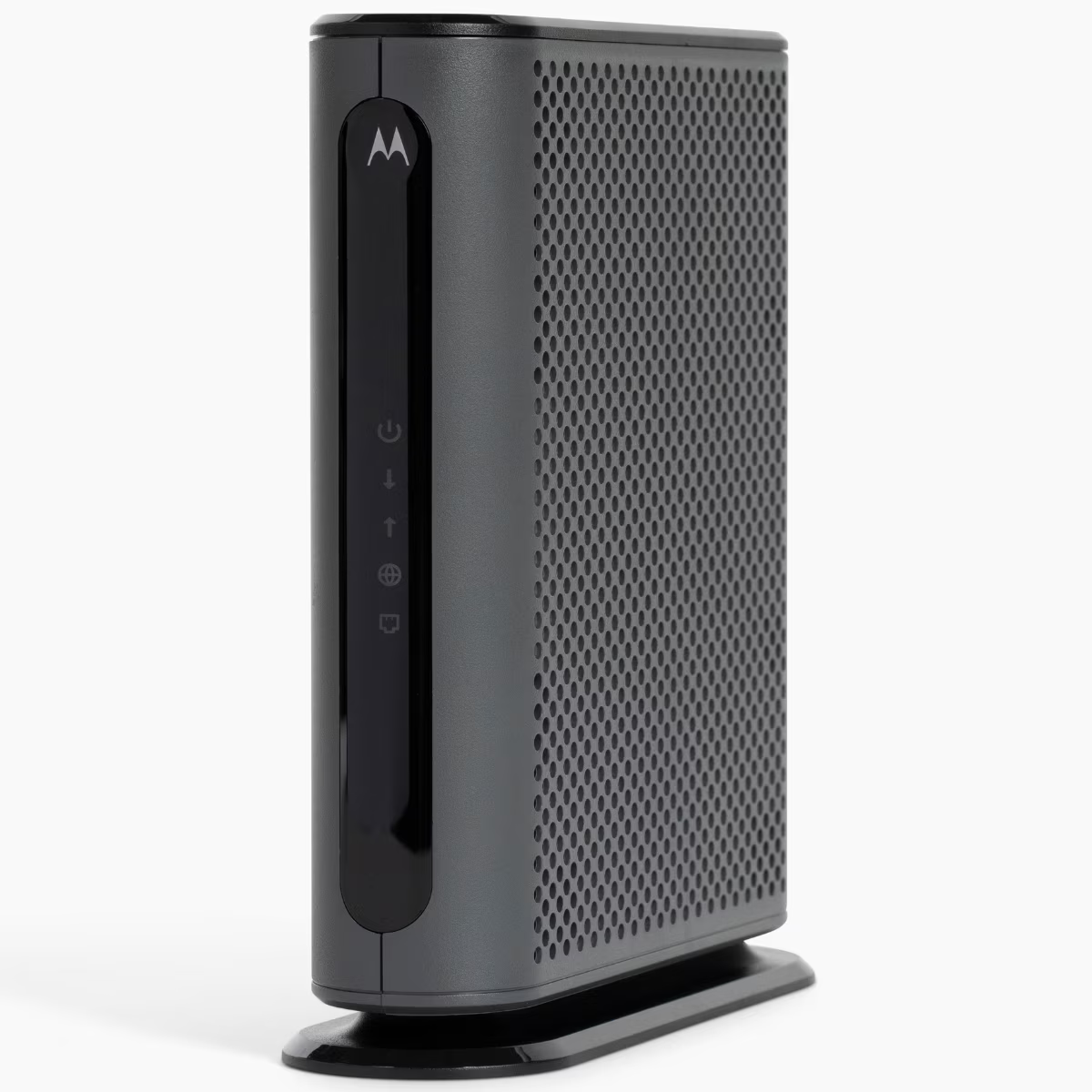
The Motorola MB8600 is a DOCSIS 3.1 cable modem designed for gigabit internet speeds, featuring a Broadcom BCM3390ZRKFSBG chipset that distinguishes it from its predecessor models. According to MBReviews.com, the device is equipped with 512 MB of RAM from Nanya NT5CC128M16IP-DI and 128 MB of NAND storage from Micron. The modem's physical design includes a rectangular form factor standing on its side with a power port, coax service port, and one Gigabit network port on the back. The device's build quality and cooling design has been noted as significantly less robust compared to the Arris SB8200, with teardowns revealing that the MB8600 uses push pins to hold a small piece of bent aluminum against the CPU without thermal interface material, while the SB8200 features a heatsink with many fins bolted to the board using thermal compound.
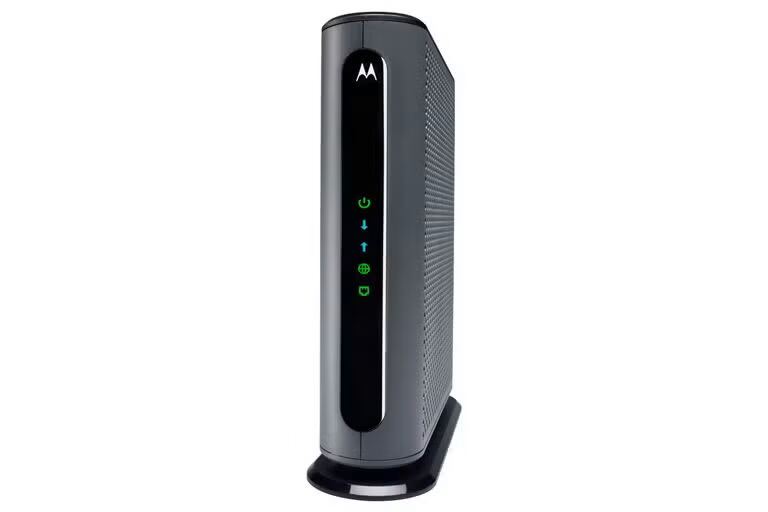
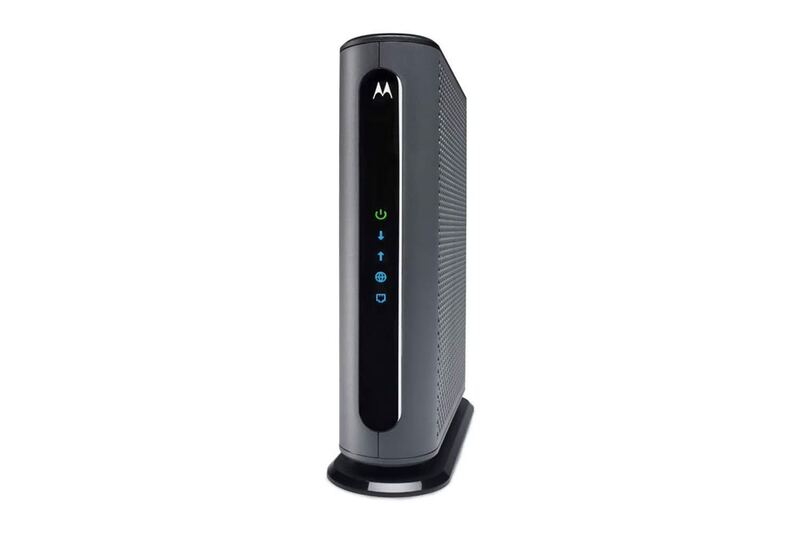
The MB8600's hardware specifications show it can support up to 6 Gbps of internet bandwidth from the provider, operating as a 32×8 DOCSIS 3.0 modem, though it's designed primarily for gigabit speeds. The device includes four Ethernet ports, with only the first port accessible by default and the other three hidden under a plastic adhesive-backed cover. This design was implemented to reduce confusion about whether the device functions as a router or bridge modem. The modem's status lights on the front are helpful for troubleshooting, with most users noting that the lights are too bright and recommend covering them with tape if placed in bedrooms. The device's dimensions measure 7.25 x 2.25 x 7.88 inches and weigh 1.15 lbs, making it compact and easy to place in various locations.
According to the Motorola support documentation, the MB8600 has a web interface accessible at the default IP address 192.168.100.1, which displays status, logs, WAN Link Aggregation settings, and other helpful information about the WAN connection. The interface allows users to change the administrator login credentials, with the default username being 'admin' and the default password 'motorola' (all lowercase). The device supports Link Aggregation Group (LAG) on ports 1 and 2 only, for speeds up to about two gigabits per second, though this functionality is typically supported only by commercial-grade networking equipment rather than consumer routers. The modem also features a factory reset option that clears all configuration and pulls a fresh connection from the Internet Service Provider.
Setup and Activation Process
The setup process for the Motorola MB8600 is straightforward, according to both Dong Ngo's review on dongknows.com and the official Motorola support documentation. Users are instructed to connect the modem securely to the service cable, turn it on, and wait for the signal light to turn on solid green. Once the signal light is solid, a computer can be connected to the modem's LAN port to activate the device. The activation process involves accessing the Xfinity setup webpage, entering account credentials, and completing the activation process. The support documentation also notes that users can call their ISP to activate the modem if they prefer not to use the self-activation method. For those connecting to another service provider, calling the provider to activate the modem is recommended, though the self-activation process is generally similar across providers.
Dong Ngo's testing with Comcast Xfinity accounts demonstrated that the setup process was simple and effective, with users able to connect their laptop to the modem's LAN port and access the activation page through a web browser. The activation process typically involves entering account information on the provider's website, and once completed, the modem should be ready for use. The support documentation also recommends powering down the router before connecting it to the MB8600, as the device functions as a bridge modem. This is crucial for proper functionality, as the MB8600 only connects to one device at a time, and connecting a router requires the modem to be powered off before establishing the connection. The support documentation also notes that users should be aware that the device only supports LAG on ports 1 and 2, which is typically only supported by commercial-grade networking equipment.
The Motorola MB8600's setup process also includes a detailed troubleshooting guide in the official support documentation, which recommends power cycling the modem and any connected devices if there are connection issues. The support documentation suggests that users should check the modem's event log for T3 or T4 timeouts, which indicate signal problems from the internet service provider. If users encounter intermittent connection drops, they should check the event log to see if there are T3 or T4 timeouts, which would require a service visit from the internet service provider to check the lines. The support documentation also recommends removing splitters if they are being used, as these can cause intermittent drops and may need to be replaced if they resolve the issue.
Performance and Speed Testing
Performance testing of the Motorola MB8600 reveals mixed results, particularly when compared to its predecessor models and other competing devices. In a review by Dong Ngo, the modem demonstrated excellent download speeds and reliability when tested with Comcast Xfinity accounts over a couple of months. However, user reports from the Xfinity Community Forum indicate that some users experienced significantly slower speeds after upgrading to the MB8600, with one user reporting a drop from 280 Mbps download and 12 Mbps upload with the SB6141 to only 180 Mbps download and 10 Mbps upload with the MB8600. This discrepancy was ultimately traced to an issue with the exterior line, which was old and installed with non-weatherproof fittings, rather than the modem itself.
The device's theoretical maximum speeds are based on DOCSIS 3.1 technology, supporting up to 6 Gbps of internet bandwidth from the provider, though it's designed primarily for gigabit speeds. Users have reported that while the MB8600 can achieve gigabit speeds under optimal conditions, it may not consistently deliver the full theoretical performance, especially when compared to more robust models like the Arris SB8200. The support documentation indicates that the modem has a default locally stored provision file that it uses instead of the file sent by the ISP, which can cause issues if the modem is not properly configured for the higher speed tier. The Xfinity support team confirmed that the MB8600 is rated only up to 949 Mbps, and if an incompatible modem is used for a faster speed tier, the modem will default down to using a slower-speed configuration file.
Speed test results from users have shown that while the MB8600 can achieve gigabit speeds, the consistency and reliability of those speeds can vary significantly based on the ISP's provisioning and the condition of the cable line. One user reported that despite having a gigabit plan, the MB8600 was only achieving 10 Mbps upload speeds, which was a significant drop from the 23-24 Mbps upload speeds achieved with the SB6141. This was ultimately resolved by replacing the exterior line, which had been installed with old, non-weatherproof fittings and was not running through a grounding block. The user's experience highlights the importance of proper line installation and ISP provisioning when using high-speed modems like the MB8600.
Cooling and Heat Management
Heat management and cooling performance of the Motorola MB8600 has been a point of concern among users and reviewers, particularly when compared to its competitor, the Arris SB8200. According to teardowns and user discussions on snbforums.com, the MB8600 features a less robust cooling solution compared to the SB8200, with the latter using a heatsink with many fins bolted to the board and thermal compound, while the MB8600 uses push pins to hold a small piece of bent aluminum against the CPU without thermal interface material. Users have noted that while the SB8200 runs hot, it's better at moving heat away from the CPU out of the case where it can more easily be observed, whereas the MB8600's design may not be as effective in managing heat.
The difference in cooling design between the two modems has led to some confusion among users, with one user reporting that they had to choose between the SB8200, which they noted runs hot, and the MB8600, which they perceived as cooler. However, the teardowns and user discussions suggest that the SB8200's design may actually be more effective at moving heat away from the CPU, which could explain why it's perceived as running hot. The MB8600's design, which lacks a heatsink on the RAM and uses minimal thermal interface material, may contribute to its lower performance under sustained loads. Some users have reported that the MB8600's temperature is acceptable under normal usage conditions, but may become problematic during extended periods of high usage or in poorly ventilated areas.
The support documentation does not provide specific information about the MB8600's thermal management, but the design differences noted in teardowns suggest that the device may not be optimized for sustained high-performance usage. Users have reported that the MB8600's performance may degrade under sustained loads, particularly in environments where heat dissipation is limited. The lack of a heatsink on the RAM and the minimal thermal interface material used in the CPU cooling solution may contribute to the device's lower performance under sustained loads. This is particularly relevant for users who plan to use the device in high-traffic environments or who require sustained high-performance capabilities.
Status lights bright enough to need taping over
The user experience with the Motorola MB8600 is generally positive, with the device's web interface being accessible at 192.168.100.1 and providing status, logs, WAN Link Aggregation settings, and other helpful information about the WAN connection. Users have reported that the status lights on the front of the device are helpful for troubleshooting, though some users have noted that the lights are too bright and recommend covering them with tape if placed in bedrooms. The interface also provides access to event logs, which can be useful for diagnosing intermittent connection issues.
The device's web interface is straightforward and provides users with the ability to monitor their connection status, view logs, and adjust settings. Users can access the interface by entering the default IP address into their web browser and logging in with the default credentials. The interface allows users to change the administrator login credentials, which is a useful feature for security purposes. The device also supports Link Aggregation Group (LAG) on ports 1 and 2, though this functionality is typically only supported by commercial-grade networking equipment rather than consumer routers. Users have reported that the device's web interface is relatively simple and easy to navigate, with most users finding it sufficient for basic monitoring and troubleshooting.
However, some users have noted that the device's interface lacks advanced features that more technically-savvy users might expect, particularly when compared to more robust modem models. The interface does not provide extensive customization options or detailed performance metrics, which may limit its usefulness for users who require in-depth monitoring capabilities. Additionally, the device's limited port configuration options and the need to use specific ports for LAG support may be confusing for users who are not familiar with networking concepts. The support documentation does provide guidance on how to access the interface and make basic adjustments, but more advanced users may find the interface lacking in features compared to other modem models.
Compatibility and ISP Support
The Motorola MB8600 is approved by Comcast Xfinity and other major ISPs, including Cox and CableOne, for all speeds including Comcast Gigabit services and Cox Gigablast. However, users have reported issues with compatibility when upgrading to higher-speed plans, particularly with Xfinity. This issue was ultimately traced to an incorrect provisioning file sent by Xfinity, which caused the modem to default down to using a slower-speed configuration file.
The device's compatibility with different ISPs has been noted as a key feature, with the support documentation indicating that users can connect to other service providers by calling them to activate the modem. However, users have reported that some ISPs may not provide adequate support for the device, particularly when it comes to provisioning and configuration. The device's default locally stored provision file can cause issues if the ISP does not properly configure the modem for the higher speed tier, which may result in reduced performance. Users have also noted that the device's support for LAG is limited to ports 1 and 2, which may not be supported by all consumer routers, limiting the device's ability to take advantage of higher throughput speeds.
The MB8600's compatibility with different ISPs has been generally positive, with users reporting successful connections with Comcast Xfinity, Cox, and other providers. However, the device's performance may be affected by ISP provisioning and the condition of the cable line. Users have reported that some ISPs may not provide adequate support for the device, particularly when it comes to provisioning and configuration. The support documentation does provide guidance on how to troubleshoot these issues, but users may need to contact their ISP directly to resolve provisioning problems.
Cooling relies on push pins with no thermal paste
The Motorola MB8600's main shortcomings include its limited cooling solution, which has been noted as significantly less robust compared to competing models like the Arris SB8200. Users have reported that the device's design, which uses push pins to hold a small piece of bent aluminum against the CPU without thermal interface material, may not be sufficient for sustained high-performance usage. This is particularly concerning for users who plan to use the device in high-traffic environments or who require sustained high-performance capabilities. The lack of a heatsink on the RAM and minimal thermal interface material used in the CPU cooling solution may contribute to the device's lower performance under sustained loads.
Another significant limitation is the device's limited port configuration options and the need to use specific ports for LAG support, which may be confusing for users who are not familiar with networking concepts. The MB8600's support for Link Aggregation Group (LAG) is limited to ports 1 and 2, which may not be supported by all consumer routers, limiting the device's ability to take advantage of higher throughput speeds. Users have also noted that the device's web interface lacks advanced features that more technically-savvy users might expect, particularly when compared to more robust modem models.
Additionally, users have reported issues with ISP provisioning, where the device's default locally stored provision file can cause problems if the ISP does not properly configure the modem for the higher speed tier. This can result in reduced performance and may require users to contact their ISP directly to resolve provisioning problems. Some users have also noted that the device's performance may be affected by the condition of the cable line, with older or poorly installed lines causing intermittent connection issues. The device's support documentation does provide guidance on how to troubleshoot these issues, but users may need to contact their ISP directly to resolve provisioning problems, which can be a frustrating experience for some users.
Suited to a simple sub-gigabit-to-gigabit upgrade
The Motorola MB8600 is best suited for users who are upgrading from sub-Gigabit to Gigabit cable broadband plans and are looking for a reliable, straightforward device that meets their basic needs without requiring advanced configuration. Users who are comfortable with the standard setup process and don't require LAG support or advanced features will find the device adequate for their needs. The device's simple interface and straightforward setup process make it ideal for users who are not technically inclined and prefer a plug-and-play solution. The device's approval by major ISPs like Comcast Xfinity, Cox, and CableOne makes it a suitable choice for users who are on these providers and are looking for a cost-effective upgrade.
Users who are planning to use the device in a low-traffic environment or who do not require sustained high-performance capabilities will find the MB8600 to be a suitable choice. The device's compact size and simple design make it easy to place in various locations, and the device's straightforward setup process makes it accessible to users who are not familiar with networking concepts. The device's support for gigabit speeds makes it a good choice for users who are on plans that support these speeds, though users should be aware that performance may be affected by ISP provisioning and the condition of the cable line.
The MB8600 is not recommended for users who require advanced features, such as extensive monitoring capabilities or LAG support beyond ports 1 and 2. Users who are planning to use the device in high-traffic environments or who require sustained high-performance capabilities may find the device's limited cooling solution to be a problem. Additionally, users who are on ISPs that do not provide adequate support for the device or who are on plans that require specific provisioning may find the device to be less suitable for their needs. Users who are looking for a device with more robust cooling solutions or advanced features may want to consider alternatives like the Arris SB8200 or other more advanced modem models.
Strengths
- +Capable of DOCSIS 3.1 standard with 6Gbps top WAN speed
- +Simple setup process with clear status lights, per Dong Knows Tech
- +Supports WAN Link Aggregation for improved connection, per MBReviews
- +Compact design at 7.25 x 2.25 x 7.88 inches and 1.15 lbs weight
Watch-outs
- −LED status lights can be too bright and require covering, per Dong Knows Tech
How it compares
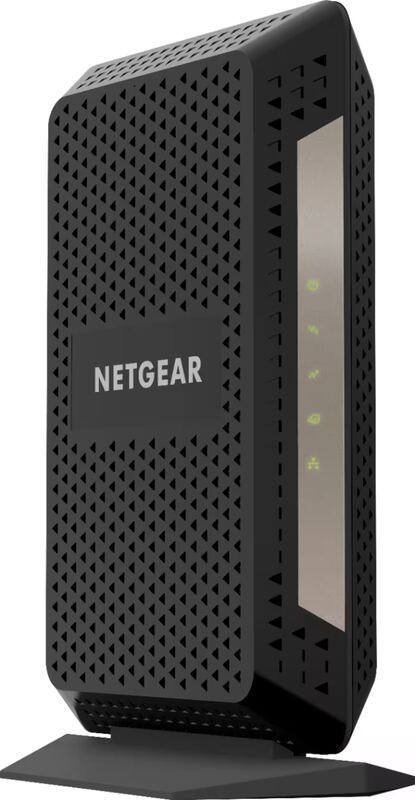
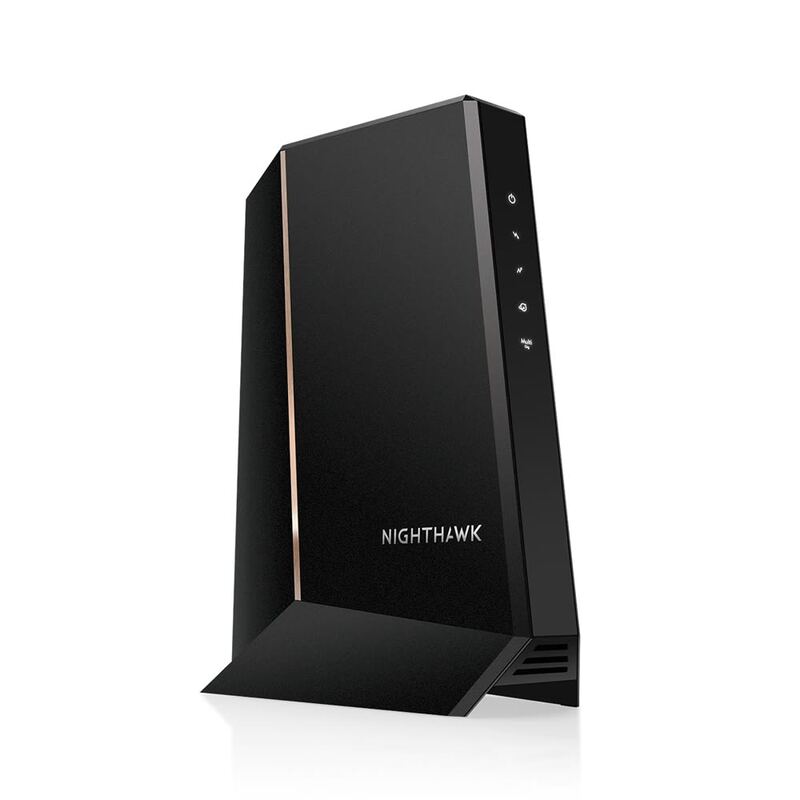
The Motorola MB8600 is rated to a 6Gbps top WAN speed and supports WAN Link Aggregation, but its single LAN port is 1Gbps, where the Motorola MB8611 and NETGEAR Nighthawk CM2000 have 2.5Gbps Ethernet ports. It costs less than both. Like the Netgear CM1000 it is a DOCSIS 3.1 modem with a 1Gbps LAN port, and its LED status lights can be too bright.
Rating sources
Counts as 4.35/5 in our score — this publisher's 20 scores on the site average 4.10, so its scores are adjusted up to compare fairly with other publishers.
“The Motorola MB8600 is an easy choice. At some $150, it makes a gratifying upgrade for those moving from a sub-Gigabit to a Gigabit cable broadband plan. If you're in that situation, go for it, you won't regret it.”
Our 4.4 score is the average of the 1 scored review above, each adjusted for how strictly its publisher scores; 1 more reviewed it without printing a score and is not in the average. More about methodology.