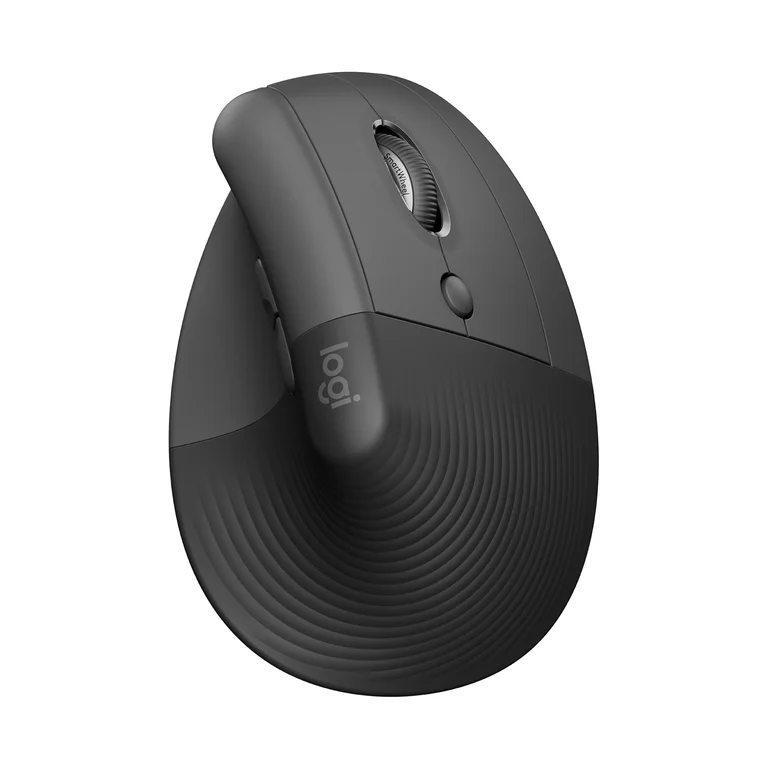
The Logitech Lift Vertical Ergonomic Mouse positions the wrist in a 57-degree handshake angle to reduce strain, though TechGearLab found that small- to medium-handed users may need an adjustment period. It features silent click switches and a Smart Wheel that offers tactile precision or free-spinning momentum, but it lacks the horizontal scroll wheel found on premium models like the MX Master 3. The device relies on a single AA battery rather than internal charging and uses Logi Options+ software for per-application button customization without onboard memory storage. This mouse fits users seeking ergonomic relief in small to medium hands who prioritize quiet operation over advanced media editing features or rechargeable convenience.
Full review
Vertical design and hand size compatibility
The Logitech Lift positions the wrist in a neutral handshake angle of 57 degrees, which reviewers consistently identify as the primary mechanism for reducing forearm strain during extended desk sessions. TechGearLab found that this vertical orientation mimics a natural grip, effectively lowering stress on delicate joints compared to traditional flat mice. Laptop Mag noted that while the initial transition requires about a week of adjustment, users eventually feel significantly more relaxed muscles because the wrist and forearm stop performing constant micro-workouts required by standard mouse shapes.
Hand size compatibility remains the most critical factor for comfort with this specific model. TechGearLab reported that their extra-large hand tester loved the Lift immediately out of the box, whereas small- to medium-handed testers found the initial comfort average despite the product being specifically designed for those sizes. CNN Underscored confirmed the mouse is aimed at small to medium-sized hands and validated its ergonomic claims with a US Ergonomics seal. Tech-critter.com measured their own hand at 19cm, bordering medium and large, and found the Lift's slightly curved top edge more comfortable than the straight profile of the larger MX Vertical.
The physical dimensions of the Lift are compact enough to fit smaller palms but tall enough to enforce the vertical grip. The shape resembles a crashing wave with buttons on the right side for right-handed users, though CNN Underscored highlighted that Logitech offers a dedicated left-handed configuration to accommodate southpaw workers without forcing them into an awkward grip.
Silent click switches and Smart Wheel mechanics
Audio feedback from the Lift is heavily dampened through Logitech's silent click technology, making it suitable for quiet office environments or late-night home offices. Tech-critter.com observed that both the main left/right buttons and the vertical scroll wheel are completely silent during operation, allowing users to barely hear anything when clicking. This silence extends to the DPI cycle button located on the bottom of the scroll wheel, though the reviewer noted a discrepancy where the side forward/backward buttons remain noticeably clicky rather than silent.
The scrolling experience utilizes Logitech's Smart Wheel technology, which dynamically adjusts resistance based on user momentum. Tech-critter.com explained that at low speeds, the wheel provides tactile clicks for precise navigation, but once enough momentum is applied, it automatically reverts to a free-spinning mode for rapid page traversal. This dual-mode functionality allows users to switch between precision work and fast browsing without toggling a physical switch.
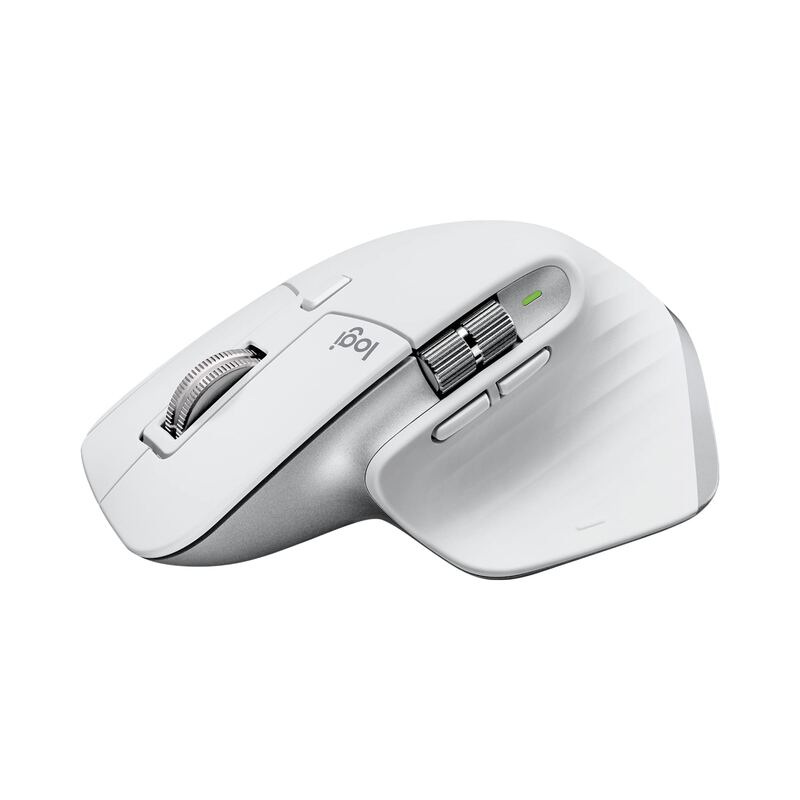
Despite the advanced scrolling mechanism, the Lift lacks a horizontal scroll wheel found on premium competitors like the MX Master 3. Laptop Mag criticized this omission specifically for video editors using Final Cut Pro, noting that navigating timelines horizontally is significantly faster with a side wheel than relying on keyboard shortcuts or alternative button mappings. This absence represents a functional trade-off for users who perform heavy media editing workflows.
Battery life and wireless connectivity options
Power management relies on a single AA battery housed behind a magnetic door on the underside of the mouse, rather than an internal rechargeable cell. Tech-critter.com pointed out that while this design choice requires sourcing disposable batteries, it allows for instant power restoration by simply swapping cells without needing to wait for a USB-C charge. The official specification lists up to 24 months of battery life under typical usage conditions.
Connectivity is handled through two distinct wireless protocols: Bluetooth and Logitech's proprietary Logi Bolt receiver. Tech-critter.com confirmed that the mouse supports triple connectivity, allowing users to switch between three different devices seamlessly using the software. Laptop Mag demonstrated this feature by switching the cursor between an M1 MacBook Pro, a Windows laptop, and an iPad without interruption.
The reliance on disposable batteries draws mixed reactions regarding convenience versus longevity. CNN Underscored noted that the Lift eschews USB-C charging entirely in favor of the AA cell, which some users may view as less eco-friendly or convenient compared to rechargeable alternatives found in higher-end models. However, Tech-critter.com reported 100% battery retention after two weeks of intensive daily use, suggesting that for most users, the replacement interval will be negligible.
Logi Options+ software and button customization
Customization capabilities are managed through the Logi Options+ application, which replaces older iteration of Logitech's configuration tools. TechGearLab highlighted that this unique software allows users to assign specific tasks to each programmable button on a per-application basis, enabling highly tailored workflows for different software environments. The interface provides options for mouse speed adjustments and battery level indicators.
A significant limitation within the software is the absence of onboard memory for custom profiles. Tech-critter.com reported that all button configurations must be stored in the cloud-synced Logi Options+ application, meaning the mouse will revert to default behaviors if used on a computer without the software installed or logged into the user's account. This dependency can be frustrating for users who frequently switch between personal and work machines.
DPI adjustment within the software is presented as pointer speed percentages rather than raw DPI values. Tech-critter.com criticized this design choice, stating that Logitech still does not offer proper DPI settings in their interface, forcing users to guess sensitivity levels based on relative percentage adjustments rather than precise technical metrics. Despite these critiques, the core functionality of app-specific shortcuts remains a strong point for power users.
Gaming performance and grip styles
While primarily marketed as an ergonomic tool for productivity, the Lift's precision tracking makes it viable for casual gaming. Tech-critter.com tested the mouse with Halo Infinite via Bluetooth connection and reported managing to get headshots while having a great time playing, indicating that the 57-degree angle does not severely hinder aiming accuracy in fast-paced shooters.
Grip style compatibility varies significantly due to the vertical form factor. Tech-critter.com explained that fingertip grip is the most natural way to use the Lift, but palm grip or loose palm grip also works well for added comfort. Claw grip was deemed impossible because any clicking action causes the mouse to rotate in the hand; a firm grip on both sides is required to maintain stability during clicks.
The rubberized grip around the back of the 70% PCR plastic shell helps secure the hand in this vertical position. Laptop Mag described holding the mouse like a claw due to the tall profile, which forces the fingers into a more relaxed, neutral alignment. This physical constraint ensures that users do not accidentally rotate their wrist back into pronation during heavy clicking sessions.
Strengths
- +Vertical ergonomic design places wrist in a natural handshake position to reduce strain
- +Silent click switches and quiet scroll wheel minimize noise during use
- +Smart Wheel provides tactile scrolling at low speeds and free-spinning momentum at high speeds
- +Logi Options+ software allows deep customization of buttons per application
Watch-outs
- −Lacks horizontal scroll capability on the side wheel found in premium models
- −Uses a single AA battery instead of an internal rechargeable power source
How it compares
It provides significantly longer battery life (24 months) than the MCHOSE L7 Ultra and focuses on quiet operation rather than high-speed gaming performance.
Rating sources
Counts as 4.49/5 in our score — this publisher's 138 scores on the site average 3.66, so its scores are adjusted up to compare fairly with other publishers.
Counts as 4.70/5 in our score — this publisher's 15 scores on the site average 3.90, so its scores are adjusted up to compare fairly with other publishers.
Counts as 3.52/5 in our score — this publisher's 156 scores on the site average 4.15, so its scores are adjusted up to compare fairly with other publishers.
Counts as 4.42/5 in our score — this publisher's 195 scores on the site average 4.25, so its scores are adjusted down to compare fairly with other publishers.
Our 4.3 score is the average of the 4 scored reviews above, each adjusted for how strictly its publisher scores; 2 more reviewed it without printing a score and are not in the average. More about methodology.