The Glowforge Aura’s compact 19-pound footprint and Proofgrade QR system make it highly accessible for beginners working in small home offices, as Whiskey & Whit noted its ease of setup. However, PCMag found that the optional Personal Filter effectively traps particles but adds significant cost and noise to the experience. The machine's shallow bed prevents rotary attachment use, a limitation explicitly cited by Whiskey & Whit when comparing it to competitors like the xTool M1. Additionally, the 6W diode laser cannot cut clear or white acrylic due to beam physics, making this model unsuitable for crafters needing cylindrical engraving or transparent material fabrication.
Full review
Compact dimensions fit small craft spaces
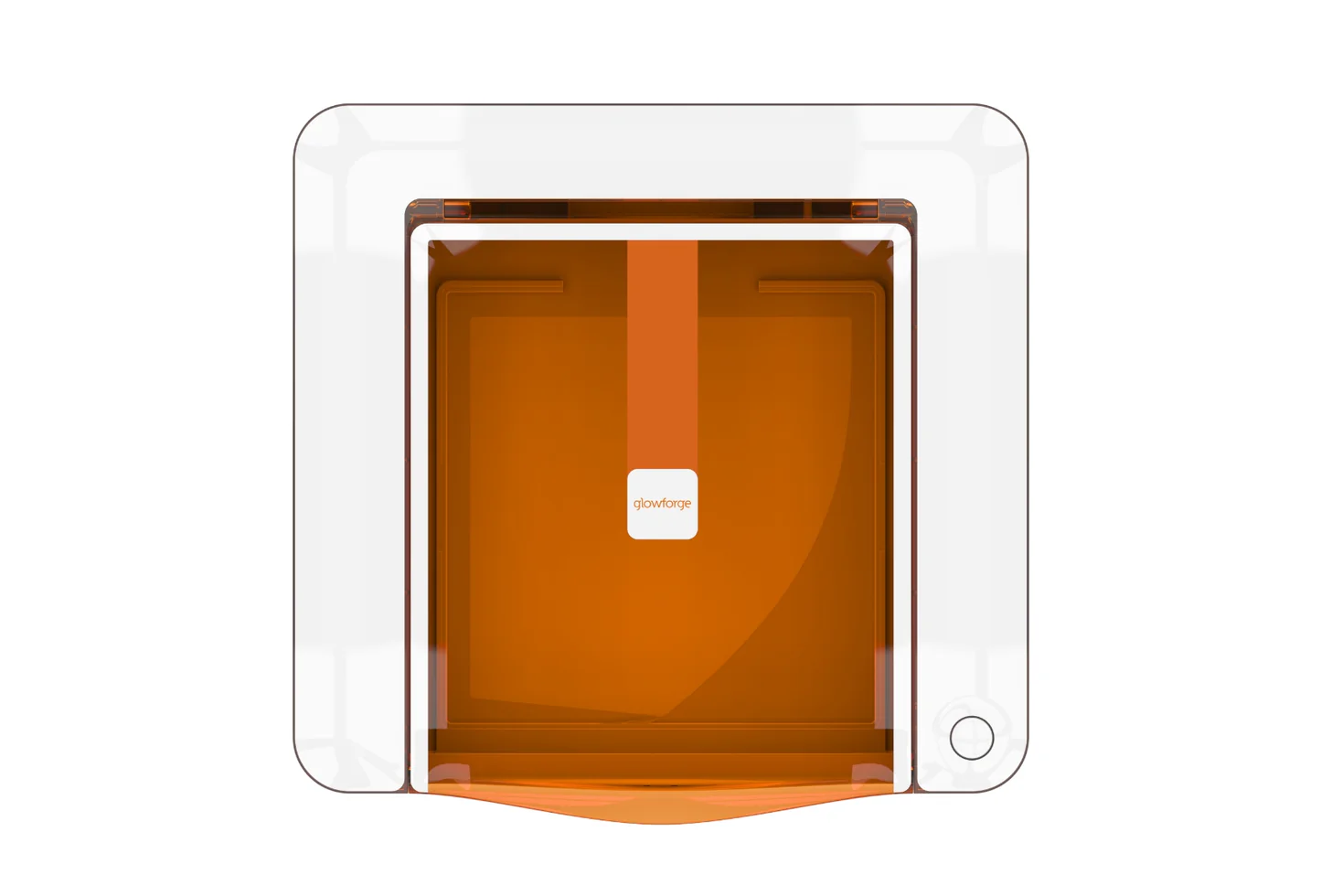
The Glowforge Aura measures 22 inches wide by 20.5 inches deep and stands just 5 inches tall, weighing in at approximately 19 pounds according to Whiskey & Whit. This footprint is significantly smaller than the larger Glowforge Basic or Pro models, which measure much wider and require more clearance for their full lids to open. The compact size allows it to sit comfortably on a standard craft table without dominating the room, making it suitable for home offices or dedicated maker spaces that lack a garage.
The machine's design prioritizes accessibility in tight quarters. While the lid requires about 20 inches of vertical clearance above the unit to swing fully open, the overall height is low enough to fit under many standard cabinets if needed. The white exterior and amber-tinted safety lid give it a clean aesthetic that blends into domestic environments rather than looking like industrial workshop equipment.
Despite its small footprint, the internal working area remains generous for hobbyist projects at 12 by 12 inches. This square format accommodates standard craft materials like 12-inch cardstock and vinyl sheets without waste. The pass-through slots on either side allow users to feed in longer pieces of material up to 0.18 inches thick, extending the usable length beyond the 12-inch width for items like banners or long wooden strips.
Six-watt diode laser limits acrylic cutting
The Aura utilizes a 6W 450nm blue laser diode, which is fundamentally different from the CO2 lasers found in higher-end Glowforge models. PCMag notes that this specific wavelength makes the machine ineffective on transparent or white acrylic materials because the beam simply passes through them without interaction. Users attempting to cut clear, white, blue, or translucent acrylic will find it impossible, a hard limitation of diode laser physics rather than a defect.
This power difference also impacts cutting speed and thickness capabilities compared to more expensive competitors. Tom's Hardware points out that the Aura is significantly slower than its CO2 counterparts, operating at roughly one-seventh the speed of the Glowforge Plus model. While it can cut materials up to 0.25 inches thick, such as standard plywood or leather, thicker projects will require multiple passes and considerably more time.
The trade-off for this lower power is a much lower entry price point compared to professional-grade lasers. For hobbyists who primarily work with stained wood, paper, fabric, and opaque acrylics, the 6W output is sufficient for detailed cuts and engravings. However, serious crafters or small business owners needing high-volume production or clear acrylic fabrication will find the power insufficient for their workflow.
Proofgrade QR system simplifies material setup
One of the most praised features by Jennifer Maker is the Proofgrade material integration, which uses a camera inside the lid to scan QR codes printed on Glowforge's proprietary materials. Once scanned, the machine automatically loads the correct power, speed, and focus settings for that specific sheet. This eliminates the guesswork for beginners who might otherwise struggle with manual calibration or risk burning their projects due to incorrect parameters.
The system creates a seamless workflow where users can upload digital files from platforms like Etsy or Cricut Design Space and immediately begin production. Whiskey & Whit highlights how this automation allows absolute beginners to start cutting complex designs, such as fall earrings, within minutes of unboxing the machine. The automatic focus adjustment further reduces setup time, ensuring consistent results across different material types.
While Proofgrade materials offer convenience, they also lock users into a specific ecosystem with recurring costs. Maker Hacks observes that this subscription-like model for materials is central to Glowforge's business strategy. Users can upload and cut non-Proofgrade materials manually, but doing so requires navigating the software interface to adjust settings individually, which removes some of the plug-and-play ease that defines the Aura experience.
Shallow bed prevents rotary attachment use
The internal cavity depth of the Glowforge Aura is too shallow to accommodate a rotary attachment, which is essential for engraving cylindrical objects like tumblers or wine glasses. Whiskey & Whit explicitly notes this as a major differentiator compared to competitors like the xTool M1, which supports rotary tools at a similar price point. This limitation makes the Aura unsuitable for crafters whose business model relies heavily on personalized drinkware.
Jamela Payne, who has owned the machine for two years, confirms that tumblers are off the table for this device. The shallow bed also restricts the height of materials that can be placed inside without removing the crumb tray. While the tray supports cutting up to 0.25 inches thick, engraving on thicker items like slate or stacked wood blocks is limited by the internal clearance above the laser module.
For users focused primarily on flat projects such as keychains, jewelry, wall art, and paper crafts, this limitation is irrelevant. The fixed bed design contributes to the machine's compact size and lower cost. However, those who want a single machine capable of handling both flat sheets and cylindrical objects will need to look elsewhere or invest in a more expensive, larger laser system.
Cloud-only software requires constant internet
The Glowforge Aura operates exclusively through cloud-based software, meaning an active Wi-Fi connection is mandatory for all operations. Jamela Payne reports that if the internet drops mid-cut or if Glowforge's servers experience an outage, the machine becomes completely unusable until connectivity is restored. This reliance on external infrastructure can be a significant frustration in areas with unstable networks.
The software also enforces a freemium model that restricts functionality for users who do not pay for a Premium subscription. Without the paid tier, users are limited to uploading SVG files smaller than 100 kilobytes and cannot create custom material settings or use most of the built-in fonts. Jamela Payne describes this as intentional crippling of the free version, which pushes hobbyists toward recurring payments to unlock basic features.
While the app is praised for its intuitive interface on mobile devices and computers, the cloud dependency removes local control over the machine. Maker Hacks notes that while the software is user-friendly, the lack of offline capability means users cannot troubleshoot or operate the laser in environments without reliable internet access. This contrasts with some competitors that offer local SD card or USB loading options.
Personal Filter manages fumes effectively
Ventilation is a critical safety requirement for any laser cutter, and the Aura comes standard with an exhaust port for routing fumes out of the room via a flexible duct. For users who cannot vent directly outside, Glowforge offers an optional Personal Filter that attaches to the back of the machine. PCMag found this filter to be highly effective at controlling airborne particles and odors during operation.
The Personal Filter uses dual HEPA-grade and activated carbon filters to trap 99.9% of particulates and neutralize smoke, making it suitable for indoor craft rooms without windows. It pairs with the Aura via Bluetooth, automatically turning on when a job starts and off when it finishes. This automation simplifies maintenance and ensures consistent air quality during extended crafting sessions.
However, the filter adds significant cost to the initial setup and occupies considerable floor space due to its trash-can-sized footprint. PCMag also notes that the internal fan driving the airflow through the filter can be loud during operation. Users sensitive to noise in shared living spaces should consider this acoustic factor when deciding whether to invest in the filtration accessory.
Beginner safety features reduce risk
The Aura is classified as a Class 1 enclosed laser, meaning it automatically shuts off the laser beam whenever the lid is opened. This built-in safety mechanism protects users from accidental exposure to the high-intensity blue light during operation or material loading. Jamela Payne highlights this feature as a key reason why the machine feels safe for hobbyists who may not have formal training in laser safety protocols.
The amber-tinted lid further blocks harmful wavelengths, allowing users to monitor their projects through the glass without eye protection. The magnetic mounting system for the laser module and crumb tray simplifies cleaning between jobs, as residue can be easily wiped away with water wipes or paper towels. Whiskey & Whit emphasizes that regular cleaning is necessary to maintain alignment and prevent fire hazards from accumulated dust.
While the enclosed design mitigates many risks, users must still exercise caution regarding material compatibility. Burning certain plastics like vinyl releases toxic gases that can damage the laser components and pose health risks. The software includes warnings about unsafe materials, but user education remains essential for safe operation.
Strengths
- +Compact footprint (22 x 20.5 x 5 inches) and lightweight (19 lbs) design fits easily in small craft rooms or home offices.
- +Proofgrade material integration uses QR codes to auto-load cutting settings, making it highly accessible for beginners.
- +Effective air filtration available via the optional Personal Filter, which traps 99.9% of particles and pairs with the machine via Bluetooth.
Watch-outs
- −6W diode laser cannot cut clear or white acrylic as the beam passes through transparent materials without interaction.
- −Shallow laser bed prevents the use of rotary attachments for engraving tumblers, wine glasses, or cylindrical objects.
How it compares
The Glowforge Aura’s compact 19-pound footprint and Proofgrade QR system make it highly accessible for beginners, whereas the xTool P2 is a heavy 45kg industrial unit requiring permanent installation. Unlike the Wainlux K10 which lacks material-specific automation, the Aura uses QR codes to auto-load settings, though its shallow bed prevents rotary attachment use unlike competitors that support cylindrical objects.
Rating sources
Our 4.2 score is the average of the 3 scored reviews above; 5 more reviewed it without printing a score and are not in the average. More about methodology.