Verdict
Head-to-head · Best Graphics Drawing Tablets

Wacom Cintiq Pro 27 vs XP-Pen Deco Pro MW

Which is the better buy? Side-by-side on rating, price, strengths, and watch-outs — with the published ratings we averaged to get there.

Verdict is reader-supported. As an Amazon Associate we earn from qualifying purchases. Some links on this page are affiliate links — if you click through and buy, we may earn a small commission at no extra cost to you. Our ratings are sourced from independent publications, not sponsors.
The short answer

Wacom Cintiq Pro 27 and XP-Pen Deco Pro MW score essentially the same (3.9 vs 3.9). Pick the one whose trade-offs match your priorities — the strengths and watch-outs below are where they actually differ.

Wacom Cintiq Pro 27
Ranked #3 in Best Graphics Drawing Tablets
Wacom Cintiq Pro 27
1 source$3,499.95as of Oct 24

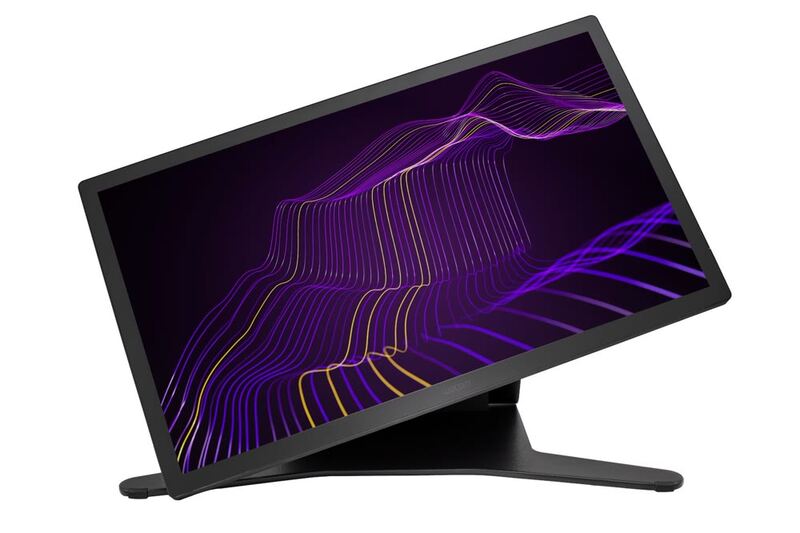
The Wacom Cintiq Pro 27 is the flagship pen display for professionals, pairing a 4K 120Hz screen with reference-grade color and the superb Pro Pen 3. TechRadar called it a real workflow accelerator for creatives and PetaPixel deemed it a worthwhile double-duty investment. The towering $3,499 price, fan noise and size are the trade-offs.

Strengths
  • — Stunning 26.9-inch 4K UHD display with 120Hz refresh, a first for Wacom
  • — Reference-grade color: 99% Adobe RGB, 98% DCI-P3, Pantone Validated
  • — Doubles as a high-quality computer monitor
Watch-outs
  • — Extremely expensive at around $3,500
  • — Audible fan noise when powered on
  • — Large size requires close proximity and a lot of desk space
XP-Pen Deco Pro MW
Ranked #4 in Best Graphics Drawing Tablets
XP-Pen Deco Pro MW
1 source$159.99as of Oct 10

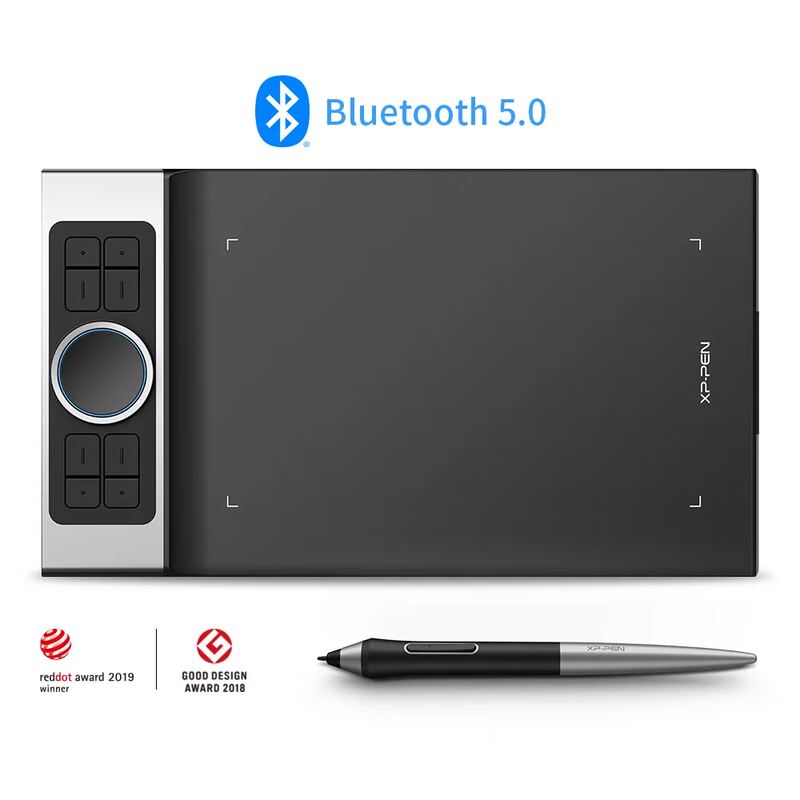
The XP-Pen Deco Pro MW is the one screenless tablet on this page: an 11 x 6 inch Bluetooth pen tablet with a battery-free 8,192-level stylus, eight shortcut keys and a dial with a built-in trackpad. TechRadar tested the MW and rated it 4 out of 5, calling it one of the best value-for-money drawing tablets while faulting its drivers, an easily nudged dial and a stylus that needs firm pressure at the top of its range. TechGameWorld found no latency over Bluetooth but called phone use unconvincing. This entry is the original Deco Pro MW, not the later Deco Pro (Gen 2).

Strengths
  • — Battery-free stylus with 8,192 pressure levels and 60 degrees of tilt
  • — Bluetooth 5.0; TechRadar noticed no additional latency in wireless mode and got 11+ hours per charge
  • — Eight shortcut keys plus a dial that also works as a trackpad
Watch-outs
  • — Screenless, so you draw while looking at your monitor; TechRadar calls this a steep learning curve for newcomers
  • — TechRadar found the driver software limited and needing restarts at first
  • — The dial is easy to nudge and the stylus side buttons are easy to press by accident, per TechRadar

How they stack up

Wacom Cintiq Pro 27

The Wacom Cintiq Pro 27 has a 26.9-inch 4K display at 120Hz, larger than the 23.8-inch 4K panel of the Huion Kamvas Pro 24 (4K), and both pens register 8,192 pressure levels. It supports multi-touch, while the Huion Kamvas 16 (Gen 3) has no touch input. The Kamvas Pro 24 (4K) costs less than half as much, and the Cintiq's fan is audible when powered on.

XP-Pen Deco Pro MW

The only screenless tablet here: the Wacom Cintiq Pro 27, Huion Kamvas Pro 24 (4K) and Huion Kamvas 16 (Gen 3) are all pen displays you draw on directly. It costs far less than the $459 Huion Kamvas 16 (Gen 3), the cheapest display on the page.

Specs side-by-side

SpecWacom Cintiq Pro 27XP-Pen Deco Pro MW
Screen Size26.9-inch—
Resolution4K UHD (3840x2160)—
Refresh Rate120Hz—
Color Gamut99% Adobe RGB, 98% DCI-P3—
PenPro Pen 3, 8,192 levelsBattery-free, 8,192 pressure levels
TouchMulti-touch—
ConnectivityUSB-C, HDMI, DisplayPort—
ValidationPantone Validated—
LaminationFull lamination, anti-glare glass—
Tilt20 degrees60 degrees
CompatibilityWindows, macOS, Android, Chrome OS, LinuxWindows 7 or later, macOS 10.10 or later, Android 6.0 or later
Controls8 ExpressKeys + dual dial wheel8 shortcut keys + dial with trackpad
Brightness500 nits—
TypePen displayScreenless pen tablet
Active Area27 inches11 x 6 inches (279 x 152.4 mm)
WirelessBluetooth 5.0Bluetooth 5.0 (USB-C wired)
Battery—11+ hours (TechRadar)
Dimensions—399.7 x 227 x 16.5 mm
← See the full ranking of best graphics drawing tablets