Verdict
Head-to-head · Best Wireless Keyboards

Lemokey P1 HE vs Logitech Pop Icon Keys

Which is the better buy? Side-by-side on rating, price, strengths, and watch-outs — with the published ratings we averaged to get there.

Verdict is reader-supported. As an Amazon Associate we earn from qualifying purchases. Some links on this page are affiliate links — if you click through and buy, we may earn a small commission at no extra cost to you. Our ratings are sourced from independent publications, not sponsors.
The short answer

Lemokey P1 HE comes out ahead by a clear margin (4.3 vs 4.0). Lemokey P1 HE is best for: Competitive gamers seeking precise Hall Effect control on a stable chassis. Read the strengths below before deciding.

Lemokey P1 HE
Higher ratedRanked #3 in Best Wireless Keyboards
Lemokey P1 HE
5 sources$135.98as of Oct 21

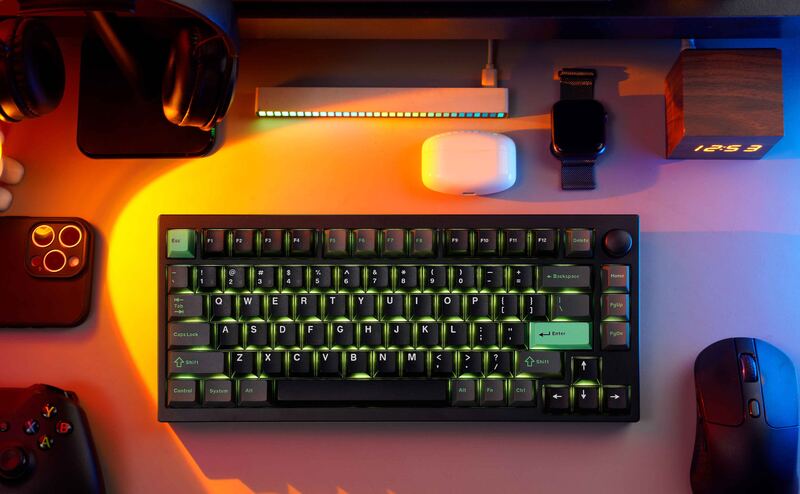
The Lemokey P1 HE features a full metal aluminum body that provides substantial weight to prevent desk movement and a gasket-mounted PCB with internal foam for a quiet, cushioned typing experience. XDA Developers found that the Gateron Double-Rail Magnetic Nebula switches allow adjustable actuation points from 0.2mm to 3.8mm, while Dilpickle1.com confirmed access to Rapid Trigger and other gaming features via the Lemokey Launcher software. Despite these strengths, the spacebar stabilizer produces a louder clack than surrounding keys, and the board lacks dedicated Mac OS mode switches or included Mac keycaps for immediate Apple usability. This keyboard fits competitive gamers seeking precise Hall Effect control on a stable chassis, but those prioritizing silent uniformity or native macOS hardware support should look elsewhere.

Strengths
  • — Full metal aluminum body provides a premium feel and prevents desk movement.
  • — Gasket-mounted PCB with internal sound-absorbing foam creates a quiet, cushioned typing experience.
  • — Hall Effect switches allow adjustable actuation points from 0.2mm to 3.8mm for precise gaming control.
Watch-outs
  • — No dedicated Mac OS mode switch or included Mac keycaps despite cross-platform compatibility.
  • — The spacebar stabilizer produces a louder clack than the surrounding keys.
Logitech Pop Icon Keys
Ranked #7 in Best Wireless Keyboards
Logitech Pop Icon Keys
4 sources$49.8as of Oct 21

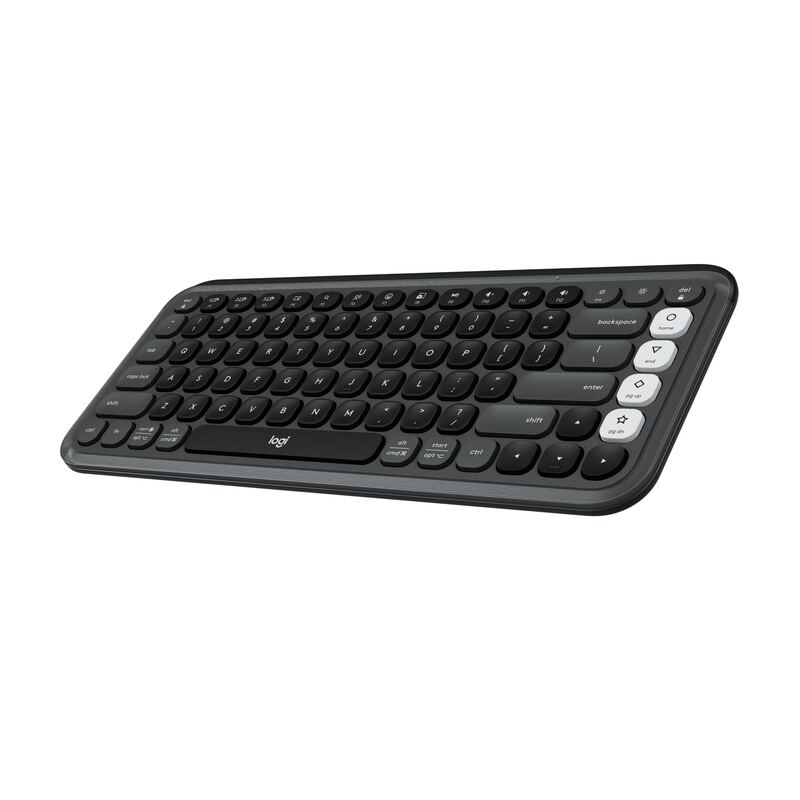
TechGearLab found that the tactile scissor switches provide a quiet and responsive typing experience suitable for shared workspaces. The keyboard features four programmable action keys on the right side, but Laptop Mag reported frequent accidental presses when reaching for adjacent standard keys due to their proximity. While CNN Underscored confirmed reliable Easy-Switch functionality across multiple devices, the compact layout omits a number pad entirely, limiting utility for heavy data entry tasks. This device fits creative professionals seeking aesthetic customization and portability, whereas users requiring extensive numeric input or traditional key spacing should look elsewhere.

Strengths
  • — Delivers a quiet and responsive typing experience using laptop-style scissor switches that reviewers found comfortable.
  • — Includes four customizable action keys on the right side that can be programmed via Logi Options+ software.
  • — Supports easy switching between three paired devices using dedicated Bluetooth Easy-Switch buttons.
Watch-outs
  • — The compact layout lacks a number pad and some users reported accidental key presses on the programmable action keys.
  • — The rounded key shape may be difficult for some users to adjust to.

How they stack up

Lemokey P1 HE

This keyboard utilizes Hall Effect switches with adjustable actuation points from 0.2mm to 3.8mm, providing precise gaming control that the Epomaker Ajazz AK820 Pro's standard hot-swappable mechanical switches cannot match. While both feature a metal chassis, the Lemokey P1 HE lacks the dedicated Mac OS mode switch or included keycaps found in no other listed product.

Logitech Pop Icon Keys

The Logitech Pop Icon Keys includes four programmable action keys for customization, whereas the Logitech Pebble Keys 2 K380s lacks dedicated programmable macro keys. However, both use scissor switches; unlike the circular key shape of the Pebble Keys 2 which disrupts tactile guidance, the Pop Icon Keys uses rounded traditional shapes that some users find difficult to adjust to.

Specs side-by-side

SpecLemokey P1 HELogitech Pop Icon Keys
ConnectivityBluetooth 5.2, 2.4GHz Wireless, USB-CWireless Bluetooth
Switch TypeGateron Double-Rail Magnetic NebulaScissor
Layout75% (81 Keys)—
Backlightingper-key RGB—
MaterialMetal frame, aluminum platerecycled plastic
Battery Life—36 months
Weight—1.15 lb
← See the full ranking of best wireless keyboards