Verdict
Head-to-head · Best Laser Engravers

Glowforge Pro vs Ortur Laser Engraver 4

Which is the better buy? Side-by-side on rating, price, strengths, and watch-outs — with the published ratings we averaged to get there.

The short answer

Ortur Laser Engraver 4 comes out ahead by a clear margin (3.3 vs 3.9). The gap is mostly about experienced hobbyists seeking power — read the strengths below before deciding.

Glowforge Pro
Ranked #7 in Best Laser Engravers
Glowforge Pro
$7,999as of Jul 7

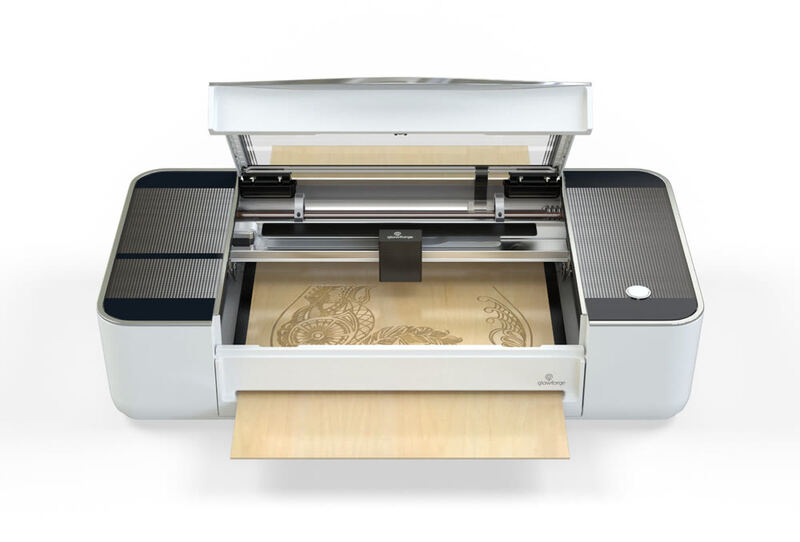
The Glowforge Pro remains a user-friendly laser cutter with intuitive software and automatic material detection, according to Make: Magazine and Maker Hacks reviews. However, its reliance on cloud connectivity for operation has been noted as a drawback, with users experiencing limitations during internet outages. The machine's built-in camera for visual design placement is praised as a standout feature, though the ability to add text or simple shapes requires a monthly subscription. The optional air filtration system is recommended for improved air quality, though it adds significant cost. Best for beginners and hobbyists seeking an easy-to-use machine, but those needing offline functionality may want to consider alternatives.

Strengths
  • User-friendly setup with clear step-by-step instructions
  • Intuitive web-based software with cloud connectivity
  • Automatic material detection using QR code stickers
Watch-outs
  • Requires constant internet connectivity for operation
  • Expensive optional air filtration system ($1,295)
  • No local backup or offline operation capability
Ortur Laser Engraver 4
Higher ratedRanked #4 in Best Laser Engravers
Ortur Laser Engraver 4
$341.99as of Jul 7

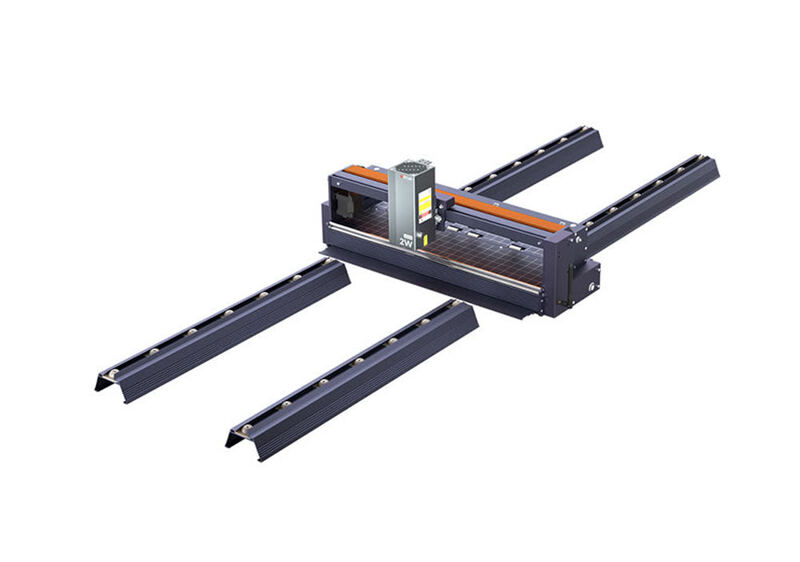
The Ortur Laser Master 3 is a high-end laser engraver/cutter featuring a 20W modular laser and 20000 mm/min speed, designed for both professionals and experienced hobbyists. Reviewers noted its sleek open-frame design and comprehensive accessory inclusion, though assembly complexity and basic air assist pump are drawbacks. It performs well across various materials including wood, acrylic, glass, and aluminum, with specific settings recommended for optimal results. This machine is best suited for users with prior experience in laser technology rather than newcomers.

Strengths
  • 20W modular laser module for high-power engraving and cutting
  • 20000 mm/min maximum speed for efficient operation
  • Open-frame design with sleek low-profile build and concealed wiring
Watch-outs
  • Requires significant assembly effort with disassembled main components
  • Not suitable for beginners due to complexity of setup and alignment

How they stack up

Glowforge Pro

The Glowforge Pro's reliance on cloud connectivity sets it apart from the xTool D1 Pro and P2, which operate independently. While it offers automatic material detection and a user-friendly interface, it lacks offline functionality and requires constant internet access, unlike the more self-contained Ortur Laser Master 3 or Atomstack P50 Pro.

Ortur Laser Engraver 4

The Ortur Laser Engraver 4 surpasses the xTool D1 Pro in power with its 20W modular laser and high-speed operation, but it requires more complex setup and lacks the included tutorials and ease of assembly that the D1 Pro provides. It also doesn't match the xTool P2's built-in fume extraction or the Atomstack P50 Pro's air assist system.

Specs side-by-side

SpecGlowforge ProOrtur Laser Engraver 4
Laser Power45W20W
Laser TypeCO2 laser cutterCO2 laser cutter
Work Area20” x infinity15.74" x 15.74" (400 x 400 mm)
Max Speed10,600 nm20000 mm/min
SoftwareWeb-based cloud clientLightBurn (Paid), LaserGRBL (Free)
Machine Size38" x 20.75" x 8.25"600mm*570mm*130mm
Weight48 lb14.3 lb
← See the full ranking of best laser engravers