Verdict
Head-to-head · Best OLED Gaming Monitors

Asus ROG Strix OLED XG27AQDMG vs Gigabyte MO27Q28G

Which is the better buy? Side-by-side on rating, price, strengths, and watch-outs — with the published ratings we averaged to get there.

Verdict is reader-supported. As an Amazon Associate we earn from qualifying purchases. Some links on this page are affiliate links — if you click through and buy, we may earn a small commission at no extra cost to you. Our ratings are sourced from independent publications, not sponsors.
The short answer

Gigabyte MO27Q28G comes out ahead by a narrow margin (4.4 vs 4.3). Gigabyte MO27Q28G is best for: Gamers who want OLED motion clarity at 1440p. Read the strengths below before deciding.

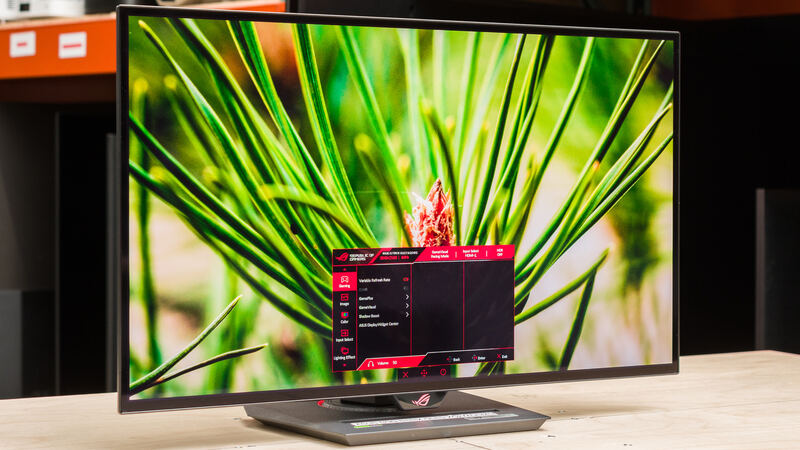
Asus ROG Strix OLED XG27AQDMG
Ranked #4 in Best OLED Gaming Monitors
Asus ROG Strix OLED XG27AQDMG
2 sources$574as of Sep 25

The ASUS ROG Strix OLED XG27AQDMG runs at 240Hz with fast pixel response and low input lag, which is the combination competitive gamers want. PCMag's Zackery Cuevas praised the fluid performance and the OLED advantages, though PCMonitors found the glossy coating throws reflections and makes lighter content look grainy. TweakTown scored it 95%, calling it the sweet spot for competitive QHD gaming despite the WOLED panel's limits on color volume and brightness. It suits players who care more about smooth refresh rates than perfect color accuracy.

Strengths
  • — 240Hz refresh rate delivers buttery smooth performance for competitive gaming
  • — Low input lag makes it suitable for competitive gaming scenarios
  • — sRGB setting allows full adjustment including brightness, gamma, and color channels
Watch-outs
  • — WOLED panel has limited color volume and brightness saturation simultaneously
Gigabyte MO27Q28G
Higher ratedRanked #3 in Best OLED Gaming Monitors
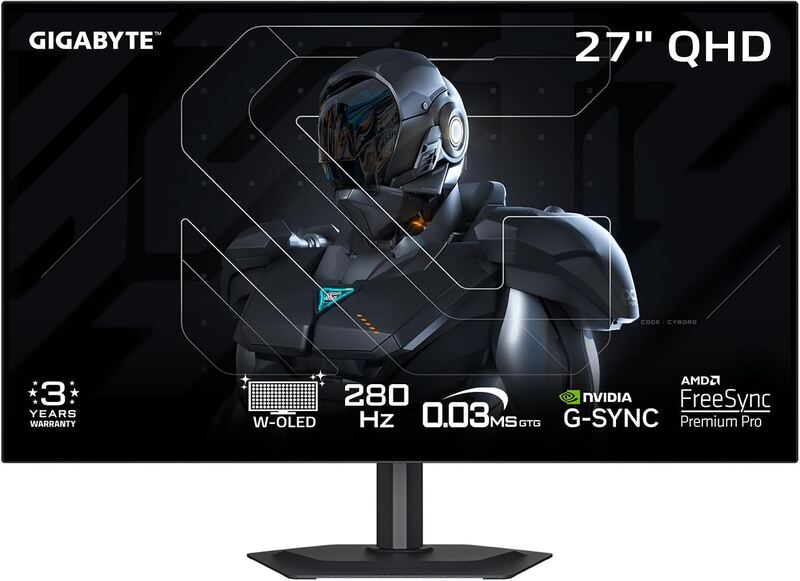
Gigabyte MO27Q28G
3 sources$440as of Sep 25

The Gigabyte MO27Q28G is a 26.5-inch 1440p WOLED gaming monitor running at 280Hz, built on LG's fourth-generation tandem panel and rated for 1500 nits peak. Tom's Hardware and Club386 both scored it 4.5 out of 5, crediting the brightness and the wider colour gamut tandem WOLED brings, while PCMag was a step cooler at 4 out of 5. The recurring complaints are black crush under HDR, subpixel text fringing and vertical banding on dark fields. It suits gamers who want OLED motion clarity at high refresh rates rather than anyone doing colour-critical or text-heavy work.

Strengths
  • — 280Hz refresh rate with low input lag and exceptional pixel response
  • — Impressive brightness performance under SDR and some HDR scenes, per Club386
  • — Improved color volume and gamut exceeding traditional WOLED and some QD-OLED
Watch-outs
  • — Subpixel layout may cause text fringing and eye fatigue for some users

How they stack up

Asus ROG Strix OLED XG27AQDMG

The Asus ROG Strix OLED XG27AQDMG runs at 240Hz, below the 280Hz of the Gigabyte MO27Q28G and the 500Hz of the MSI MAG 272QP QD-OLED X50 at the same 2560 x 1440 resolution. It uses a WOLED panel like the Gigabyte, where the MAG 272QP is QD-OLED. Its 0.1ms response time compares with 0.03ms on the other three, and it costs more than the Gigabyte.

Gigabyte MO27Q28G

The Gigabyte MO27Q28G runs at 280Hz, between the 240Hz of the Asus ROG Strix OLED XG27AQDMG and the 500Hz of the MSI MAG 272QP QD-OLED X50, all at 2560 x 1440. It is rated for 1500 nits peak against 1000 nits on the MAG 272QP. It does not offer the 4K resolution of the MSI MPG 321URX QD-OLED, and it costs less than the other three.

Specs side-by-side

SpecAsus ROG Strix OLED XG27AQDMGGigabyte MO27Q28G
Screen Size27-inch (26.5-inch viewable)26.5 inch
Resolution2560 x 14402560 x 1440
Panel TypeWOLEDWOLED
Refresh Rate240Hz280Hz
Response Time0.1ms0.03ms
Brightness1000 nits1500 nits peak brightness
Color Gamut99% DCI-P399.5% DCI-P3, 84% BT.2020
ConnectivityDisplayPort 1.4, 2x HDMI 2.0, 2x USB-A, headphone jackHDMI 2.1
← See the full ranking of best oled gaming monitors