Verdict
Head-to-head · Best Color-accurate Monitors For Video Editing

ASUS ProArt Display PA279CRV vs Dell UltraSharp 40 Curved Thunderbolt Hub Monitor (U4025QW)

Which is the better buy? Side-by-side on rating, price, strengths, and watch-outs — with the published ratings we averaged to get there.

Verdict is reader-supported. As an Amazon Associate we earn from qualifying purchases. Some links on this page are affiliate links — if you click through and buy, we may earn a small commission at no extra cost to you. Our ratings are sourced from independent publications, not sponsors.
The short answer

Dell UltraSharp 40 Curved Thunderbolt Hub Monitor (U4025QW) comes out ahead by a clear margin (4.5 vs 4.2). Dell UltraSharp 40 Curved Thunderbolt Hub Monitor (U4025QW) is best for: professionals who want an ultrawide 5K2K panel with a 120Hz refresh rate. Read the strengths below before deciding.

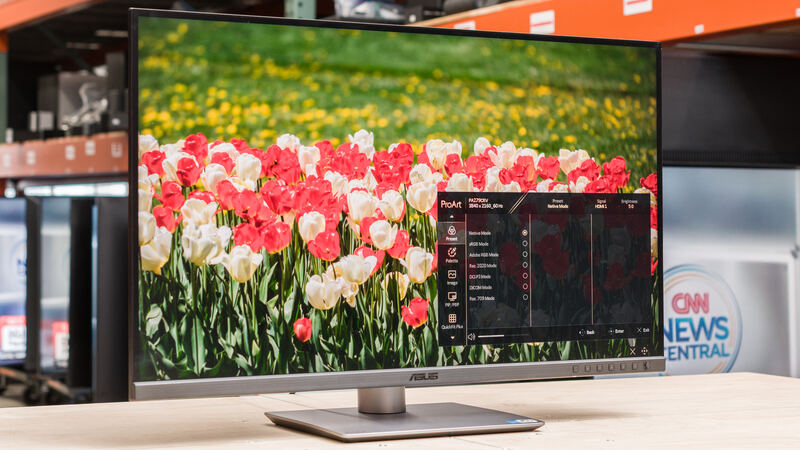
ASUS ProArt Display PA279CRV
Ranked #4 in Best Color-accurate Monitors For Video Editing
ASUS ProArt Display PA279CRV
3 sources$399as of Oct 11

The ASUS ProArt Display PA279CRV delivers exceptional color accuracy and wide gamut coverage suitable for creative professionals, though it falls short in contrast and HDR performance. It features 4K resolution, 27-inch IPS panel, and robust connectivity options including USB-C with 96W PD. While it offers good value for budget-conscious creators, its motion clarity is unimpressive compared to higher-end alternatives.

Strengths
  • — Extremely wide color gamut covering 99% of Adobe RGB and DCI-P3
  • — USB-C with 96 watts Power Delivery support
  • — Supports HDR 10 and 60Hz refresh rate
Watch-outs
  • — Mediocre contrast, brightness and HDR performance, per PCWorld
Dell UltraSharp 40 Curved Thunderbolt Hub Monitor (U4025QW)
Higher ratedRanked #1 in Best Color-accurate Monitors For Video Editing
Dell UltraSharp 40 Curved Thunderbolt Hub Monitor (U4025QW)
3 sources$1,415as of Oct 14

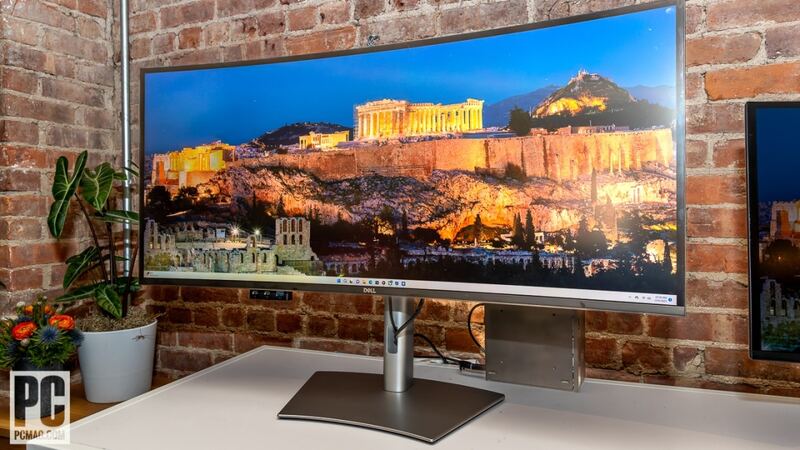
The Dell UltraSharp 40 Curved Thunderbolt Hub Monitor delivers solid performance across multiple categories without any standout features. It offers 5K resolution at 120Hz with a curved IPS black panel and VESA DisplayHDR 600 support. While it doesn't excel in any single area, reviewers noted it functions adequately well with no rough edges. The monitor's high price point may deter budget-conscious buyers, though it provides reliable connectivity through its Thunderbolt hub.

Strengths
  • — Supports 5K resolution at 120Hz refresh rate
  • — Features a curved IPS black panel with 2000:1 contrast ratio
  • — Provides VESA DisplayHDR 600 support
Watch-outs
  • — Price is high

How they stack up

ASUS ProArt Display PA279CRV

The ASUS ProArt Display PA279CRV stands out for its wide color gamut coverage. While it offers good value for budget-conscious creators, its contrast and HDR performance are unimpressive relative to the Dell UltraSharp 40 Curved Thunderbolt Hub Monitor.

Dell UltraSharp 40 Curved Thunderbolt Hub Monitor (U4025QW)

The Dell UltraSharp 40 Curved Thunderbolt Hub Monitor is the only monitor here with a 120Hz refresh rate, which it pairs with a 5120x2160 ultrawide panel; the Apple Studio Display (218 pixels per inch) and the 6K Dell UltraSharp U3224KB (223) are both sharper than its 140 pixels per inch.

Specs side-by-side

SpecASUS ProArt Display PA279CRVDell UltraSharp 40 Curved Thunderbolt Hub Monitor (U4025QW)
Display Size27-inch39.7 inches
Resolution3840×21605K (5120x2160)
Panel TypeIPS LCDIPS black
Refresh Rate60Hz120 Hz
Color Gamut100% sRGB, 99% DCI-P3, and 98% AdobeRGBDCI-P3 99%, sRGB 100%, Display-P3 99%, and BT709 100%
Brightness366 nits—
ConnectivityUSB-C, DisplayPort 1.4, HDMI 2.0, USB-A 3.2 Gen-1DP 1.4, HDMI 2.1, and Thunderbolt 4 ALT-DP
Contrast Ratio1000:12000:1
← See the full ranking of best color-accurate monitors for video editing