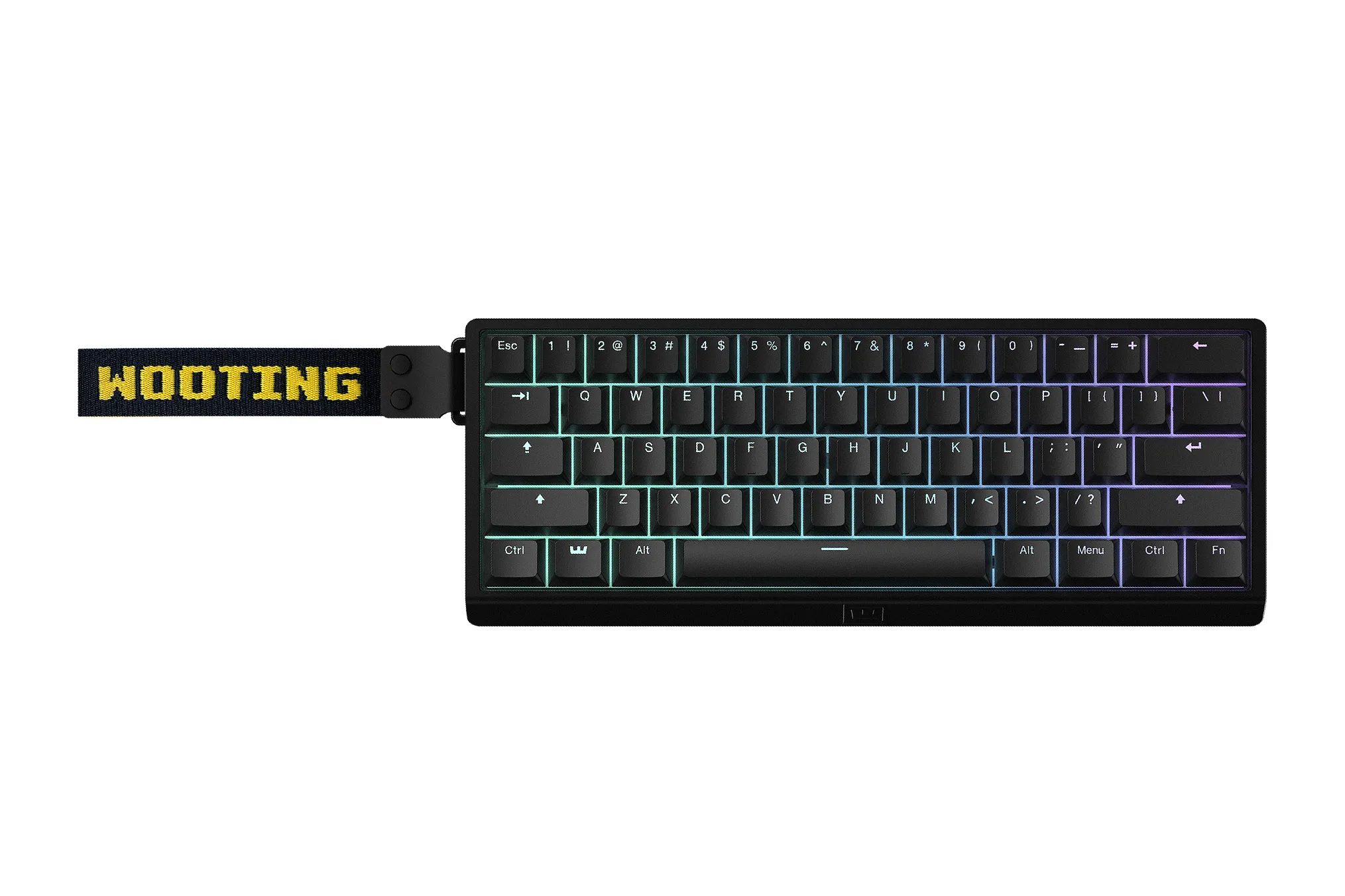
The Wooting 60HE v2 delivers an 8,000-Hz polling rate that achieves approximately 0.125 milliseconds of input latency, a significant improvement over its predecessor. WIRED found that while this speed ensures consistency for competitive gamers, the primary benefit lies in the Hall effect switches' Rapid Trigger capability down to 0.1mm, which allows for precise analog movement control. The aluminum case with friction-fit gasket mounting provides solid build quality and improved acoustics, though Zelpio noted that users can swap dampening materials to alter the sound profile. Connectivity is strictly wired via USB-C without wireless options, a limitation WIRED listed as a primary drawback. This compact 60% layout lacks dedicated arrow keys and function rows, requiring reliance on Wootility software for remapping, which makes it best suited for gamers who prioritize desk space and analog precision over traditional productivity workflows.
Full review
8K polling and sub-millisecond latency performance
The Wooting 60HE v2 achieves a true 1:1 analog-to-digital conversion rate by scanning the PCB at 8,000 Hz, resulting in an ultra-low input latency of approximately 0.125 milliseconds according to Zelpio. This represents a massive leap over the original 60HE model, which measured around 1.8 milliseconds for single-key presses and 2.7 milliseconds during multi-key inputs. The v2's performance is now on par with Wooting's own higher-end ADHE keyboard, which clocks in at roughly 0.4 to 0.5 milliseconds under similar conditions.
While the raw speed numbers are objectively impressive, WIRED noted that this reduction in latency might not be perceptible during day-to-day usage or even competitive gaming scenarios. The primary benefit of such a high polling rate is consistency rather than a noticeable drop in reaction time for most users. However, for enthusiasts who demand every possible millisecond advantage in fast-paced shooters, the 8K connection ensures that keystrokes are registered with near-instantaneous precision without any polling stutter.
The keyboard maintains this performance through its Hall effect sensors, which detect magnetic field changes rather than relying on physical metal contacts to close a circuit. This allows inputs to register before the keycap even reaches the bottom of its travel distance. The combination of high-speed scanning and analog sensing means that every millimeter of keystroke depth is tracked continuously, providing a level of responsiveness that traditional mechanical switches simply cannot match.
Rapid Trigger and 0.1mm actuation precision
Analog input capabilities are the core selling point of this keyboard, with Rapid Trigger technology supporting reset distances as shallow as 0.1 millimeters. This allows players to toggle movement keys like 'W' or 'A' with extreme speed and accuracy in games that support analog inputs. WIRED highlighted how mapping a half-press to walk and a full press to sprint creates seamless speed modulation, effectively turning the keyboard into an analog controller for specific actions.
The 0.1mm actuation threshold is a deliberate engineering choice rather than a marketing number. Zelpio explained that while some cheaper clone boards allow actuation down to 0.01mm, this extreme sensitivity introduces noise filtering processes that can actually add processing latency and cause accidental inputs from external magnetic interference or speaker bass. Wooting prioritizes reliability and signal stability over chasing the lowest possible millimeter count.
For games like Destiny 2, this precision allows for complex movement mechanics where speed scales directly with how far down you press the key. WIRED found that mapping WASD to mimic an analog joystick provides a unique advantage in hybrid input scenarios. However, because most modern competitive titles lock players into either keyboard or controller inputs, the full potential of these analog features is often limited by software compatibility rather than hardware capability.
Friction-fit mounting and aluminum chassis acoustics
The v2 abandons the standard O-ring mount found in its predecessor, replacing it with a new friction-fit gasket system that uses silicone around the edges and a POM section in the center alpha area. WIRED noted that this redesigned internal mounting mechanism improves durability by reducing separation between the switches and PCB while maintaining a comparable sound and feel to previous models. The module can be pushed and pulled out of different cases, making customization incredibly easy for enthusiasts.
Sound dampening is handled through a modular approach that ships with a silicone insert designed to mute much of the switch noise. Zelpio found that swapping this for traditional EPDM foam yields a louder, lower-pitched sound profile, while running the board without either produces a rawer acoustic experience. WIRED preferred the silicone profile for its balanced output, noting that all three options sounded shockingly good compared to other Hall effect keyboards.
The aluminum case construction provides a solid, sturdy foundation that eliminates the hollowness often associated with plastic gaming boards. Zelpio measured a full travel distance of 4mm for these switches, paired with a heavy initial actuation force of 42 grams and a bottom-out force of 54 grams, which helps reduce fatigue during long gaming sessions.
60% layout limitations and software workarounds
The compact 60% form factor lacks dedicated arrow keys and a function row, which requires users to rely heavily on the browser-based Wootility app for navigation. WIRED found that while gamers might miss these physical keys initially, they can map arrow functions to layers over WASD, IJKL, or the bottom right cluster. This software-driven approach keeps the desk space clear but introduces a learning curve for those accustomed to traditional keyboard layouts.
The Mod Tap feature allows a single key to perform one action when tapped and another when held, which WIRED adopted as their preferred method for accessing arrow keys. However, this system has trade-offs: it only supports quick taps rather than sustained presses, making it less ideal for productivity tasks like navigating spreadsheets or writing documents. The software remapping also introduces a slight, though minor, increase in input latency compared to physical key presses.
Zelpio noted that the 60% layout is specifically aimed at gamers who value a small footprint for mouse movement and do not rely heavily on function rows for productivity work. For users whose workflow depends on frequent access to F-keys or arrow keys without layer switching, this compact design may not suit their needs. The keyboard remains one of the few Hall effect boards offering mechanical-level personalization through its standard GH60/Tofu60 PCB layout compatibility.
Split spacebar and modular customization options
A divisive design choice in the v2 is the optional split spacebar, which gives both thumbs a dedicated function key for shortcuts. WIRED reported that only 20 percent of customers choose this layout due to its learning curve, but Wooting continues to offer it alongside a traditional full-length spacebar because of its utility in gaming and productivity. The PCB differs between configurations, meaning the decision must be made at purchase.
The split configuration requires careful attention to keycap support. Zelpio found that while Wooting’s own shine-through PBT cap sets include keys for this layout, their ABS and double-shot PBT sets currently do not. Users can substitute keys from other manufacturers, though the profile and legends may not match perfectly. The longest segment of the split spacebar is placed on the left side to align ergonomically with gaming thumb movements.
Modular customization extends beyond keycaps to the internal module itself. Zelpio highlighted that the PCB supports aftermarket cases like the Optimum, Owl Lab, Wooting Zone, and Tofu Redux thanks to its standardized layout. The friction-fit pad system debuted in the Optimum case allows for quick swapping of sound dampening materials and mounting styles without tools. This modularity makes the v2 appealing to enthusiasts who enjoy experimenting with different acoustic profiles and external aesthetics.
Wired-only connectivity and cable management
The Wooting 60HE v2 is strictly a wired device, utilizing a USB-C connection for all data transmission. WIRED listed the lack of wireless options as a primary drawback, noting that users cannot enjoy the freedom of untethered movement or clean desk setups without a cable running to their PC. This limitation stands in contrast to many modern gaming peripherals that offer Bluetooth or 2.4GHz wireless connectivity.
Despite the wired restriction, Maxgaming noted that the keyboard includes a removable USB-C keyboard cable, which simplifies transport and installation for users who travel to LAN parties or prefer modular desk setups. The aluminum chassis provides a solid feel that anchors the board firmly on the desk, mitigating some of the instability often associated with wireless boards under heavy typing pressure.
The reliance on a wired connection ensures that the 8K polling rate is maintained without any battery life concerns or signal interference issues. While this guarantees consistent performance and zero latency drops from power-saving modes, it does mean that users must manage cable routing as part of their desk setup routine. The absence of wireless hardware also keeps the internal space available for the advanced damping materials and high-speed scanning components.
Wootility software customization depth
All deep customization is managed through Wooting’s browser-based Wootility app, which allows users to adjust actuation distances, fine-tune Rapid Trigger settings, and map multiple actions to single key presses. WIRED praised the software for being intuitive and comprehensive, offering features that extend far beyond simple macro recording. The ability to emulate controllers allows WASD keys to mimic a joystick or specific keys to act as throttle, brake, and clutch inputs in racing games.
The app supports advanced layering systems that let users create complex keymaps without needing external software running in the background. Zelpio found that this cloud-based approach ensures settings are accessible from any computer, though it requires an internet connection for initial configuration and updates. The software’s depth makes the keyboard highly adaptable to different game genres and productivity workflows.
Controller emulation is a standout feature that bridges the gap between keyboard and mouse inputs. WIRED noted that mapping WASD to an analog joystick allows movement speed to scale with keystroke depth, providing a level of control impossible on traditional mechanical boards. This feature is particularly useful in games that support hybrid inputs, though its utility is limited by how many modern titles actually allow such flexible input configurations.
Strengths
- +8,000-Hz polling rate delivers ultra-low latency of approximately 0.125 milliseconds.
- +Hall effect switches support Rapid Trigger actuation down to 0.1mm for precise analog input control.
- +Aluminum case with friction-fit gasket mounting and factory sound dampening improves acoustics and build quality.
- +Wootility software enables deep customization including Mod Tap, dynamic key mapping, and controller emulation.
Watch-outs
- −Connectivity is wired-only via USB-C without wireless options.
- −Compact 60% layout lacks dedicated arrow keys and a function row, requiring software remapping for some workflows.
How it compares
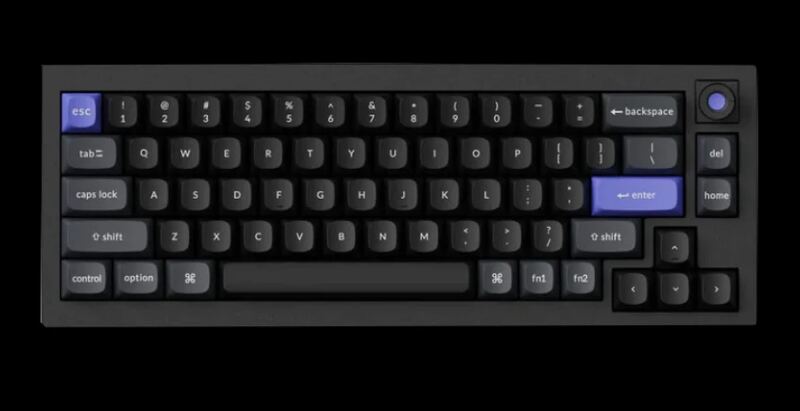
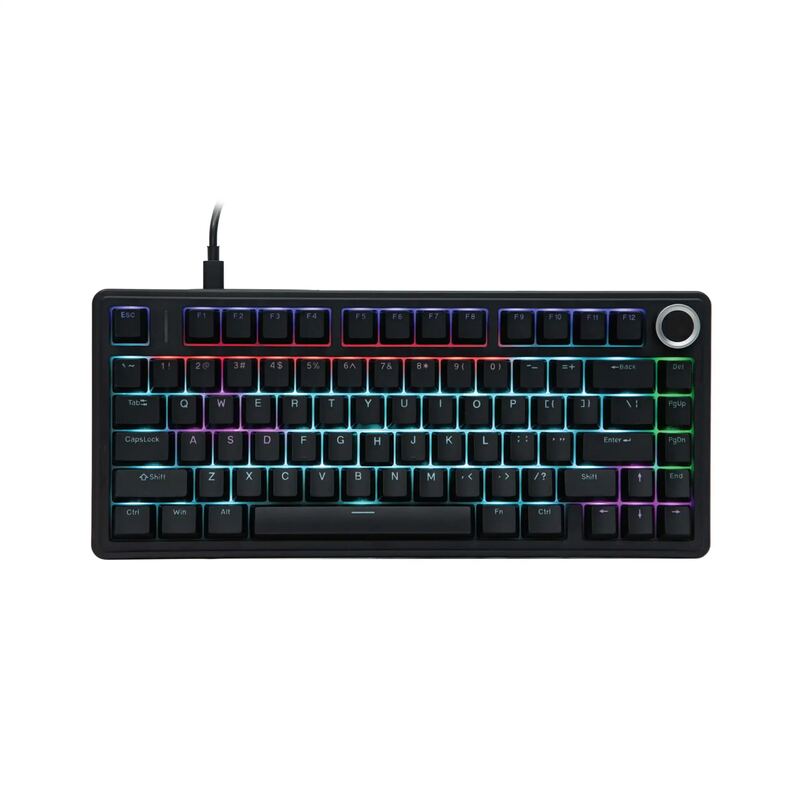
Its compact 60% layout lacks dedicated arrow keys found in the AULA F75 and Keychron Q1 HE, requiring software remapping for navigation.
Rating sources
Counts as 4.78/5 in our score — this publisher's 87 scores on the site average 3.98, so its scores are adjusted up to compare fairly with other publishers.
Counts as 4.84/5 in our score — this publisher's 31 scores on the site average 3.77, so its scores are adjusted up to compare fairly with other publishers.
Counts as 4.56/5 in our score — this publisher's 16 scores on the site average 4.35, so its scores are adjusted down to compare fairly with other publishers.
Our 4.7 score is the average of the 3 scored reviews above, each adjusted for how strictly its publisher scores; 2 more reviewed it without printing a score and are not in the average. More about methodology.