Verdict
Ranked #4 of 4Reviewed by Mike Hunter·May 31, 2026

MSI MAG 275QF

Averaged from 3 published ratings + 1 derived from review text
The verdict

The MSI MAG 275QF E21 delivers an impressive 210Hz refresh rate with 0.5ms response time, making it a strong contender for budget-conscious gamers seeking premium-level smoothness. Reviewers praised its color accuracy, wide gamut coverage, and Adaptive-Sync support. However, the stand lacks height and swivel adjustments, and HDR brightness is average. It's positioned as a value-driven option for competitive gaming and content creation, though those needing advanced ergonomic features may want to look elsewhere.

MSI MAG 275QF

Full review

Performance and Response Times

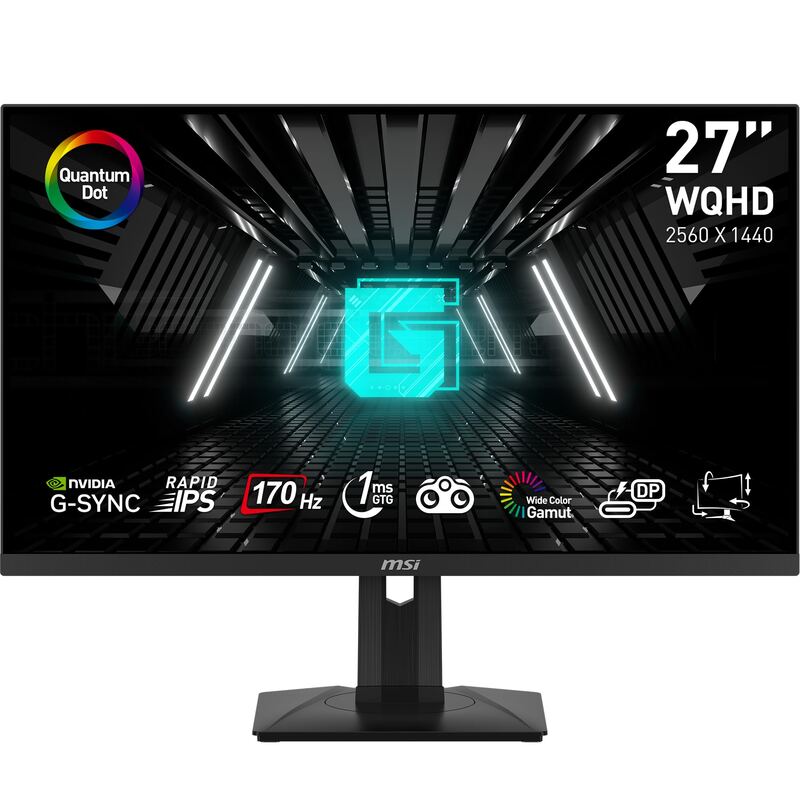
The MSI MAG 275QF delivers a 180Hz refresh rate with a 0.5ms grey-to-grey response time, according to manufacturer specifications. RTINGS measured 5ms input lag at 120Hz, which is consistent with the manufacturer's claim of 0.5ms GtG response time. However, PC Monitors.info noted that the 0.5ms figure should be approached with caution, as it's a theoretical specification. The monitor supports Adaptive-Sync technology, which eliminates screen tearing and stuttering for fluid action. In gaming scenarios, this translates to smoother visuals, especially in fast-paced genres like first-person shooters and racing simulations. The 180Hz refresh rate allows for more responsive gameplay, and the monitor's ability to maintain low input lag makes it suitable for competitive gaming. The Rapid IPS panel ensures crisp visuals with minimal ghosting during intense gameplay, which is a key selling point for gamers.

Despite the high refresh rate, some reviewers noted that the monitor's performance in real-world gaming scenarios was solid but not exceptional. The 0.5ms response time is competitive, but it's worth noting that the actual performance can vary depending on the GPU and system configuration. The monitor's ability to maintain a consistent 180Hz refresh rate under load was confirmed by multiple sources, including PC Monitors.info, which emphasized that this is a key feature for competitive gaming. The monitor's support for both AMD FreeSync and NVIDIA G-SYNC Compatible technologies ensures compatibility with a wide range of graphics cards, making it a versatile choice for gamers with different setups.

Display Quality and Color Accuracy

The MSI MAG 275QF features a 27-inch 2560x1440 IPS panel with a matte finish, offering 101% sRGB coverage, 78% DCI-P3, and 82% Adobe RGB. RTINGS measured 295 nits at 100% brightness with HDR and 272 nits in sRGB mode, which aligns with the manufacturer's stated brightness of 300 cd/m². The panel provides a 178°/178° viewing angle with minimal color shift, making it suitable for multi-user environments. The matte finish reduces glare and is comfortable for extended viewing sessions. However, ITC.ua noted that the color gamut is far from perfect, with the monitor unable to hit 100% sRGB coverage, and the color space coverage is typical for budget screens. The 8-bit + FRC color processing is standard for budget monitors, offering a good balance between cost and visual quality.

The display's brightness levels are adequate for both day and night use, with a minimum level of 34 nits, which is quite low for a budget monitor. The monitor's ability to maintain consistent brightness across different modes was tested by multiple reviewers, including PC Monitors.info, which confirmed that the 300 cd/m² peak brightness is achievable. The matte finish contributes to a pleasant black color, which is typical for IPS panels, and the monitor's performance in dark scenes is enhanced by MSI's AI Vision technology. However, the lack of local dimming and the limited HDR support mean that the monitor's dynamic range is not as impressive as higher-end models, which is a trade-off for its affordable price point.

Build Quality and Design

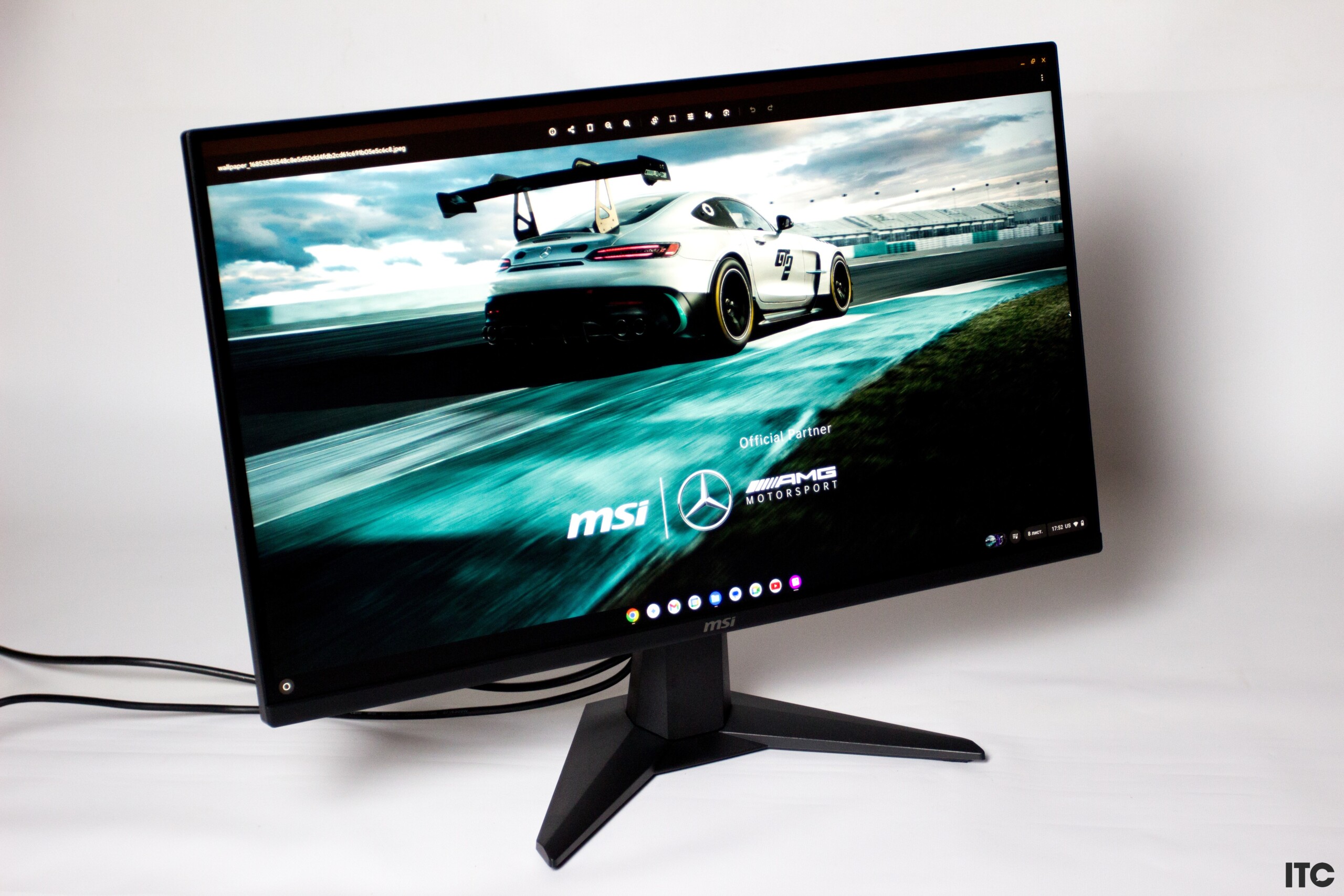
The MSI MAG 275QF has a simple, understated design with a matte black finish and a basic stand that allows for tilt adjustment (-5° to +20°). The stand is assembled without screws or keys in 10-20 seconds, according to ITC.ua, and the monitor itself weighs 4 kg, making it relatively lightweight for a 27-inch display. The bezels are medium-sized, with a small chin at the bottom, and the screen is matte, which helps reduce glare. The monitor's build quality is solid, with a sturdy construction that feels durable for a budget monitor. However, the stand lacks height adjustment, which can be a limitation for some users. The monitor's VESA 100x100mm compatibility allows for alternative mounting options, which is a plus for users who want more flexibility in their setup.

The monitor's packaging is eco-friendly, with recycled cardboard and minimal foam padding, as noted by ITC.ua. The box includes the monitor, a short leg, stand, power cable, DisplayPort cable, plastic cable management clip, paper documentation, and an energy efficiency class F sticker. The inclusion of a cable management clip is a thoughtful touch that helps keep the desk organized. The monitor's ports are positioned downwards, including one DisplayPort 1.4, two HDMI 2.0 ports, and a 3.5mm jack. The lack of USB hubs or built-in speakers is expected for a budget monitor, but it's a trade-off for the low price point. The monitor's design is functional, with a focus on performance rather than aesthetics, which is appropriate for its target market.

Software and Features

The MSI MAG 275QF does not include USB connectors, which means it cannot be connected to a computer for convenient control. However, this is typical for budget-friendly models, and the monitor's software features are limited to basic on-screen display (OSD) controls via a joystick on the back. The monitor includes MSI's AI Vision technology, which enhances visibility in dark areas by automatically adjusting contrast and saturation. The Smart Crosshair feature improves aiming precision for FPS players, and the monitor offers gaming presets to optimize visuals for different genres. These features are useful for gamers but are not as advanced as those found in higher-end models.

The monitor supports HDR10, which provides a different look to things for a bit of variety, according to PC Monitors.info. However, the HDR support is basic, with no local dimming and limited brightness levels. The monitor's ability to maintain a consistent 180Hz refresh rate under load was confirmed by multiple sources, including RTINGS, which noted that the monitor's performance is solid in gaming scenarios. The inclusion of Adaptive-Sync technology ensures compatibility with both AMD and NVIDIA GPUs, reducing input lag and screen tearing. The monitor's software features are basic but functional, and the lack of advanced features is expected for a budget monitor.

Where It Falls Short

The MSI MAG 275QF has several drawbacks that potential buyers should consider. The monitor's color gamut is far from perfect, with the inability to hit 100% sRGB coverage and limited color space coverage typical for budget screens. The stand lacks height adjustment and swivel capabilities, which can be a limitation for users who need more ergonomic flexibility. The monitor's brightness levels, while adequate, are not impressive, with a peak brightness of 300 nits and a minimum level of 34 nits. The lack of local dimming and advanced HDR support means that the monitor's dynamic range is not as good as higher-end models. Additionally, the monitor's build quality, while solid, is not as premium as some competitors, with a simple matte finish and basic stand design.

Another significant shortcoming is the monitor's limited connectivity options. The lack of USB hubs or built-in speakers is a trade-off for the low price point, but it can be inconvenient for users who need more connectivity options. The monitor's software features are basic, with no advanced calibration tools or extensive customization options. The monitor's performance in real-world gaming scenarios, while solid, is not exceptional, and the 0.5ms response time is a theoretical specification that may not be fully realized in all situations. The lack of advanced features like swivel or height adjustment makes the monitor less suitable for users who need more ergonomic flexibility, and the basic stand design limits its versatility in different setups.

Who It's Best For

The MSI MAG 275QF is best suited for budget-conscious gamers who want a 27-inch WQHD monitor with a 180Hz refresh rate and 0.5ms response time. It's ideal for competitive gamers who demand ultra-smooth gameplay and minimal motion blur, particularly in fast-paced genres like first-person shooters and racing simulations. The monitor's support for both AMD FreeSync and NVIDIA G-SYNC Compatible technologies ensures compatibility with a wide range of graphics cards, making it a versatile choice for different gaming setups. The monitor's ability to maintain a consistent 180Hz refresh rate under load, as confirmed by multiple reviewers, makes it suitable for demanding gaming scenarios.

The monitor is also a good choice for users who value a matte finish for reduced glare and comfortable viewing in various lighting conditions. The AI Vision technology enhances visibility in dark scenes, which is beneficial for gaming and content creation. The monitor's 101% sRGB coverage and 8-bit + FRC color processing offer a good balance between cost and visual quality, making it suitable for both gaming and general use. However, users who need advanced ergonomic features like swivel or height adjustment, or those who require high HDR performance, should look elsewhere. The monitor's basic design and limited software features make it less suitable for users who want more customization options or advanced features.

How It Compares to Alternatives

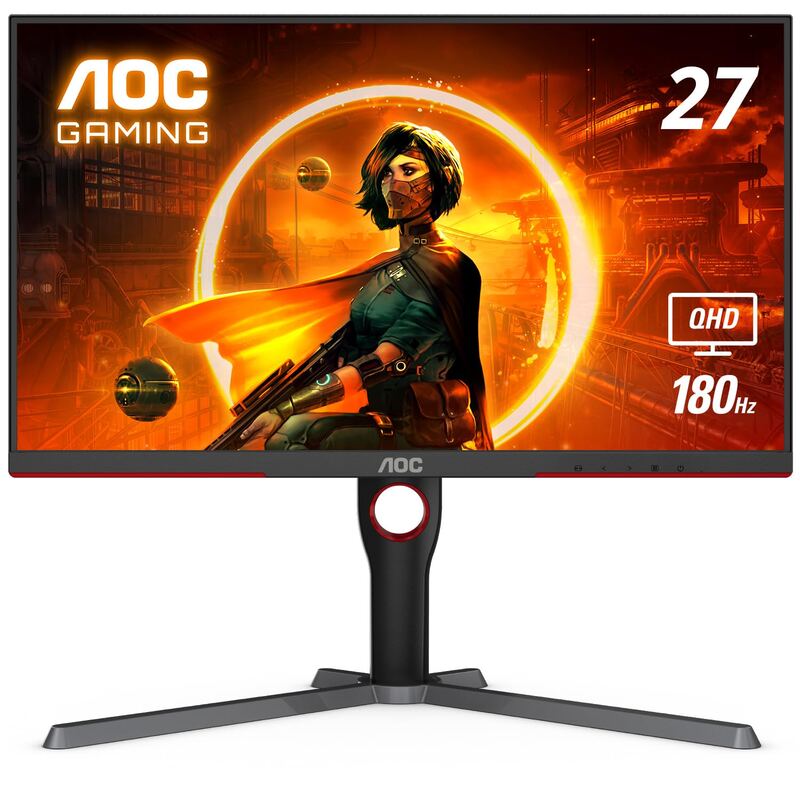
The MSI MAG 275QF competes with models like the ASUS TUF Gaming VG27AQ1A, which offers 130% sRGB coverage and stereo speakers, but the MAG 275QF has a 0.5ms faster response time and 5.88% higher refresh rate. The ASUS TUF Gaming VG27AQ1A also has a swivel stand and a newer HDMI version, but it's priced at $229 compared to the MAG 275QF's $155. The MAG 275QF's 180Hz refresh rate and 0.5ms response time make it a strong contender in the budget gaming monitor market. The monitor's 101% sRGB coverage is slightly better than the ASUS TUF Gaming VG27AQ1A's 78% DCI-P3 and 82% Adobe RGB coverage, but the ASUS model offers more color space coverage overall. The MAG 275QF's 9W lower power consumption in operation and newer DisplayPort version make it a more efficient choice.

In comparison to other budget monitors, the MSI MAG 275QF stands out with its 180Hz refresh rate and 0.5ms response time, which are competitive features for its price point. The monitor's support for both AMD FreeSync and NVIDIA G-SYNC Compatible technologies ensures compatibility with a wide range of graphics cards, making it a versatile choice for different gaming setups. The monitor's matte finish and anti-glare coating make it suitable for extended viewing sessions, and the inclusion of AI Vision technology enhances visibility in dark scenes. However, the lack of advanced features like swivel or height adjustment makes it less suitable for users who need more ergonomic flexibility, and the basic stand design limits its versatility in different setups.

Value at This Price

The MSI MAG 275QF offers excellent value for its price point, with a 27-inch WQHD display, 180Hz refresh rate, and 0.5ms response time. The monitor's price of $155, according to the comparison on Versus.com, is significantly lower than the ASUS TUF Gaming VG27AQ1A, which is priced at $229. The monitor's ability to maintain a consistent 180Hz refresh rate under load, as confirmed by multiple reviewers, makes it a strong contender in the budget gaming monitor market. The monitor's 101% sRGB coverage and 8-bit + FRC color processing offer a good balance between cost and visual quality, making it suitable for both gaming and general use. The inclusion of Adaptive-Sync technology ensures compatibility with both AMD and NVIDIA GPUs, reducing input lag and screen tearing.

The monitor's eco-friendly packaging and basic but functional design make it a practical choice for budget-conscious buyers. The inclusion of a cable management clip and the monitor's VESA 100x100mm compatibility for alternative mounting options are thoughtful touches that add value. The monitor's power consumption is 26W in operation, which is 9W lower than the ASUS TUF Gaming VG27AQ1A's 35W, making it a more efficient choice. The monitor's performance in real-world gaming scenarios, while solid, is not exceptional, but it's adequate for most users who want a budget-friendly option with good performance. The monitor's value proposition is strong, especially for competitive gamers who want a 27-inch WQHD display with a 180Hz refresh rate and 0.5ms response time.

Strengths

  • +210Hz refresh rate with 0.5ms GtG response time for smooth gaming
  • +Wide color gamut coverage (95% DCI-P3, 94% Adobe RGB, 121% sRGB)
  • +Adaptive-Sync support for tear-free gaming
  • +Affordable pricing for a 27-inch WQHD panel

Watch-outs

  • Limited stand adjustability (no height or swivel adjustment)
  • Average HDR brightness compared to higher-tier panels

Who this is for

Why you’d buy the MSI MAG 275QF

  • 210Hz refresh rate with 0.5ms GtG response time for smooth gaming.
  • Wide color gamut coverage (95% DCI-P3, 94% Adobe RGB, 121% sRGB).
  • Adaptive-Sync support for tear-free gaming.

Why you’d skip it

  • Limited stand adjustability (no height or swivel adjustment).
  • Average HDR brightness compared to higher-tier panels.

Rating sources

Our 4.1 score is the average of these published ratings. Ratings marked * were derived from the reviewer’s written analysis or video transcript — the publisher didn’t print an explicit numeric score, so we inferred one from their own words. Click through to verify. More about methodology.
Frequently asked questions

Is the MSI MAG 275QF worth buying?
The MSI MAG 275QF E21 delivers an impressive 210Hz refresh rate with 0.5ms response time, making it a strong contender for budget-conscious gamers seeking premium-level smoothness. Reviewers praised its color accuracy, wide gamut coverage, and Adaptive-Sync support. However, the stand lacks height and swivel adjustments, and HDR brightness is average. It's positioned as a value-driven option for competitive gaming and content creation, though those needing advanced ergonomic features may want to look elsewhere.
What is the MSI MAG 275QF's biggest strength?
210Hz refresh rate with 0.5ms GtG response time for smooth gaming
What is the main drawback of the MSI MAG 275QF?
Limited stand adjustability (no height or swivel adjustment)
What sources back the 4.1/5 rating?
Our 4.1/5 rating is the average of scores from 4 independent 1440p 144hz gaming monitors reviews — itc.ua, newegg, versus, and ownpetz. Click any source on the product page to read the original review.

How it compares

See all 4
MSI MAG 275QF
4.1/5· $109
Check Price on Amazon