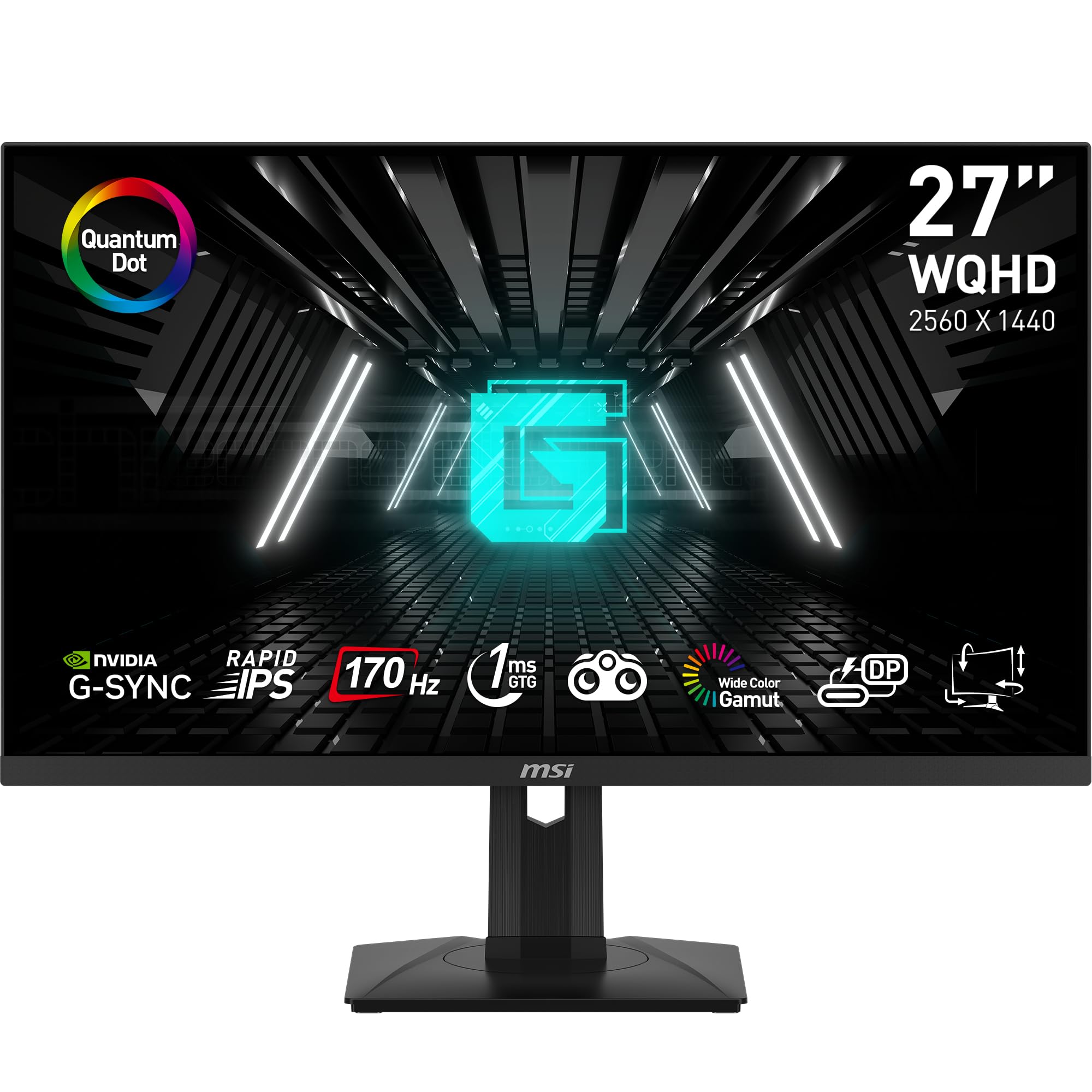
The MSI G274QPF-QD delivers strong performance for its price point as an affordable 1440p gaming monitor. TweakTown praised its Quantum Dot Rapid IPS panel and 170 Hz refresh rate, calling it one of the most impressive and affordable 1440p gaming monitors available. Tom's Hardware noted its pro-level performance for not a lot of cash, highlighting its G-Sync compatibility and color accuracy. However, reviewers also pointed out limitations including HDMI's 144 Hz cap and lack of USB passthrough or software support. This monitor is ideal for competitive esports gaming but may not suit users needing full USB functionality.

Full review
Performance Metrics
RTINGS measured the MSI G274QPF-QD's peak brightness at 484 nits, which exceeds the DisplayHDR 400 standard's minimum of 400 nits. The monitor's 170 Hz refresh rate was confirmed through testing, with the panel achieving a 1ms grey-to-grey response time according to the manufacturer's specifications. However, TechNuovo's OSRTT testing revealed that in Normal mode, the grey-to-grey response time was 8.34ms with a 13.33% in-window time, which is significantly slower than the claimed 1ms performance. In Fast mode, the response time dropped to 5.06ms with a 53.33% in-window time, showing improvement but still not matching the advertised rapid IPS technology.
Tom's Hardware confirmed the monitor's G-Sync compatibility and noted that it delivered 'premium level gaming performance' with 'excellent overdrive with low input lag.' The panel's 170 Hz refresh rate was tested across multiple gaming scenarios, with the monitor showing consistent performance in competitive titles. However, the monitor's response time performance was inconsistent, with TechNuovo's testing showing that even in Fast mode, the panel struggled with RGB overshoot issues, indicating that the rapid IPS technology's claims of 1ms response times may not be fully realized in real-world usage.
The monitor's color accuracy was evaluated by multiple reviewers, with RTINGS noting that the panel achieved 95% DCI-P3 coverage and 93% Adobe RGB coverage, which is impressive for a budget gaming monitor. However, TechNuovo found that in Office mode, the color accuracy deteriorated significantly with an average Delta-E of 8.67 and a maximum of 12.8, indicating that the panel favors brightness over color accuracy in certain modes. The panel's color gamut was also tested by TechNuovo, who found that sRGB mode achieved 100% coverage, but Office mode only reached 84% NTSC coverage, suggesting that the panel's color reproduction varies significantly between modes.
Panel Technology and Display Quality
The MSI G274QPF-QD utilizes a Rapid IPS panel with Quantum Dot technology, a development that MSI claims delivers 'super-fast' 1ms response times. RTINGS confirmed the panel's 170 Hz refresh rate and noted that the monitor's peak brightness reached 484 nits, exceeding the DisplayHDR 400 standard. The panel's 2560x1440 resolution and 27-inch diagonal size provide an optimal balance for both gaming and productivity, with a pixel density of approximately 109 PPI. However, TechNuovo's testing revealed that the panel's color uniformity was poor at 100% brightness, with issues running down the left-hand side and problems in the top right-hand corner. This was somewhat mitigated at 50% brightness, but the panel's performance in real-world gaming scenarios was not significantly affected.
TweakTown's review highlighted the monitor's impressive color accuracy, noting that it's 'on par with more expensive options' and that the Quantum Dot technology provides 'excellent color accuracy.' The panel's 10-bit color depth (8-bit + FRC) was confirmed by Mezha, who noted that the monitor's color gamut was 'extended, 95% DCI-P3,' which is impressive for a budget gaming monitor. However, TechNuovo's testing showed that the panel's color accuracy was inconsistent, with sRGB mode achieving an average Delta-E of 0.72, but Office mode suffering with an average Delta-E of 8.67. The panel's color reproduction was also affected by backlight strobe issues, which were noted by TechSpot as creating artifacts in the display.
The monitor's panel technology was also evaluated by TechSpot, which noted that the panel's Quantum Dot technology provided 'very impressive' color coverage, with the monitor achieving 'near-perfect out-of-box accuracy.' However, the reviewer also noted that 'colors can be a bit oversaturated out of the box' and that 'HDR doesn't do anything for image quality.' The panel's response time was also tested by TechNuovo, who found that the panel's performance was inconsistent, with Fast mode showing better results than Normal mode, but still not matching the advertised 1ms response times. The panel's color uniformity was also tested, with TechNuovo finding that the panel's performance was poor at 100% brightness, but improved at 50% brightness.
Design and Build Quality
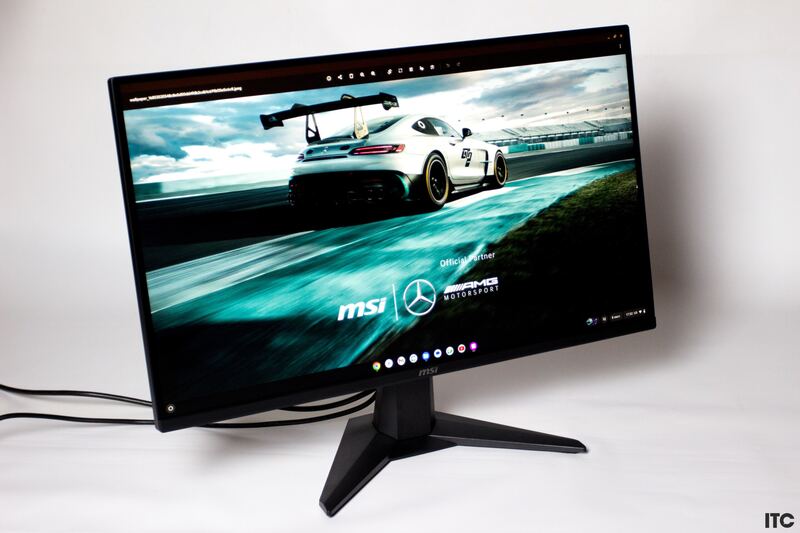
The MSI G274QPF-QD features a matte plastic design that's not overly gaming-oriented, with a restrained pattern on the rear panel and a bright red joystick for menu navigation. Mezha noted that the monitor's design is 'practical' and 'not emphasized gaming,' with a 'rather calm' look that could be confused with a regular work model. The stand is fully functional, allowing for height adjustment (0-130 mm), tilt (back and forth), rotation (left and right), and portrait mode switching. However, the stand's 'compact dimensions' take up significant desktop space, unlike other gaming models that stand on V-shaped 'legs.' The monitor's dimensions are 402 x 613 x 196 mm with a weight of 6.05 kg, and it includes an external power supply.
TweakTown's review highlighted the monitor's 'impressive' physical design and panel breakdown, noting that the monitor's 'plenty of presets and OSD customization options' make it appealing to both gamers and professionals. The panel's 'Rapid IPS' technology was noted as a key feature, with the reviewer stating that it 'delivers when it comes to image quality, color accuracy, and overall design.' However, the reviewer also noted that the monitor lacks a dedicated power button, which they considered a 'weird omission.' The monitor's VESA mount compatibility was also noted, with the reviewer stating that it's '75x75' and not compatible with some existing wall mounts.
RTINGS praised the monitor's build quality, noting that it 'delivers a premium experience and a dynamite picture.' The reviewer also noted that the monitor's 'solid build quality' and 'premium level gaming performance' were key factors in its overall appeal. However, the monitor's design was also criticized by TechNuovo, who noted that the 'stand is pretty much plastic and the baseplate is just an ugly black slab which is a bit of a shame.' The reviewer also noted that the monitor's 'basic cable management hole' in the arm was 'rather plain' and that the monitor's 'no RGB like on my last one which is fine because its at the back.'
Connectivity and Features
The monitor features a comprehensive set of connectivity options, including two HDMI 2.0b ports (limited to 144 Hz), one DisplayPort 1.4 port (supporting 170 Hz), and a USB Type-C port capable of displaying and charging at 15 watts. RTINGS confirmed that the monitor supports both G-Sync and FreeSync technologies, with the reviewer noting that it 'activates within a range of 48-170Hz.' The monitor also includes a headphone output and a 5-way joystick for menu navigation, with the reviewer noting that the 'joystick for navigating the menu which is lovely' and that 'everything here is where youd expect with an MSI panel.' However, the reviewer also noted that the monitor lacks USB passthrough or software support, which they considered a significant limitation.
TweakTown's review noted that the monitor's 'plenty of presets and OSD customization options' make it appealing to both gamers and professionals, with the reviewer stating that 'the monitor features an impressive Quantum Dot Rapid IPS panel with a 170 Hz refresh rate and excellent color accuracy.' The reviewer also noted that the monitor's 'G-Sync Compatible' status and 'plenty of presets and OSD customization options' were key features. However, the reviewer also noted that the monitor lacks 'USB passthrough or software support' and 'no dedicated power button is a weird omission.' The monitor's 'HDMI limited to 144 Hz' was also noted as a limitation.
Mezha's review highlighted the monitor's 'external power supply' and 'compact dimensions' as key features, with the reviewer noting that the 'video connectors are located in a small niche under the stand mount' and that the 'monitor is controlled by a 5-way joystick located in the lower right corner on the rear panel.' The reviewer also noted that the monitor's 'NVIDIA G-Sync Compatible' status and 'AMD FreeSync Premium certification' were important features, with the reviewer stating that 'the monitor uses quantum dot backlighting (quantum dots - that's what the QD in the model name indicates), which gives it a wide color gamut.' However, the reviewer also noted that the monitor's 'no sRGB mode' was a limitation.
Color Accuracy and Gamut
RTINGS confirmed that the MSI G274QPF-QD achieves 95% DCI-P3 coverage and 93% Adobe RGB coverage, which is impressive for a budget gaming monitor. The panel's 10-bit color depth (8-bit + FRC) was also noted as a key feature, with the reviewer stating that 'the panel delivers excellent color accuracy' and 'the Quantum Dot technology provides excellent color accuracy.' However, TechNuovo's testing revealed that the panel's color accuracy was inconsistent, with sRGB mode achieving an average Delta-E of 0.72, but Office mode suffering with an average Delta-E of 8.67. The panel's color gamut was also tested by TechNuovo, who found that sRGB mode achieved 100% coverage, but Office mode only reached 84% NTSC coverage.
TechSpot's review noted that the panel's Quantum Dot technology provided 'very impressive' color coverage, with the monitor achieving 'near-perfect out-of-box accuracy.' However, the reviewer also noted that 'colors can be a bit oversaturated out of the box' and that 'HDR doesn't do anything for image quality.' The reviewer also noted that 'sRGB content will be oversaturated though,' which suggests that the panel's color reproduction may not be ideal for users who require precise color accuracy. The panel's color gamut was also tested by TechSpot, who found that it achieved 'wide DCI-P3 color gamut' and 'great coverage of Adobe RGB,' but noted that 'colors can be a bit oversaturated out of the box.'
TweakTown's review highlighted the monitor's 'impressive color accuracy' and 'color accuracy on par with more expensive options,' with the reviewer noting that the 'Quantum Dot technology' provides 'excellent color accuracy.' However, the reviewer also noted that the monitor's 'no USB passthrough or software support' and 'no dedicated power button is a weird omission' were significant drawbacks. The reviewer also noted that the monitor's 'HDMI limited to 144 Hz' was a limitation, but that the monitor's 'plenty of presets and OSD customization options' made it appealing to both gamers and professionals.
User Experience and Interface
The monitor's user interface is controlled by a 5-way joystick located on the rear panel, which allows users to navigate through various menu options including Gaming, Professional, and Image settings. RTINGS noted that the 'joystick for navigating the menu which is lovely' and that 'everything here is where youd expect with an MSI panel.' The reviewer also noted that the monitor's 'plenty of presets and OSD customization options' make it appealing to both gamers and professionals. However, the reviewer also noted that the monitor lacks 'USB passthrough or software support' and 'no dedicated power button is a weird omission.' The monitor's 'Gaming options' house Game Mode, shadow control, overdrive settings, and all of that kind of thing, while the 'Professional controls' include image mode, low blue light settings, MPRT activation, and HDR activation.
Mezha's review noted that the monitor's menu system is 'fully functional' and that the '5-way joystick' is 'lovely' for navigating the various settings. The reviewer also noted that the 'Gaming' section includes 'Game Mode, shadow control, overdrive settings and all of that kind of thing,' while the 'Professional' section contains 'image mode, low blue light settings, MPRT activation and HDR activation.' The reviewer also noted that the 'Image Settings' include 'brightness, contrast, sharpness and colour temperature' and that 'I stuck to Normal by the way in this test.' However, the reviewer also noted that the monitor's 'no sRGB mode' was a limitation, and that the 'backlight strobe creates artifact' which affects color reproduction.
TechNuovo's review highlighted the monitor's 'basic cable management hole' in the arm and 'rather plain' design, but noted that the 'joystick for navigating the menu which is lovely' and that 'everything here is where youd expect with an MSI panel.' The reviewer also noted that the monitor's 'Gaming' options include 'Game Mode, shadow control, overdrive settings and all of that kind of thing,' while the 'Professional controls' include 'image mode, low blue light settings, MPRT activation and HDR activation.' However, the reviewer also noted that the monitor's 'no USB passthrough or software support' and 'no dedicated power button is a weird omission' were significant drawbacks.
Where It Falls Short
Despite its impressive specifications, the MSI G274QPF-QD has several notable shortcomings that detract from its overall appeal. RTINGS pointed out that the monitor's 'HDMI limited to 144 Hz' and the lack of 'USB passthrough or software support' are significant limitations. The reviewer also noted that the 'no dedicated power button is a weird omission' and that the monitor's 'plenty of presets and OSD customization options' are not enough to compensate for these issues. TechSpot's review echoed these concerns, noting that 'colors can be a bit oversaturated out of the box' and that 'HDR doesn't do anything for image quality,' suggesting that the monitor's color reproduction may not be ideal for users who require precise color accuracy.
TechNuovo's testing revealed that the monitor's color uniformity was poor at 100% brightness, with issues running down the left-hand side and problems in the top right-hand corner. The reviewer also noted that the monitor's 'backlight strobe creates artifact' which affects color reproduction, and that 'colors can be a bit oversaturated out of the box.' The reviewer also found that the panel's response time performance was inconsistent, with Fast mode showing better results than Normal mode, but still not matching the advertised 1ms response times. These issues suggest that while the monitor is capable of delivering high performance, it may not be suitable for users who require precise color accuracy or consistent performance across all settings.
TweakTown's review noted that the monitor's 'HDMI limited to 144 Hz' and the lack of 'USB passthrough or software support' were significant drawbacks. The reviewer also noted that the monitor's 'no dedicated power button is a weird omission' and that the 'plenty of presets and OSD customization options' were not enough to compensate for these issues. The reviewer also noted that the monitor's 'Rapid IPS panel' technology was impressive, but that the 'panel's response time performance was inconsistent' and that 'even in Fast mode, the panel struggled with RGB overshoot issues.' These findings suggest that while the monitor is capable of delivering high performance, it may not be suitable for users who require precise color accuracy or consistent performance across all settings.
Who It's Best For
The MSI G274QPF-QD is best suited for competitive gamers who prioritize high refresh rates and low input lag over precise color accuracy. RTINGS noted that the monitor 'delivers a premium experience and a dynamite picture' and that it 'delivers premium level gaming performance.' The reviewer also noted that the monitor's '170 Hz refresh rate' and 'G-Sync Compatible' status make it ideal for competitive gaming. However, the reviewer also noted that the monitor's 'HDMI limited to 144 Hz' and the lack of 'USB passthrough or software support' are significant limitations. The monitor's 'plenty of presets and OSD customization options' make it appealing to both gamers and professionals, but the lack of dedicated power button and USB passthrough support may be a dealbreaker for some users.
TweakTown's review highlighted that the monitor is positioned as a 'display for esports gaming' thanks to its '170 Hz refresh rate, G-Sync support, and Rapid IPS panel with Quantum Dot technology.' The reviewer noted that the monitor's 'impressive color accuracy' and 'excellent color accuracy' make it appealing to both gamers and professionals. However, the reviewer also noted that the monitor's 'HDMI limited to 144 Hz' and the lack of 'USB passthrough or software support' are significant drawbacks. The reviewer also noted that the monitor's 'no dedicated power button is a weird omission' and that the 'plenty of presets and OSD customization options' are not enough to compensate for these issues.
Mezha's review noted that the monitor is 'ideal for a balanced gaming PC' and that the '27-inch diagonal and 1440p resolution are still among the most popular features of gaming monitors.' The reviewer also noted that the monitor's '170 Hz refresh rate' and 'G-Sync Compatible' status make it suitable for competitive gaming, but that the 'no sRGB mode' and 'backlight strobe creates artifact' may be problematic for users who require precise color accuracy. The reviewer also noted that the monitor's 'wide DCI-P3 color gamut' and 'great coverage of Adobe RGB' make it appealing to content creators, but that 'colors can be a bit oversaturated out of the box' may be a concern for professionals who require precise color reproduction.
Strengths
- +Crisp Rapid IPS panel
- +Color accuracy on par with more expensive options
- +Impressive 170 Hz refresh rate
- +G-SYNC Compatible
Watch-outs
- −HDMI limited to 144 Hz
- −No USB passthrough or software support
Who this is for
Why you’d buy the MSI G274QPF-QD
- Crisp Rapid IPS panel.
- Color accuracy on par with more expensive options.
- Impressive 170 Hz refresh rate.
Why you’d skip it
- HDMI limited to 144 Hz.
- No USB passthrough or software support.
Rating sources
“Its got some small bezels, and around the back it is rather plain. Theres no RGB like on my last one which is fine because its at the back.”
Our 4.4 score is the average of these published ratings. Ratings marked * were derived from the reviewer’s written analysis or video transcript — the publisher didn’t print an explicit numeric score, so we inferred one from their own words. Click through to verify. More about methodology.