The Keychron Q1 Max is a premium 75% board with a heavy aluminum body and full wireless support. XDA Developers and Trusted Reviews both found the typing satisfying, helped by Gateron Jupiter switches and hot-swap sockets. Build quality and customization options drew the praise; the high price and modest battery life drew the criticism. It fits people who want a mod-friendly, durable wireless keyboard and does not fit budget-conscious buyers or anyone who needs long battery life. Enthusiasts and professionals who value premium materials and extensive customization over cost are the audience.
Full review
Premium Build and Design
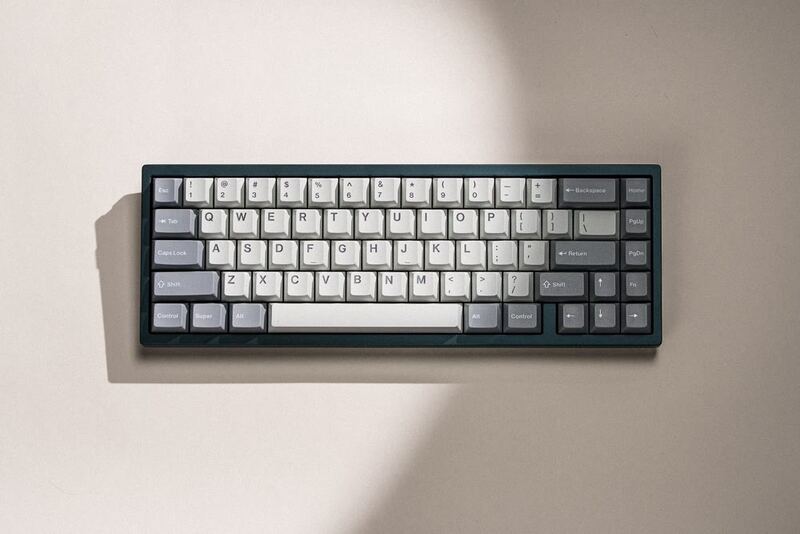
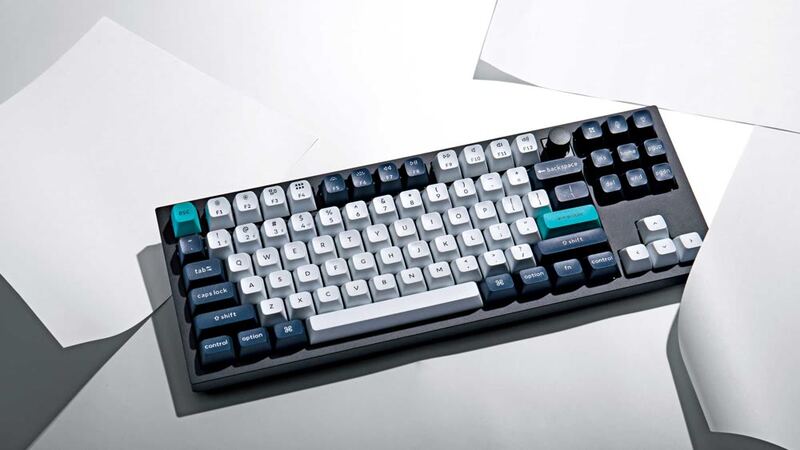
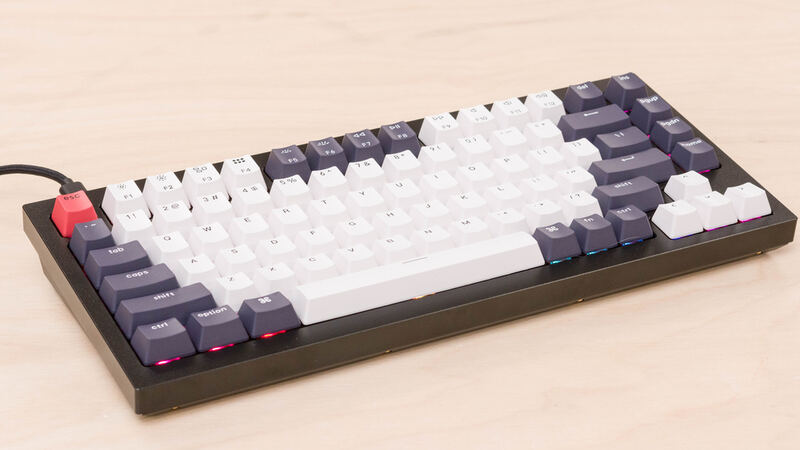
The Keychron Q1 Max stands out as a premium mechanical keyboard with an all-aluminum construction that weighs in at 1,724 grams, making it one of the heaviest 75% keyboards on the market. The keyboard's CNC-machined 6063 aluminum body, sandblasted finish, and over 24 manufacturing stages contribute to its robust feel. The design features a retro aesthetic with bone-white keycaps and soft grey accents, though Trusted Reviews pointed out that the Carbon Black version is harder to obtain. The keyboard's dimensions measure 327.5 x 145 x 22.6-35.8 mm, with a fixed 5.2-degree tilt angle and no adjustable feet, which some users may find limiting. KitGuru emphasized the keyboard's exceptional build quality, rating it 9.0/10, while AppleInsider noted the metal construction gives it a premium feel that's both substantial and comfortable for extended typing sessions.
Switch and Typing Experience
The Q1 Max comes standard with Gateron Jupiter switches. XDA-Developers reported that these switches, paired with the included double-shot PBT keycaps, provide an excellent typing experience, especially when used with the included Keychron Jupiter switches. GGRecon described the typing feel as ASMR-inducing with decent key travel and softer but still responsive switches. However, the keyboard's sound profile is heavily dampened by multiple layers of foam, including IXPE foam, PET film, and latex bottom pads, which creates a muffled acoustic experience. KitGuru rated the Q1 Max 9/10 and listed 'great acoustics and sound profile' among its pros, summing it up as 'an excellent keyboard featuring exceptional build quality, great acoustics and a satisfying typing feel.' The keyboard supports both 3-pin and 5-pin switches, allowing for extensive customization options for users who want to experiment with different switch types.
Wireless Performance and Battery
The Q1 Max supports dual wireless connectivity via 2.4 GHz and Bluetooth 5.1, with a 1,000 Hz polling rate over 2.4 GHz and 90 Hz over Bluetooth. The internal 4,000 mAh battery provides up to 180 hours of wireless usage when backlight is off, and around 30 hours at the lowest brightness setting. AppleInsider reported that the keyboard can last up to 100 hours at the lowest brightness level, with the actual battery life varying based on usage patterns. The keyboard includes a USB-C charging port and supports quick switching between five devices, which is particularly useful for users working across multiple platforms like MacBooks, iPads, and Windows PCs. The device also features a physical switch for quickly toggling between connectivity modes, enhancing its usability for multitasking environments.
Customization and Software Support
One of the Q1 Max's strongest points is its extensive customization capabilities. The keyboard is fully hot-swappable and supports both QMK and VIA software for programming, allowing users to modify key mappings, macros, and lighting effects. KitGuru lists 'easy to fully disassemble' among the Q1 Max's pros, which is what makes swapping or removing the internal foam layers practical in the first place. AppleInsider highlighted the keyboard's ability to be easily disassembled and reassembled, making it ideal for those looking to experiment with different keycaps, switches, and components. However, some users noted that the software interface, particularly the new Launcher tool, can be more fiddly compared to established platforms like Logitech G Hub. The keyboard also includes a volume knob and mute button that can be customized through the software, adding to its versatility for users who want to personalize their experience.
Real-World Performance and Gaming
While the Q1 Max excels in typing comfort and build quality, its gaming performance is somewhat limited by its 90 Hz Bluetooth polling rate and the fact that it's primarily designed for typing rather than gaming. GGRecon noted that while the keyboard offers a 'fantastic base to type on,' it may not be the best choice for competitive gaming, where the 1,000 Hz 2.4 GHz connection is preferred. The keyboard's 75% layout and lack of dedicated gaming keys make it less suitable for gamers who require quick access to specific gaming functions. However, its solid construction and responsive switches make it a strong contender for users who prioritize typing comfort over gaming performance. AppleInsider emphasized that the keyboard's wireless capabilities and multi-device support make it ideal for users who work across multiple platforms, though it may not satisfy hardcore gamers.
No adjustable typing angle, dim per-key RGB
Despite its many strengths, the Keychron Q1 Max has several drawbacks that may deter some buyers. The most significant criticism is its high price point, starting at $189 for the barebones version and reaching $229 for the fully assembled unit with switches and keycaps preinstalled. XDA-Developers noted that while the keyboard is 'a premium platform to make it your own,' the cost is 'well spent' only if you're looking to start a customization journey. The keyboard's substantial weight and lack of adjustable feet may also be off-putting for users who prefer a more portable or adjustable setup. Additionally, while the RGB lighting is per-key and south-facing, some reviewers found it unappealing or too dim for their preferences. KitGuru pointed out that the keyboard lacks adjustable typing angle, which could be a dealbreaker for users who prefer a more ergonomic setup. The lack of a dedicated gaming mode or macro keys also limits its appeal for serious gamers, though it excels in its primary role as a typing keyboard.
Built for long typing sessions across three OSes
The Keychron Q1 Max is best suited for users who prioritize typing comfort, build quality, and customization over gaming performance or portability. It's ideal for professionals, writers, and developers who spend long hours typing and want a premium keyboard that offers tactile feedback and extensive modularity. AppleInsider recommended it for users who want to 'reduce the friction of joining the wild world of custom keyboards' and for those who appreciate a 'luxurious typing experience.' The keyboard's support for multiple operating systems, including macOS, Windows, and Linux, makes it a versatile choice for users working across platforms. However, it's not recommended for casual gamers or those looking for a lightweight, portable keyboard. The Q1 Max is also not ideal for users who want to adjust the typing angle or those who are sensitive to the keyboard's weight. For users who value a premium typing experience and are willing to invest in a fully customizable keyboard, the Q1 Max is a strong choice, but those seeking gaming performance or portability should consider alternatives.
Costs more than the Keychron K4 or K5 Max
At $189 for the barebones version and up to $229 for the fully assembled unit, the Keychron Q1 Max is positioned as a premium product in the mechanical keyboard market. XDA-Developers noted that while the price is 'a small fortune' for custom mechanical keyboards, it's 'well spent' for those looking to start a customization journey. Trusted Reviews emphasized that the keyboard's 'luxurious typing experience' and 'supremely satisfying feel' justify its cost, especially for users who value long-term durability. However, the keyboard's price point is significantly higher than many competitors in the same category, such as the Keychron K4 or K5 Max, which offer similar features at lower prices. The keyboard's premium materials, extensive customization options, and high-quality switches make it a worthwhile investment for serious typists, but casual users or those on a tight budget may find better alternatives in the market.
Strengths
- +Sturdy aluminum build quality with no flex under pressure
- +Full wireless support with 2.4 GHz and Bluetooth 5.1 connectivity
- +Hot-swap support for Gateron Jupiter switches in multiple variants
- +Per-key RGB backlighting with support for QMK/VIA customization
Watch-outs
- −Expensive at $189 for barebones version, $229 fully assembled
- −Internal battery life rated at ~180 hours, which may not meet all users' expectations
How it compares
The Keychron Q1 Max stands out with its robust aluminum build and hot-swap support, features that the Drop CTRL and NuPhy Air75 V2 also offer, but the Q1 Max's Gateron Jupiter switches provide a more premium tactile feel than the CTRL's upgraded switches or the Air75's low-profile options. Unlike the Mode SixtyFive, it lacks the innovative block mount design but offers better battery life than the Keychron Q1 HE, making it a more versatile wireless option.
Rating sources
“The Q1 Max is an excellent keyboard featuring exceptional build quality, great acoustics and a satisfying typing feel.”
“It can last up to 180 hours with no backlight or about 100 hours at the lowest brightness.”
Our 4.4 score is the average of these published ratings. More about methodology.